Remove Double Chin Photo: Quick Fixes for a Flawless Look in Minutes
Learn to remove double chin photo flaws with AI, Photoshop, and mobile apps. Pro posing, lighting, and editing tips for a natural jawline.
Getting a sharp, defined jawline in your photos is far more accessible than you think, thanks to sophisticated modern tools. The most efficient way to address a double chin in a photo is to leverage an AI-powered editor like DreamShootAI. By typing a simple command like "sharpen the jawline," you can achieve professional-looking results in seconds, bypassing the steep learning curve of complex software.
Why AI Is the Ultimate Photo Editing Shortcut
The desire for a defined profile in photographs is a widespread aesthetic goal. This reflects a larger societal trend; the global market for non-surgical fat reduction is projected to reach a staggering $6.8 billion by 2033, a testament to the public's demand for quick, non-invasive solutions. That same desire for immediate, effective results without extensive training is precisely what's driving the revolution in photo editing.
While a high-quality edit provides an instant confidence boost, many individuals also explore a long-term action plan to lose a double chin.
The image below offers a clear breakdown of the differences between refining a jawline with AI versus traditional manual techniques.
As illustrated, AI delivers unparalleled speed and simplicity, while manual editing offers granular control for those willing to invest the time to master the required skills.
Comparing Methods to Remove a Double Chin in Photos
To provide a comprehensive overview, this table outlines common photo editing methods, highlighting their key differences in speed, required skill, and the quality of the final result.
| Method | Best For | Skill Level | Time Required |
|---|---|---|---|
| AI Prompt-Based Editing | Quick, high-quality edits for social media, headshots, or personal photos. | Beginner | Seconds to minutes |
| Manual Photoshop (Liquify) | Professionals needing precise, subtle adjustments for high-end portraits. | Intermediate to Advanced | 15-30 minutes per photo |
| Mobile App Retouch Tools | Casual users who want a simple, one-click fix on their phone. | Beginner | Under a minute |
| Dodge & Burn (Contouring) | Experienced editors looking to create depth and shadow for a natural look. | Advanced | 30+ minutes per photo |
Each method serves a specific purpose, but for the majority of users, the convenience and quality of AI are unmatched for everyday photo enhancement needs.
The Power of Prompt-Based Editing
Forget navigating labyrinthine tools, layers, and masks in software like Photoshop. With prompt-based editing, you simply describe the desired change in natural language. It is as intuitive as having a conversation with the software.
For instance, you can instruct an AI tool to:
- "Remove the double chin from this picture."
- "Create a more defined jawline."
- "Slim the neck and chin area."
This conversational interface makes high-quality retouching accessible to everyone, regardless of technical proficiency. It's a transformative approach for creating polished headshots, a topic we explore further in our guide on using AI for professional headshots. This paradigm shift from manual manipulation to direct instruction is fundamentally altering the landscape of photo enhancement.
As professional photographer and retoucher Peter Hurley once noted, "The best headshot is one that looks like you on your best day." AI editing helps achieve that "best day" look with unprecedented ease, ensuring the final image is both flattering and authentic.
Instant Results for Any Occasion
The primary advantage of AI is its speed. Whether you're refining a last-minute LinkedIn profile picture, touching up a wedding photo, or enhancing a selfie for Instagram, you can achieve your goal in moments. A 2023 survey by Canva found that 78% of marketers believe AI content creation tools save them significant time.
This immediacy is a critical asset in a digital world where first impressions are paramount. AI tools like DreamShootAI’s ‘Photo Edit by prompt’ empower users to produce studio-quality images from anywhere, converting what was once a tedious, skill-intensive task into a simple, satisfying fix.
Sculpting a Natural Jawline in Photoshop
For situations demanding absolute, pixel-perfect control, Adobe Photoshop remains the industry standard. While AI tools are exceptional for rapid enhancements, manual editing is where true artistry and precision converge. Let's delve into two professional-grade techniques for minimizing a double chin to achieve a realistic, polished finish.
The key to retouching that doesn't announce itself is subtlety. Renowned retoucher Pratik Naik often emphasizes, "The best retouching is the retouching you don't see." This principle is paramount when working on a focal point like the jawline, where a single misstep can compromise the entire image's authenticity.
The Art of the Liquify Tool
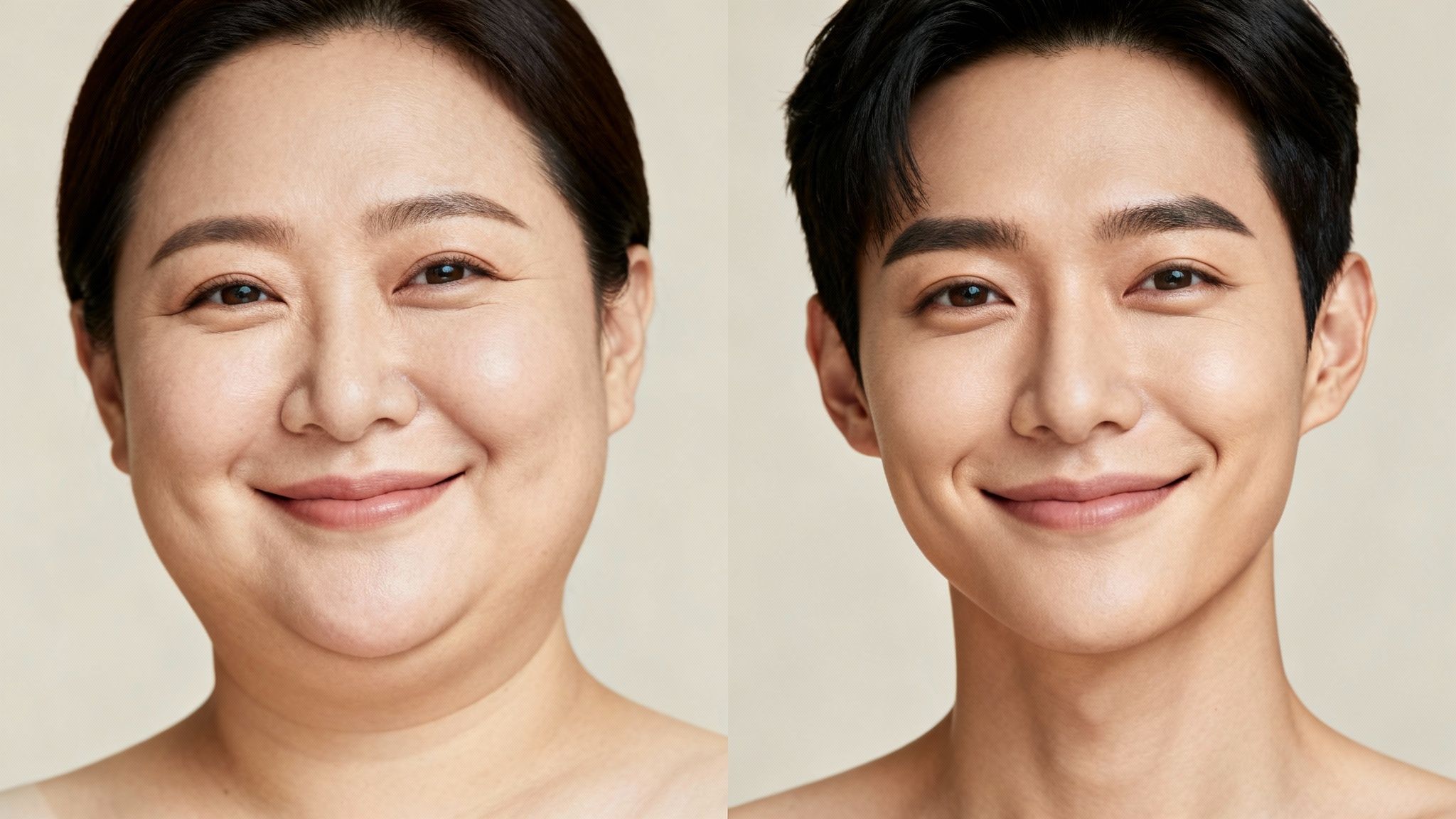
The most direct method is Photoshop’s Liquify tool. It functions like digital clay, allowing you to push, pull, and sculpt pixels to refine shapes. However, this tool demands a delicate touch; an overly aggressive approach is a common mistake that results in warped, unnatural-looking edits.
To maintain a natural appearance, adhere to these guidelines:
- Keep Your Brush Small: A large brush will affect too much of the surrounding area, potentially distorting the mouth or neck. The brush should be just large enough to cover the edge being adjusted.
- Nudge, Don't Shove: Instead of a single, forceful push, use a series of small, gentle nudges. This technique allows for gradual shaping of the jawline, affording you greater control over the final contour.
- Watch the Background: Always remain vigilant about the background. A bent wall or a warped doorframe is an immediate giveaway of digital manipulation. Use the Freeze Mask tool to protect the background from unintended alterations.
Dodging and Burning for Realistic Contours
For a more nuanced and advanced approach, we turn to Dodging and Burning. This classic darkroom technique, adapted for the digital age, involves painting with light (dodge) and shadow (burn) to enhance contours. Instead of physically reshaping the jawline, you create a powerful optical illusion of depth and definition.
This is the preferred method for high-end retouchers because it leaves the original skin texture completely intact. In fact, studies on image manipulation have found that edits preserving natural textures are consistently perceived as more believable and professional.
To begin, create two new layers above your image—one for dodge and one for burn. Change their blend mode to "Soft Light" and fill them with 50% gray. Now, using a very soft brush with a low opacity (approximately 5-10%), paint with white to brighten (dodge) and black to darken (burn).
Here’s a practical application for a double chin:
- Burn (add shadow) directly along the natural jawbone. This action carves out the jaw, creating a deeper, more defined shadow.
- Dodge (add highlight) along the very edge of the jaw itself. This makes the bone structure appear more prominent, resulting in a sharper, more chiseled look.
This technique requires patience, but the result is a hyper-realistic enhancement that stands up to close scrutiny. It is the digital equivalent of a professional makeup artist's contouring. To build upon these fundamentals, our guide to various photo editing techniques is an excellent resource. Mastering manual edits like these provides ultimate control over the final look and feel of your images.
Fast Fixes With Mobile Apps
In today's fast-paced environment, the need for immediate, high-quality photos is constant. You may not always have access to a desktop for a comprehensive editing session. The good news is that a powerful editing studio likely resides in your pocket.
The mobile app market is saturated with excellent tools for quick facial enhancements, making it incredibly easy to minimize a double chin in a photo with just a few taps. This is not about fabricating a new identity but about making subtle adjustments to present your best self.

A Quick Rundown of the Best Apps
Applications such as Facetune, YouCam Perfect, and the more professional-grade Snapseed have streamlined this process. They are designed for speed and simplicity, with features specifically aimed at sculpting the jawline and neck.
- Facetune: A perennial favorite, Facetune offers the "Jaw" tool. It is purpose-built for this task—simply tap and slide to gently lift and define your jawline. For more granular control, the "Reshape" tool lets you nudge specific areas, akin to a simplified version of Photoshop's Liquify.
- YouCam Perfect: Navigate to the "Beautify" section and locate the "Face Shaper" feature. It includes a dedicated slider for "Chin Shape," which facilitates quick, controlled adjustments to slim and sculpt the lower facial area.
- Snapseed: This Google-owned app provides more manual control. Use the "Selective" tool: place a control point on the shadow beneath your jaw, then swipe to increase contrast and slightly decrease brightness for instant, effective contouring.
"The most successful mobile edits are the ones that whisper, not shout," notes celebrity makeup artist and digital creator, Alexia Cortez. "It’s about enhancing what’s there, not creating something entirely new. A subtle tweak to the jawline can redefine a portrait without looking artificial."
The Pro Tip for a Natural Finish
A common mistake when editing on a small screen is neglecting to zoom in. This is the single most critical step for achieving a believable result.
Before saving your work, pinch and zoom into the edited area—the edge of the jaw, the neck, and the adjacent background—for a thorough quality check.
Act as a digital detective, looking for these tell-tale signs of a clumsy edit:
- Blurry or pixelated edges where adjustments were made.
- Warped backgrounds (a classic error) where an object was accidentally pulled along with the jawline.
- Unnaturally smooth skin that appears smudged or has lost its inherent texture.
This simple quality check takes only a few seconds but makes a world of difference. It ensures your final photo looks sharp and intentional, not like a rushed editing job. These skills are also applicable to other minor corrections. Learn more in our guide on using an app to erase blemishes. By maintaining subtlety and always double-checking your work, your mobile edits will appear flawless every time.
How to Use Posing and Lighting to Shape Your Face
Before you even consider an editing application, understand this fundamental truth: a great photograph begins behind the camera, not in post-production. The most effective way to manage a double chin is to minimize its appearance from the outset. Professional photographers have mastered this, using simple yet powerful techniques in posing and lighting to sculpt the face before the shutter is ever pressed.
Learning these pre-shot adjustments is a game-changer, enabling you to capture more flattering portraits from the start and work smarter, not harder.
Posing Tricks for a Sharper Jawline
The right pose can significantly elongate the neck and define the jawline. These are not uncomfortable contortions but small, deliberate adjustments that yield a massive visual impact.
A classic photographer's technique is to have the subject push their forehead slightly forward and toward the camera—like a turtle extending its neck. While it may feel awkward, this single motion stretches the skin under the chin, instantly creating a cleaner, more defined line.
Another surprisingly effective trick is to press your tongue firmly against the roof of your mouth. This action tightens the submental muscles, providing a subtle but noticeable lift to the area under the jaw.
As the renowned portrait photographer Sue Bryce often says, the magic command is, “Chin out and down.” This simple direction separates the chin from the neck, elongates the entire line, and creates a much more flattering angle that naturally minimizes any fullness.
Lighting Your Way to Definition
Lighting constitutes the other half of this powerful equation. Flat, direct light—such as that from an on-camera flash—is the adversary of a defined face, as it eliminates the natural shadows that create shape and dimension. The goal is to create depth.
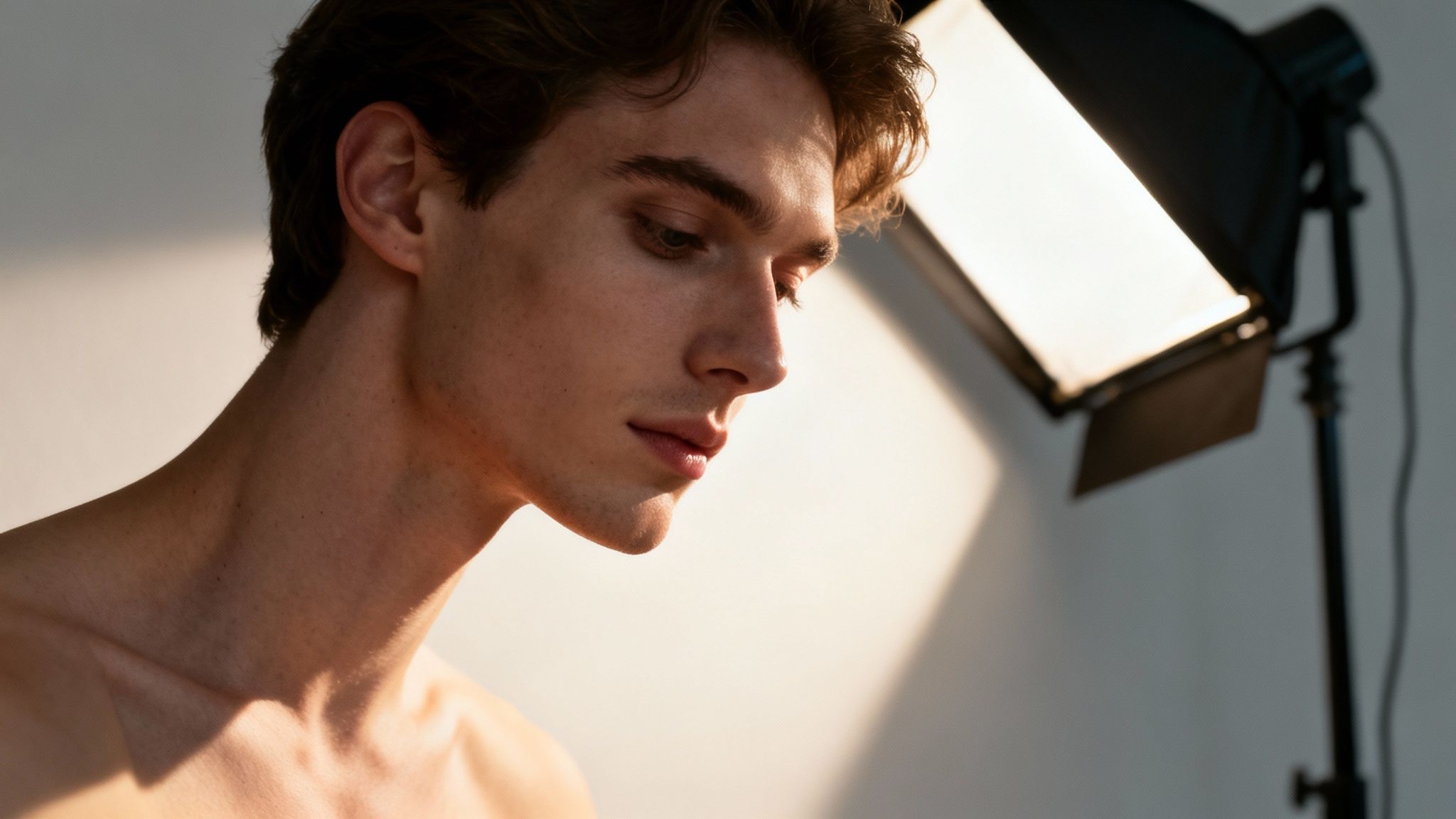
This doesn't require a complex studio setup. A single light source, such as a large window or a lamp, positioned slightly above and to one side of the subject, can work wonders. This approach mimics a classic lighting style known as Rembrandt lighting, celebrated for its ability to carve out facial features with a beautiful interplay of light and soft shadow. The shadow it casts just beneath the jawline is precisely what is needed to make it appear sharper and more chiseled.
Understanding how to combine posing and lighting is a fundamental skill for superior photography. In fact, many guides with dating profile photo tips are built around these same principles to help people present their best selves.
The desire for a sharp jawline is so prevalent it has fueled a massive industry. The market for fat-dissolving injections alone hit $436.94 million in 2024 and is projected to reach $911.25 million by 2032, according to Verified Market Research. With treatments costing thousands, it's clear people are seeking solutions. This is where a tool like DreamShootAI offers a compelling alternative, providing a way to instantly remove a double chin from a photo with a simple text prompt—achieving that perfect look without the hefty price tag or recovery time.
The Future of Effortless Photo Editing
While complex Photoshop techniques and quick mobile fixes each serve a purpose, the trajectory of photo editing is undeniably toward a future that is simpler, smarter, and more powerful. AI platforms like DreamShootAI are at the vanguard of this movement, merging the precision of professional software with the intuitive ease of a mobile app. This synthesis is fundamentally changing how we remove a double chin in a photo and perfect our images.
Consider the workflow: after using a ‘Photo Edit by prompt’ to achieve the perfect jawline in seconds, you can immediately elevate the image further. Imagine instantly upscaling that headshot for a high-resolution print with a ‘Magic Upscaler’ or animating it for a dynamic social media post.
The AI Advantage in an Aesthetic-Driven World
This trend is not merely a matter of personal preference; it is a significant cultural and market force. The global market for submental fat treatment—the clinical term for reducing a double chin—reached $496.68 million in 2024. Projections from market analysis firms indicate it will soar to $1,348.71 million by 2032.
This growth is driven by a heightened aesthetic awareness, largely fueled by social media, where a sharp jawline is often equated with attractiveness.
“The most impactful technology is the one that becomes invisible, that just works,” says tech analyst and author Sarah Evans. “AI photo editing is reaching that point. Users don’t need to understand layers or algorithms; they just need to state their goal, and the AI delivers.”
This is precisely where AI platforms excel. For a professional refining their LinkedIn profile or a creator building a brand, using a simple prompt to obtain instant, professional-grade results is revolutionary. It offers an immediate and affordable alternative to cosmetic procedures that can cost upwards of $500 per session.
An Integrated Workflow for Modern Needs
The true power of a platform like DreamShootAI lies in its integrated ecosystem. It's not just about correcting a single issue in one photo; it's about creating a polished final product for any application, all within a single environment.
Consider these real-world scenarios:
- Wedding Planners: A couple can quickly retouch their engagement photos, then use the same platform to generate themed wedding shoots or create animated video invitations.
- Professionals: An individual can generate a new headshot, perfect the jawline with a quick prompt, and then upscale it for a portfolio or company website.
- Social Creators: A content creator can edit an entire series of photos for a campaign, ensuring a consistent, flawless aesthetic across all posts.
This seamless workflow enables users to move beyond simple fixes and engage in true creative expression. Instead of juggling multiple applications and software, you have one powerful, centralized studio at your fingertips. It is a smarter, faster path to exceptional results.
Got Questions? We've Got Answers
When it comes to removing a double chin from a photo, several questions consistently arise. The primary concern is often maintaining a natural appearance, followed closely by choosing the most appropriate tool for the job. Let's address these common inquiries.
How Can I Make Sure My Edits Don't Look Fake?
This is the paramount question. The golden rule is subtlety. The objective is enhancement, not digital alteration. Over-editing is the fastest route to a poor result, leading to warped jawlines or unnaturally smooth, plastic-like skin. It is no surprise that professional retouchers cite the preservation of natural skin texture as the single most critical element of a realistic edit.
To ensure your edits remain believable, always adhere to these principles:
- Start low and go slow. Work with low opacity or intensity settings. You can always build the effect gradually.
- Get up close and personal. Zoom in to meticulously inspect the jawline for any tell-tale signs of pixelation or unnatural blurring.
- Think small. Avoid making large, sweeping changes. A series of small, precise adjustments will always appear more convincing.
Is AI or Manual Editing Better for This?
The answer depends entirely on your specific needs and context.
For 90% of everyday applications—such as refining a social media post or adding a final polish to a professional headshot—an AI editor is the optimal choice. It is significantly faster, requires no technical expertise, and modern AI delivers remarkably natural results. The emergence of dedicated "Double Chin Reduction" sliders on these platforms is indicative of their effectiveness and popularity.
So, when is manual editing in a program like Photoshop preferable? It remains the domain of professionals—photographers and high-end retouchers who require absolute, pixel-by-pixel control for commercial campaigns or editorial spreads.
As digital imaging expert Dr. Hany Farid of UC Berkeley often points out in his work on photo forensics, "The most sophisticated forgeries are often those that make the smallest, most plausible changes." This concept applies perfectly to retouching. A gentle, AI-driven tweak often looks far more authentic than a heavy-handed manual edit.
What's the Absolute Fastest Way to Fix a Double Chin in a Photo?
Without question, an AI tool that operates via text prompts is the most rapid method available.
Typing a simple command like "sharpen the jawline" or "reduce the double chin" into a tool like DreamShootAI’s ‘Photo Edit by prompt’ can yield a finished result in seconds. Mobile apps like Facetune are also extremely fast, though their results may not achieve the same level of refinement as a more advanced AI platform.
For comparison, executing the same task with traditional dodging and burning techniques in Photoshop could easily take 30 minutes or more for a single image.
Ready to create flawless photos with just a simple command? DreamShootAI gives you the power to perfect your images instantly. Try our 'Photo Edit by prompt' feature and see the difference for yourself at https://dreamshootai.com.
Written by Jocelyn Grey for the DreamShootAI blog.
Spotted something out of date? Tell us at [email protected] and we'll fix it.