Your Guide to AI for Professional Headshots
Discover how using AI for professional headshots can transform your digital brand. Learn how to select photos, generate styles, and choose the perfect image.

Getting a studio-quality professional headshot used to be an ordeal. It involved finding a photographer, booking a studio, blocking out half a day, and spending a significant amount of money. Today, artificial intelligence has revolutionized this process, allowing you to generate polished, professional images in minutes, directly from your smartphone.
AI for professional headshots works by taking your everyday selfies and using sophisticated algorithms to generate entirely new, high-resolution images. It's an exceptionally fast, affordable, and versatile method for updating your personal brand on LinkedIn, company websites, or anywhere you need to present a sharp, professional image.
A Whole New Era of Professional Headshots
Forget scheduling photographers or coordinating studio sessions. The landscape of professional photography has fundamentally shifted. A recent study underscores this, revealing that 68% of professionals believe a high-quality headshot on platforms like LinkedIn directly impacts their career opportunities. AI now empowers anyone to create these crucial assets, putting you firmly in control of your professional first impression.
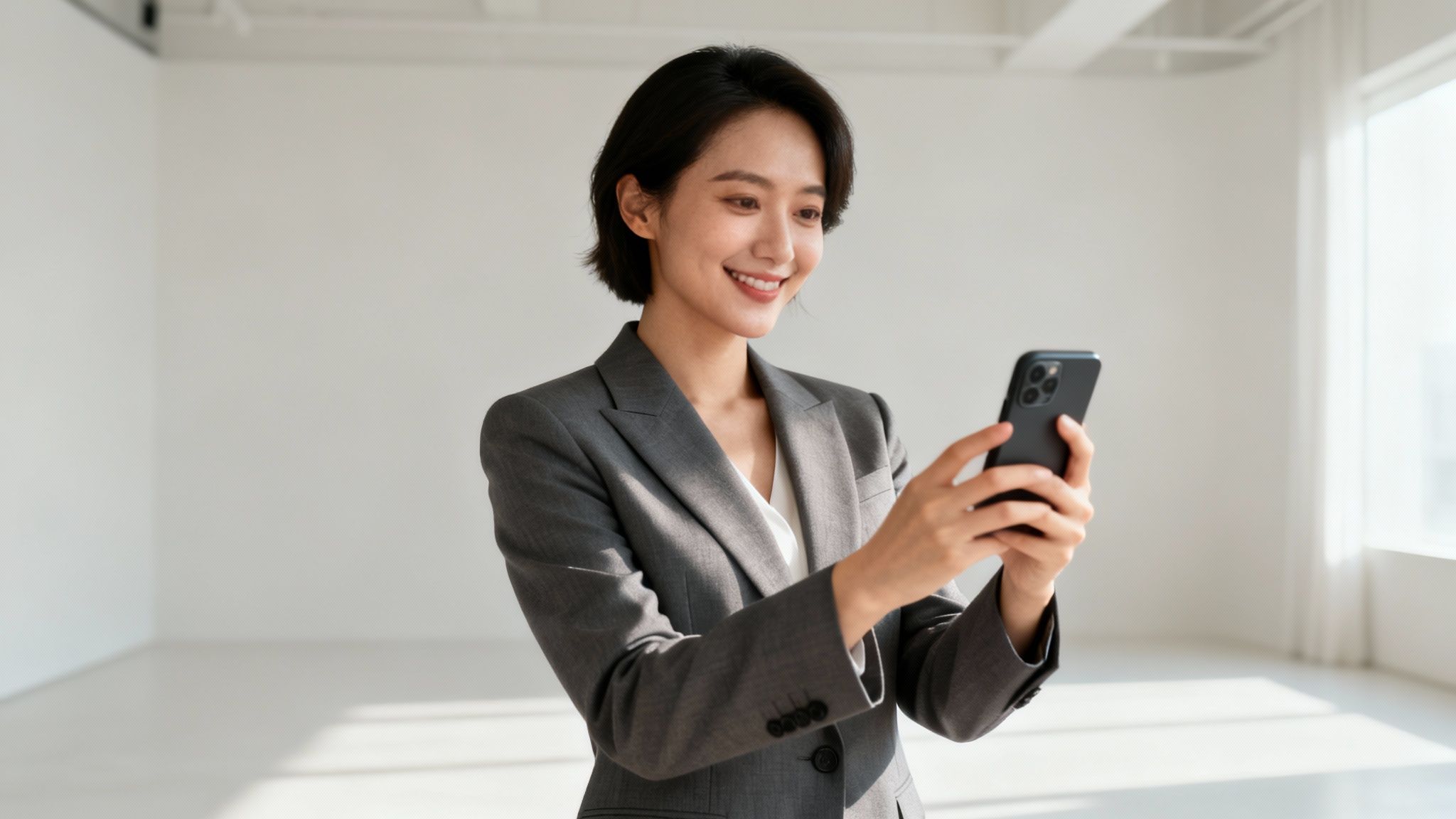
This is the new reality—managing your professional image on your own terms with tools like DreamShootAI. This isn't just a fleeting trend; it’s a fundamental part of modern career building, validated by its rapid market adoption.
So, Why Is AI a Game Changer?
The benefits are so clear-cut that traditional photoshoots are starting to feel inefficient by comparison. The core advantages are simple but powerful:
- Unbelievable Speed: Generate dozens of unique headshots in under an hour, not weeks.
- Seriously Cost-Effective: Access studio-level quality for a fraction of what a professional photographer charges.
- Endless Variety: Experiment with different suits, backgrounds, and expressions instantly without additional costs or reshoots.
For a deeper dive into the technologies making this happen, it's worth checking out some lists of the best AI content creation tools that are reshaping more than just photography.
Let's look at how the old way stacks up against the new.
Traditional Photoshoot vs AI Headshot Generator
| Feature | Traditional Photoshoot | AI Headshot Generator |
|---|---|---|
| Time Investment | Days or weeks for scheduling and delivery | Under 1 hour from start to finish |
| Cost | $200 - $1,500+ | Typically under $50 |
| Variety | Limited to 1-2 outfits and backgrounds | Dzens or hundreds of variations |
| Convenience | Requires travel and on-site coordination | Done from your phone or computer |
| Revisions | Costly and time-consuming | Instant regeneration of new options |
This table lays it all out. AI provides superior options, speed, and value.
The market is responding emphatically. The AI headshot industry is projected to hit a valuation of $500 million by the end of 2025. This represents a staggering 150% increase from the previous year, driven by professionals demanding high-quality visual assets without the traditional friction. For more on this, check out the market report from Headsnap.io.
"In a digital-first world, your headshot is your handshake. An outdated or unprofessional photo is no longer an option—it's a liability to your personal brand and career opportunities."
– Alex Carter, Digital Branding Strategist
Carter's assessment is precise. Your digital image is more critical than ever, and AI delivers a powerful, immediate solution to this modern imperative.
Choosing the Right Photos for AI Generation
Here's a simple truth: the quality of your AI headshots hinges entirely on the quality of the photos you feed the machine. Think of it as providing an artist with reference material—if the source is blurry, poorly lit, or heavily filtered, the final portrait will be compromised.
You're aiming to give the AI a complete, 360-degree understanding of your facial structure. This means uploading a diverse collection of photos that showcases your features from different angles and in various lighting conditions. Simply uploading a dozen selfies taken from the same high angle in your car will not suffice.
Curating Your Photo Collection
First things first, you'll need to gather 10 to 20 high-resolution photos of yourself. To ensure the AI accurately captures your current appearance, use pictures taken within the last year.
As you select them, be ruthless about avoiding these common pitfalls:
- Obstructions: No sunglasses, hats, or hands obscuring your face. The AI requires a clear, unobstructed view of your facial features.
- Filters and Edits: Avoid heavily filtered images from social media. The AI can be confused by artificial smoothing or color alterations, leading to unnatural-looking results.
- Group Photos: This is a critical point. Upload photos of yourself only. The AI must focus exclusively on your face without being distracted by others.
Cedric from Profile Bakery, a team that has generated headshots for over 10,000 professionals, puts it well: "our mission is simple: make studio-quality portraits accessible to everyone." That accessibility starts with giving the system the right raw materials to work with.
Lighting and Angles Are Everything
If there's one thing to get right, it's lighting. The most effective light is soft and natural, such as from a window on an overcast day. This illuminates your face evenly, avoiding the harsh shadows that can distort your features. Steer clear of direct overhead lighting or dimly lit environments.
Variety in angles and expressions is just as crucial. Provide a mix of shots—some smiling, some with a more neutral, serious expression, and a few where you're looking slightly away from the camera. This range gives the AI for professional headshots a richer dataset, resulting in a wider variety of authentic, high-quality options.
While varying your expressions, remember that your outfit choices can also make a difference. For some solid advice on that, you can learn more about what to wear for headshots in our guide. Nail these preparatory steps, and you're setting the stage for the AI to create impressive headshots that genuinely look like you.
How To Generate Your First AI Headshots
Alright, you've curated a solid collection of photos. Now for the compelling part: creating your new headshots. The process is surprisingly straightforward, even for those who aren't tech-savvy. You will simply upload your images into an AI headshot generator and let the technology take over.
Behind the scenes, the AI model performs a deep analysis of your photos—studying facial features, lighting, and every angle. It uses this comprehensive data to synthesize brand-new, photorealistic images of you, placing you in professional settings and appropriate attire. This isn't a simple filter; it's the creation of a new photograph from scratch, based entirely on your likeness.
Choosing Your Professional Style
After uploading your photos, you will select the "style" for your headshots. This is your opportunity to direct the AI toward the professional aesthetic you want to achieve. Most platforms offer distinct categories tailored to various career goals.
You’ll typically see options like:
- Corporate: The standard for finance, law, or executive roles. Expect classic suits and clean, minimalist office backdrops.
- Creative: Ideal for designers, marketers, or artists. This style often features modern, artistic spaces and more contemporary attire.
- Approachable: A superb choice for therapists, coaches, or consultants. It generally employs softer lighting and warmer, more casual settings to foster a sense of trust.
Consider your industry and the first impression you wish to convey. A software engineer might opt for a sleek, modern corporate look, while a freelance writer could choose a creative style that showcases more personality.
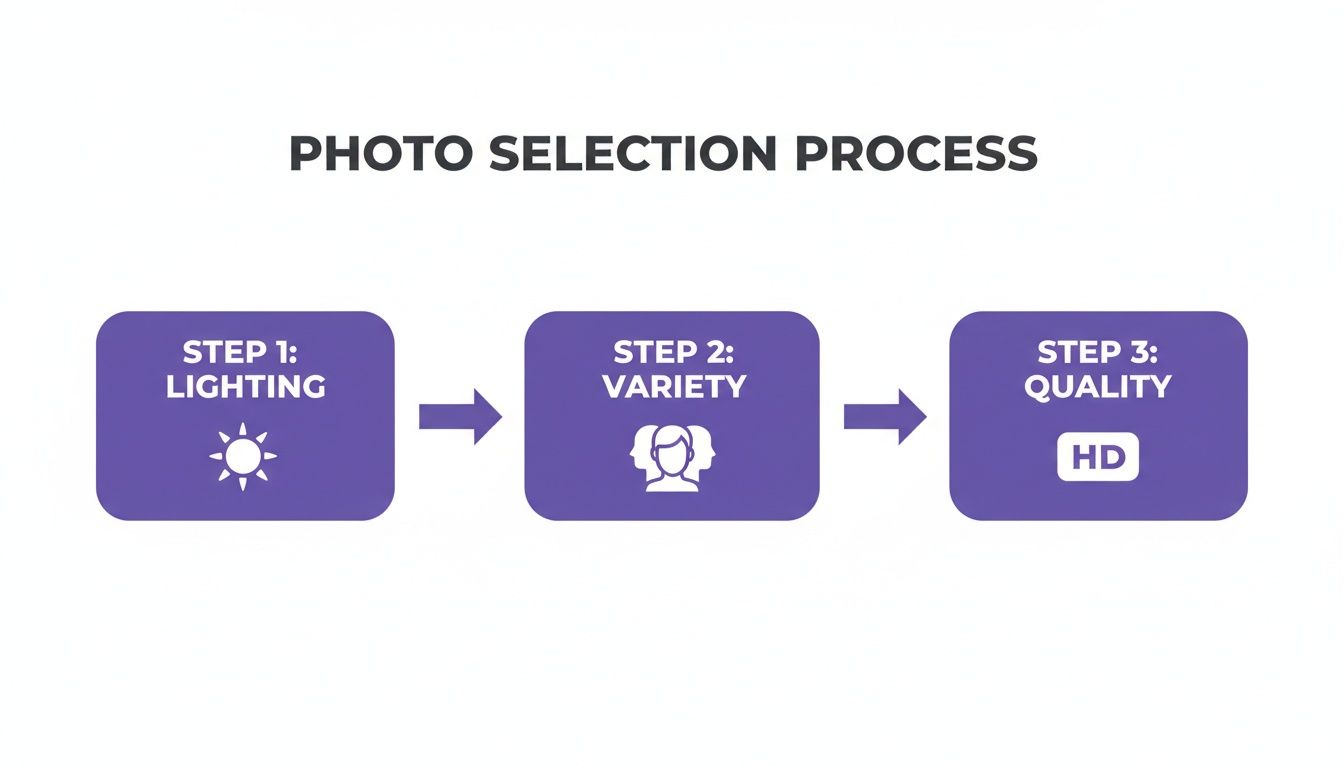
This diagram reinforces a critical point: the quality of your results is directly proportional to the quality of the photos you provide. Good lighting, variety, and high-resolution images are non-negotiable for producing genuinely realistic headshots.
One of the most significant drivers behind the adoption of AI for professional headshots is the immense savings in time and money. These tools can deliver a full gallery of polished images in as little as 60 minutes, requiring only 7 to 40 selfies from your phone. For remote teams and globally distributed freelancers, this is a game-changer, eliminating scheduling nightmares.
Once you've picked a style and the AI has done its thing, you get a whole gallery of options. This is where you really see the power of this technology. Instead of being stuck with just one or two final shots from a traditional photoshoot, you get dozens of possibilities. It gives you complete control over your professional image.
Selecting and Refining Your Perfect Headshot
The AI has worked its magic, and your gallery is ready. Now you assume the role of director to select the perfect shot. Sorting through the options can seem daunting, but approach it with a clear goal: you're casting for the lead role in your professional life.
First, perform a rigorous quality check. Your initial pass should eliminate any image that screams "AI." Look for telltale artifacts: distorted hands, strange background elements, or anything that feels disproportionate. Pay close attention to the eyes; they must appear sharp, focused, and natural, not glassy or misaligned. An authentic expression is paramount.
Fine-Tuning Your Selection
Once you've filtered out the obvious rejects, you'll have a strong group of contenders. Now it's time to refine your choice with a recruiter's mindset.
What story is your headshot telling?
- Background and Attire: Does the aesthetic align with your industry? A sleek, modern backdrop is perfect for a graphic designer, while a lawyer benefits from a more traditional, buttoned-up setting.
- Expression and Vibe: Aim for the intersection of confidence and approachability. A slight, genuine-looking smile is almost always effective. Does the photo portray you as someone they'd want to work with?
Never underestimate the impact of this single image. It is often the very first impression you make.
"When I'm sourcing candidates on LinkedIn, a clear, professional headshot is the first thing I notice. It signals attention to detail and confidence. A blurry selfie or a poorly lit photo immediately makes me question a candidate's professionalism before I even read their experience."
– Emily Carter, Senior Technical Recruiter
Simple Edits for a Flawless Finish
You’ve found it—the headshot that's 99% perfect. A few minor tweaks can easily elevate it to 100%. You don't need to be a Photoshop expert; numerous free online tools are sufficient for basic refinements.
Consider these quick adjustments:
- Cropping: Frame the shot to focus squarely on your face. The classic head-and-shoulders crop is standard for a reason—it’s clean, professional, and optimized for platforms like LinkedIn.
- Brightness and Contrast: A slight adjustment to brightness or contrast can make your features pop and ensure the lighting appears natural and balanced.
With those final touches, your AI for professional headshots journey is complete. You now possess a powerful visual asset ready to anchor your personal brand and make an outstanding first impression.
Put Your New Headshot to Work for Your Career
A polished AI headshot isn't just a picture—it’s a strategic career tool. Its first destination should be your LinkedIn profile. A sharp, professional image is proven to increase profile views and connection requests, opening doors to networking and career opportunities. A LinkedIn study found that profiles with professional headshots receive 14 times more views than those without.

This single image becomes the face of your online personal brand. Consistency is therefore critical. Using the same headshot across all professional touchpoints builds recognition and projects a cohesive, authoritative image.
Solidify Your Professional Brand
Ensure your new headshot is visible everywhere you have a professional presence. This simple action builds trust and reinforces your brand identity in the minds of colleagues, recruiters, and potential clients.
Key places to update immediately:
- Email Signature: Adds a professional, personal touch to every message.
- Personal Website or Portfolio: Makes a strong first impression on visitors.
- Speaker Bios: Use a current, high-quality photo for conferences and events.
- Other Social Media Profiles: Maintain consistency on platforms like X (formerly Twitter) where you engage professionally.
AI headshots are quickly becoming a standard in professional networking, where first impressions are made in seconds. In fact, a 2024 survey showed that 39% of users now use AI-generated shots on their CVs to gain a competitive edge in a crowded job market.
This proactive approach to branding is vital. Just as a great headshot elevates your image, understanding how AI resume builders secure job interviews can give you another powerful advantage in your job search.
Your headshot is your digital handshake. It’s the visual anchor for your entire professional narrative, instantly communicating competence and confidence before anyone reads a single word about your experience.
By strategically using your new AI-generated headshot, you turn a simple image into an active asset for your career growth.
Got Questions About AI Headshots? We've Got Answers
Venturing into the world of AI for professional headshots for the first time? It's natural to have questions about quality, data handling, and the overall process. Let's address some of the most common concerns to provide clarity and confidence.
The most frequent hesitation is, "Will my photos look obviously fake?" It’s a valid question, but the technology has advanced exponentially. As stated in Forbes, "Modern generative AI models can now produce images that are virtually indistinguishable from professional photography." This technology is blending into our digital lives so seamlessly that one market analysis predicted that over 90% of online content could be AI-generated by 2026.
Is My Data Safe and Secure?
Data privacy is another paramount concern. Entrusting personal photos to a service requires confidence in its security protocols. Reputable services prioritize your privacy. Typically, your uploaded images are used to train a temporary, private AI model of your face. Once your headshots are generated, both the model and your source photos have a limited lifespan.
"Subject consent and realistic portrayal remain core ethical imperatives."
– The New York Times Magazine
This quote captures the industry's focus on responsible implementation. Most platforms, including our team here at DreamShootAI, adhere to strict policies that mandate the deletion of your source images from servers within a specified timeframe, usually around 30 days. This ensures your data is not stored indefinitely. We always recommend reviewing the privacy policy of any service before use.
How to Get the Best Possible Results
So, how do you ensure the final images are an authentic representation of you? The secret lies in the diversity of your input data. While you don't need hundreds of photos, a good range is essential. Aim for 10 to 20 high-quality pictures.
Focus on gathering the following:
- A Mix of Expressions: Provide more than just your standard professional smile. Include neutral expressions and even a laugh to give the AI a comprehensive understanding of your facial dynamics.
- Different Angles: Include shots from straight on as well as slight side profiles. This helps the AI accurately model the three-dimensional structure of your face.
- Clean Lighting: The clearer the input photos, the better the output. Avoid images with harsh shadows, artistic filters, or poor focus. High-quality data in means high-quality photos out.
By providing the AI with a diverse, high-quality collection of your photos, you are setting it up for success and ensuring the final headshots are a genuine reflection of you.
Ready to see what it's all about? You can create a stunning, professional headshot in just a few minutes. See what DreamShootAI can do for your professional image today. Get Your AI Headshots Now.
Written by Jocelyn Grey for the DreamShootAI blog.
Spotted something out of date? Tell us at [email protected] and we'll fix it.