What Makes a Good LinkedIn Photo and How to Get One
Discover what makes a good LinkedIn photo with our expert guide. Learn the key elements that attract recruiters and how to create a perfect headshot.
Your LinkedIn photo is more than just a picture; it's a strategic blend of professionalism, quality, and personality designed to build instant trust. A compelling LinkedIn photo is a high-resolution headshot where you are the undeniable focus—professionally dressed, with a warm and approachable expression. This isn't just a profile picture; it's your digital first impression, a critical component of your professional brand.
Your LinkedIn Photo Is Your Digital Handshake
In the professional world, your LinkedIn profile often walks into the room before you do. Before a recruiter ever reads about your experience or a potential client scans your skills, they see your photo. That single image is your virtual handshake, setting the tone for every conversation that follows. It's an empirically powerful tool for building your personal brand and establishing credibility at a glance.
This is not conjecture; the data is staggering. LinkedIn’s own research confirms that profiles with a professional photo receive up to 21 times more views and 9 times more connection requests. Why? The platform’s algorithm naturally favors complete profiles, and a high-quality headshot is a key indicator of a serious professional, pushing those profiles seven times higher in search results.
Before we deconstruct the elements of a superior photo, here is a quick reference guide. Consider this the anatomy of a perfect profile picture, broken down into its core components.
The Anatomy of a Perfect LinkedIn Photo At a Glance
| Element | What to Do | What to Avoid |
|---|---|---|
| Framing | Head and shoulders, or waist-up shot. | Full-body shots, group photos, or distant images. |
| Background | Simple, non-distracting, or blurred. | Cluttered, busy, or unprofessional settings. |
| Lighting | Soft, natural light from the front. | Harsh shadows, backlighting, or dim, grainy light. |
| Expression | A genuine, approachable smile. | Overly serious, goofy, or blank expressions. |
| Attire | What you'd wear to work or an interview. | Casual t-shirts, party wear, or distracting patterns. |
| Quality | High-resolution, sharp, and in focus. | Blurry, pixelated, or heavily filtered images. |
This table provides the blueprint. Now, let's analyze why these elements are so critical to your career trajectory.
Why Your Photo Is a Career Asset
Think of your profile picture as the cover of your professional story. A clear, high-quality image communicates attention to detail and signals that you take your career seriously. Conversely, a blurry selfie or a cropped photo from a wedding can send the exact opposite message. It’s an immediate signal of your professional standards.
As career coach and author Octavia Goredema, a LinkedIn Top Voice, states authoritatively:
"Your LinkedIn profile picture is one of the most important elements of your personal brand. It’s the first thing people see when they look at your profile, and it plays a huge role in the first impression you make."
This visual introduction is what humanizes your profile, making you more relatable and memorable in a sea of text-heavy resumes and job titles.
Of course, a great photo is just one piece of the puzzle. It works best when the rest of your profile is just as polished. For instance, knowing how to upload your resume to LinkedIn effectively complements your visual brand, ensuring your entire professional package is ready for recruiters. Ultimately, your photo isn't just about looking good; it's about building the trust that opens doors to new opportunities.
The Seven Pillars of a Powerful Headshot
A great headshot isn't merely a picture; it's a strategic career move. It functions as your digital handshake—the very first impression you make—and getting it right requires mastering seven key elements that synergize to build your credibility and define your personal brand.
This is how that first glance translates into real professional currency. Your photo is the starting point for building trust before you've even spoken a word.
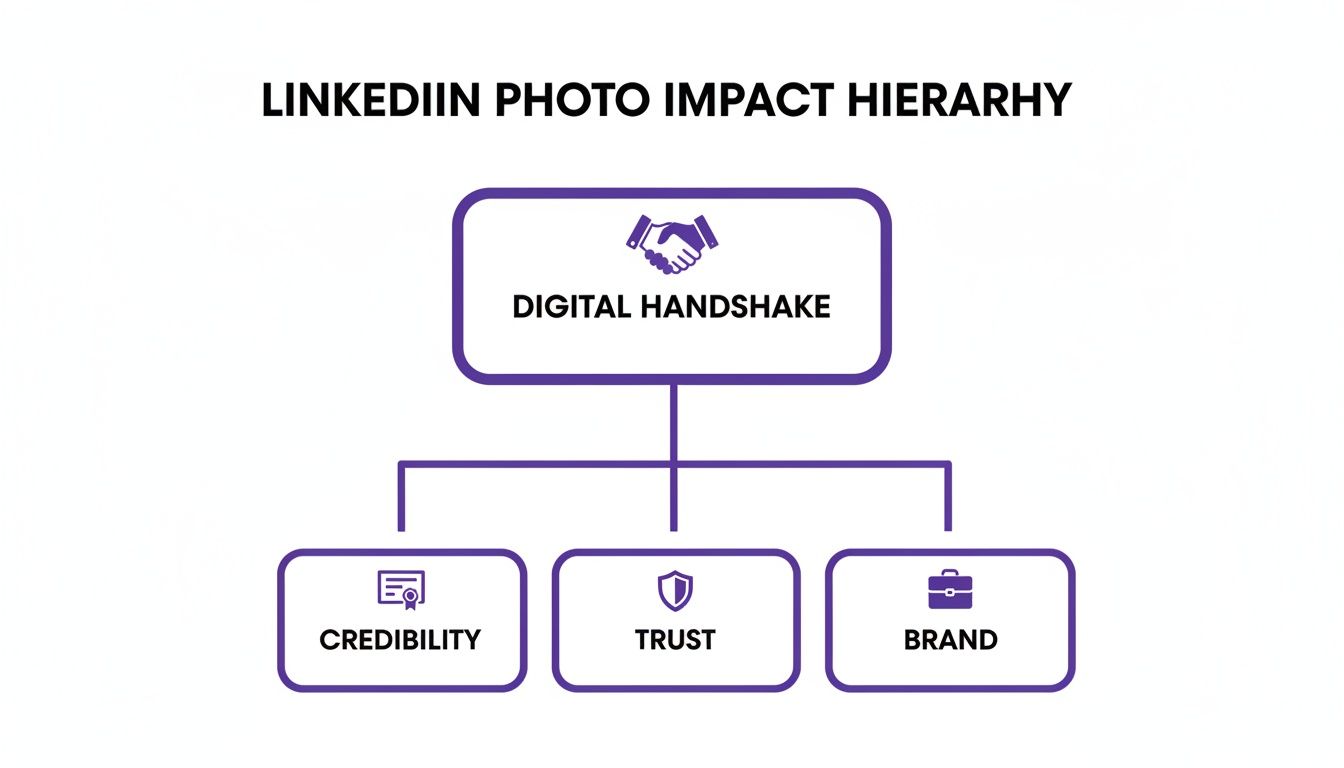
As this illustrates, everything—credibility, trust, and brand—stems from that single, powerful visual.
Framing and Composition
First, classic framing is paramount. Your face must be the focal point, occupying approximately 60% of the frame. The classic head-and-shoulders shot is a time-tested standard for a reason: it feels personal and engaging while maintaining complete professionalism for any field. Avoid full-body shots where you become lost in the scenery.
Lighting and Background
Proper lighting is non-negotiable—it’s the spotlight that highlights your professionalism. Soft, natural light is the industry standard, as it eliminates harsh shadows and imparts a warm, approachable vibe. An effective technique is to simply face a window to achieve that perfect, even glow.
Your background is the stage, and it should be unobtrusive. A clean, non-distracting background—such as a neutral wall, a softly blurred office, or a simple texture—keeps the focus where it belongs: on you. A cluttered or busy scene is an immediate distraction.
Expression and Attire
Your expression is your silent introduction. A genuine, friendly smile instantly communicates confidence and warmth, making you seem far more approachable. As noted headshot photographer Peter Hurley often advises, the aim is an image that "gives the viewer an idea of what it would be like to sit across the table from you." A blank stare can be interpreted as cold, while a goofy grin may not strike the right professional chord.
What you wear sends a powerful message about your career ambitions. A solid rule of thumb is to dress for the job you want, not the one you have. For inspiration, examine these excellent LinkedIn profile picture examples to observe how professionals across different industries perfect their look.
Photo Quality and Authenticity
These final two pillars are the deal-breakers. Your photo must be high-resolution. A blurry or pixelated image implies a lack of attention to detail—the last thing you want to project. It has to be sharp, clear, and professional.
Finally, authenticity is the foundation of trust. Your photo should be a current representation of you—today, not five or ten years ago. Using an outdated picture creates a jarring disconnect when you eventually meet someone on a video call or in person. It’s all about showing up as the best, most current version of your professional self.
When all seven of these pillars are locked in, your headshot ceases to be just a picture and begins to actively work for you.
Common Photo Mistakes That Undermine Your Credibility
Even a minor mistake in your LinkedIn photo can send the wrong message, quietly eroding the professional brand you’ve worked so hard to build. These are not just obvious blunders; common slip-ups can signal to recruiters and potential clients a lack of attention to detail, regardless of your actual professional standards.
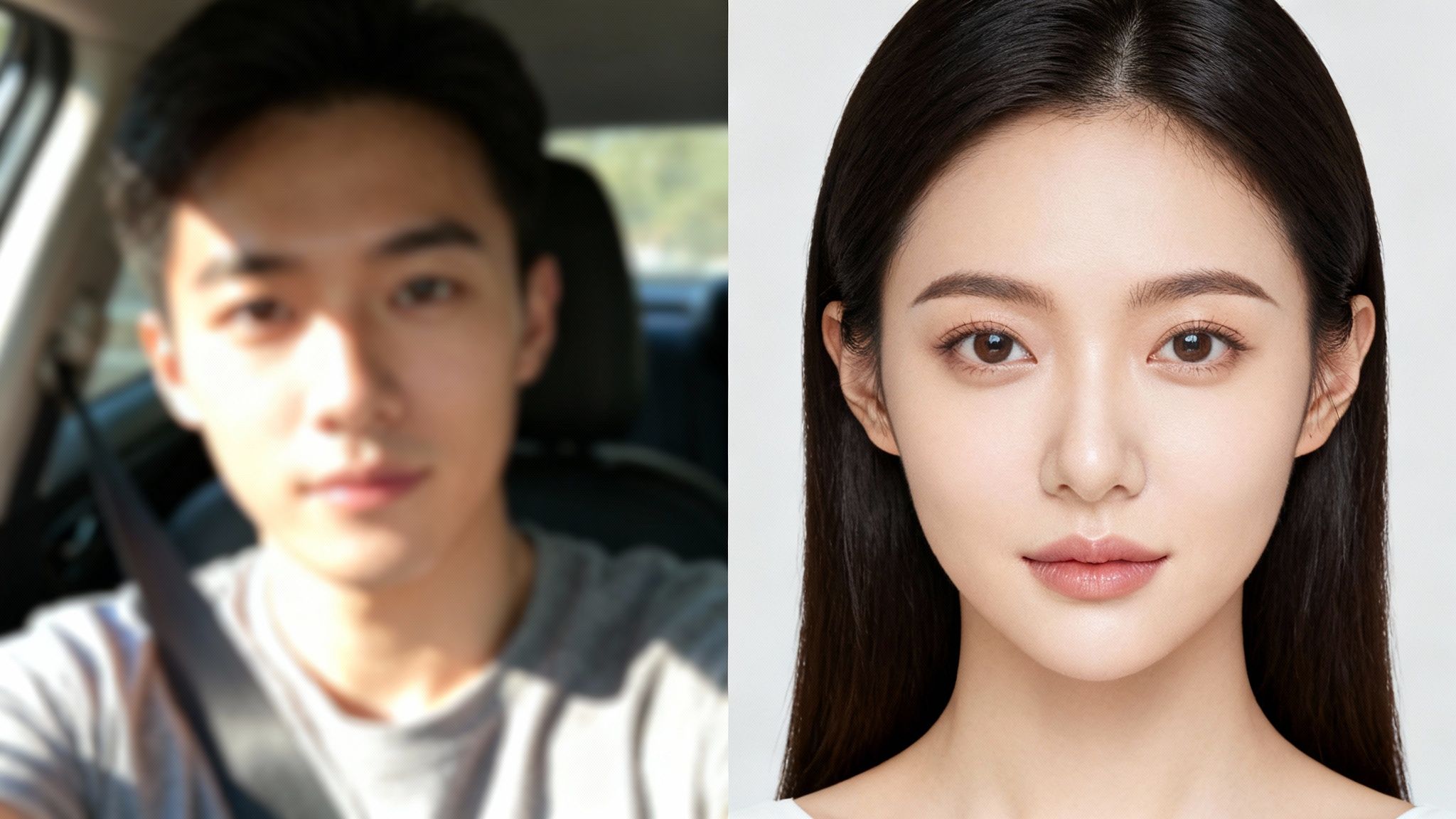
Consider this: a poorly-lit selfie, a picture from ten years ago, or a chaotic background can sabotage your profile before anyone reads a single word. These are not merely cosmetic issues—they are subconscious signals about your professional standards.
Low-Resolution and Blurry Images
A blurry or pixelated image is the digital equivalent of a weak handshake. It immediately feels careless and can make your entire profile seem less polished. In a platform saturated with sharp, professional profiles, yours must be crisp and clear to project confidence from the outset.
There’s a technical imperative here as well. A strong LinkedIn profile picture can boost your search discoverability by 7 times. With over a billion members on the platform, visibility is half the battle. The LinkedIn algorithm tends to penalize profiles without a quality photo, pushing them down in search results. You can dive deeper into the numbers with Cognism's detailed breakdown of LinkedIn stats.
This is why a great photo isn't just a "nice-to-have"—it's a critical component of your online presence that directly impacts whether you get found at all.
Distracting Backgrounds and Inappropriate Attire
Your background should be the quiet supporting actor, not the star of the show. Common offenders include cluttered office desks, busy outdoor scenes, or the classic selfie taken from the driver's seat of a car. These distractions pull the viewer's eye away from you and can project disorganization.
Your clothes send an equally strong signal. While a three-piece suit isn't always necessary, appearing in a hoodie or a faded t-shirt feels incongruous in a professional context. The goal is simple: dress for the job you want and align your look with your industry's standards.
"A candidate's profile picture is their first interview," states a senior HR consultant from a leading tech firm. "A selfie taken in a car tells me they might not take professional presentation seriously."
The Dreaded Group Photo Crop
We've all seen it: the awkward crop from a group photo at a wedding or a party. Regardless of your cropping skills, there's almost always a stray shoulder or strange framing that gives it away. It sends a clear message: you did not consider a dedicated headshot a priority.
To build immediate trust and credibility, your photo must look intentional. Sidestepping these common mistakes ensures your first impression is a powerful one, reflecting your professionalism and helping you stand out for all the right reasons.
How AI Is Completely Changing the Headshot Game
Let's be direct: obtaining a professional headshot was historically a significant undertaking. The process involved finding a reputable photographer, scheduling a session, and hoping to secure a few shots that genuinely captured your professional essence.
Fortunately, that paradigm is now obsolete. Technology offers a more efficient and powerful method for producing the perfect shot, placing creative control firmly in your hands.
Think of an AI headshot generator as your personal digital photographer, available 24/7. The process is remarkably straightforward: you upload a handful of casual selfies, and the AI analyzes your unique facial features to create a digital model. From there, it can generate a portfolio of professional-grade images without you ever having to leave your desk.
This is not about creating a synthetic, "airbrushed" version of yourself. It is about leveraging intelligent technology to present your best professional self. Platforms like DreamShootAI are at the forefront of this revolution, offering sophisticated tools that deliver impressive, high-fidelity results.
The Power of an AI-Driven Photoshoot
An AI headshot generator is more than a camera; it is a creative director for your personal brand. You dictate the final look, choosing from dozens of themes, backgrounds, and outfits to create an image that perfectly aligns with your industry and career goals.
- Corporate and Business: For a classic, polished look, generate headshots with professional attire and clean, simple backgrounds—ideal for any LinkedIn profile or corporate website.
- Creative and Artistic: Professionals in creative fields can explore more dynamic themes with interesting lighting and expressive poses that showcase personality.
- Industry-Specific Looks: Whether you're in tech, finance, or healthcare, you can generate a photo that is stylistically congruent with your professional world.
This level of control and variety allows you to craft an image that truly answers the question of what makes a good LinkedIn photo for your specific career. You can delve deeper into optimizing these tools in our complete guide to AI for professional headshots.
Observe this screenshot from the DreamShootAI homepage. It provides a tangible sense of the quality and variety available.
Notice how a single person's selfies can be transformed into a wide range of professional looks. From a formal suit to business-casual, the AI maintains a consistent and authentic appearance across every photo.
Get High-Quality Results, Instantly
One of the biggest anxieties with any digital image is quality. A blurry or pixelated photo is an instant credibility killer. The best AI platforms are engineered to solve this problem, with features designed to ensure every image is razor-sharp.
A recent Forbes survey highlighted a significant professional dilemma: 78% of professionals feel an updated, high-quality headshot is critical for their career, yet many defer due to perceived cost and hassle.
DreamShootAI, for example, has integrated a Magic Upscaler into its platform. This tool automatically enhances the resolution of every photo it generates, sharpening details, perfecting lighting, and ensuring your final image is crisp and clear enough for any professional application.
To see who else is making waves in this space, check out Parakeet AI's platform to explore companies transforming professional imaging with artificial intelligence. By using these modern tools, you can bypass the expense and logistical challenges of a traditional photoshoot and obtain a polished, powerful headshot in a fraction of the time. The result is a photo that doesn't just look good—it works for you.
Your Guide to Creating the Perfect AI Headshot
Ready to put this theory into practice? Creating a professional headshot with AI is a surprisingly straightforward and engaging process. You are essentially the director of your own digital photoshoot.
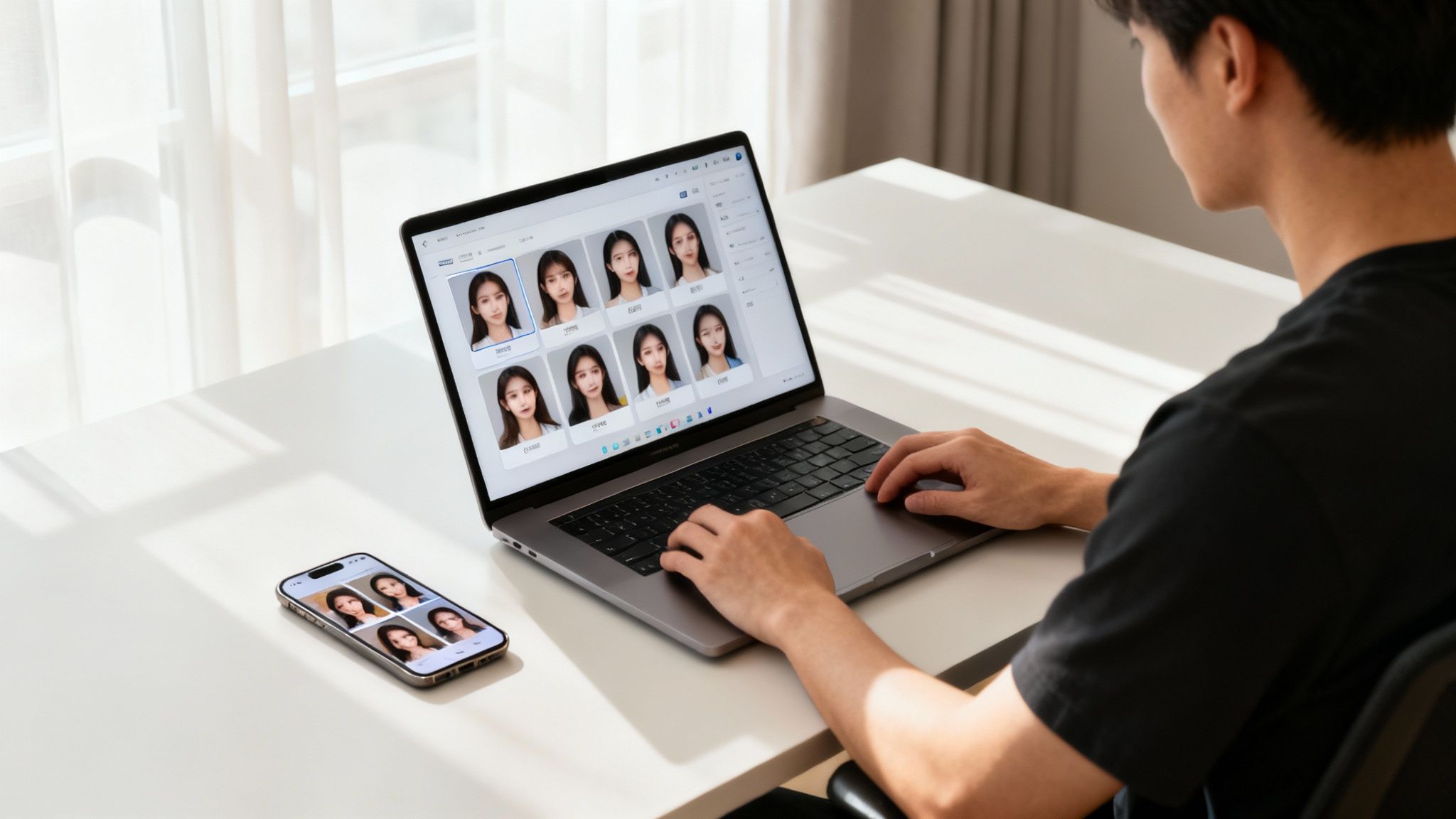
You can transform a handful of casual selfies into a full portfolio of polished, effective headshots in less time than it takes to watch a TV episode. With a platform like DreamShootAI, you control every variable—from background to attire—ensuring the final image is a perfect match for your professional brand.
Step 1: Select Your Best Source Photos
The quality of your AI-generated headshots is directly correlated with the quality of the photos you provide. The AI requires clear, diverse data to learn your unique features and create an accurate likeness. For optimal results, upload between 10-20 of your best selfies.
- Variety is Key: Provide a mix of photos from different angles, with various expressions, and in different lighting conditions. The more data the AI has, the more accurate the output.
- Keep it Clear: Ensure your face is the unobstructed focal point. Avoid sunglasses, hats, or heavy shadows.
- Just You: This is a solo mission. Use only individual photos so the AI can focus exclusively on your face to build an accurate model.
This process is analogous to providing a portrait artist with multiple reference images; the more they have to work with, the more the final painting will resemble you.
Step 2: Train Your AI Model and Explore Themes
Once your photos are uploaded, the AI begins building your personal digital model. This typically takes less than an hour. During this time, you can browse the available professional themes and styles.
This is where you can visualize what makes a good LinkedIn photo for your career. A lawyer might select a classic corporate theme with a sharp suit and a neutral background. A graphic designer, conversely, might opt for a creative theme with softer lighting and a more artistic ambiance. DreamShootAI offers dozens of styles to fit any professional path.
Step 3: Refine Your Final Selections
After your model is trained, the platform will generate a gallery of headshots based on your chosen themes. Now you act as curator, selecting your favorites. But the control doesn't end there.
Many platforms allow for simple tweaks using text prompts. If you find a headshot you love but the background is distracting, you could input a prompt like "change background to a solid gray" and watch it adjust instantly. This level of fine-tuning ensures your final selection isn't just good—it's perfect.
According to a recent survey by Passport-Photo.Online, a staggering 82% of recruiters believe that a professional headshot is an essential element of a candidate's LinkedIn profile. AI tools are democratizing access to this critical career asset.
To see just how easy it is to get started, check out our guide on using a free AI headshot generator. Following these simple steps, you can create a headshot that not only looks incredible but feels authentically you.
A Few Common Questions About LinkedIn Photos
As you refine your professional brand, certain questions inevitably arise. When it concerns something as vital as your LinkedIn photo, you need clear, authoritative answers. Let's address the most common queries to ensure you can move forward with total confidence.
Consider this a final checklist to guarantee your new headshot is not just a picture, but a genuine career asset working for you 24/7.
How Often Should I Update My LinkedIn Photo?
A good rule of thumb is to refresh your photo every one to two years. However, a more practical guideline is to update it whenever your appearance changes significantly. A new hairstyle, different glasses, or any other change that might cause someone who has only met you online to do a double-take during a video call warrants a new photo.
It all comes down to authenticity. When a new connection meets you for the first time, you want them to feel instant recognition, not a flicker of confusion. An up-to-date photo is a small detail that builds immediate trust and demonstrates a commitment to your professional image.
Are AI-Generated Headshots Actually Professional?
Absolutely—when executed correctly. The best AI headshot generators, like DreamShootAI, create images that are virtually indistinguishable from photos taken in a traditional studio. They are not "fake" pictures; they are high-fidelity portraits built from your own photos, capturing your unique features with professional lighting, backgrounds, and attire.
It is analogous to having a digital photographer who uses your real likeness as the raw material. The result is a polished, authentic, and professional image that meets all the criteria of a great headshot, but without the time and expense of a physical photoshoot.
Can’t I Just Use a Good Selfie?
Even the most advanced smartphone cameras have limitations in this context. A selfie, no matter how well-taken, rarely achieves the standards of a professional headshot. The focal length of front-facing cameras often creates slight facial distortion, the backgrounds are typically an afterthought (e.g., a car interior), and the lighting can be unflattering. These details can send the wrong signal, suggesting a lack of effort to recruiters or clients.
Investing in a dedicated headshot—whether from a photographer or a quality AI tool—demonstrates intentionality in your career. It’s a small investment with a huge payoff. In fact, research shows that simply adding a professional photo can result in up to 36 times more messages. That simple change can transform your profile from a static resume into a dynamic networking tool. You can dive deeper into the numbers in this insightful article on profile picture statistics.
Ready to create a headshot that opens doors? With DreamShootAI, you can generate dozens of studio-quality, professional photos in minutes. Skip the hassle and expense of a traditional photoshoot and take complete control of your first impression. Create your perfect headshot today at DreamShootAI.
Written by Jocelyn Grey for the DreamShootAI blog.
Spotted something out of date? Tell us at [email protected] and we'll fix it.