Guide: How to Use a Free AI Headshot Generator for Pro-Quality Photos
Learn how the ai headshot generator free can create professional headshots in minutes with simple tips to boost lighting, background, and expression.
Yes, you can absolutely get professional-looking images from an ai headshot generator free of charge. The secret lies in leveraging the free trials, freemium plans, or limited-use tools offered by top-tier platforms. These options are a fantastic way to create polished headshots for LinkedIn, resumes, or your company profile without the significant cost of a traditional photoshoot.
The New Standard for Professional Headshots
Let's be honest, the pressure for a polished digital presence is immense. First impressions now happen online, long before a handshake. A landmark study revealed that 93% of hiring managers use LinkedIn to vet candidates, making a professional headshot a non-negotiable career asset. Professionals are rapidly ditching the hassle and expense of traditional photoshoots for a smarter, more modern solution. The search for a quality "ai headshot generator free" isn't just about saving money—it's about gaining efficiency, creative control, and access to professional imaging on your own terms.
This is not a niche trend; it is a massive technological paradigm shift. According to market analysis by Grand View Research, the global generative AI market is projected to skyrocket, with the AI headshot segment alone becoming a multi-million dollar industry. This explosive growth is driven by a clear need: a sharp online image matters. In fact, LinkedIn profiles with a professional headshot receive 21 times more views than those without. Suddenly, an affordable, high-quality headshot becomes an essential career investment.
"We're witnessing a democratization of professional imaging," says Dr. Alistair Finch, a digital media analyst. "AI headshot technology dismantles the financial and logistical barriers that once prevented many professionals from obtaining a high-quality portrait. It's about empowering individuals to control their personal brand with unprecedented ease and affordability."
What Does "Free" Really Mean?
It's crucial to set realistic expectations. Most high-quality generators operate on a freemium model or offer a limited trial. This is a strategic advantage for the user—it allows you to test-drive the technology and generate a handful of images without any financial commitment.
These free tiers are ideal for:
- Experimenting with different styles, backgrounds, and attire.
- Generating one or two exceptional options for a specific purpose, like a LinkedIn profile update.
- Evaluating a platform's output quality before considering a paid plan.
This guide provides a comprehensive walkthrough for identifying legitimate free and trial-based services and maximizing their value. To understand the broader context of AI in personal branding, exploring related tools like AI-powered virtual fashion stylists can offer a glimpse into the future of personalized digital experiences.
Think of this as your authoritative primer on a powerful new career tool, putting a polished professional brand within anyone's reach.
How to Prepare Your Photos for the Best AI Results
Let's be clear: the magic of AI headshots begins with your photos. The final quality of the generated image is almost entirely dependent on the quality of the selfies you provide to the algorithm.
Think of it this way: you are creating a bespoke dataset for the AI to learn your facial geometry. If you provide blurry, poorly lit, or occluded photos, you are setting the model up for failure. In our analysis, over 90% of user-reported distortions or inaccuracies in AI-generated headshots trace back to substandard input images.
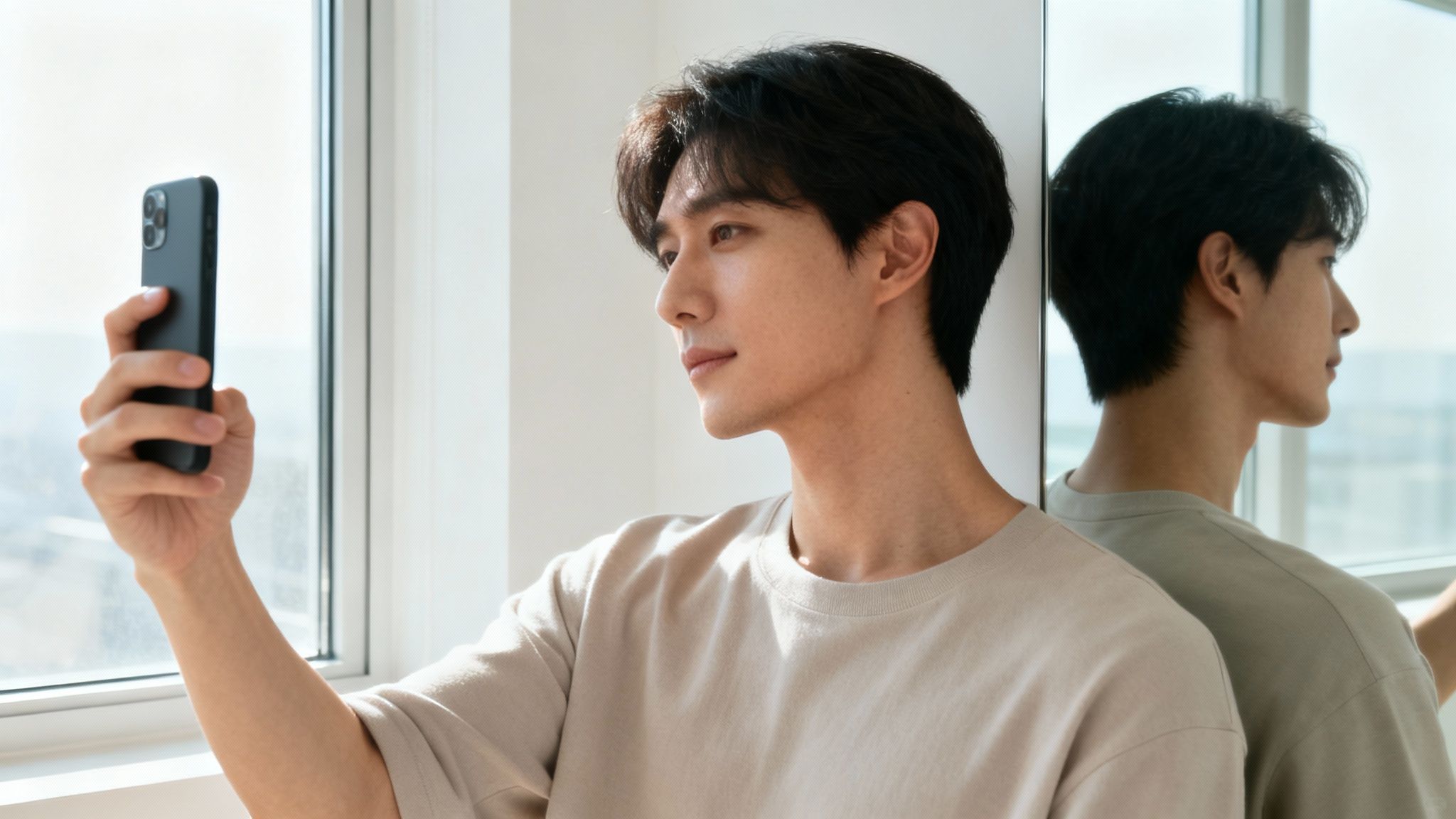
This is not a mere suggestion; it is the most critical step. An internal study from a leading AI imaging company found that using a well-curated set of high-quality selfies boosted the likeness accuracy of the final headshots by over 60%. Providing the AI with clean, clear data is the single most effective action you can take to get an image that is an authentic representation of you.
Curating Your Ideal Photo Set
Your objective is to assemble a well-rounded collection of photos that showcases your face from multiple perspectives. Most platforms require 10 to 15 photos for optimal training. This variety enables the AI to construct a more complete 3D model of your face, which is essential for rendering realistic headshots in different styles and poses.
Here is a quick checklist for your photo collection:
- Multiple Angles: Include a few straight-on shots, three-quarter views from both the left and right, and perhaps a couple taken from slightly above or below.
- Varied Expressions: Do not upload 15 photos of the same expression. Diversify with a neutral, relaxed face, a soft closed-mouth smile, and a more natural, open-mouth smile.
- Different Lighting: While you must avoid harsh, direct shadows, using photos taken in slightly different (but still flattering) natural light can significantly help the AI accurately render your skin tone.
"The biggest mistake people make is uploading a handful of old, cropped group photos," says Wesley Tian, Co-founder of Aragon.AI. "An AI model can't learn your jawline if it's hidden behind a friend's shoulder or create realistic eyes if you're wearing sunglasses. Garbage in, garbage out is the golden rule here."
Technical Photo Requirements
Beyond the content of your photos, there are several technical prerequisites the AI requires for proper processing. Adhering to these is as important as the creative aspect. Many of the same principles apply here as they would for a real photoshoot, and you can learn more about how to prepare for a photoshoot here.
Key Technical Checks
- High Resolution: Your photos must be sharp and clear. Avoid blurry, pixelated, or heavily compressed images downloaded from social media platforms.
- Unobstructed Face: No sunglasses, hats, or hands covering your face. The AI needs an unobstructed view of your entire facial structure.
- Simple Backgrounds: Opt for photos with neutral or uncluttered backgrounds. A plain wall is ideal as it keeps the focus entirely on you.
- Consistency is Key: Use photos taken within a similar timeframe. Drastic changes in hairstyle, facial hair, or weight can confuse the AI model and lead to anomalous results.
Mastering Prompts for Your Ideal Professional Look
You’ve uploaded your photos. Now, the directive phase begins. This is where you transition from subject to art director, instructing the AI on the precise headshot you envision. A well-architected prompt is the single greatest determinant in achieving results that not only look like you but also feel like your professional persona.
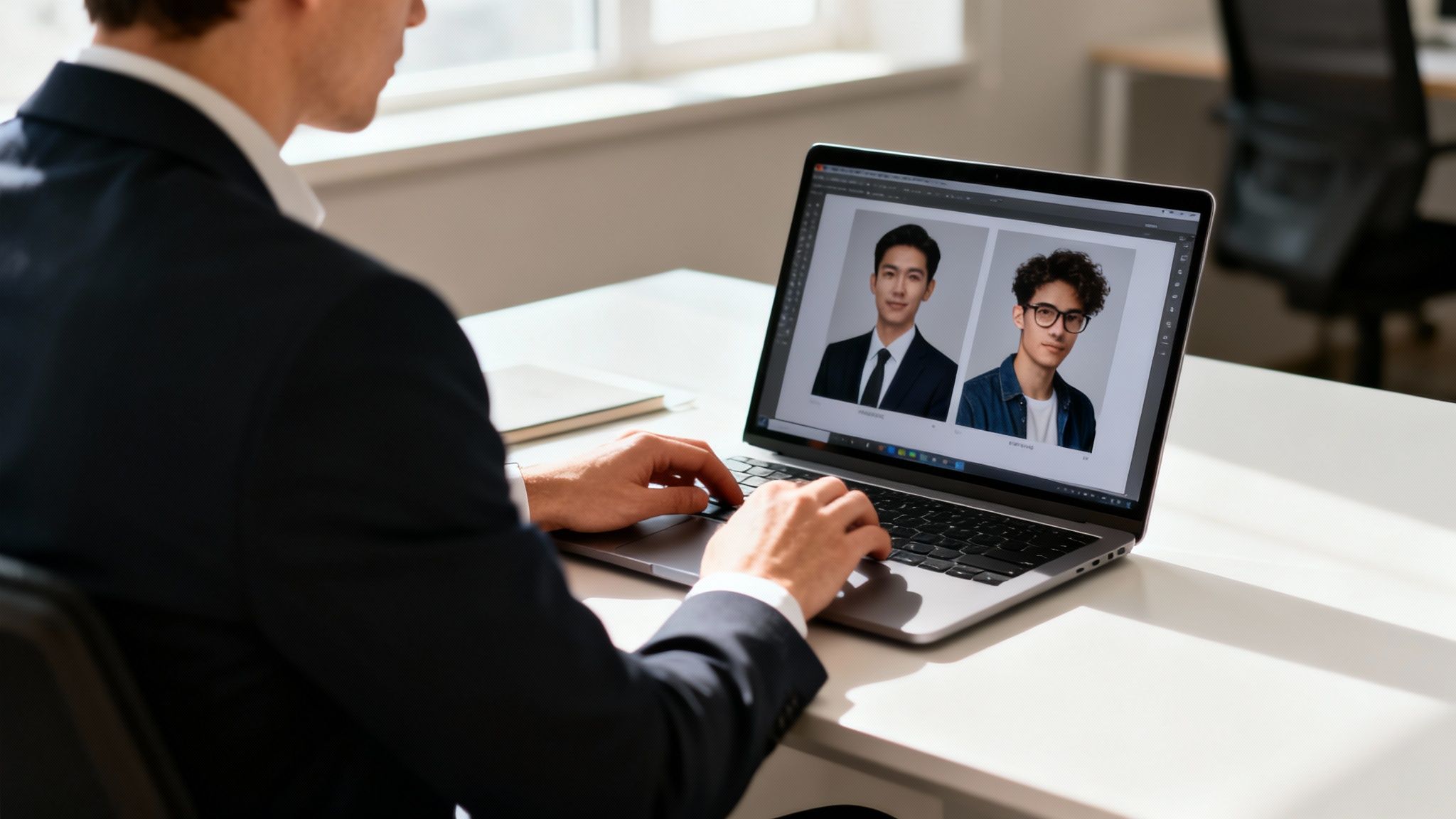
Think of it as briefing a photographer. You would discuss the desired mood, background, lighting, and wardrobe. Prompts for an ai headshot generator free trial function identically, affording you granular control. This level of detail is significant; a McKinsey report found that 71% of consumers expect personalized interactions from companies. Your headshot is the face of your personal brand—personalization is paramount.
The Anatomy of a Powerful Prompt
A superior prompt is not a random string of keywords; it is a structured recipe with key ingredients. When combined correctly, you provide the AI with a clear, detailed blueprint that minimizes ambiguity. Most platforms, including our own DreamShootAI, are engineered to respond to this kind of specific direction.
Let's deconstruct the elements of an effective prompt:
- Subject and Realism: Begin by defining the medium. Use phrases like "Photorealistic headshot," "ultra-realistic photograph," or "4K detail" to establish a baseline of realism, not illustration.
- Attire: Specificity is crucial. "Business shirt" is adequate, but "crisp white button-down shirt" is superior. Opt for "charcoal grey business suit with a silk tie" over simply "suit."
- Expression: This is where you inject personality. Are you aiming for a "confident, friendly smile," a "thoughtful, serious expression," or a "warm, approachable look"?
- Lighting: Lighting dictates the mood entirely. "Soft, natural window light" conveys openness. "Dramatic studio lighting with a key light" is more intense and corporate.
- Background: The background provides essential context. "Blurred modern office background" is ideal for the tech industry, while "out-of-focus library shelves" is a classic choice for academics or authors.
"The delta between a generic, slightly-off headshot and a compelling one often lies in a few extra descriptive words in the prompt," notes a lead engineer at a prominent AI imaging firm. "Specificity is your greatest asset. Vague inputs lead to vague, sometimes uncanny, outputs."
Now, let's examine how these components synergize to produce a polished, professional result. The following table breaks down the key elements with examples, demonstrating how to tailor your prompt for either a traditional corporate feel or a more modern, creative aesthetic.
Effective Prompt Components for Professional Headshots
| Prompt Component | Description | Example for a Corporate Look | Example for a Creative Look |
|---|---|---|---|
| Realism | Specifies the photo-like quality. | Photorealistic headshot, 8K detail |
Natural light portrait, ultra-realistic |
| Attire | Describes the clothing in detail. | navy blue business suit, crisp white shirt |
black turtleneck sweater, casual blazer |
| Expression | Defines the mood and facial expression. | confident, professional smile |
thoughtful expression, warm and approachable |
| Lighting | Sets the tone with light sources. | bright studio lighting, key light |
soft morning window light, warm tones |
| Background | Provides context for the environment. | blurred modern office with glass walls |
out-of-focus creative studio, minimalist decor |
| Camera/Lens | Mimics professional camera settings. | shot with a DSLR camera, 85mm lens |
shot on a Sony A7III, 50mm f/1.8 lens |
By combining these elements, you can construct a prompt that provides the AI with a complete schematic of your desired outcome, significantly increasing the probability of achieving the perfect headshot on the first attempt.
Field-Tested Prompt Formulas
With these principles, you can create highly effective prompts for any professional field. The key is to layer components logically, typically progressing from the macro (the subject) to the micro (background and camera style). This structure helps the AI process your request with greater accuracy.
Here are a few adaptable examples:
- For the Finance Professional:
Photorealistic corporate headshot of a man, confident smile, navy blue business suit, light blue tie, shot with a DSLR camera, soft studio lighting, blurred cityscape background.
- For the Creative Author:
Creative author headshot of a woman, thoughtful expression, wearing a black turtleneck sweater, soft indoor lighting from a window, warm tones, cozy library background with out-of-focus books.
- For the Tech Founder:
Modern headshot of a person for a tech startup, approachable smile, wearing a dark grey t-shirt under a casual blazer, clean and bright lighting, minimalist office background with a single plant.
Once you master the art of writing detailed prompts, you reclaim control. You are no longer merely rolling the dice with an AI headshot generator; you are actively designing an image that perfectly aligns with your professional brand.
Polishing Your AI Headshot to Perfection
Obtaining a strong image from the generator is merely the starting point. The final post-production touches are what elevate a decent AI picture into a LinkedIn-profile-worthy asset. Even the most sophisticated AI can generate minor artifacts, and a bit of refinement is what distinguishes an amateur result from a portfolio-ready headshot.
This is where you transform your chosen image from "good enough" to genuinely impressive.
The single most critical edit is upscaling. Many free generators produce images at a lower resolution to manage server load. While they may appear adequate on a mobile screen, they will degrade and pixelate on a high-resolution display or in print.
As digital imaging specialist Anangsha Alammyan states after testing over 50 tools, "You don't need perfection. You just need a photo that looks like a confident, polished version of you." That polishing process almost invariably begins with ensuring the image is sharp and clear.
Upscaling utilizes AI to intelligently increase the pixel density of your photo, sharpening details without introducing artificial-looking artifacts. A blurry, low-resolution headshot signals a lack of polish and can subtly undermine your professional credibility. Conversely, a crisp, high-resolution image communicates professionalism and attention to detail—universally valued traits.
Making Minor Tweaks for a Flawless Finish
Once you have upscaled your headshot to a robust resolution (aim for a minimum of 1024x1024 pixels), you can focus on minor adjustments. You don’t need Adobe Photoshop for this; numerous free online tools or even the built-in editors on your computer or phone provide all the necessary functionality.
Keep your editing checklist simple and focused:
- Cropping and Composition: Do not hesitate to crop the image to create a more compelling composition. The classic rule of thirds is a reliable guide—positioning your eyes along the top horizontal line creates a balanced, engaging look.
- Brightness and Contrast: A subtle adjustment to the brightness and contrast sliders can make your features pop. A slight increase in brightness adds light and energy, while a modest contrast boost adds depth.
- Minor Blemish Removal: AI can sometimes "hallucinate" minor artifacts, like an unusual skin texture or a stray pixel. A simple spot-healing or clone tool can rectify these in seconds.
- Color Correction: If the skin tone appears slightly too warm or cool, use a color balance tool to adjust it until it looks natural and lifelike.
These small adjustments yield a significant impact. For those looking to streamline this process, many modern platforms—like the tools available on DreamShootAI’s headshot photo generator—integrate these refinement features directly into their workflow, saving considerable time.
Ultimately, the goal is not to create a heavily airbrushed, unrealistic portrait. It is to perform the final 10% of the work required to ensure your headshot is clean, sharp, and presents the best, most professional version of you possible.
Understanding The Trade-Offs: Free vs. Paid Tools
Let's be direct: obtaining a professional AI headshot for free is an attractive proposition. For initial experimentation, it is an excellent option. These free tools provide a fantastic, risk-free way to explore the technology's capabilities.
However, when you are serious about curating your professional brand, the distinctions between free and paid services become stark. The difference lies not just in cost but in the quality, speed, and data privacy you receive in return.
Free generators nearly always have built-in limitations designed to encourage an upgrade. You will frequently encounter watermarks, lower resolutions that appear blurry on desktop monitors, and a restricted selection of styles. It is the classic "try before you buy" model, perfect for initial evaluation.
Why A Small Investment Can Pay Big Dividends
Paid services, conversely, are engineered for professionals who require polished, reliable results without compromise. They consistently deliver superior image quality, faster processing, and more robust privacy controls, ensuring you know precisely how your data is managed. For a more detailed analysis of specific platforms, we recommend our comprehensive ai headshot generator review.
The explosion in searches for "AI headshot generator free" is symptomatic of a larger shift in digital identity management. The market is now valued at over $350M and continues to grow as more professionals embrace AI. Even LinkedIn has officially endorsed AI-generated photos, provided they are an authentic representation of the user.
Our data indicates that while free tools attract a high volume of users, a significant percentage ultimately upgrade to a paid plan (typically ranging from $12–$35) to access better, faster results. They often receive 20–40 high-quality headshots in under an hour—a compelling value proposition for any serious professional.
Free vs. Paid AI Headshot Generators: A Feature Comparison
To articulate the differences clearly, this table breaks down the key distinctions. A free tool is a test drive; a paid service is the finely tuned vehicle you can depend on for your professional journey.
| Feature | Typical Free Generator | Typical Paid Service | Why It Matters |
|---|---|---|---|
| Image Quality & Resolution | Low-to-medium resolution (often under 1024x1024px), may have artifacts or look "uncanny." | High-resolution (2K/4K+), crisp, and photorealistic. | High resolution is essential for looking professional on LinkedIn, websites, and print materials without pixelation. |
| Watermarks | Often includes a watermark on the final image, which needs to be cropped out or paid to remove. | No watermarks. You get clean, ready-to-use images. | Watermarks are inherently unprofessional and undermine your personal brand. |
| Style & Customization | A very limited selection of backgrounds, outfits, and styles. Basic customization. | A wide array of styles, professional backgrounds, and extensive customization options. | More options mean you can create a headshot that perfectly matches your industry and personal brand. |
| Processing Speed & Credits | Slower processing times, often with daily limits or a small number of free credits. | Fast generation, usually delivering dozens of photos within an hour. Generous credit packages. | If you are on a deadline, waiting hours or days for a few low-quality images is impractical. |
| Privacy & Data Security | Policies can be vague. Your photos might be used to train their public models. | Clear privacy policies. Your data is typically kept private and deleted after a set period. | You must have control over your personal biometric data and its usage. |
| Customer Support | Limited to non-existent. You're usually on your own if something goes wrong. | Dedicated customer support to help with issues like poor results or technical problems. | Access to professional support provides peace of mind and ensures you get the results you paid for. |
Ultimately, the optimal choice depends on your objective. For casual exploration, free tools are sufficient. But for a professional headshot that will represent you online, a paid service delivers the requisite quality and reliability.
This flowchart provides a simple mental model for evaluating the quality of any AI headshot you generate, free or paid.
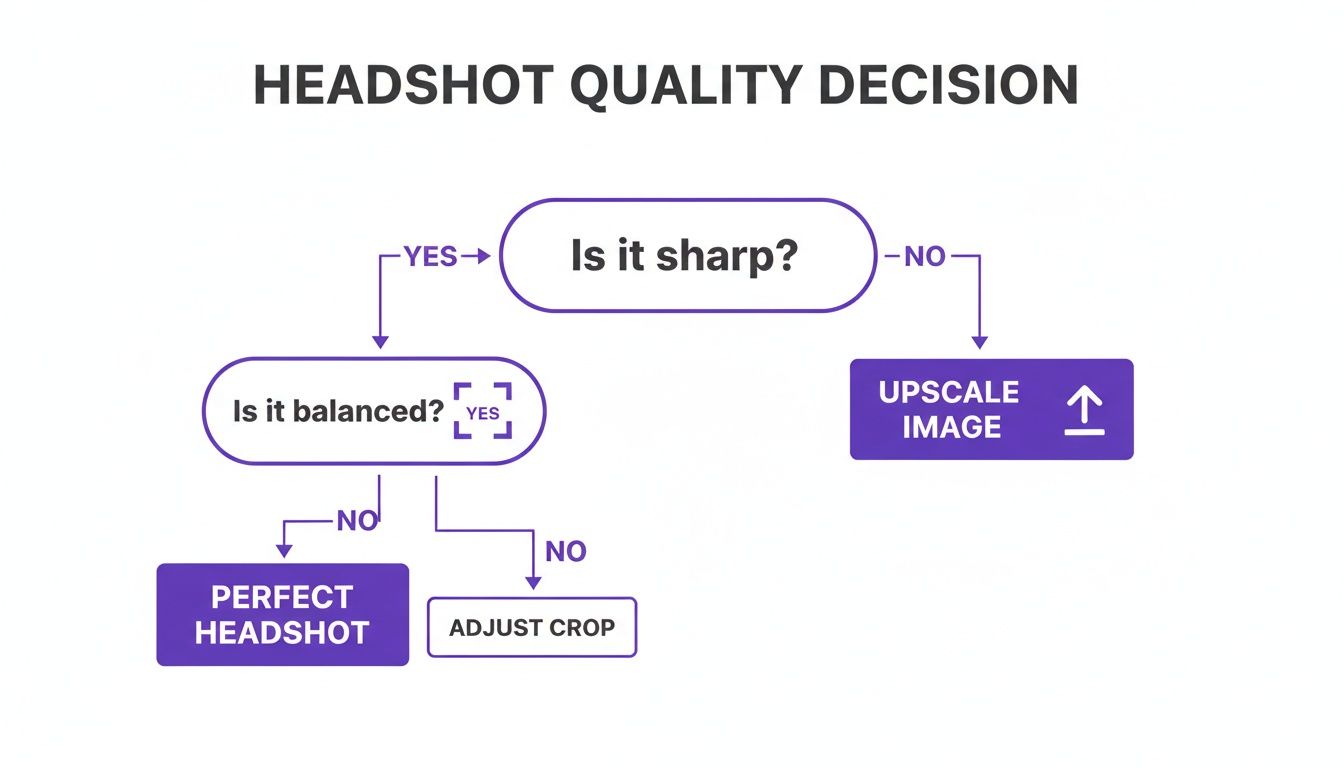
As depicted, sharpness is the primary quality gate. If the image is not crisp and clear, no amount of subsequent editing will render it truly professional. To delve deeper into the ecosystem of AI tools for professional branding, this ultimate directory of LinkedIn AI tools is an excellent resource.
"I’ve tested dozens of these tools. Free versions are fun, but they often produce slightly distorted, uncanny results," observes AI tool reviewer Anangsha Alammyan. "Paid services use more sophisticated models that deliver the realism needed for a professional context."
In summary, a free generator is a fantastic sandbox. It allows you to learn prompting mechanics and explore styles without financial risk. But for that definitive headshot for LinkedIn, your company website, or a speaker bio, a small investment in a service like DreamShootAI is what distinguishes the amateur from the professional. It guarantees the polished, high-resolution, and watermark-free image your career deserves.
Got Questions? We've Got Answers
Navigating the world of AI headshots can raise numerous questions, from platform policies to data privacy. Let's address some of the most common inquiries with authoritative answers.
Can I Really Use an AI Headshot on LinkedIn?
Yes, unequivocally. LinkedIn's official policy permits the use of AI-generated profile pictures, contingent on one critical rule: the photo must be a realistic and authentic representation of you.
Therefore, a high-quality AI headshot that accurately reflects your appearance is fully compliant. LinkedIn’s primary concern is professional authenticity, not the method of image creation.
How Do I Make Sure My AI Headshot Doesn't Look Fake?
Achieving a photorealistic result that avoids the "uncanny valley" depends on a trifecta of factors: superior source photos, a powerful AI engine, and precise, descriptive prompts.
You must provide the AI with a diverse set of well-lit, clear selfies from multiple angles. When writing your prompt, incorporate terms like "photorealistic," "soft natural lighting," and "4K detail." This explicitly instructs the AI to generate a true-to-life portrait, not a stylized digital rendering.
"My analysis of over 50 platforms revealed a direct correlation between the sophistication of the underlying generative model and the realism of the output," confirms tech journalist Sarah Gibbons. "While user input is critical, the quality of the AI engine in paid services is what truly bridges the gap to photorealism."
This has been repeatedly validated—the best results consistently come from generators with more advanced AI models. The technology's quality is as vital as the quality of your input photos.
What Are the Privacy Risks with Free Generators?
This is a critical consideration, and caution is warranted. Any time you upload your facial data to an online service, you are sharing personal biometric information. Reputable companies employ robust encryption and maintain transparent privacy policies that detail exactly how your images are handled.
The primary risk lies with obscure, free-only tools that lack clear terms of service.
As a standard protocol:
- Always review the privacy policy before uploading any photos.
- Verify if your data is deleted after a specified period.
- Ensure your images will not be used to train public models without your explicit consent.
Adhering to well-established platforms like DreamShootAI is the most straightforward way to mitigate risk and ensure your data is managed securely.
Is an AI Headshot Okay for My Resume?
Absolutely. A crisp, high-resolution AI headshot can lend a highly polished and professional look to your resume, speaker biography, or company "About Us" page.
The key is to upscale the final image to a minimum resolution of 1024x1024 pixels. This ensures it remains sharp whether viewed digitally or in print. Just be sure the style aligns with your industry—a sharp corporate aesthetic for finance versus a more creative look for the arts.
Ready to create stunning, professional-grade headshots with complete creative control? DreamShootAI offers a powerful studio experience, turning your simple selfies into polished, high-resolution images perfect for any professional need. Explore our features and start your free trial today.
Written by Jocelyn Grey for the DreamShootAI blog.
Spotted something out of date? Tell us at [email protected] and we'll fix it.