How to Prepare for a Photoshoot for Flawless Results
Learn how to prepare for a photoshoot with expert tips on wardrobe, posing, and using AI tools to get stunning, professional-quality photos every time.
If you want to know how to prepare for a photoshoot, just remember one thing: successful images are planned, not accidental. The magic happens long before the camera comes out. It all starts with taking that incredible idea in your head and turning it into a solid game plan. This means building a mood board to nail the aesthetic, creating a shot list to capture every must-have angle, and setting up a timeline to keep it all running smoothly.
Your Blueprint for a Perfect Photoshoot
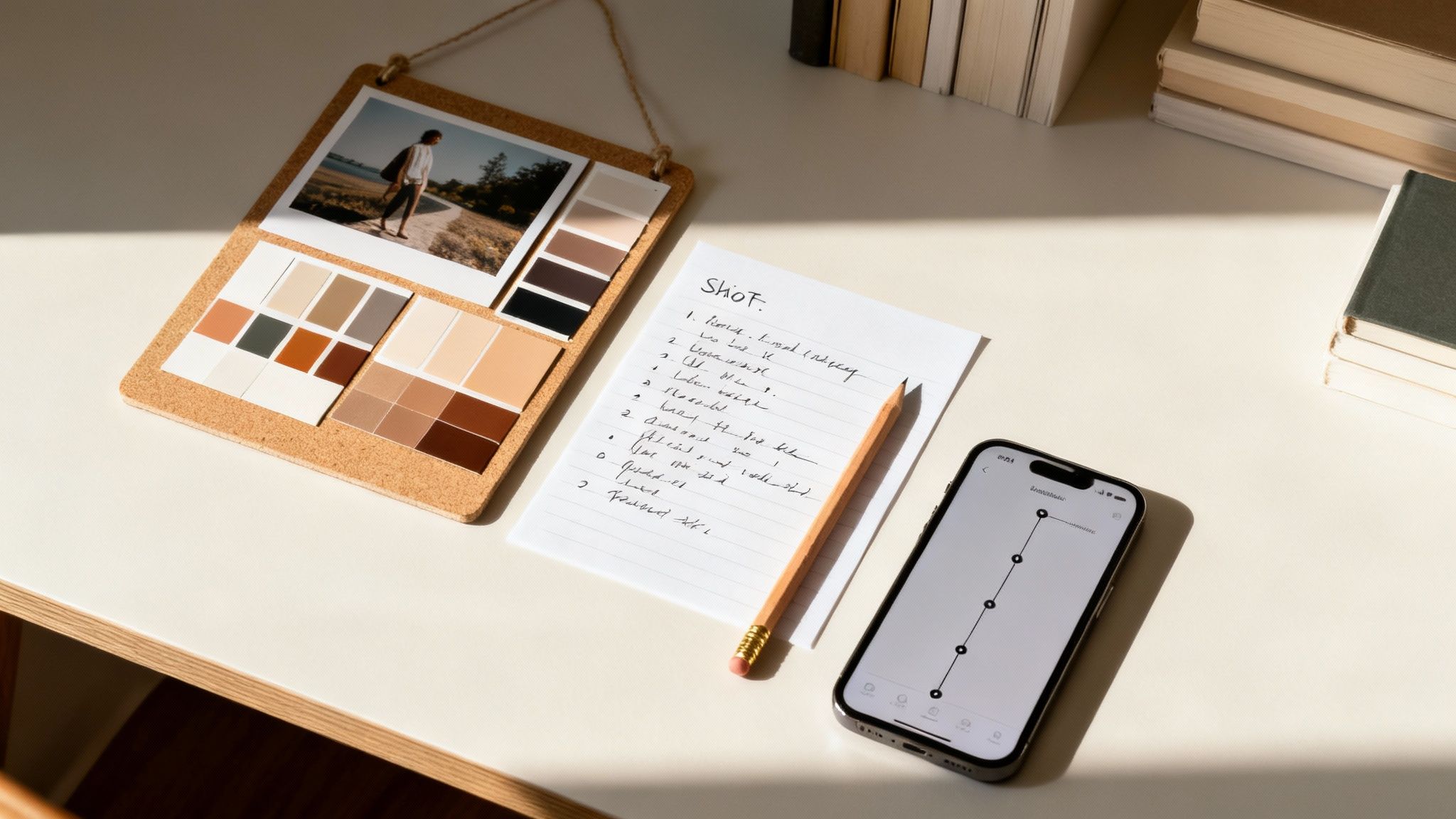
The secret to a photoshoot you'll never forget isn't some fancy camera trick; it’s all in the prep work. This is the framework that separates blurry snapshots from professional, drop-dead gorgeous portraits. You're building a foundation so strong that by the time you start shooting, your final images are already set up for success.
This planning stage is non-negotiable, whether you’re hiring a photographer or firing up a powerful AI tool like DreamShootAI. The legendary photographer Ansel Adams put it best: "You don't take a photograph, you make it." The conceptual work you're about to do is how you make photos, not just take them.
Building Your Visual Mood Board
Think of a mood board as your visual compass. It’s a collage of images, colors, textures, and styles that, together, define the entire vibe of your shoot. It's more than just a folder of pretty pictures; it’s a communication tool that gets everyone on the same page—from a human stylist to an AI generator.
Start by diving into inspiration hubs like Pinterest, Instagram, or your favorite magazines. Don't just look for photos of people. Your collection should capture:
- Color Palettes: The exact shades and tones you want to see.
- Lighting Styles: Are you going for bright and airy or dark and dramatic?
- Poses and Expressions: Find examples of body language and emotions that resonate.
- Overall Atmosphere: What’s the feeling? Romantic, powerful, whimsical, or buttoned-up professional?
This visual guide becomes your North Star, keeping the entire project focused and cohesive.
Creating a Practical Shot List
If your mood board is the "what," your shot list is the "how." This is your detailed, can't-miss checklist of every single photograph you need to get. A solid shot list saves you from that sinking feeling when you realize you forgot a crucial shot after everything is packed up.
Don't just write down "a photo of me smiling." Get granular. For a set of professional headshots, your list might look something like this:
- Head-and-shoulders, warm smile, neutral background.
- Three-quarter body shot, leaning on a desk, looking confident.
- Candid-style, looking just off-camera, soft natural light.
This kind of detail makes the shoot incredibly efficient and guarantees you walk away with everything you came for. If you're using DreamShootAI, your shot list is what helps you craft the perfect prompts and choose the right themes to bring your vision to life.
"At the end of the day I’m not interested in photographing someone else. I want to photograph you and who you are. My job is to bring YOUR story and personality into a photograph, not someone else’s."
— Becca Tapert, The 2654 Project
This really hits home why a clear vision matters. Your mood board and shot list are the tools you use to tell your story, nobody else's.
Establishing a Realistic Timeline
With your vision and shot list locked in, a timeline brings it all together. For a traditional shoot, this can mean booking photographers, stylists, and locations weeks or even months out. The logistics can be a real headache, and the demand for pros isn't slowing down.
The global photographic services market is expected to jump from USD 30.4 billion to USD 63.2 billion by 2034. Right now, event photography—think weddings and engagements—owns a massive 32.5% market share. This boom highlights just how much demand (and cost) is involved in traditional shoots, making smart prep with affordable AI alternatives a game-changer for your wallet and your calendar. You can discover more insights on the photographic services market growth to see the full picture.
Luckily, preparing for an AI photoshoot with a tool like DreamShootAI completely rewrites the timeline. The entire prep phase can be knocked out in an afternoon, with your main focus being on capturing some high-quality selfies. That efficiency puts you in control, letting you create stunning, professional-grade photos without the logistical nightmare of a traditional session.
Here's a quick look at how the old-school approach stacks up against the new AI-powered way of doing things.
Photoshoot Prep Checklist At-a-Glance
| Preparation Pillar | Traditional Approach | AI-Powered Approach (DreamShootAI) | Key Benefit of AI |
|---|---|---|---|
| Mood Board | Manual collection of images from magazines, Pinterest; physical or digital collage. | Use online tools for inspiration, then apply aesthetics directly through themes or text prompts. | Direct Application: Vision is translated directly into the final image generation. |
| Shot List | A detailed written list of specific poses, angles, and compositions for the photographer. | List of desired scenes, outfits, and styles used to create specific prompts or select photo packs. | Flexibility: Easily generate hundreds of variations from a single conceptual idea. |
| Timeline | Weeks or months of planning: booking venues, photographers, stylists, and coordinating schedules. | Minutes to hours: upload selfies, create an AI model, and generate photos on the same day. | Speed: Drastically reduces preparation time from months to a single afternoon. |
As you can see, while the core principles of good preparation remain the same, AI-powered tools offer a much faster and more direct path from concept to creation.
Curating Your Look: Wardrobe and Styling
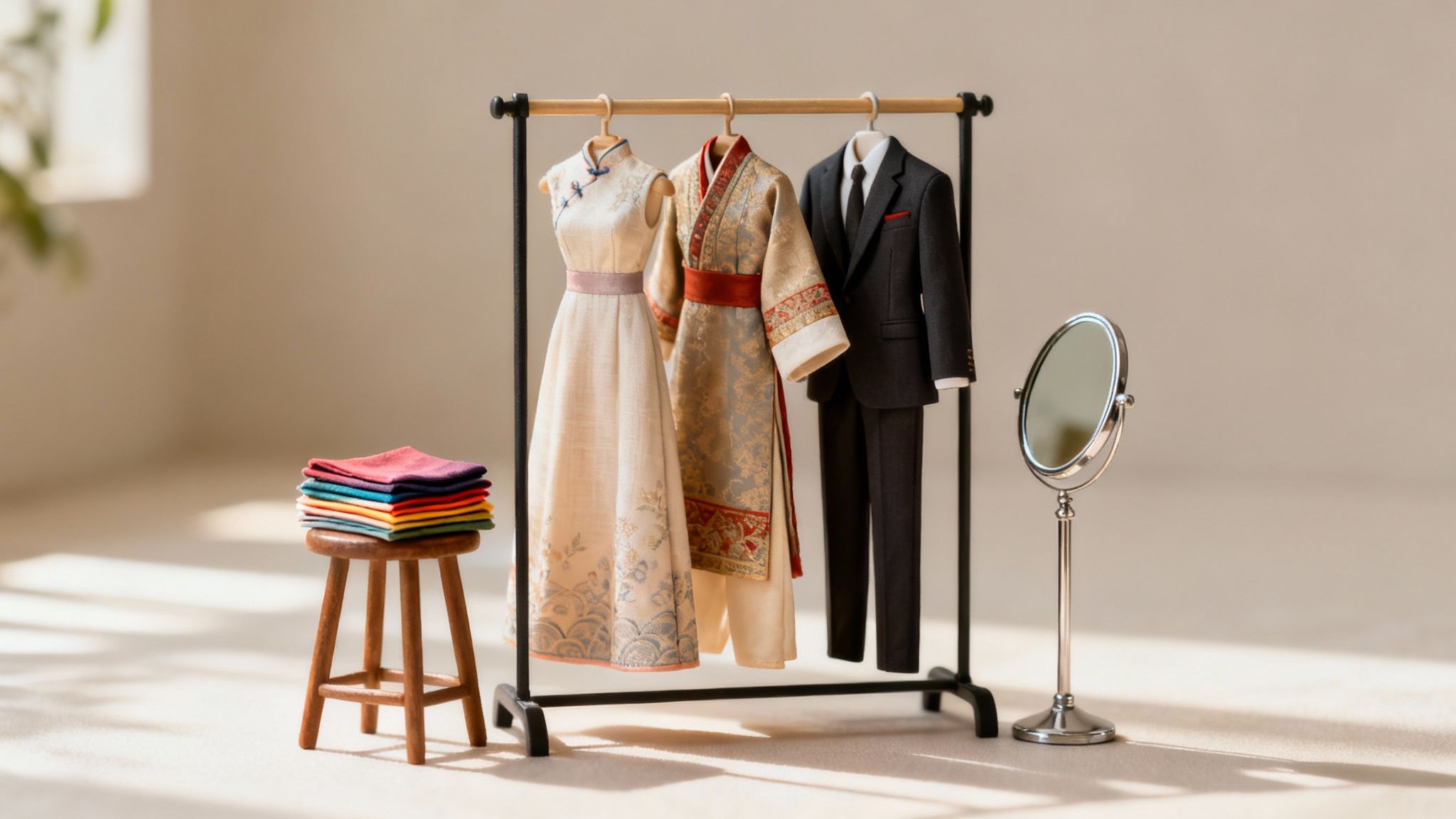
Your appearance tells a story, and the right styling makes sure it's the one you actually want to tell. Long before you step in front of the lens, your wardrobe, hair, and makeup choices are laying the groundwork for a killer shoot. This is your chance to pull together a look that feels completely authentic while packing a major visual punch.
The clothes you choose are your first line of communication. They set the tone, show off your personality, and can make or break the final images. Getting this right means thinking beyond just what you like to wear day-to-day and considering what really pops on camera.
Selecting the Perfect Outfits
The number one rule of photoshoot attire is simple: if it doesn't fit you like a glove, leave it in the closet. Clothing that’s too tight creates unflattering lines, and pieces that are too loose can completely swallow your shape and just look sloppy. A tailored fit is always your best bet.
For a next-level look, especially for professional or formal shots, investing in pieces like made-to-measure suits can make a world of difference. When every line is sharp and intentional, it projects a crazy amount of confidence and polish.
Solid colors are almost always a safer and more powerful choice than busy patterns, which can distract from the main event—you. Jewel tones like emerald, sapphire, and ruby, as well as rich earth tones, tend to look incredible on a wide range of skin tones. While you should stick to colors that make you feel amazing, I’d steer clear of neons. They have a nasty habit of casting a weird glow onto your skin.
"Your clothing is not just fabric; it's a character in your visual story. Select pieces that are timeless and expressive, allowing your personality to be the true focal point of the photograph."
— Isabella Rossi, Celebrity Stylist
Don't forget about texture! Materials like linen, chunky knits, or tweed add a subtle depth and interest to photos without being overwhelming. On the flip side, overly shiny fabrics can create harsh reflections and are usually best avoided unless that’s a specific vibe you’re going for. For a deeper dive, our guide on what to wear for headshots has some fantastic visual examples and tips: https://dreamshootai.com/blog/what-to-wear-for-headshots.
The Power of Virtual Try-On
Trying to decide on a look can be totally overwhelming, especially for huge events like a wedding. This is where modern tools can completely change the game. With the global wedding photography market hitting $21.8 billion, it’s clear that couples are investing heavily in getting their look just right.
Traditionally, this meant pricey consultations and trying on endless physical outfits. But platforms like DreamShootAI now offer a 'Virtual Try-On' feature, which is a massive cost-saver when a single traditional session can run anywhere from $500 to $5000. This is especially impactful in the Asia-Pacific market, which holds a 35% share of the industry. Couples can now preview stunning Desi outfits like lehengas or sherwanis on their AI models, avoiding expensive styling mistakes before they happen.
Camera-Ready Hair and Makeup
Your hair and makeup should complement your outfit, not fight it for attention. The goal is to look like an elevated version of yourself—not someone else entirely.
Here are a few pro tips to keep in mind:
- Matte is Your Friend: When it comes to makeup, choose matte finishes over anything too shimmery or glittery. Powders and foundations with a lot of sparkle can catch the light in all the wrong ways, creating distracting hotspots on your face.
- Define Your Features: Cameras have a tendency to wash people out. A little extra definition on your brows, a touch more blush than you might normally wear, and well-defined lash lines will keep your face from looking flat in the final images.
- Tame the Flyaways: For your hair, aim for a smooth, polished look. A bit of anti-frizz serum or hairspray can manage those little flyaways, which become way more obvious in high-resolution photos.
At the end of the day, your confidence is the single most important thing you can bring to a shoot. When you feel genuinely good in what you're wearing, it absolutely shines through the lens. Use this prep time to build a look that empowers you to be your most authentic self.
Posing with Confidence and Authenticity
Let’s be honest: that stiff, awkward feeling in front of a camera is the number one reason great photoshoots go bad. It happens to almost everyone. But here's the good news—confidence isn't something you're born with; it's a skill you can build. This is where you go from feeling staged and uncomfortable to looking relaxed, natural, and completely authentic.
The secret isn’t about twisting yourself into complicated, unnatural shapes. It’s about finding the comfortable, flattering angles that let your real personality come through. As any top modeling coach will tell you, the camera captures how you feel, not just what you’re doing. If you’re tense, it’ll show.
Discovering Your Best Angles at Home
The best place to start is far away from the pressure of a real shoot. Just grab your phone, find a full-length mirror, and start playing around. The goal here is to build a mental library of poses that feel good and look great, so they become second nature.
Here are a few foundational techniques to try out:
- Create Space and Angles: Standing flat-footed and straight-on to the camera is rarely flattering. Instead, try angling your body about 45 degrees away from the lens and shifting your weight onto your back leg. This simple move instantly creates a more dynamic and slimming silhouette.
- Give Your Hands a Job: Nothing screams "I don't know what to do!" like awkward hands. So, give them something to do. Rest one on your hip, gently run your fingers through your hair, slide them into your pockets, or hold a prop like a coffee mug. Just avoid pinning your arms to your sides—even a tiny bit of space makes a world of difference.
- The Power of the S-Curve: This is a classic for a reason—it works on every body type. Stand with your weight on one leg, pop the opposite hip out just a little, and let your shoulders create a gentle, opposing angle. This creates a subtle "S" shape that adds dimension and a touch of elegance to any photo.
This isn't about becoming a supermodel overnight. It's about building muscle memory. When the camera is on you, your body will know what to do without you having to anxiously overthink every little movement. If you need more concrete examples, exploring professional photo poses is a fantastic way to get some visual inspiration.
Drawing Inspiration for Your AI Photoshoot
When you’re using a tool like DreamShootAI, you’ve got a unique leg up. You can browse the platform's curated photo packs and video themes to see professional, dynamic poses in action. Think of it as a built-in posing guide that’s already tailored to the exact look you’re going for.
"Posing is a silent language that communicates confidence, emotion, and style. Mastering a few key poses is more impactful than attempting dozens of awkward ones. The goal is authenticity, not perfection."
— Marcus Thorne, Professional Portrait Photographer
Take a look at how the AI models are positioned in themes like 'Gala' or 'Engagement.' Notice their posture, where their hands are, and their expressions. Use these as a direct reference when you’re taking the source selfies to train your AI model. Replicating a few of those poses—a confident stance, a relaxed lean, a genuine smile—feeds the AI high-quality, varied data. The result? Final images that are far more believable and dynamic.
Conveying Genuine Emotion
A technically perfect pose can still fall completely flat if the emotion isn't there. Your expression is the heart of the photograph; it’s what connects with people and tells a story. But trying to force a smile on command is a surefire way to get a cheesy, inauthentic photo.
So instead of thinking "smile," think about something that actually makes you happy. A favorite person, a hilarious memory, a silly inside joke. Let that feeling bubble up naturally. For a more serious or powerful shot, try recalling a moment of intense focus or determination. This small internal shift makes a huge difference, translating into an expression that’s genuine and compelling. When you pair these emotional cues with the physical poses you've practiced, you create images that aren't just well-composed—they're truly alive.
Mastering Light and Location for Pro-Quality Shots
You don’t need a thousand-dollar camera to get a jaw-dropping shot. I’ve seen it time and time again—technical magic happens when you nail the fundamentals, and the two most important are light and location. Get these right, and you can create incredible source images with any device, which is the secret sauce for getting the best results from a traditional photographer or an AI tool like DreamShootAI.
Think of it this way: the quality of your input directly dictates the quality of your output. A clear, well-lit selfie gives the AI the rich data it needs to generate a flawless, high-resolution final image. On the other hand, a blurry or poorly lit photo can lead to digital weirdness and results that just don't hit the mark.
Finding the Most Flattering Light
Light is everything in photography. It's the artist's brush that sculpts features, sets the mood, and separates a professional-looking portrait from a quick snapshot. And the best light? It's almost always the softest.
Look for soft light, the kind that creates gentle shadows and makes everyone look fantastic. You can find this magic by standing near a large window on a cloudy day or during the "golden hour"—that first hour after sunrise and the last hour before sunset. This diffused light wraps around you, smoothing out harsh lines and casting a warm, beautiful glow.
On the flip side, you’ll want to avoid harsh light, like the kind you get from direct midday sun. It creates stark, dark shadows that can be really distracting and unflattering. If you absolutely have to shoot in bright sun, find a patch of open shade, like under a big tree or on the north side of a building. That will soften things up considerably. If you want to really get into the weeds, we have a complete guide on finding the best lighting for indoor photography that will help you conquer any environment.
"Bad lighting is the silent killer of great photos. A shocking 70% of failed photoshoots can be blamed on this one issue. In a professional photography market expected to hit $81.83 billion by 2032, technical mistakes just aren't an option. This is why AI tools like DreamShootAI's Magic Upscaler, which can fix lighting and boost resolution, are becoming so essential in an industry where photo editing is projected to reach $886.2 million."
— Analysis from the International Association of Professional Photographers (IAPP)
Choosing a Clean Background
Okay, so you’ve found that gorgeous light. Now, turn around and look at what’s behind you. A cluttered or busy background is a focus thief—it pulls attention away from the most important thing in the frame: you. The goal is simple: create some separation between you and your surroundings.
A simple, non-distracting background is always a winning choice. Think about places like:
- A solid-colored wall
- A clean, minimalist room
- An uncluttered outdoor spot, like an open field or a simple brick wall
By keeping the backdrop clean, you ensure that anyone looking at the photo has their eyes drawn right where you want them.
Optimizing Your Camera Settings
Whether you're rocking a high-end DSLR or just the smartphone in your pocket, a few simple tweaks to your settings can make a world of difference. No tech genius required, I promise.
Most modern phones have a Portrait Mode, which is your best friend for selfies. It’s designed to mimic the shallow depth-of-field you see from professional cameras, and it does a fantastic job of blurring the background. This makes you pop as the clear focal point. Always flip it on when taking source images for your AI model or any portrait, really.
Also, get comfortable with the exposure adjustment feature. Just tap on your screen where you want the camera to focus. A little sun icon or a slider will appear. Dragging it up or down brightens or darkens the image before you even press the shutter. It's a quick way to nail the perfect exposure every single time. And to really bring it all together, mastering camera angles and shots is key to effectively communicating your vision.
Bringing Your Vision to Life with DreamShootAI
Okay, you've done the hard work of planning, styling, and practicing your poses. Now it’s time to move from mood board to magic. This is the part where modern tools totally flip the script on what’s possible, letting you pull off a professional-grade photoshoot without even having to put on shoes. With DreamShootAI, you're the director, stylist, and photographer all rolled into one, bringing that crystal-clear vision to life with just a few clicks.
The entire process really comes down to one thing: the quality of your source selfies. These pictures are the raw clay the AI uses to sculpt your digital model. Think of it like a painter's reference photo—the clearer the reference, the more realistic and accurate the final portrait will be. A solid set of selfies is everything.
Capturing the Perfect Source Selfies
To get your AI photoshoot started, you need to feed the system clean, high-quality data. Don't worry, you don’t need a fancy camera for this. Your smartphone is more than enough, as long as you control the environment. The trick is to give the AI a complete 360-degree understanding of your facial structure.
For the best possible results, stick to these guidelines:
- Hit All the Angles: Snap photos from straight on, both left and right profiles, slightly above, and slightly below. This variety is non-negotiable.
- Show Some Emotion: Give the AI a mix of expressions—a natural smile, a closed-mouth smile, a serious look, and just a relaxed, neutral face.
- Keep It Clear: Make sure your face is fully visible. That means no sunglasses, no hats, and definitely no heavy shadows covering your features.
This little guide breaks down the three absolute must-haves for great source images.
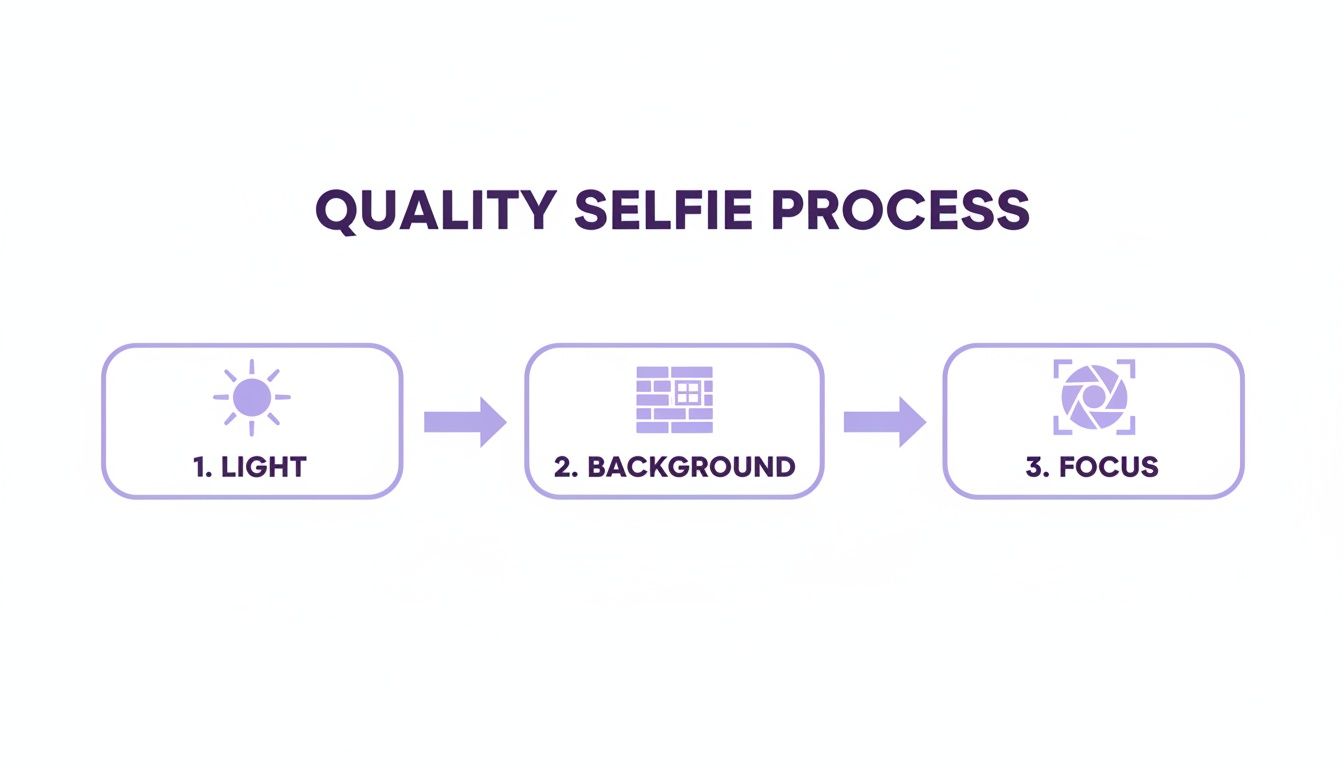
Honestly, if you can nail the light, background, and focus, you're already 90% of the way to a killer photoshoot.
Exploring Themes and Crafting Custom Prompts
Once your selfies are uploaded, the real fun begins. DreamShootAI has a huge library of pre-designed themes that work as amazing starting points. Whether you’re dreaming of a vibrant Desi wedding ceremony, a sharp corporate headshot, or a gritty cyberpunk scene, there's a theme ready and waiting.
These aren't just simple backdrops; they're fully curated photo packs that come with the right outfits, hairstyles, and poses. They take the guesswork out of it and give you a reliable shortcut to amazing images.
"AI is not just a tool for automation; it's a partner in creation. By providing clear instructions and high-quality inputs, you empower the AI to become an extension of your own creative vision, producing results that feel both personal and professional."
— Dr. Alistair Finch, AI Ethics & Creativity Researcher
For anyone who wants to get a little more hands-on, custom prompts give you total creative freedom. This is where your mood board and shot list really come in handy. You can take those abstract ideas and turn them into direct text commands for the AI to follow.
For instance, instead of just picking the 'Business' theme, you could type out a prompt like: "Professional headshot of a woman in a navy blue blazer, soft natural light from a window, blurred office background, confident expression." The more specific you get, the closer you'll get to the exact image in your head.
Finalizing Your Images with Advanced Tools
Getting that first image is just the beginning. DreamShootAI is packed with a bunch of powerful features to help you tweak and perfect your creations until they’re pixel-perfect. Think of it as your own digital post-production studio.
- Photo Edit by Prompt: This lets you make instant changes with simple text commands. If a picture is almost there but needs a little something, you can just type instructions like "make the background brighter" or "change shirt color to red" and watch it happen.
- Magic Upscaler: Blurry, low-res photos are a buzzkill. The Magic Upscaler bumps up the final image quality, making it sharper, clearer, and more detailed. This is a must-use if you plan on printing your photos or showing them on a high-res screen.
- AI Video: This cool tool brings your still photos to life by animating them into short, shareable clips. You can turn a favorite headshot into a subtle, moving portrait or animate a romantic wedding photo for a digital invitation. It just adds a whole new dynamic layer to your work.
By mixing and matching these features, you're not just generating images—you're creating genuine digital art. You can take a concept from your imagination, generate a high-quality base image, fine-tune it with incredible precision, and even turn it into a video, all from one place.
Of course, even the most meticulous plan can leave you with a few nagging questions. Getting a handle on these common concerns is the final step in feeling truly ready for your photoshoot, whether you're working with a photographer or our AI.
Think of this as your last-minute gut check. Sorting these things out now means you can walk into your shoot feeling relaxed, confident, and ready to create something amazing.
How Far in Advance Should I Start Preparing?
This really boils down to whether you're going the traditional route or using AI. The timelines are completely different, and it’s a perfect example of how much more efficient modern tools can be.
For a traditional photoshoot, you’ll want to give yourself a solid four to six weeks. That might sound like a lot, but it gives you the breathing room you need to:
- Nail down your theme and pull together a mood board.
- Find, book, and sync up with photographers, stylists, and makeup artists.
- Hunt down the perfect outfits and get them tailored if necessary.
- Book any grooming appointments, like a haircut or a manicure, without rushing.
On the other hand, prepping for an AI photoshoot with DreamShootAI is a whole different ballgame. You can literally have everything ready to go in a couple of days. Your main job is to take a solid set of high-quality selfies, which might take you an hour, tops. Once they’re uploaded and your AI model is trained, you can knock out your entire photoshoot in a single afternoon.
What Are the Biggest Mistakes to Avoid?
Sometimes, knowing what not to do is half the battle. A few common blunders can throw a wrench in even the best-laid plans.
The absolute biggest mistake, for any kind of shoot, is winging it. When you skip the planning stage—no mood board, no shot list—you end up with a random collection of pictures instead of a cohesive set that tells a story.
Another classic error is choosing clothes that you can’t move or breathe in. If you're constantly tugging at a tight collar or worried about a short hemline, that discomfort is going to show up in your photos. Your body language will scream "I'm uncomfortable," and no amount of editing can fix that.
"The camera doesn't just see what you're doing; it captures how you're feeling. Confidence and comfort are the secret ingredients that make a photo pop."
— Elena Petrova, Fashion Photographer
Finally, not practicing your poses is a surefire way to look stiff and awkward. For AI shoots, the number one killer is using bad source photos. Blurry, poorly lit selfies with cluttered backgrounds will tank the quality of your AI model and, consequently, your final images.
Can I Get Professional-Quality Headshots with an AI Tool?
You absolutely can. Modern AI platforms like DreamShootAI are built from the ground up to deliver professional-grade images that are perfect for any corporate or branding need. The headshots you can generate often look like they came straight out of a studio session.
The magic is all in the input. When you feed the AI clear, well-lit selfies from a few different angles, you're giving it all the data it needs to get your features just right. From there, the AI can place you in all sorts of professional settings, complete with perfect studio lighting and sharp business attire.
Plus, features like our Magic Upscaler are specifically designed to make sure your final images are high-resolution enough for LinkedIn, company websites, and even business cards. You get that polished, professional look without the hassle and high price tag of a traditional shoot.
Ready to skip the stress and create your perfect photoshoot from the comfort of your couch? With DreamShootAI, your selfies are the key to stunning, professional-quality images for any occasion. Explore endless themes, from corporate headshots to romantic wedding portraits, and enjoy total creative freedom. Start your AI-powered photoshoot today.
Written by Jocelyn Grey for the DreamShootAI blog.
Spotted something out of date? Tell us at [email protected] and we'll fix it.