How to Create AI Generated Videos from Photos and Text
Learn how to create AI generated videos using simple text prompts and photos. This practical guide covers the entire workflow, from concept to finished video.
Creating a compelling AI video is significantly more accessible than most people realize. The process fundamentally involves three steps: selecting a capable AI tool, providing a source material (like a photograph or a text concept), and refining the output with intuitive prompts. What was once a technically demanding and prolonged endeavor has transformed into an accessible, creative sandbox for professionals and enthusiasts alike.
The New Reality of AI Video Creation
Not long ago, producing high-quality video necessitated expensive cameras, high-performance computing, and specialized knowledge of complex editing software. That paradigm is rapidly becoming obsolete. We are witnessing a seismic shift where AI platforms, such as DreamShootAI, empower anyone to create professional-grade videos directly from a smartphone or laptop. This isn't merely an incremental improvement; it is a fundamental disruption of how visual narratives are produced and distributed.
This democratization of video production is gaining substantial traction. The AI video generation market is projected to skyrocket, with a recent report from MarketsandMarkets forecasting growth from $1.4 billion in 2023 to $9.9 billion by 2028, a compound annual growth rate (CAGR) of 46.8%. This is not speculative hype; it is a clear indicator of this technology's staying power and expansive potential.
Why This Matters for You
What are the tangible implications of this technological shift? It unlocks a vast array of possibilities for businesses and individuals.
- Small Business Owners: You can now produce high-quality product demonstrations or engaging social media advertisements in-house, eliminating the need for costly marketing agencies.
- Couples Planning a Wedding: Imagine a unique, animated wedding invitation that brings your story to life in a way static stationery never could.
- Social Media Creators: Generate a consistent stream of dynamic, novel content to captivate your audience and boost engagement metrics.
To understand the landscape, it's beneficial to review the best AI video generators currently available. Assessing the various platforms will help you identify the optimal tool for your specific project requirements.
In the words of Fei-Fei Li, a leading voice in AI, "AI is not just a technology. It is a new way of thinking about the world and solving problems." This perspective underscores the transformative power of AI beyond simple task automation, positioning it as a true creative partner.
Moving Beyond the Hype
While the technology is impressive, knowing how to create AI-generated videos is rapidly becoming a core competency. It has evolved beyond creating novelty clips into a strategic tool for efficient and impactful communication. In this guide, I will deconstruct the entire process, demonstrating precisely how to convert your photos or text-based ideas into professional-quality videos. You will learn to command the AI, refine the output, and bring your vision to life with unprecedented speed.
Planning Your AI Video for Better Results
Initiating work in an AI video generator without a clear plan is akin to embarking on a journey without a destination. You may arrive somewhere interesting, but it is unlikely to be your intended goal. A few minutes of strategic planning is the critical factor in achieving exceptional results, saving considerable time and preventing frustration. This preparatory step is what distinguishes a disjointed, amateur clip from a video that resonates with its intended audience.
The foundational questions are: what is your objective, and who is your audience? Are you aiming to generate excitement for a personal event like a wedding, or are you seeking to capture the attention of prospective customers on social media? Answering this dictates every subsequent decision—from tone and style to pacing and visuals. According to a HubSpot survey, 87% of businesses now use video as a marketing tool, underscoring its importance in targeted communication.
Define Your Concept and Gather Your Stuff
A professional storyboard is not required. A simple shot list or a well-defined core concept is sufficient. For instance, a fitness influencer might outline a 15-second motivational video with three key shots: a warm-up sequence, the primary exercise, and a triumphant concluding pose. This simple framework provides all the necessary structure.
With your concept defined, the next step is to gather your assets. This may include:
- Picking Your Source Photos: If animating a photograph, the quality of the source image is paramount. A superior original will yield a more impressive final animation. Reviewing tips on how to improve photo quality provides a significant advantage.
- Jotting Down a Script or Key Phrases: For videos generated from text, composing descriptive sentences or a concise script provides the AI with unambiguous instructions.
For more complex projects, leverage other AI tools for assistance. Exploring how large language models like GPT-4 can help brainstorm detailed scenes and dialogue is a powerful strategy for ambitious productions.
"The prompt is the new programming language," states technology analyst Benedict Evans. "The ability to articulate a clear, structured request to an AI system is becoming a fundamental skill."
This insight highlights why a solid plan is so crucial. A clear concept and well-curated assets translate into more precise prompts, fewer iterations, and a more efficient path to your envisioned video.
Your Pre-Production Checklist
Before initiating generation, conduct a quick mental review using this checklist. This practice will help you create AI-generated videos that achieve your vision with greater accuracy and speed.
- Core Message: What is the single most important takeaway for the viewer?
- Target Audience: Who is this video for? (e.g., wedding guests, social followers, potential clients)
- Visual Style: What is the desired aesthetic? (e.g., romantic, high-energy, futuristic, comedic)
- Key Assets: Are your source photos, text prompts, or shot list prepared and optimized?
When these elements are established, you provide the AI with a robust foundation, minimizing rework and dramatically elevating the quality of the final output.
Generating Your Video in DreamShootAI
This is where your preparation materializes into a tangible product. With your plan in place, it is time to bring your ideas to life within DreamShootAI. The user interface is designed for intuitive operation, making it accessible even to those without prior video editing experience. We will explore the two primary methods for creating your AI video: animating an existing photograph or constructing a new scene from a text prompt.
The core value propositions of these tools are speed and simplicity. This is a major driver of the explosive growth in AI video. According to one analysis, North America holds the largest market share at 41%, with large enterprises constituting 50.86% of the user base, leveraging this technology for rapid content production. For a detailed breakdown of these market dynamics, you can consult this Fortune Business Insights report on the AI video generator market.
Bringing Your Photos to Life
Animating a static image is one of the most compelling entry points into AI video creation. This technique is ideal for creating "living portraits" from wedding photos or adding subtle, eye-catching motion to product shots for social media. It infuses a touch of dynamism into static visuals.
The process is straightforward. Upload a high-quality photograph—the higher the resolution of the original, the smoother and more detailed the resulting animation. Once uploaded, DreamShootAI presents a variety of motion and style options. You can apply a slow zoom, a gentle pan, or add atmospheric effects like falling snow or shimmering particles. This preserves the essence of your original photo while imbuing it with life.
For a detailed walkthrough, visit the AI image-to-video tool page.
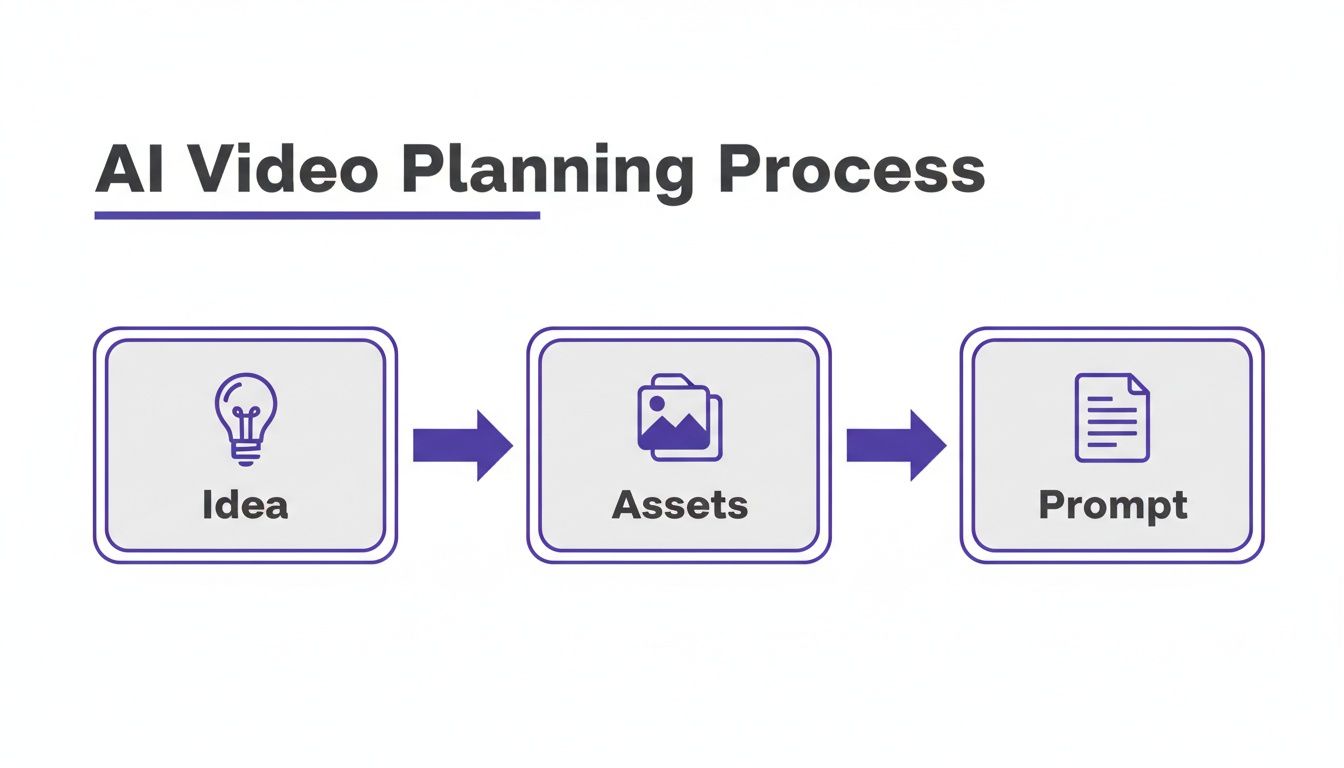
Having your idea, assets, and prompt finalized before you begin is the key to an efficient and successful workflow.
Crafting Videos From Text Prompts
For creating entirely new content from imagination, prompt-based generation is your creative canvas. Here, you describe a scene in text, and the AI constructs it visually. To streamline this process, DreamShootAI offers themed templates that serve as excellent starting points.
For example, to create a unique wedding announcement, you can select the ‘AI Wedding Video Invitation’ template. This pre-populates the prompt with relevant styles and keywords, which you can then customize.
As AI expert Gillian Perkins advises, "You need to be super specific with your instructions." She compares it to training a new employee—the clarity of your directions directly correlates with the quality of the outcome.
This principle is paramount for writing effective video prompts. The template is a foundation; it is your responsibility to add the specific details that make the video unique.
You might modify the prompt to include:
- A new setting: "A romantic beach at sunset with gentle waves crashing"
- A specific action: "A couple holding hands and walking toward the camera, smiling"
- A unique style: "In a soft, dreamy, cinematic style with golden hour lighting and lens flare"
These details are critical. They provide the AI with precise instructions, transforming a generic template into a video that accurately reflects your vision. This level of granular control is what makes learning how to create AI-generated videos such a rewarding endeavor.
Choosing Your AI Video Creation Method
Unsure which approach to use? This table outlines the optimal use cases for each method in DreamShootAI.
| Method | Best For | Key Benefit |
|---|---|---|
| Photo-to-Video | Adding subtle motion to existing high-quality images like portraits, product shots, or landscapes. | Fast and easy way to add a dynamic, "living" feel to a static picture while preserving its original look. |
| Text-to-Video | Creating entirely new scenes, characters, or animated concepts from your imagination. | Unlocks complete creative freedom, allowing you to build a video that doesn't exist anywhere else. |
Ultimately, both methods are powerful creative tools. Animating a photo is perfect for quick, elegant enhancements, while text prompts offer a blank canvas for your most ambitious ideas. Experiment with both to discover what best serves your project's needs.
Mastering Advanced Prompts and Creative Techniques
After creating a few videos, you will naturally seek greater creative control. This is the transition from basic operation to truly directing the AI, transforming it from a novelty into a powerful artistic instrument. This mastery hinges on the art of prompt engineering.
A well-constructed prompt is analogous to a detailed recipe for a perfect visual shot. It requires the right ingredients in precise amounts to achieve the intended result. While there is no universal formula, an effective prompt typically incorporates four key elements.
The Core Prompt Recipe
Your objective is to provide the AI with a clear, concise brief, much like you would for a human director. A structured prompt minimizes ambiguity and prevents the AI from making undesirable creative interpretations.
This structure consistently yields superior results:
- Subject: Who or what is the focus? Be specific. Instead of "a person," use "a young woman with long, flowing brown hair." Detail is crucial.
- Action: What is the subject doing? Describe the movement with precision. "Walking slowly" is adequate, but "strolling gracefully along a path" provides a richer visual instruction.
- Setting: Where does the action take place? Establish the environment. For example, "A mystical forest at dawn, with golden light filtering through the trees."
- Style: What is the aesthetic and mood? This is arguably the most critical component. Incorporate terms like "cinematic," "hyperrealistic," "anime style," "dreamy and ethereal," or "vintage 8mm film."
Combining these elements elevates a vague idea into a powerful command: "A young woman with long, flowing brown hair strolling gracefully along a path in a mystical forest at dawn, cinematic style with golden hour light." This level of detail is precisely what the AI requires to execute your vision.
Blending AI Features for Polished Results
Producing exceptional AI videos involves more than just the final prompt; it also depends on the quality of your source materials. The features within DreamShootAI are designed for interoperability, allowing you to enhance your photos before animation. This layered workflow is a professional technique.
For example, if your source photo is underexposed or lacks vibrancy, do not animate it immediately. First, utilize the ‘Photo Edit by prompt’ feature. A simple command like "increase the brightness and add warm, golden hour lighting" can dramatically improve the image. For more advanced techniques, our guide on AI photo editing prompts provides comprehensive instructions.
If the photo's resolution is suboptimal, process it through the Magic Upscaler first. This sharpens details and ensures the final video is crisp and professional, not pixelated. This preparatory work distinguishes good AI videos from truly great ones.
A creative director I know once remarked, "AI gives you the brush, but you still have to be the painter." This perfectly encapsulates the relationship. The tools are powerful, but it is your strategic guidance and creative combination of features that produce a masterpiece.
This workflow mirrors trends in the broader generative AI landscape. The generative AI market, valued at $43 billion in 2023, is projected to reach $1.3 trillion by 2032, according to Bloomberg Intelligence. By mastering these techniques, you are not merely creating clips—you are developing a high-value skill in an exponentially growing industry.
Polishing and Sharing Your AI Masterpiece
Your AI video has been generated, but the process is not complete. The final touches are what elevate the work. A great video requires a strategic launch, and the final steps of reviewing, refining, and optimizing are critical for maximizing its impact.
First, engage in critical self-review. Watch your video several times. Analyze what works and what feels slightly off. Is the motion fluid and natural? Is the style consistent throughout? Often, a minor adjustment to your original prompt can yield a significantly improved result in the next iteration.
Add a Soundtrack and Final Touches
Sound is a powerful, often underestimated, component of engaging content. While DreamShootAI excels at visual generation, adding a soundtrack or sound effects is a crucial final step. This can be easily accomplished using external tools like CapCut or InShot.
Audio profoundly influences the emotional tone. A soft orchestral score can transform a simple animated wedding invitation into a deeply romantic piece. A high-energy product clip becomes far more compelling with an upbeat, rhythmic track. This small addition makes your AI-generated video feel exponentially more professional. After all, a Wyzowl report found that 92% of marketers consider video an important part of their marketing strategy, and sound is integral to that effectiveness.
Optimize for Every Platform
Your video is complete, but its destination dictates the final format. A one-size-fits-all approach is ineffective in today's fragmented media landscape. Each social platform has unique specifications for optimal performance, making platform-specific optimization non-negotiable.
Use this checklist before publishing:
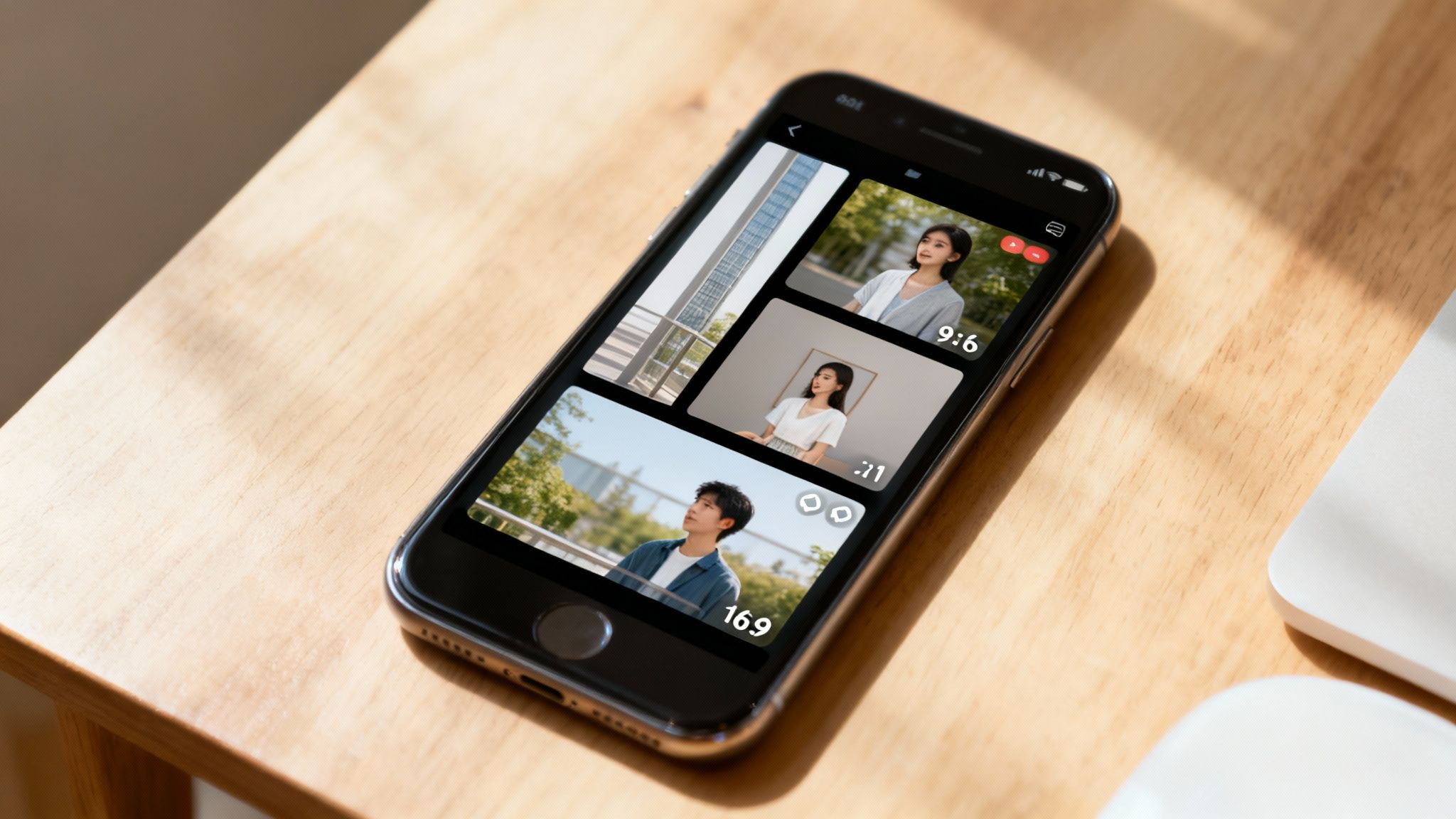
- Aspect Ratio: Is it a 9:16 vertical video for Instagram Reels and TikTok? Or a 16:9 horizontal format for YouTube? Proper cropping is essential for viewer experience.
- File Size: Social platforms often aggressively compress large video files, degrading quality. Use an online tool to reduce your file size, balancing manageability with visual fidelity.
- Caption and Hashtags: Your caption is your hook. Write compelling copy that provides context and captures attention, then use relevant hashtags to enhance discoverability.
As digital media expert Gary Vaynerchuk emphasizes, "Context is king." The same piece of content will perform differently on LinkedIn than it does on TikTok. "You have to respect the platform you're on."
This wisdom applies directly to these final touches. Taking the time to refine, add sound, and optimize your video for its intended platform is how you ensure your AI masterpiece achieves the reach and impact it deserves.
Your Questions About AI Video, Answered
As you begin experimenting with AI-generated video, questions will inevitably arise. This is a new and evolving field. Let's address some of the most common inquiries from new users.
Can I actually use these AI videos for my business?
The answer is overwhelmingly yes. Most reputable AI video platforms, including DreamShootAI, grant you full commercial rights to the content you create. This means you are free to use your videos for social media advertising, marketing campaigns, product demonstrations, and other commercial purposes.
However, it is always prudent to review the specific terms of service for any platform you use. Some may have stipulations regarding the likenesses of real people or styles that closely mimic copyrighted works. But by using an established service that explicitly states you own the rights to your creations, you can proceed with confidence.
Okay, but how do I make my AI videos look good?
Achieving a high-quality result is entirely dependent on the quality of your input. The principle of "garbage in, garbage out" applies perfectly here. A low-resolution photo or a vague, poorly constructed prompt will yield an unsatisfactory result.
Here are proven best practices:
- Start with Great Photos: If animating an image, begin with a high-resolution source. A sharp, clear photograph is your greatest asset. A pixelated image will only degrade further when motion is applied.
- Be a Specific Director: Do not use generic descriptions like "a person dancing." Provide the AI with explicit instructions. Detail the subject, action, lighting, and overall mood. For example, "A woman with long red hair, twerking in a neon-lit nightclub, cinematic, hyperrealistic" will produce a far more compelling and specific result.
- Don't Settle for the First Try: Your initial generation is a first draft, not the final product. Analyze the output, identify areas for improvement, and then iterate on your prompt to refine the result until it aligns with your vision.
As Sam Altman, CEO of OpenAI, noted, "The most interesting thing about AI is that it's going to be this incredible tool for amplifying human creativity and ingenuity." This highlights that AI is a collaborator; your iterative feedback is part of the creative process.
Is this going to be too complicated for a beginner?
Absolutely not. While the underlying technology is incredibly sophisticated, the user-facing tools are designed for accessibility. Platforms like DreamShootAI are built to be intuitive, featuring templates that handle much of the complexity for you. If you can type a sentence and upload a photo, you possess the necessary skills to begin.
The learning curve is not about mastering software but about developing your ability as a creative director. It is more an art than a science. In fact, a 2023 Adobe survey found that 88% of creators are already using generative AI in their workflows. The most effective way to learn is to experiment. This hands-on engagement is how you will quickly build the confidence to create truly remarkable videos.
Ready to see what you can create? With DreamShootAI, you can animate your photos, generate video clips from text, and play with over 20 creative themes in just a few clicks. Start creating your first AI video today!
Written by Jocelyn Grey for the DreamShootAI blog.
Spotted something out of date? Tell us at [email protected] and we'll fix it.