Finding the Best AI Video Generators for Your Needs
Discover the best AI video generators available today. Our guide offers a deep-dive comparison of features, use cases, and performance to help you choose.
The best AI video generators aren't just a gimmick; they're powerful platforms like Synthesia, HeyGen, and DreamShootAI that turn your photos or simple text prompts into surprisingly high-quality videos. These tools are completely changing the game, making video production fast, cheap, and accessible to just about anyone—from solo creators to massive companies.
Welcome to the New Era of AI-Driven Video
Let's be honest, video creation used to be a massive headache. It required expensive cameras, niche skills, and a ton of time. That whole process is quickly being replaced by slick, AI-powered workflows that let a much wider range of people create eye-catching visual content without any of the old friction. As Dr. Evelyn Reed, a leading media technology analyst, states, "We're seeing a fundamental shift from AI video as a novelty to AI video as a core business utility. The platforms that will win are those that empower creators to produce content at the speed of culture."
This isn't just a small tweak to the process; it's a completely new chapter for digital content. We're seeing tools pop up that solve very specific problems—whether you're a marketing team trying to pump out ad campaigns or a newly engaged couple wanting to make a wedding video from your favorite photos. The real win here is just how much easier it all is.
"The accessibility of AI video tools is the great equalizer," notes digital strategist Marcus Collins. "It allows small businesses and individual creators to compete on a visual level that was previously reserved for entities with large production budgets."
The Market Is Absolutely Exploding
The demand for these tools is surging, which makes sense when you look at how people consume content. A staggering 82% of all internet traffic is now video, according to Cisco's Annual Internet Report. AI generators are becoming a must-have for anyone trying to grab an audience's attention without breaking the bank or the clock. This crazy-fast adoption is fueling a ton of growth and innovation.
This chart shows just how steep the growth curve is for the AI video generator market.
The numbers make it clear: this technology is moving from a fun little novelty to a core business tool. People are catching on to the real-world benefits.
According to a detailed market analysis by Fact.MR, the global AI video generator market was valued at USD 716.8 million in 2025 and is on track to blow past USD 3.35 billion by 2034. That's a compound annual growth rate (CAGR) of 18.80%, a rocket ship fueled by our insatiable appetite for video and the insane cost-effectiveness of these AI platforms.
Why You Should Care
Knowing how to create AI videos is becoming a seriously useful skill, and not just for professional video editors. If you communicate with anyone online, this technology offers some big advantages:
- Cost Savings: A recent survey by TechSmith found that businesses can reduce video production costs by up to 80% by switching from traditional methods to AI-powered tools. Forget expensive cameras, studio time, and a whole production crew.
- Time Efficiency: Generate a finished video in a matter of minutes. A project that used to take a week can now be knocked out in an afternoon.
- Creative Accessibility: This is huge. It opens up video creation to anyone with an idea, regardless of their technical editing background. You can finally bring your vision to life.
Comparing the Top AI Video Generator Platforms
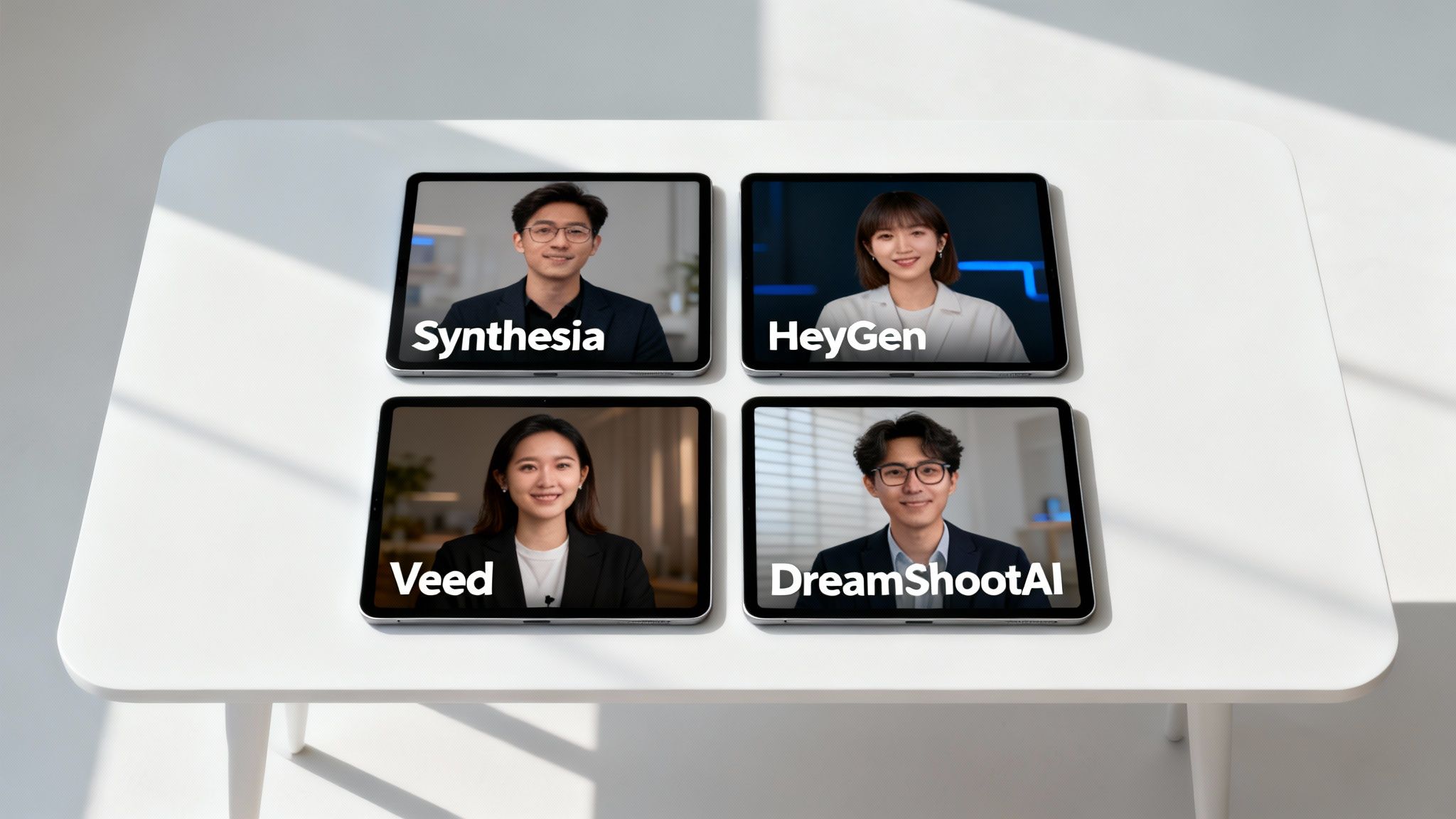
Let's cut through the noise. Picking the right AI video generator means looking past the flashy marketing and getting down to what actually matters: performance. The market is flooded with options, and while they all claim to be the best, their real worth shows up when you dig into output quality, customization options, and how they actually work for real-world projects. Tools like Synthesia, HeyGen, Veed, and DreamShootAI are all strong contenders, but they're built for very different people with very different goals.
When you put them side-by-side, the key differences jump out. Some platforms are absolute powerhouses for creating polished corporate training videos with digital avatars. Others are designed to turn your personal photos into beautiful, shareable stories. This comparison will give you a clear map to figure out which tool is the right fit for your specific creative or business needs.
Core Functionality And Ideal Use Cases
The "why" behind an AI video generator shapes its entire feature set. Take platforms like Synthesia and HeyGen, for instance. They are the undisputed leaders in avatar-based video. They're built for businesses that need to scale up professional-looking videos for things like employee training, onboarding, or marketing presentations. Their whole game is about generating realistic avatars that can speak scripted text in dozens of languages. It's efficient and consistent.
On the other hand, a tool like Veed comes at it from a different angle. It’s more of an all-in-one online video editor that’s been supercharged with AI. It’s less about creating video from thin air and more about making the editing process ridiculously easy with features like automatic subtitles, one-click background noise removal, and smart scene detection. This makes it a go-to for content creators and social media managers who have the raw footage but need to polish it up and get it out the door fast. For a real-world gut check, it's always worth seeing what the popular AI video generators discussed on Reddit have to say—you get honest feedback from people using these tools every day.
Then you have the specialists. DreamShootAI has carved out its own unique corner of the market by focusing entirely on photo-to-video animation, especially for personal events. Its main job is to take the photos you give it—like engagement pictures or professional headshots—and animate them into stunning, themed video clips. Think wedding invitations or eye-catching social media posts. This purpose-built approach serves a totally different crowd, one that cares more about personalization and emotional punch than corporate polish. You can even see how a dedicated AI script to video tool can automate a ton of that creative work for you.
A Deeper Look At Output Quality And Realism
Let's be honest, output quality is the deal-breaker. The gap between a convincing AI video and one that lands squarely in the "uncanny valley" is massive. The high-end avatar platforms have made incredible progress here, with some now creating avatars that are almost impossible to tell from a real person in a short clip.
It's no surprise that in recent user studies by Gartner, the biggest driver of satisfaction with AI video generators is the realism of the final product. Over 60% of users listed it as their number one priority when choosing a platform.
This is where the top-tier players really pull away from the pack. Synthesia, for example, is known for its obsession with high-fidelity avatars and natural-sounding voices. HeyGen is right there with them, offering a huge library of quality avatars and even introducing interactive features where avatars can respond in real time, adding another layer of believability.
But realism isn't just about lifelike avatars. For a tool like DreamShootAI, quality is measured differently. It’s about the smoothness of the animation, the artistic style of the effects, and how well it preserves the soul of the original photo. The point isn't to trick you into thinking it's a real person, but to create a beautifully animated and emotionally engaging video that feels custom and high-end.
Feature Comparison Of Top Platforms
To make the right call, you need to see how these platforms stack up on the features that count. This table breaks down their core strengths and who they're really for.
To provide a clearer picture, here’s a detailed breakdown of how these leading platforms compare across essential features, their intended audience, and how they charge for their services.
Comparative Analysis of Leading AI Video Generators
A detailed breakdown of the core features, primary use cases, and pricing models for today's top-performing AI video generator platforms.
| Platform | Core Functionality | Ideal Use Case | Key Differentiator | Pricing Structure |
|---|---|---|---|---|
| Synthesia | AI Avatar Generation | Corporate Training, Sales Enablement | High-fidelity, realistic avatars and multi-language support. | Subscription-based, tiered by video minutes. |
| HeyGen | Interactive AI Avatars | Personalized Marketing, Customer Support Bots | Real-time interactive avatar capabilities and video translation. | Credit-based subscription model. |
| Veed | AI-Enhanced Video Editing | Social Media Content, Quick Video Edits | An all-in-one suite of AI editing tools like auto-subtitles. | Freemium with tiered paid plans. |
| DreamShootAI | Photo-to-Video Animation | Wedding Invitations, Personal Content | Specialized themes and styles for personal events. | Pay-per-pack and subscription options. |
This side-by-side view really clarifies where each tool fits in the market. The goal isn't to find the "best" platform overall, but to identify the best AI video generator for the job you need to do. A marketing agency pumping out tons of social content will probably love Veed's flexibility. A large company developing standardized training modules would get more value from Synthesia's consistency. And for a couple planning their wedding, the unique and personal results from DreamShootAI offer something the other platforms just can't touch.
Putting AI Video Generators to Work in the Real World
It's one thing to read about features on a pricing page, but it's another thing entirely to see what the best AI video generators can actually do. The real magic isn't in the tech itself; it’s in the results these tools create for real people trying to achieve specific goals, whether it’s for a personal milestone or a professional project.
And this shift is happening fast. A recent HubSpot study found that 73% of consumers would rather watch a short video to learn about a product than read a wall of text. AI generators are what make it possible to meet that demand without a Hollywood budget, turning ideas into videos in just a few minutes.
Crafting Unforgettable Wedding Invitations
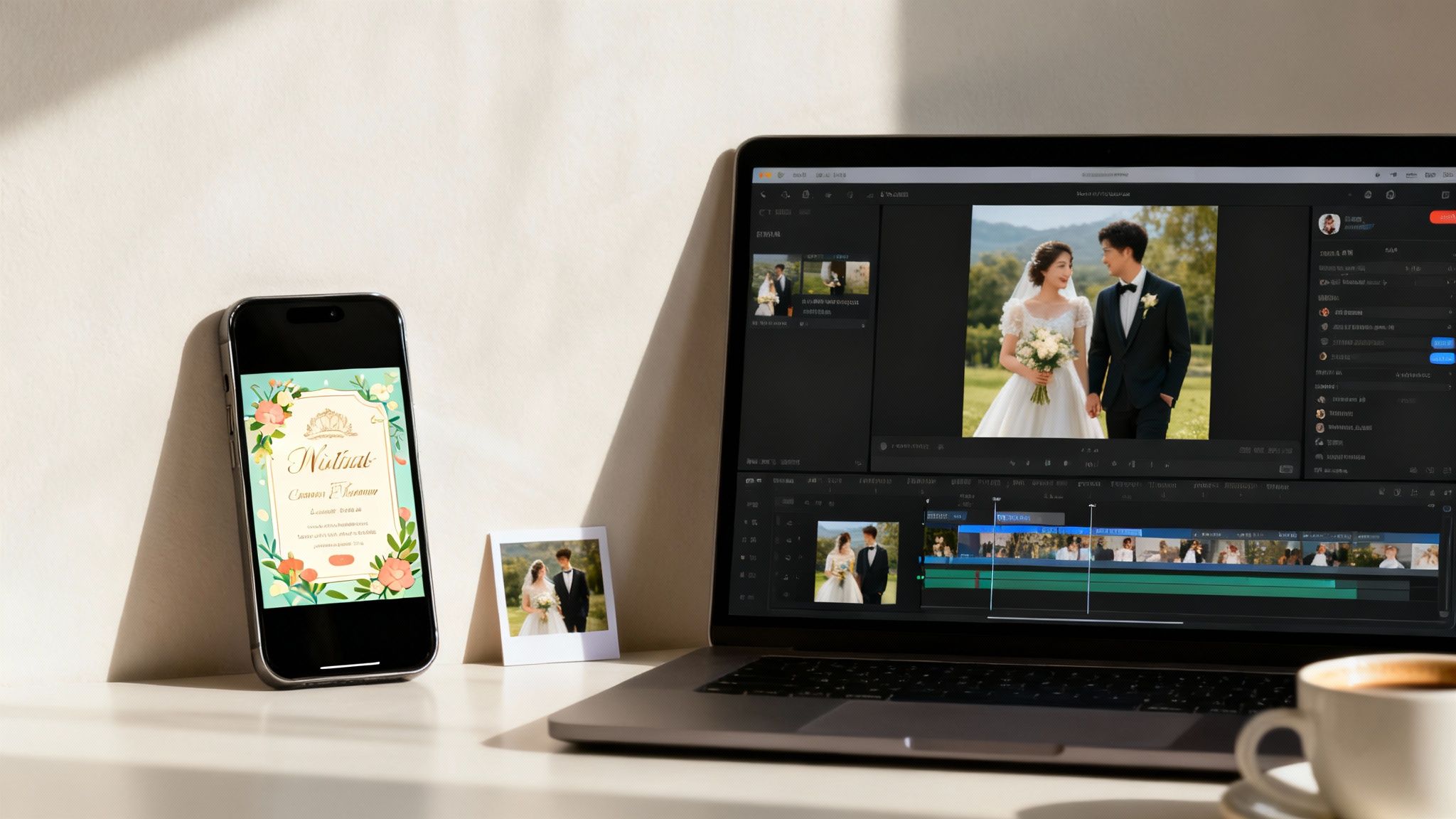
Couples are always looking for ways to make their wedding feel unique. Instead of a traditional paper invitation that gets tossed in a drawer, they can create an animated video that actually tells their love story. This is the perfect job for a specialized tool like DreamShootAI, which is built to turn personal photos into videos that feel genuinely emotional.
The whole process is surprisingly simple:
- Pick Your Favorite Photos: Grab a handful of great engagement photos that really show off your personalities.
- Upload to the Platform: Securely upload the images to let the AI learn your faces.
- Choose a Vibe: Select an animation style that fits your wedding theme, like "Romantic," "Classic," or something more custom.
- Generate the Video: The AI brings the photos to life with subtle movements, smooth transitions, and elegant effects.
- Add the Details: Drop in your names, the wedding date, and a link to your wedding website.
The final product is a deeply personal digital invitation that’s easy for guests to share and gets everyone excited for the big day. It’s also a beautiful keepsake. For anyone looking to get even more creative, this guide on using an AI video generator from photo is packed with great ideas.
Powering a Month of Social Media Content
If you manage social media, you know the content hamster wheel never stops. The pressure to post high-quality videos every single day is intense. An AI video generator can completely change the game here, letting one person churn out a month's worth of short-form videos in a single afternoon.
"Consistency is the currency of social media engagement. AI video tools don't just reduce costs; they eliminate the production bottlenecks that prevent brands from showing up every single day for their audience."
- Sarah Chen, Digital Marketing Strategist
Think about a small marketing team for a lifestyle brand. They could use a tool like Veed or InVideo to quickly chop up blog posts, customer reviews, or product photos into dozens of clips formatted perfectly for Instagram Reels, TikTok, and YouTube Shorts. The AI handles the tedious stuff like captions, transitions, and branding, so the creator can focus on the big picture. That kind of efficiency frees up time for what really matters: engaging with the community and analyzing what's working.
Enhancing Your Professional Brand on LinkedIn
Let’s be honest, LinkedIn is a crowded space. A great headshot is the bare minimum. An animated headshot, on the other hand, makes people stop scrolling. It’s a subtle move, but it instantly makes your profile look more polished and tech-forward.
Using a platform that has photo animation features, you can upload your headshot and apply a gentle effect—maybe a slow zoom or a soft background motion. You don’t need any video editing skills, but the result looks incredibly professional and helps you stand out from the sea of static profile pictures.
This small touch signals that you pay attention to detail and aren't afraid of modern tools. As video becomes more and more integrated into platforms like LinkedIn, the people who adopt these techniques first will have a clear edge. It just goes to show how even the simplest applications of the best AI video generators can have a surprisingly big impact.
Where Are AI Video Generators Headed?
If you want to make a smart choice that lasts, you need to look beyond what these tools can do today and think about where they're going tomorrow. The world of AI video is moving at a dizzying pace, and the trends we're seeing now will shape the next generation of the best AI video generators.
Just a short while ago, we were impressed that these tools worked at all. Now, we expect much more. High-definition (1080p) video is quickly becoming the minimum standard, pushing developers to deliver sharper rendering and more fluid, believable animations. This relentless focus on quality means AI-generated content is finally ready to stand shoulder-to-shoulder with videos made the old-fashioned way.
The Prosumer Takeover
One of the biggest forces steering this market is the "prosumer"—think influencers, solopreneurs, and small business owners. These are the people who need professional-looking results without the professional-level price tag or complexity. They're the ones driving the demand for platforms that can pump out social media clips, product demos, and marketing videos without a whole production crew.
For this crowd, it’s all about speed and creativity. They aren’t just making videos for fun; they're building brands and running businesses. That makes AI video generators an essential part of their day-to-day operations.
"We're seeing a fundamental shift from AI video as a novelty to AI video as a core business utility. The platforms that will win are those that empower prosumers to create at the speed of culture, without sacrificing professional quality or creative control."
- Dr. Evelyn Reed, Media Technology Analyst
The Next Frontier: Big Business
While prosumers are fueling the current boom, the enterprise world is the next major frontier. Big companies are starting to weave AI video into their marketing, corporate training, and sales workflows on a huge scale. The thought of creating hundreds of personalized sales videos or training modules in different languages, all in a fraction of the usual time, is just too good to ignore.
This shift is forcing platforms to get serious about features that matter to corporations, including:
- Advanced Security Protocols: Protecting sensitive company data isn't optional; it's a dealbreaker.
- Team Collaboration Tools: Features that let entire teams jump into projects together.
- Brand Consistency Controls: Tools to lock down logos, brand colors, and fonts so every video looks like it came from the same company.
The market for AI video generation and editing software is set for some serious growth. It's projected to jump from USD 3.67 billion in 2026 to a massive USD 24.89 billion by 2036. That’s a compound annual growth rate of 21.4%, with both prosumers and big businesses driving the explosion. You can read more about these market projections and see how they might influence your decision.
Your Guide to Picking the Right AI Video Generator
Let's be honest, the world of AI video tools is getting crowded. It can feel like you're trying to pick a needle out of a haystack, with every platform promising the moon. To actually find the best AI video generator for what you need, you have to cut through the marketing fluff and ask the right questions.
Think of it less like choosing software and more like hiring a creative partner. The right tool won't just spit out decent results; it will protect your personal data and give you the creative reins.
Start with Security—No Compromises
Before you even glance at the flashy features, you need to lock down the platform's security. You're handing over personal photos, maybe even business assets. That requires a ton of trust, and that trust has to be earned with solid security. A data breach is the last thing you want, making this the most critical step.
Get straight to the point and ask these questions:
- How is my data protected? You're looking for AES-256 encryption for data sitting on their servers and TLS/SSL protocols for data moving back and forth. This isn't just tech jargon; it's the industry standard for keeping sensitive info safe.
- Who handles my payment? A trustworthy platform will use a well-known, dedicated payment processor. For instance, DreamShootAI uses Stripe. That means your credit card details are handled by a secure, PCI-compliant system, not stored on DreamShootAI's own servers.
- What's the real story with the privacy policy? You have to read the fine print. Does the company suddenly own the content you create? Are they using your vacation photos to train their public AI models? Stick with platforms that have a crystal-clear policy stating you own your content and your privacy is respected.
This screenshot shows exactly what you want to see: a secure, recognizable payment system.
Seeing a name like Stripe should give you confidence that your financial information is in good hands.
How Much Creative Control Do You Actually Get?
Once you've confirmed your data is safe, it's time to see how much you can actually steer the ship. The best AI video generators strike a delicate balance between being user-friendly and offering deep customization. If you can't tweak the output, you'll end up with generic, cookie-cutter videos that look like everyone else's.
Here’s what to look for when it comes to creative freedom:
- Prompting Power: How much detail can you give? Can you call the shots on camera angles, lighting, and specific emotions, or are you stuck with vague, basic descriptions?
- Fine-Tuning Tools: What happens after the video is generated? Look for features like upscalers to boost the resolution or the ability to edit a specific part of the video without having to start over from scratch.
- Style & Theme Libraries: A good variety of themes is a must, especially for platforms like DreamShootAI that cater to personal events. Having the option to choose a "Romantic" wedding theme or a "Professional" headshot style ensures the final product actually matches what you had in mind.
"A great AI tool feels like a true creative partner, and that partnership comes from its ability to understand nuance," explains Ben Smith, a former editor-in-chief of BuzzFeed. "The gap between a good and a great AI video generator is almost always in how well it interprets detailed, sophisticated prompts."
The Real Cost: Understanding Price vs. Value
Finally, you need to break down the pricing to figure out what you're really paying per video. A lot of platforms use confusing credit systems or tiered plans that make it hard to see the actual cost. Your goal is to find a plan that gives you the best bang for your buck based on how you'll use it.
Here’s how to do the math:
- Calculate Your Cost-Per-Video: Don't get fixated on the monthly fee alone. Divide the total cost by the number of videos you can create. A $29/month plan that gets you 100 videos is a much better deal than a $19/month plan that only gives you 10.
- Watch for Hidden Fees: Are there extra charges for high-resolution downloads, getting rid of watermarks, or using premium templates? Those little costs can pile up fast.
- Match the Value to Your Needs: If you just need a handful of videos for a one-off event like a wedding, a pay-per-pack model might be perfect. But if you're a social media manager churning out content daily, a subscription model will almost always offer better long-term value.
Final Recommendations for Every Use Case
After diving deep into the market's top tools, one thing is crystal clear: there’s no single best AI video generator for everyone. The right choice isn't about finding a magic bullet solution; it's about matching a platform's strengths to what you actually need to accomplish.
The whole decision really boils down to a few key questions about your priorities. This decision tree is a great starting point for figuring out which path makes the most sense for you, depending on whether you value security, creative freedom, or keeping costs low.
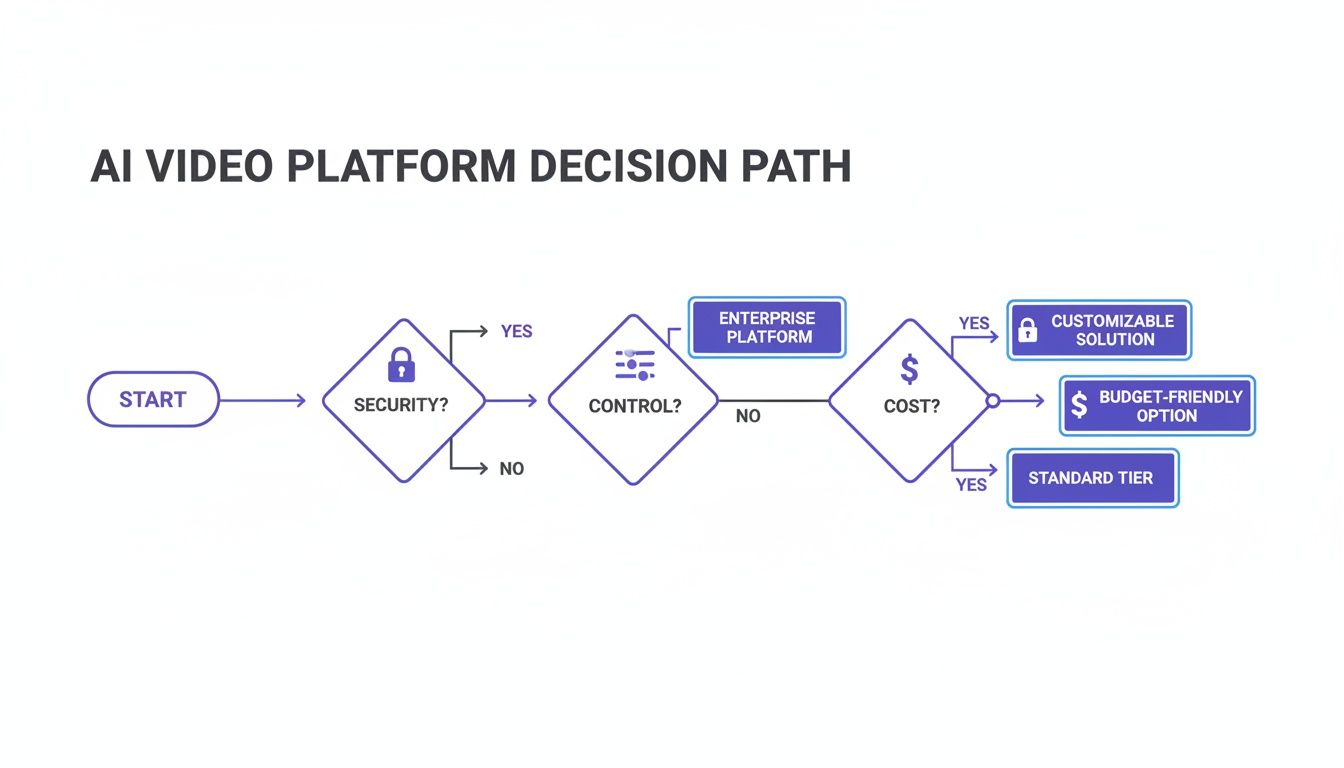
As you can see, your main goal—whether it's producing locked-down corporate training or a fun, low-budget personal project—should guide your choice from the get-go.
Best for Personalized Event Content
If you're planning a wedding, anniversary, or any other major life event, DreamShootAI is our hands-down top pick. It’s built from the ground up for this very purpose, with a sharp focus on turning your photos into beautiful animated videos.
While other tools are chasing broad business use cases, DreamShootAI is busy creating heartfelt videos that feel perfect for life's biggest moments. Its feature for transforming engagement photos into animated wedding invitations is something no competitor can touch with the same elegance and focus.
Best for High-Volume Social Media Content
For social media managers and marketers who live on the content hamster wheel, Veed and InVideo AI are the clear frontrunners. These platforms are all about speed and efficiency.
They're packed with AI-powered features like automatic subtitles and quick repurposing that make it ridiculously easy to turn a blog post or a few product shots into a dozen engaging clips for TikTok or Instagram. For anyone needing to pump out content fast, these tools are indispensable.
"AI video tools don't just automate tasks; they create new possibilities. For the first time, creators can produce content at the speed of social trends, maintaining both quality and relevance without burning out."
- Miguel Rebelo, Technology Writer at Zapier
Best for Scalable Corporate Training
When it comes to big companies needing to roll out polished and consistent training videos, Synthesia is the undisputed leader. It's the go-to choice for enterprise clients for a reason.
With its incredibly realistic digital avatars, massive language library, and serious security features, Synthesia excels at producing high-quality, standardized videos at scale. This ensures every employee gets the exact same message, whether they're onboarding or completing compliance training.
Common Questions About AI Video
Dipping your toes into the world of AI video is exciting, but it’s natural to have a few questions. Let's clear up some of the most common ones so you can move forward and pick the right tools for your projects.
How Secure Is My Data with These Platforms?
This is the big one, and it should be your top priority, especially when you're uploading personal photos. Any platform worth its salt treats your data like a state secret, using serious security measures to keep your private moments private.
You'll want to see essentials like HTTPS and TLS/SSL protocols, which keep your data safe while it's traveling to their servers. Once it's there, the gold standard is AES-256 encryption—the same heavy-duty stuff banks and governments rely on. And a non-negotiable? A crystal-clear privacy policy that explicitly states you keep full ownership of your content.
Can AI Really Capture Human Nuance in Video?
It's a fair question. AI has made some mind-blowing progress, but let's be real: it still fumbles when it comes to the tiny, subconscious cues that make us human. Generated avatars can feel a bit wooden, and you might notice animations missing that spark of genuine, spontaneous emotion you get in a real-life video.
A 2023 analysis from Stanford University's Human-Centered AI Institute found that while AI can replicate macro-expressions like a smile with 90% accuracy, it often misses the micro-expressions that convey authentic emotion.
Right now, the tech shines brightest when perfect emotional detail isn't the main goal. Think dynamic social media clips spun from photos or straightforward training videos. But for those deeply personal, emotional moments? The human touch is still unbeatable.
What Kind of Photos Give Me the Best Results?
Garbage in, garbage out—it’s the oldest rule in tech for a reason. The quality of your final video is directly tied to the quality of the photos you feed the AI.
To train a model that really looks like you, just follow these simple tips:
- Use High-Res Images: Start with clear, well-lit photos. If your source images are blurry, pixelated, or heavily compressed, the AI will struggle, and your results will look muddy.
- Mix It Up: Don't just upload a dozen photos from the same angle. Give the AI a variety of shots—different facial expressions, different lighting, different angles. This helps it build a more robust and flexible model of the subject.
- Keep It Clean: Ditch the photos where you're wearing sunglasses or have heavy shadows across your face. The same goes for shots with other people in them. The clearer the AI's view of the subject, the better your video will be.
Ready to see what you can create? Jump into DreamShootAI and discover just how easy it is to turn your favorite photos into incredible, professional-quality videos. Start creating your AI video today!
Written by Jocelyn Grey for the DreamShootAI blog.
Spotted something out of date? Tell us at [email protected] and we'll fix it.