Unleash AI Video Generator from Photo: Turn Pictures into Engaging Videos
Discover how ai video generator from photo can turn any image into a dynamic video - get tips, examples, and ideas.
Welcome to the next great leap in content creation, where your photos stop being static memories and start becoming dynamic stories. An AI video generator from photo is a game-changing tool that can turn your still images into eye-catching videos, democratizing high-quality video production for everyone. Forget about clunky, complicated software; this technology lets you bring your images to life with just a few clicks.
The New Frontier of AI Video Content
The shift from static images to dynamic video isn't just another passing trend—it's a fundamental change in how we communicate online. This entire movement is being fueled by our insatiable appetite for short-form video on platforms like TikTok, Instagram Reels, and YouTube Shorts, where compelling visual storytelling is paramount.
This is precisely where an AI video generator from photo becomes your strategic advantage. These tools are breaking down the traditional barriers to video creation—like high costs, technical skill requirements, and time-consuming editing. Now, everyone from marketers and small business owners to creators and individuals can produce professional-looking videos straight from their camera roll.
The Driving Force Behind AI Video Adoption
The market's reaction to this technology has been explosive. According to a report from Fortune Business Insights, the global AI video generator market was valued at USD 534.4 million and is on track to hit an incredible USD 2,562.9 million by 2032. That’s a compound annual growth rate (CAGR) of 19.5%, all driven by the demand for quick, affordable, and engaging video content in nearly every industry imaginable.
This exponential growth highlights a sentiment content experts have long championed. As Dr. Evelyn Reed, a media psychologist and digital trends analyst, states:
"Video isn't just a content format; it's a vehicle for emotional connection. AI tools that animate photos are closing the gap between static memories and shared experiences, allowing brands and individuals to tell more compelling stories than ever before."
And we're not just talking about adding a minor wobble or a simple zoom effect. Advanced platforms like DreamShootAI offer sophisticated features that provide deep control, from generating a lifelike AI clone of yourself for personalized messages to applying specific themes and motion presets. The goal here is to move past basic animation and into genuine, captivating storytelling.
Expanding the Creative Toolkit
The ability to bring photos to life is just one piece of a much larger creative ecosystem. Beyond just animating your favorite pictures, the next exciting frontier in AI video includes advanced methods like AI content creation from scripts, which can transform text directly into a dynamic video. It demonstrates how AI is rapidly evolving into a comprehensive suite for visual storytelling.
As we walk through this guide, we’ll be zeroing in on the photo-to-video process, using DreamShootAI as our primary example. You’ll learn the practical, hands-on steps to turn your best pictures into stunning videos, getting you up to speed with a tool that’s truly reshaping our visual world.
Getting Your Photos Ready for AI Animation
The magic of turning a still photo into a captivating video starts long before you ever hit "generate." In truth, the quality of your final AI video is largely determined the moment you select your source image. Consider this analogy: a world-class chef cannot make an amazing meal with subpar ingredients. Similarly, even the most powerful AI will struggle to create a crisp, lifelike video from a blurry, poorly lit photo.
Taking a few extra minutes to select and prepare your photos is arguably the single most important step for achieving professional-looking results. High-resolution images aren't just a "nice-to-have"; they are essential for a sharp, clean animation. A low-quality photo simply doesn't provide the AI with enough data to work with, which is how you end up with visual artifacts, pixelation, and that unsettling "uncanny valley" look that destroys realism.
It All Starts with Resolution and Clarity
For the best possible outcome, you must start with photos that are at least 1024x1024 pixels. This isn't an arbitrary number—it's the baseline that ensures the AI has enough visual information to perform its function effectively. Research from institutions like Stanford's AI Lab has shown that AI models trained on higher-resolution data are significantly better at creating detailed, believable animations. When an image is too small, the AI is forced to interpolate missing details, which almost always leads to blurriness or distorted features in the final video.
But what if your absolute favorite photo is an old one from a first-generation digital camera, or one saved from a social media post years ago? Fortunately, you're not out of luck. This is where modern AI tools truly shine. You can use a dedicated tool to restore those older images. We offer a powerful solution for this, the DreamShootAI Magic Upscaler, which can intelligently boost resolution and clean up imperfections before you even begin the animation process.
The Creative Choices That Matter
Beyond the technical specifications, the actual composition of your photo makes a massive difference. The best photos for AI animation tend to share a few common characteristics:
- A Clear Subject: The main focus, whether a person or an object, must be sharp and well-defined. The AI needs to know exactly which part of the image it's supposed to animate.
- Good, Even Lighting: Avoid pictures with harsh shadows or blown-out highlights, especially on faces. Soft, even lighting gives the AI a clean slate to work from, preventing strange shadows or unnatural bright spots from appearing in your video.
- A Simple Background: A busy, cluttered background can confuse the AI, sometimes causing it to blend parts of your subject into the background. A clean, simple background helps ensure the motion stays focused precisely where you want it—on your subject.
As a digital artist who has been in this field for over a decade, I can't emphasize this enough.
"Garbage in, garbage out" is the golden rule of generative AI. The AI model is an amplifier. It will amplify the clarity and beauty of a great photo, but it will also amplify every single flaw in a bad one. Your first job is to be a great photo curator."
This is spot on. Your role as the creator begins with selecting the right photo. Get that part right, and you've already won half the battle.
Photo Preparation Checklist for AI Video Generation
Before you start uploading, it's wise to run your chosen images through a quick mental checklist. It’s a simple step that can save you a ton of frustration and dramatically improve your final videos. This guide breaks down what to look for.
| Checklist Item | Best Practice | Why It Matters |
|---|---|---|
| Resolution | Minimum 1024x1024 pixels, but bigger is better. | Gives the AI enough detail for a crisp, clear animation and reduces visual artifacts. |
| Lighting | Even, soft lighting. Avoid harsh shadows or overexposure. | Helps the AI correctly interpret facial features and textures, leading to much more natural movement. |
| Focal Point | The subject is sharp, in focus, and clearly the main event. | This helps the AI isolate the subject for animation, so the background doesn't "bleed" into the motion. |
| Background | Clean, simple, and not distracting. | Prevents the AI from getting confused and creating bizarre artifacts or unintended movements in the background. |
| Head and Gaze | The subject looking toward or near the camera usually works best. | This creates a more direct and engaging connection with the viewer in the final animated video. |
Following these guidelines sets you up for success, ensuring that every video project you start has the strongest possible foundation to build upon.
How to Bring Your Photos to Life with DreamShootAI
Now we get to the exciting part—taking those perfectly prepared photos and turning them into eye-catching videos. It's the moment where your vision and the power of an AI video generator from photo converge to create something entirely new. Inside DreamShootAI, this all starts by building your own personal AI model.
The basic game plan is simple: select your best shots, give them a quality boost with an upscaler if necessary, and then let the AI work its animation magic.

This workflow reinforces the idea that quality comes first. You want to give the animation process the best possible starting point to get truly spectacular results.
First, Create and Train Your AI Clone
Your first and most important task on the DreamShootAI platform is to build what we call an AI clone. Forget simple filters; this is a custom-built model that learns you. To get it started, you’ll need to upload a solid set of 10 to 20 high-quality, diverse photos of yourself.
Why this specific number? From my experience, anything less than 10 photos can leave the AI guessing, sometimes leading to inconsistencies. Conversely, more than 20 is acceptable, but you start seeing diminishing returns for the extra training time.
To build a truly effective AI clone, you'll want to feed it a mix of photos like this:
- Different Angles: Be sure to include shots from the front, three-quarter views, and even your profile.
- Varied Expressions: A mix of smiling, serious, and other natural expressions will create a much more flexible model.
- Lighting is Key: Provide images from both indoor and outdoor settings. This helps the AI learn how different light plays across your features.
Once you’ve uploaded your set, the platform handles the rest, training a private model of you. This is a one-time setup that unlocks the ability to generate countless videos that genuinely look like you, every single time.
Dive into the AI Video Feature and Motion Presets
With your AI clone ready to go, head over to the 'AI Video' feature. This is where you direct the show. Instead of a clunky, complicated timeline editor, you’ll find a library of themes and motion presets designed to get you professional-looking results without the headache.
These presets are essentially pre-programmed camera movements. But they're more than just simple zooms and pans; they're designed to add a specific mood or feeling to your video.
For example, an 'Orbit' preset might circle you slowly, giving a professional headshot a dramatic, almost heroic feel. A 'Dolly Zoom' can create a sense of suspense or a major reveal, while a smooth 'Pan' is perfect for creating a calm, scenic vibe. The best way to learn is to simply jump in and experiment. You can find more tips in our guide to the DreamShootAI image animator tool.
Write Text Prompts That Spark Creativity
While the presets handle the camera work, your text prompt sets the entire creative direction. This is your chance to tell the AI not just what to create, but what it should feel like. A good prompt is the difference between a generic moving picture and a piece of visual art. The best prompts combine subject, style, and action—descriptive but not verbose.
As David Holz, founder of Midjourney, famously noted:
"Prompting is the new art form. It's a dialogue with the machine. Vague instructions will get you vague results. Specific, evocative language is what unlocks the AI's true creative potential."
Let's look at how this plays out in practice:
| Scenario | Effective Prompt Example | Why It Works |
|---|---|---|
| Corporate Headshot Intro | Professional headshot of a CEO, cinematic lighting, slow zoom, confident expression, city skyline in the background |
It uses powerful keywords like "professional" and "cinematic" to set a specific tone while directing the action with "slow zoom." |
| Travel Montage Clip | Candid photo of a woman hiking at sunrise, golden hour lighting, gentle pan across a mountain vista, serene and adventurous mood |
This prompt evokes emotion with "serene and adventurous mood" and paints a clear picture with "golden hour lighting." |
| Wedding Invitation Video | A loving couple on their wedding day, soft focus, romantic theme, particles of light floating, gentle orbital motion |
It clearly states the theme and adds a touch of magic with "particles of light" to elevate the final video. |
Nail Your Final Video Output Settings
Before you hit that render button, take a moment to review the output settings. This is a small but crucial step that many beginners overlook. A gorgeous video can completely fail if it's the wrong shape or size for the platform you're posting on.
You'll typically have a few key options:
- Video Length: Most AI clips are short and sweet (around 3-5 seconds). Shorter is perfect for social media reactions, while a bit longer can work well for a website's hero section.
- Aspect Ratio: This one is critical. Use 9:16 for Instagram Stories, Reels, and TikTok. Go with 16:9 for YouTube and websites. And 1:1 is your best bet for the main Instagram feed.
The explosion in the popularity of these tools demonstrates their effectiveness. According to a 2023 Wyzowl survey, nearly half of all marketers—49%—are now using AI to create videos. Why? The demand for quick, personalized content is immense, and AI allows creators to produce videos up to 10x faster and for a fraction of the cost. This efficiency means you can quickly create perfectly formatted videos for every platform, without getting bogged down in an editing suite for hours.
Putting Your AI Videos to Work: Creative Ideas
So, you’ve mastered the technical side. Now for the fun part: exploring what you can actually do with these AI-generated videos. Think of an AI video generator from photo less as a tool and more as a blank canvas for your creativity, whether for personal projects, marketing, or connecting with people. Let's move past the "how-to" and dive into some real-world situations where this technology can transform a simple picture into something unforgettable.
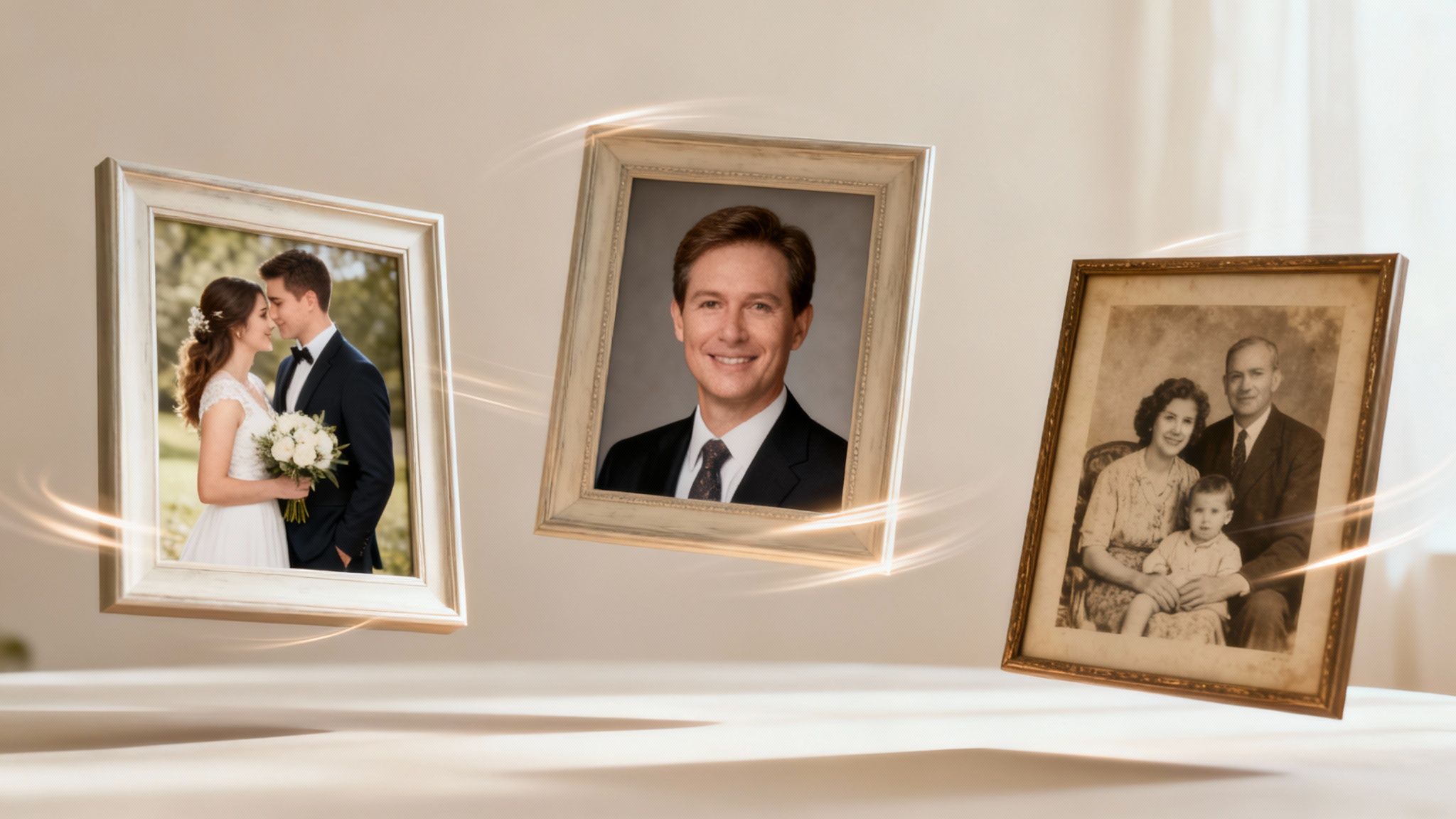
The possibilities are practically limitless, from deeply personal keepsakes to slick, professional content. In every case, adding animation injects a layer of emotion and engagement that a static image simply cannot match.
Bring Wedding Invitations to Life
Forget paper save-the-dates that inevitably get lost under a pile of mail on the fridge. Imagine taking your favorite engagement photo and animating it into a short, enchanting video invitation. It’s a personal, modern touch that will genuinely surprise and delight your guests.
- Try this prompt:
A romantic animation of an engagement photo, soft focus, cinematic lighting, with subtle heart particle effects floating around the couple, gentle orbital camera motion. - The Vision: The final clip would feature the couple with subtle, lifelike movements—a gentle smile, a slow blink, or hair softly blowing in the wind. This creates an intimate, high-end feel, setting the perfect tone for your wedding. Many couples are even figuring out how to make a photo sing with AI, adding an extra layer of fun to their digital invites.
Create a Dynamic Professional Introduction
LinkedIn is a sea of stiff, static headshots. A moving portrait, however, immediately grabs attention. Transforming your professional photo into a quick, dynamic video for your profile or website intro helps you stand out and appear more modern and approachable.
As marketing strategist Amelia Chen notes:
"In a digital-first world, your online presence is your handshake. An animated headshot can convey confidence and personality in seconds, creating a much stronger first impression than a flat image. It shows you're forward-thinking."
This approach subtly signals that you’re comfortable with new technology and willing to present yourself creatively—a huge plus in any competitive job market.
Craft Nostalgic Family Tributes
We all have them: priceless old family photos sitting unseen in dusty albums or buried in digital folders. Animating these treasured images is a beautiful way to create an emotional tribute for an anniversary, birthday, or memorial.
- Try this prompt:
Vintage black and white family portrait from the 1950s, animated with gentle, slow-motion facial expressions, subtle dust motes floating in the air, nostalgic sepia tone, slow zoom effect. - The Vision: Imagine seeing a great-grandparent's faint smile come to life, or the subtle turn of a head in a photo you've seen a thousand times. These animations breathe new life into history, turning a frozen moment into a living memory you can share with younger generations.
The Global Appetite for Creative Content
The demand for this kind of personalized, visually rich content is exploding worldwide. The AI video generator market is seeing tremendous growth, particularly in the Asia-Pacific region, which is projected to reach USD 150.2 million by 2025 with a massive 23.8% CAGR. This boom is driven by social media engagement and a global craving for localized, culturally relevant video content that AI makes easy to produce. You can find more details about the growing global AI video market on Fortune Business Insights.
Sidestepping Common Glitches and Thinking Ethically
Turning a photo into a video feels like magic, but with great power comes great responsibility. This technology is a blast to experiment with, but achieving those perfect, smooth results means knowing how to dodge a few technical curveballs and, just as importantly, respecting ethical boundaries. True confidence with these tools comes from being prepared for the occasional hiccup and knowing how to use them correctly.
Let's start with the absolute foundation: consent. You should only ever use photos that you have the explicit right to animate. That means your own pictures or photos of people who have given you a clear thumbs-up. Using someone's digital likeness without permission isn't just poor form; it’s a serious issue that erodes trust in this amazing creative technology.
This is precisely why selecting a platform that takes privacy and security seriously is non-negotiable. You want a service like DreamShootAI that's built on a secure foundation, using strong encryption to ensure your photos are only used to train your AI model and make your videos. Your data should never be sold or used for anything else. That’s how you protect your privacy and maintain ethical integrity.
The Ethics of AI-Generated Content
As AI-made images and videos become ubiquitous, people are starting to ask the tough questions. A recent Pew Research Center study found that a staggering 73% of Americans are concerned about AI being used to create fake or misleading content. That number tells us something important: as creators, we have a duty to be transparent and ethical.
It all circles back to consent. You're not just animating pixels on a screen; you're manipulating someone's identity. Using photos without getting permission first can land you in serious trouble, turning a fun creative project into a digital violation. As Kate Crawford, a leading AI ethics researcher, argues:
"The rapid advancement of generative AI tools necessitates a stronger ethical framework centered on user consent and data privacy. Creators and platforms share the responsibility to ensure these technologies are used to empower and connect, not to exploit or deceive."
As you jump into this world, it’s also smart to keep an eye on how the major platforms are handling AI. For example, it's worth reading up on Pinterest's new AI content filter and GenAI settings, which now automatically labels content made with AI tools. It's a positive move toward transparency, helping everyone know what’s real and what’s been creatively enhanced.
Fixing Common Animation Problems
Even when you do everything right, you might still hit a few snags. The good news is that most of these are easily fixable once you know what's causing them. Here are a few common issues I’ve encountered and how to resolve them.
- Distorted or "Wobbly" Faces: This usually occurs if your source photo is low-resolution or has uneven lighting. The AI simply can't get a good read on the facial features. The fix: Always start with a high-quality photo (think 1024x1024 pixels at minimum) and consider running it through a tool like the Magic Upscaler first.
- Awkward, Robotic Movement: If the final video feels stiff or jerky, your prompt might be too vague or the motion style isn't the right fit. The fix: Get more descriptive with your text prompt. Instead of just "move," try something like "a gentle, slow pan from left to right." Experiment with different motion presets, too—sometimes an 'Orbit' works far better than a 'Zoom' for a particular shot.
- The Background Moves with Your Subject: I see this one frequently. A busy, cluttered background can confuse the AI, causing parts of it to be dragged along with your subject. The fix: The simplest solution is to use a photo with a cleaner, less distracting background. This gives the AI a clear distinction between the person you want to animate and everything else.
Have Questions? We Have Answers.
Jumping into any new creative tool can feel like exploring a new city—it's exciting, but you're bound to have a few questions. Getting the right answers can be the difference between getting lost and creating something truly incredible with an AI video generator from photo. Here are the most common questions people ask, along with direct advice to help you succeed.
How Many Photos Do I Need for the Best Results?
For a seriously realistic AI clone, the optimal number is 10 to 20 high-quality photos. Think of it this way: you're giving the AI a comprehensive portfolio of your face from different angles, with various expressions, and in diverse lighting conditions.
This training process is what allows the AI to generate lifelike animations that actually look like you. While you can technically animate a single picture for a quick effect, feeding it a larger, more diverse set of photos is the secret to creating those high-fidelity, believable motions.
Can I Control How the Video Moves?
Absolutely, and this is where the real creative power lies. Modern AI video tools provide a significant amount of control. Most platforms worth their salt, including DreamShootAI, will have a library of pre-made motion styles like 'Orbit,' 'Zoom,' or 'Pan' that you can apply with a single click.
But your real power lies in the text prompt. A while back, an expert in this space said something that stuck with me:
"Prompting is the new literacy. It's a dialogue with the machine. Vague instructions will get you vague results. Specific, evocative language is what unlocks the AI's true creative potential."
He was spot on. Using descriptive phrases like "a slow, cinematic drift to the left" or "an energetic, fast-paced zoom" will tell the AI exactly the kind of vibe and movement you're going for.
Are My Personal Photos Safe When I Upload Them?
This is arguably the most critical question, and you are right to ask it. The only acceptable answer is to choose a service you trust—one with a clear, no-nonsense privacy policy. Security should not be an afterthought.
Platforms like DreamShootAI are built with security as a top priority. They are designed to use your photos for one purpose and one purpose only: training your personal AI model and generating your videos.
Your images are never shared or used for anything else. I always advise people to take two minutes to review a platform’s terms of service and privacy policy. It’s the quickest way to confirm how your data is being handled and protected.
What’s the Best Photo Resolution to Use?
Always start with the highest resolution photos you can obtain. The absolute minimum you should aim for is 1024x1024 pixels. Think of it this way: high-resolution images provide the AI with more data to work with, which translates to a sharper, more detailed, and less distorted final video.
Working with older photos or pictures saved from social media? They're likely on the lower-resolution side. If that's the case, I strongly recommend using an AI upscaler tool on them first. It’s a simple extra step that can make a huge difference, cleaning up blurriness and artifacts before the AI even begins.
Ready to bring your favorite photos to life? With DreamShootAI, you can create your own AI clone, play with dozens of creative themes, and turn your static images into eye-catching videos in just a few minutes. Start creating your first AI video today!
Written by Jocelyn Grey for the DreamShootAI blog.
Spotted something out of date? Tell us at [email protected] and we'll fix it.