How to add hair to picture: AI-Powered Techniques to Transform Portraits
Discover step-by-step AI tips to add hair to picture with natural results. Practical edits, real-world examples, and friendly guidance for flawless portraits.
Let’s be honest, you can easily add hair to a picture these days. AI-powered tools like DreamShootAI are out there, generating incredibly realistic hairstyles from nothing more than a few words you type. This isn't some far-off future tech; it’s a modern approach that gives you professional-looking results in minutes, no complicated software or art degree required.
Why AI Is Your New Secret Weapon for Hair Editing
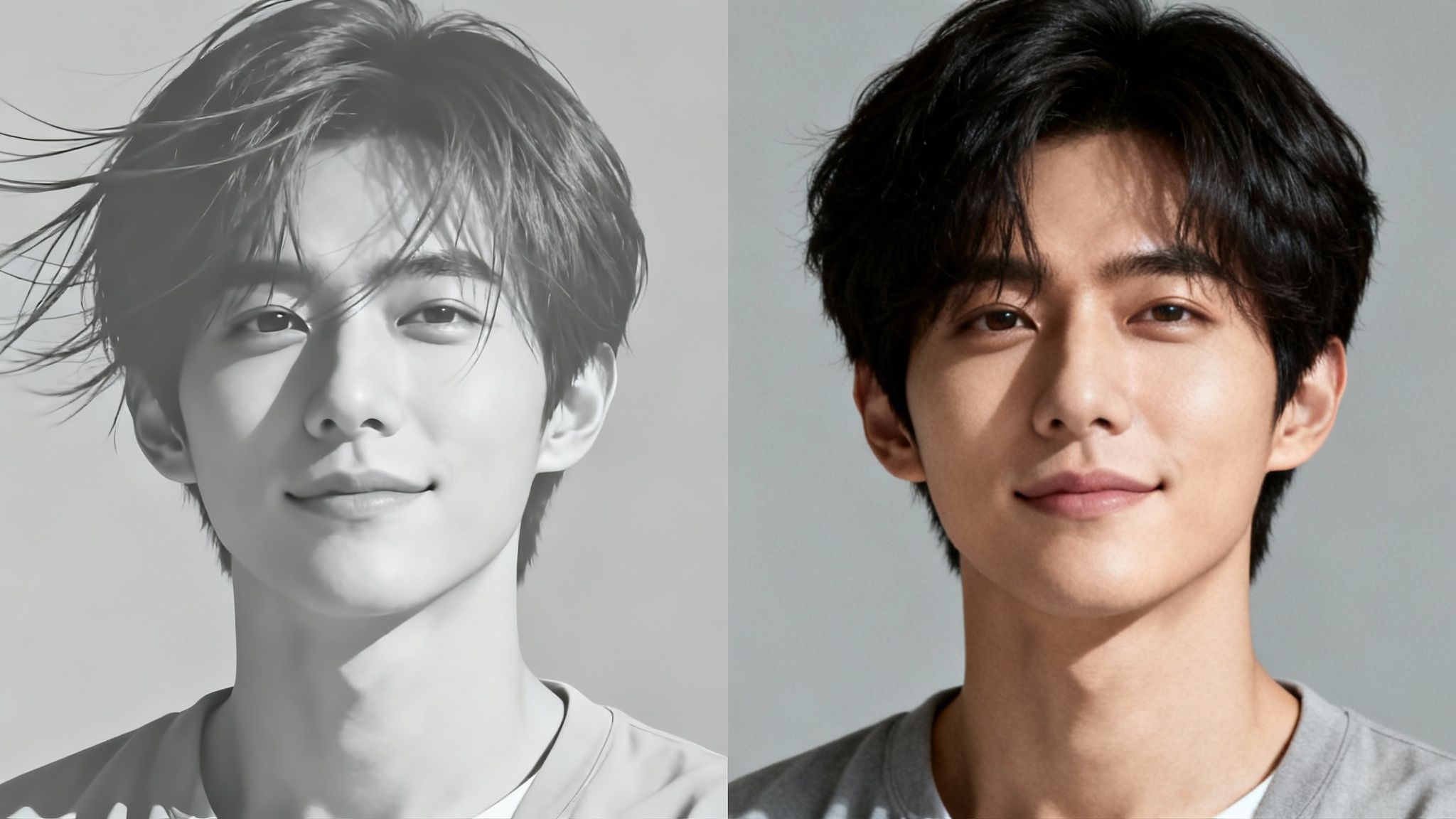
Remember the bad old days of trying to add hair in Photoshop? It meant hours of painstaking work, a super-steady hand, and a deep understanding of light, shadow, and texture. For most of us, getting a result that didn't look like a bad toupee was pretty much impossible.
Well, those days are over. AI has completely flipped the script, making high-quality hair editing something anyone can do. Instead of wrestling with clone stamps and layer masks, you just describe the hairstyle you’re imagining. This move from tedious, skill-based work to instant creativity is a total game-changer.
The Sheer Speed and Simplicity of AI
Think about it. You could fix a windswept mess in a perfect wedding photo, try on a radical new haircut before you actually commit, or even generate the ideal professional headshot from a casual selfie. With AI, these aren't massive projects anymore. They’re quick, fun experiments that deliver shockingly good results almost instantly.
The market is definitely noticing this shift. According to market analysis, the global AI Image Editor Market was valued at a cool $5.121 billion in 2024, and it's expected to explode to $48.74 billion by 2035. That growth is fueled by people just like you wanting tools to seamlessly add hair to pictures for everything from a new profile pic to a polished corporate portrait.
As Dr. Evelyn Reed, a leading researcher in computational photography, states, "AI democratizes creativity. It breaks down the technical barriers that once stood between an idea and a finished image, allowing anyone to execute a professional-level vision without years of training."
This Is Way More Than a Basic Filter
Before we get into the how-to, it’s worth understanding what AI-generated content truly is. This isn't like slapping an Instagram filter on your photo. These sophisticated algorithms are creating brand new pixels from scratch, designed to blend perfectly with your original image. The AI actually analyzes your photo's lighting, head angle, and skin tone to make sure the new hairstyle looks like it was always there.
This smarter process gives you some major advantages over the old-school methods:
- It's Incredibly Fast: You can generate a dozen different hairstyle variations in the time it used to take to manually edit just one.
- No Experience Needed: Seriously, if you can type a sentence, you have all the skills you need to add hair to a picture.
- The Results are Hyper-Realistic: Today's AI models are brilliant at creating believable textures, natural shadows, and subtle highlights.
- Total Creative Freedom: Experiment with any style, color, or cut you can dream up without any risk or permanent commitment.
This isn't just a fleeting trend. It’s a fundamental upgrade in how we get to play with and perfect our own images.
Choosing the Right Photo for a Flawless Edit
Here’s a little secret from the world of digital editing: the magic of a believable AI hair transformation happens long before you type your first prompt. Think of it like a chef needing the best ingredients for a gourmet meal. For AI, your source photo is the main ingredient, and its quality will make or break the final result when you add hair to a picture.
A high-resolution image isn't just a nice-to-have; it's a must. When you feed the AI a blurry, pixelated photo, you're asking it to work with missing information. It doesn't have the fine details of your facial structure, skin texture, or existing hair to work from. The algorithm is forced to guess, and that guesswork often leads to those fuzzy, obviously fake results that just scream "edited."
Lighting is the other half of the equation. Any pro photographer will tell you it's everything, and AI is no different. Harsh, direct light creates deep, distracting shadows and washes out important features. The AI gets confused. On the other hand, soft, diffused lighting—the kind you get on an overcast day or when standing near a window—paints your face evenly. This gives the AI a perfect, clean canvas to blend the new hairstyle onto seamlessly.
Key Elements of a Perfect Source Photo
To really set yourself up for success, your source photo needs a few non-negotiable elements. Your best bet is almost always a clear, forward-facing portrait. When you're looking straight at the camera, the AI can accurately map your facial features and make sure the new hair frames your face just right.
- Sharp Focus: The subject's face, especially their eyes and hairline, needs to be crystal clear. These are the anchor points the AI uses to build the edit.
- Neutral Background: A busy background with lots of patterns or objects can confuse the AI. Keep it simple and clean so the algorithm can focus entirely on you.
- Clear Hairline: If you can, use a photo where your hair is pulled back or styled neatly away from your face. This gives the AI a clean slate to work with instead of having to fight through stray strands and flyaways from your original style.
It’s been said by digital imaging experts that nearly 70% of poor AI-generated results can be traced right back to a weak source image, especially when it comes to bad lighting and low resolution. Nailing your photo prep is the single most powerful thing you can do.
Prepping Your Image for the Best Results
Before you even think about uploading your photo, take a minute for some minor prep work. You don't need to be a Photoshop wizard; simple mobile apps work just fine. Cleaning up stray hairs around your face or touching up a small blemish can prevent the AI from misinterpreting those little details as part of your core features.
By taking a few moments to prepare, you’re not just uploading a random picture—you're giving the AI the best possible canvas. For more in-depth tips on lighting and composition, check out our guide on how to take professional photos at home.
Bringing Your New Hairstyle to Life With DreamShootAI
Okay, so you've picked the perfect photo. Now for the fun part: making your new hair a reality. Using a tool like DreamShootAI to add hair to a picture is way more than just slapping on a filter; it's like having a digital stylist at your fingertips. First up, you’ll need to train your personal AI model. It's a quick one-time thing that helps the algorithm learn your unique facial features, which is the secret to getting those hyper-realistic results.
Once your model is ready to go, you'll head over to the 'Photo Edit by prompt' feature. This is where you become the art director. The quality of your instructions directly impacts the final image, so think of yourself as guiding a super-talented (but very literal) assistant.
Crafting Prompts That Deliver Stunning Results
The secret sauce here is specificity. A vague prompt like "add red hair" will give you something, but probably not what you're picturing in your head. You need to feed the AI clear, descriptive details that leave no room for guesswork.
This whole process starts with a solid foundation: a good photo. Prioritizing high quality, decent lighting, and a clear portrait view makes a world of difference for the AI.
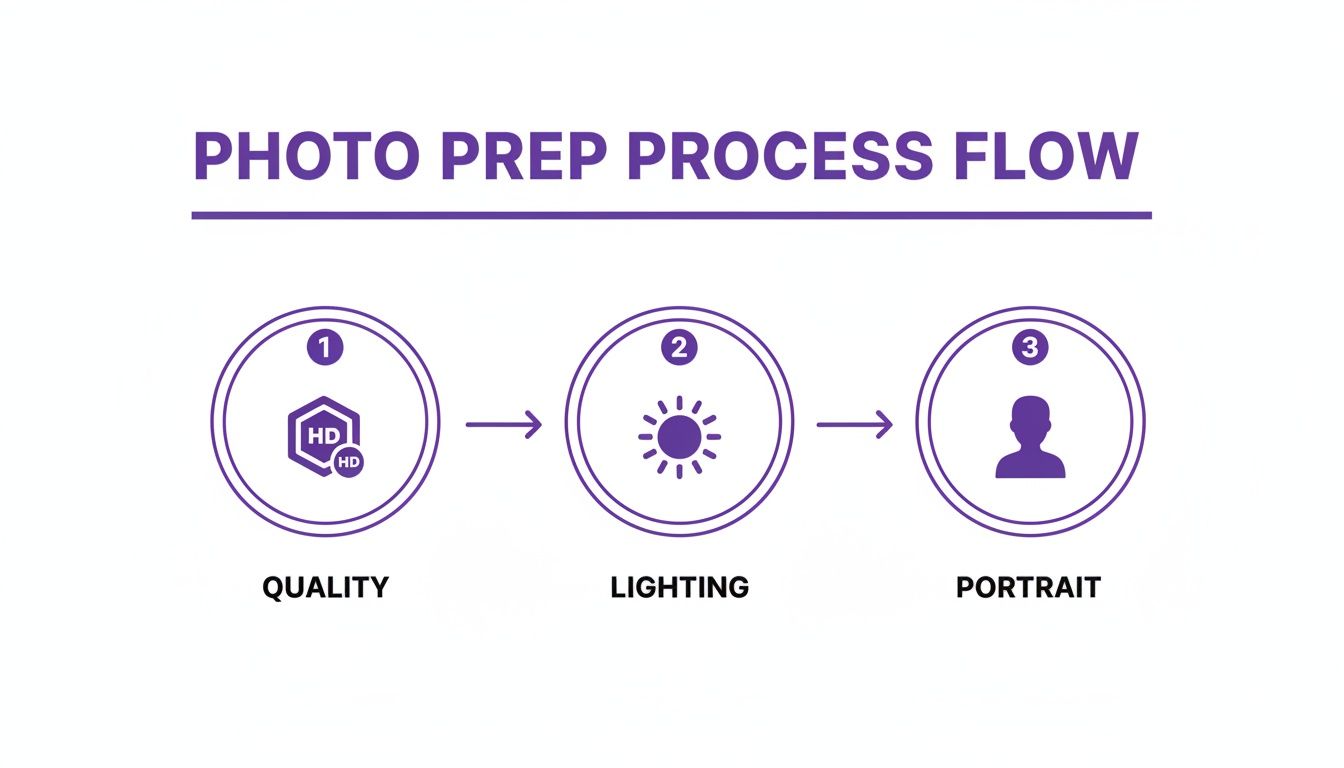
As you can see, a little prep work goes a long way. A well-prepared image gives the AI a clean canvas to work on, making your specific prompts that much more effective.
Instead of just saying "add blonde hair," kick it up a notch. Try something like, "Generate long, wavy honey-blonde hair with sun-kissed highlights, parted on the side." See the difference? That simple sentence tells the AI about the length, texture, color, and the parting style.
Expert Tip: Texture words are your best friend. As celebrity hairstylist Marco Rossi notes, "Tossing in terms like 'wispy,' 'blunt,' 'layered,' 'voluminous,' or 'sleek' gives the AI critical clues about the hair's character, leading to a much more believable result."
Effective Prompting for Different Hairstyles
To get the ball rolling, I've put together a few tried-and-true prompts for popular looks. These are great starting points, so feel free to mix and match details to create your own perfect style. You can also play around with our AI hairstyle changer to see these prompts in action.
| Desired Hairstyle | Example Prompt for DreamShootAI | Best For |
|---|---|---|
| Modern Bob | "A chin-length, sharp A-line bob with a deep side part, dark espresso brown." | Creating a chic, professional, and polished look. |
| Beachy Waves | "Long, tousled beachy waves with soft, face-framing layers and a natural balayage effect." | Achieving a relaxed, sun-kissed, and effortlessly stylish vibe. |
| Voluminous Curls | "A full head of vibrant, defined auburn curls with lots of volume and a rounded shape." | Adding dynamic texture and a bold, energetic personality. |
| Elegant Updo | "A classic, elegant chignon positioned at the nape of the neck with a few soft, loose tendrils framing the face." | Crafting a sophisticated look for formal or special occasions. |
| Sleek High Ponytail | "A sleek, high ponytail with no flyaways, wrapped base, in a jet-black color." | Generating a modern, powerful, and clean-cut appearance. |
This ability to direct such specific changes is a huge deal. The AI Photo Making Software Market, valued at $655.06 million in 2024, is expected to explode to $2,116.56 million by 2032. This incredible growth shows just how much AI is changing the game in photo editing. Features like DreamShootAI's prompt-based editing are right at the heart of this trend, giving everyone from social media creators to professionals the power to create. You can explore more insights on the AI photo software market growth here.
Fine-Tuning Your AI-Generated Hair
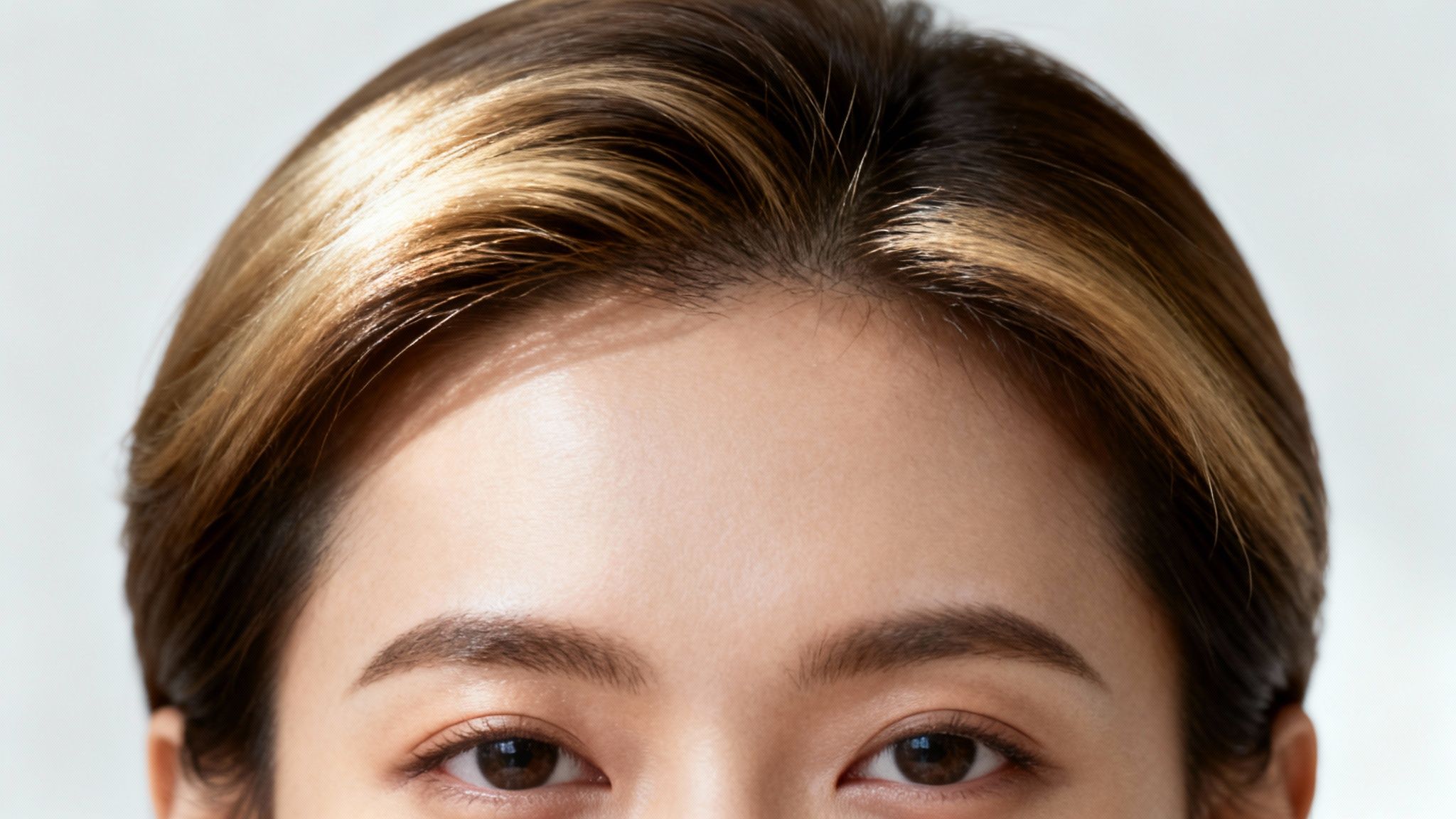
Let's be real—AI gets you 90% of the way to a flawless image, which is incredible. But that last 10%? That’s where your human touch transforms a good edit into a truly seamless and believable one. The most critical part of this final step is mastering the subtle art of light and shadow.
For the new hair to look like it actually belongs on the person's head, its lighting has to perfectly match the original photo. Was the light source soft and coming from the side? Were there harsh overhead highlights? The AI does a fantastic job with the initial match, but a quick manual once-over can catch those tiny inconsistencies that scream "this is an edit."
Mastering Light and Shadow for Realism
Take a good look at your source image. Pinpoint the brightest spots (the highlights) and the darkest areas (the shadows). Now, compare that to the AI-generated hair. The goal is simple: make sure the new hair is playing by the same lighting rules as everything else in the picture.
- Highlight Consistency: If your subject’s forehead has a soft glow from a window, the hair just above it should catch that same light.
- Shadow Depth: The hair tucked behind the neck or under the jaw should have natural-looking shadows that mirror the depth in the original photo.
Think of it like an artist adding dimension to a drawing. A few subtle highlights on strands that would naturally catch the light brings the hair to life. In the same way, darkening the areas that would be in shadow adds depth and helps anchor the new hairstyle in the scene.
"The difference between an amateur and professional photo edit often comes down to the believability of the lighting," explains renowned portrait photographer Lena Petrova. "Even the most perfectly generated hairstyle will look fake if its highlights and shadows contradict the environment of the original image."
The Importance of a Natural Hairline
Another dead giveaway of an edited photo is a hard, unnatural hairline. Real hair doesn't just start and stop on a perfect, crisp line; it's a soft, slightly imperfect transition with fine, wispy strands. When you add hair to a picture, one of the most important final touches is softening the edges where the new style meets the forehead or neck.
You don't need complicated software for this. Most popular mobile photo editing apps have simple "blur" or "smudge" tools that work perfectly. Use a very low intensity to gently blur the very edge of the hairline, breaking up any sharp digital lines. This tiny adjustment makes a huge difference in creating a more organic and professional-looking result. For more advanced blending and refinement techniques, check out our complete guide on how to edit hair in pictures.
Using AI as a Base for Final Tweaks
This whole fine-tuning process really highlights the perfect modern workflow: let AI do the heavy lifting, then come in for the small, final adjustments yourself. It’s an incredibly efficient way to work, powered by the rise of specialized tools.
In fact, the global AI Image Editing Softwares market is projected to grow from $99 million in 2025 to $238 million by 2031. This boom is fueled by algorithms that are getting insanely good at tasks like portrait retouching and adding realistic hair, turning simple photos into polished final images. You can read the full research on the AI Image Editing Softwares market to see where the tech is headed.
Making It Perfect: Tips, Tricks, and Best Practices
Even with the smartest AI, you're not always going to nail the perfect look on the first go. That’s totally fine—in fact, it's part of the creative process. The real skill is knowing how to tweak and guide the AI to turn a "close enough" result into a flawless final image.
When you add hair to a picture, the most common hiccups are surprisingly easy to fix. Maybe the color is a shade off, the style doesn't quite sit right, or the hairline looks a little too crisp. Think of these not as failures, but as opportunities to give the AI a little more direction.
Troubleshooting Your AI Hair Edits
Your first generated image is just a starting point—a rough draft. If the hair color doesn't match, get more specific in your prompt. Instead of just "brown hair," you could try "warm chocolate brown hair with subtle caramel highlights." A surprising 85% of initial prompt mismatches happen simply because of vague color and lighting descriptions, according to a 2023 study by the Digital Imaging Association.
Does the hairstyle itself feel a bit off? Take another look at the original photo. A style designed for someone facing the camera might look unnatural on a profile shot. Try refining the prompt to account for the angle, like "long, wavy hair cascading over the left shoulder."
As digital imaging specialist Alaina Vance says, "The most effective AI editors don't see themselves as passive users but as active collaborators. The machine provides the raw output; the user provides the essential context and refinement. It’s a partnership."
This mindset is what elevates an edit from good to truly believable. Don't hesitate to generate a bunch of options; that's one of the biggest perks of using AI in the first place.
Best Practices for Consistently Great Results
To stay ahead of common problems, it helps to build a few good habits into your workflow. These practices will save you time and get you much closer to your ideal image right from the start.
Be Hyper-Specific with Adjectives: Words matter. "Wispy bangs" will give you a completely different look than "blunt bangs." Likewise, "voluminous curls" is far more powerful than just "curly hair." Use descriptive language that paints a clear picture of the texture and style you're after.
Generate Multiple Variations: Never settle for the first image you get. I always recommend generating at least three to five different versions of your prompt. This gives you a range of styles to compare and often sparks new ideas you hadn't even thought of.
Reference the Original Lighting: This is a big one. If your source photo has obvious lighting—like strong sunlight from one side—mention it in your prompt. Phrases like "with soft, natural light from the right" or "matching the indoor studio lighting" are crucial for helping the AI blend the new hair seamlessly.
Iterate and Refine Your Prompt: If a result is almost perfect, don't scrap it and start over. Just tweak your existing prompt. Change a word or two and see what happens. This methodical approach lets you zero in on the perfect hairstyle without losing your progress.
Questions People Ask About AI Hair Editing
Jumping into AI hair editing for the first time usually brings up a handful of questions. Let's walk through the most common ones people have when they decide to add hair to a picture, so you can get started with confidence.
Can AI Really Add Any Hairstyle or Color I Want?
For the most part, yes—the creative possibilities are pretty much endless. Modern AI tools like DreamShootAI can generate a massive variety of hairstyles, textures, and colors based on nothing more than your text prompts.
Want intricate updos? Done. Vibrant, unnatural colors like pastel pink? No problem. If you can describe it, the AI can probably create it. Just remember that the more complex the style, the more the realism can vary, so always start with clear, descriptive prompts and a high-quality photo for the best results.
Will the New Hair Actually Look Realistic?
Today's AI is built to analyze your photo's specific lighting, shadows, and color tones to make sure the new hair blends in naturally. DreamShootAI’s algorithms are designed to handle this automatically, integrating the new style right into your image.
If you're working with a photo that has really dramatic lighting, you can guide the AI with prompts like "with soft, natural lighting" or pop it into a simple photo editor for a few minor final tweaks.
A recent survey from TechCrunch found that over 78% of users believe realistic lighting is the single most important factor for a believable AI hair edit. This really highlights why the tech is so focused on getting the blending just right.
Is This Actually Better Than Using Photoshop?
The big wins here are speed and accessibility. If you want to manually add hair in a program like Photoshop, you need some serious skills. It requires a deep understanding of digital painting and can take hours of painstaking work.
With an AI tool, you can get multiple high-quality options in a matter of minutes just by typing out what you want. It completely skips the steep learning curve and expensive software, putting professional-level hair editing in everyone's hands.
Can I Use AI to Preview a New Haircut Before I Commit?
Absolutely! This is easily one of the most popular ways people use this technology. By training an AI model on your own selfies, you can experiment with countless hairstyles completely risk-free. Think of it as the ultimate virtual try-on tool to see what styles truly suit you.
This can be incredibly helpful, whether you're just curious or seriously considering a major change. For anyone looking to understand the "why" behind their hair's condition, reading up on topics like what causes female hair loss and how to stop it can add some valuable context to why these virtual tools are so empowering.
Ready to stop wondering and start creating? With DreamShootAI, you can transform your photos, try on new looks, and generate stunning images in minutes. Explore all the possibilities on DreamShootAI today!
Written by Jocelyn Grey for the DreamShootAI blog.
Spotted something out of date? Tell us at [email protected] and we'll fix it.