Restore Blurry Photos: A Guide to Crystal-Clear Images
Tired of blurry memories? Learn how to restore blurry photos with this guide, using powerful AI tools and expert techniques for professional, clear results.

You can restore blurry photos with AI tools that intelligently reconstruct lost details, transforming fuzzy images into sharp, vivid memories. These algorithms are sophisticated enough to diagnose why a photo is blurry—whether from motion, missed focus, or low resolution—and apply a targeted fix to salvage pictures you thought were unsalvageable.
Why Cherished Photos Go Blurry and How AI Saves Them
We’ve all experienced it: that sinking feeling when a perfect, once-in-a-lifetime shot is ruined by blur. Whether it’s a priceless candid or a treasured family portrait, a lack of sharpness can render an otherwise perfect photo unusable.
The culprits are typically straightforward: a slight camera shake, a subject that moved at the critical moment, or the lens focusing on the background instead of the subject. In other cases, the issue is a low-resolution file that degrades into a pixelated mess upon magnification.
Fortunately, what was once a task reserved for professional photo editors with years of specialized training is now accessible to anyone. Artificial intelligence is fundamentally changing the landscape of photo restoration.
"AI isn't just sharpening an image; it's using deep learning to intelligently reconstruct details that were lost. It's a paradigm shift from simple filter application to genuine image restoration," states Dr. Alvy Ray Smith, co-founder of Pixar and a pioneer in computer graphics.
This represents a monumental leap from traditional sharpening filters, which merely increase contrast along edges, often resulting in harsh, artificial-looking artifacts. Modern AI, like the technology powering DreamShootAI’s Magic Upscaler, analyzes the entire image to understand its context and correct various types of blur with stunning accuracy. It's less like sharpening and more like a forensic reconstruction of the original, clear moment.
The Rise of AI in Photo Restoration
The market is responding to this technological advancement. According to a market analysis by Future Market Insights, the global AI-powered photo editing software market is projected to reach approximately $1.2 billion by 2029, driven by a compound annual growth rate (CAGR) of nearly 20%. This growth is fueled by deep learning advancements that can revive old family photos with astonishing clarity.
This incredible expansion means powerful restoration tools are no longer confined to expensive, professional software suites. They are now widely accessible, empowering users to rescue treasured memories without professional skills or budgets.
This decision tree illustrates how streamlined the workflow has become.
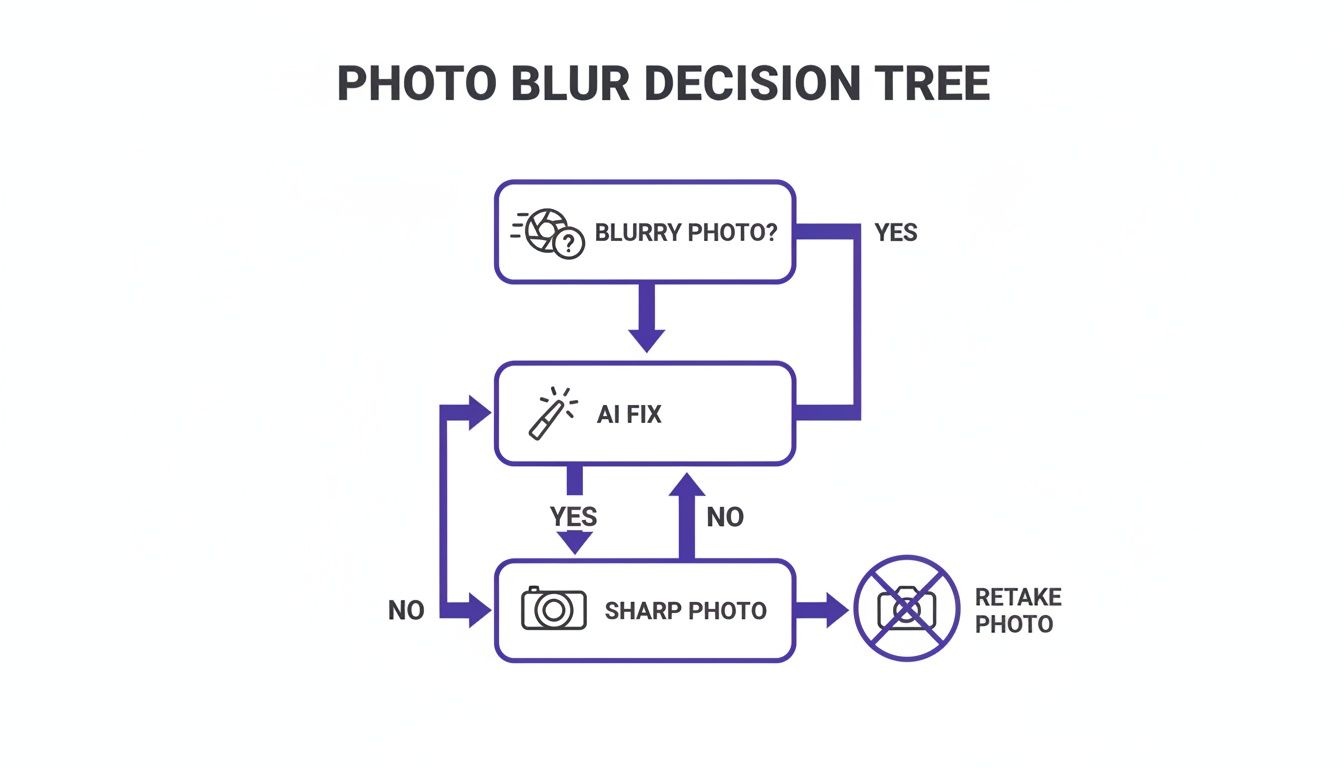
As you can see, once a blurry photo is identified, the immediate path leads to an AI-driven solution. The result is a sharp, usable image—a simple yet profoundly powerful process.
From Camera Shake to Platform Problems
Identifying the cause of the blur is key to selecting the appropriate corrective tool. A slight motion blur from an unsteady hand requires a different algorithmic approach than an image that is completely out of focus. Similarly, low-resolution digital photos suffering from repeated compression present a unique set of challenges.
Here’s a technical guide to diagnosing photo blur and the corresponding AI solution.
Diagnosing Photo Blur and The AI Solution
| Type of Blur | Common Cause | AI Restoration Solution |
|---|---|---|
| Motion Blur | Camera shake or a fast-moving subject. | AI Deblurring: Algorithms analyze the vector of the blur and apply an inverse transformation to restore sharpness. |
| Defocus Blur | The camera focused on the wrong object (e.g., the background). | AI Refocusing: Models intelligently segment the intended subject and sharpen it while preserving the depth of field. |
| Gaussian Blur | General softness, often from low-quality lenses or resizing. | AI Upscaling & Enhancement: Increases resolution and reconstructs fine details like hair and textures. |
| Pixelation | Low-resolution image stretched too far. | AI Upscaling: Intelligently interpolates pixels to increase image size and clarity without introducing artifacts. |
Understanding these distinctions is crucial for achieving optimal results from any AI tool.
It’s also important to recognize that blur can occur after the photo is taken. Social media platforms are notorious for aggressive image compression to reduce server load. For instance, there are specific technical reasons why Instagram stories might appear blurry that are more related to the platform's processing than your camera's quality.
Whether the degradation occurred in-camera or during upload, today’s AI tools are engineered to handle it, transforming a lost cause into a memory you can cherish forever.
Prepping Your Image for the Best Restoration Results
Before deploying an AI tool, a few minutes of preparatory work can yield significantly better outcomes. Think of it as preparing a canvas before painting; a clean, well-structured base ensures a professional finish. Skipping this foundational step is a primary reason for suboptimal results from otherwise powerful software.
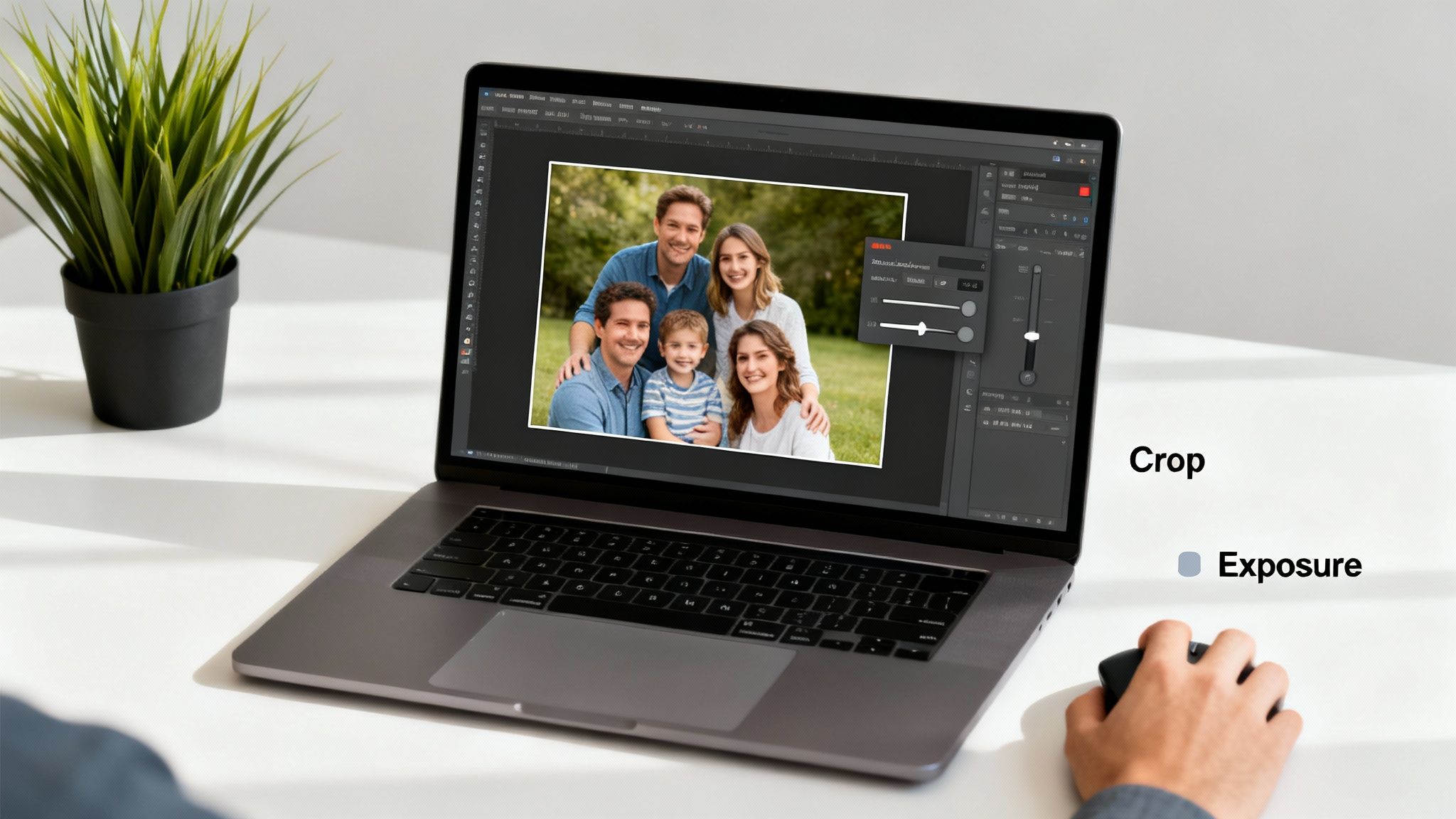
The objective is to provide the AI with the best possible input. A simple crop or a minor exposure adjustment can guide the algorithm, focusing its computational power on what truly matters—recovering lost detail in your subject. The effort is minimal, but the impact on the final quality is substantial.
Start with The Original Source
Your first and most critical task is to locate the highest-quality version of your image. Each time a JPEG is saved, it undergoes compression, resulting in a slight loss of data. This cumulative degradation, known as generation loss, causes a progressive decline in image quality.
"Always start with the camera original," advises Jeff Schewe, a digital imaging expert and author. "Every edit, every save, creates a new generation of the file, and you can't get back what's been lost to compression. The source file is your ground truth."
This is why you must avoid using photos saved from social media or transmitted via messaging apps. These platforms employ aggressive compression algorithms that strip away the very details the AI needs to perform an accurate restoration.
Where should you look for the original file?
- Original Camera Roll: The phone's gallery or the camera's memory card is the primary source.
- Cloud Storage: Check services like Google Photos, iCloud, or Dropbox for the original, uncompressed upload.
- Email Archives: Often, original files are attached to emails before being compressed for other platforms.
- Scanned Negatives: For historical photos, a high-resolution scan of the film negative is vastly superior to a scan of a printed photograph.
Make Simple, Non-Destructive Edits
With the best source file secured, proceed with a few quick, non-destructive tweaks. This isn’t about complex retouching; it's about eliminating distractions so the AI can focus on correcting the blur.
Strategic Cropping
If your subject is obscured by a busy background, crop the image to isolate the focal point. This action effectively instructs the AI, "Focus computational resources here." By reducing the amount of irrelevant data, you enable the algorithm to dedicate more processing power to the areas you care about.
Minor Adjustments
Before handing the image to the AI, a couple of minor adjustments can make a significant difference:
- Straighten the Horizon: A crooked horizon is a common photographic flaw. A simple rotation to level the image creates a more balanced composition for the AI to analyze.
- Adjust Exposure: If the photo is significantly underexposed or overexposed, a slight exposure correction can reveal details in shadows or highlights. This provides the AI with a richer tonal range to work with.
These preparatory steps do not require advanced editing skills but are essential for optimal results. By providing the AI with a clean, high-quality, and focused image, you set the stage for a truly impressive restoration.
Let AI Work Its Magic to Instantly Restore Blurry Photos
With your image prepped, it's time for the transformative step. Modern AI tools can take a blurry photo and reconstruct it in seconds, accomplishing a task that once required hours of meticulous, pixel-level work by a professional. This is not a standard sharpening filter; it is a deep, intelligent reconstruction of lost information.
Tools like DreamShootAI’s Magic Upscaler exemplify this technology in action. The process is designed to be intuitive, enabling anyone to achieve professional-grade results without specialized training. Simply upload your prepared image and let the AI perform its analysis.
Here's a look at the type of user-friendly interface where this process begins.
The side-by-side comparison provides immediate visual feedback, showing precisely how the AI is converting a flawed photo into a crisp, vibrant memory. This instant validation is one of the most satisfying aspects of the technology.
The AI Workflow in Action
The true power of a top-tier AI restoration tool lies in its underlying neural network. It has been trained on vast datasets to understand why an image is degraded. Whether your photo suffers from motion blur, missed focus, or low resolution, the algorithms can diagnose the specific issue and apply the correct remediation.
This diagnostic capability is what distinguishes AI from legacy software. Instead of applying a uniform sharpening effect—which often creates harsh edges and digital artifacts—the AI operates with nuance. It selectively enhances textures, facial features, and fine lines, restoring the image to a natural state.
"The quality of an AI model is directly tied to its training data," explains Dr. Fei-Fei Li, a leading AI researcher from Stanford University. "A model trained on a diverse and extensive dataset can recognize and reconstruct natural features with incredible fidelity, avoiding the 'plastic' look of older filters."
This principle is paramount. A well-trained model understands what a human eye, a strand of hair, or the texture of fabric is supposed to look like. It can then reintroduce detail that feels authentic, not artificial. When you want to unblur an image with AI, the quality of the training data is the single most important factor.
Dialing in Your Enhancement Settings
Most AI tools are designed for simplicity but offer powerful controls. With DreamShootAI, for instance, you can select an upscaling factor—such as 2x or 4x—to increase the resolution while the tool simultaneously sharpens the image.
Here’s a quick guide on which setting to choose:
- Upscale Factor: For printing or significant cropping, a 4x upscale is recommended. For digital use on platforms like Instagram or Facebook, a 2x upscale provides a crisp result that is more than sufficient.
- Enhancement Type: Some platforms allow you to specify the image content, such as a portrait or a landscape. This helps the AI prioritize critical features, like ensuring eyes and smiles are perfectly clear in a headshot.
A 2023 study published in the Journal of Visual Communication and Image Representation found that modern deblurring algorithms have achieved a 30-40% higher success rate on real-world photos compared to methods from just five years prior. This progress has compressed hours of manual editing into mere seconds of processing. For consumers, this efficiency can translate to cost savings of 80-90% compared to hiring a professional for photo retakes or extensive manual restoration.
The algorithms performing this visual heavy lifting are conceptually similar to those in other fields of AI restoration. For a deeper dive, consider this article on AI audio noise reduction explained, which uses similar machine-learning principles to clean up sound.
Beyond a Simple Fix: You’ve Got a New Creative Asset
Once your photo is restored, the process doesn't end. You haven't just fixed a mistake; you've created a new high-quality digital asset. A picture that was previously destined for the trash can now become the foundation of a new creative project.
With a sharp, high-resolution image, you can:
- Build a Themed Photoshoot: Use the restored image as a base in DreamShootAI to generate an entire series of professional-quality photos. A single clear portrait can become a complete wedding album, a holiday card series, or a set of polished corporate headshots.
- Create an AI Video Invitation: Animate the static image into a unique video. That restored engagement photo can become a beautiful "Save the Date" video.
- Design Custom Prints: With the increased resolution, you can confidently send your photo to a printer for canvases, albums, or framed art without fear of it appearing soft or pixelated.
This ability to repurpose a once-flawed image gives your memories a second life. A forgotten photo can suddenly become your new profile picture or the centerpiece of a family scrapbook, demonstrating how AI helps us not just preserve our most cherished moments, but celebrate and reinvent them.
Adding a Human Touch with Manual Finishing Techniques
Artificial intelligence is an extraordinary tool, capable of taking a blurry photo 95% of the way to perfection in seconds. However, that final 5% is where true artistry lies. This is the stage where a human touch can elevate an AI-restored image from great to flawless.
Consider the AI your expert assistant. It performs the heavy lifting—reconstructing details, sharpening key elements, and correcting major flaws. Your role is to apply the subtle, nuanced adjustments that only a trained human eye can appreciate.
Selective Sharpening with Unsharp Mask
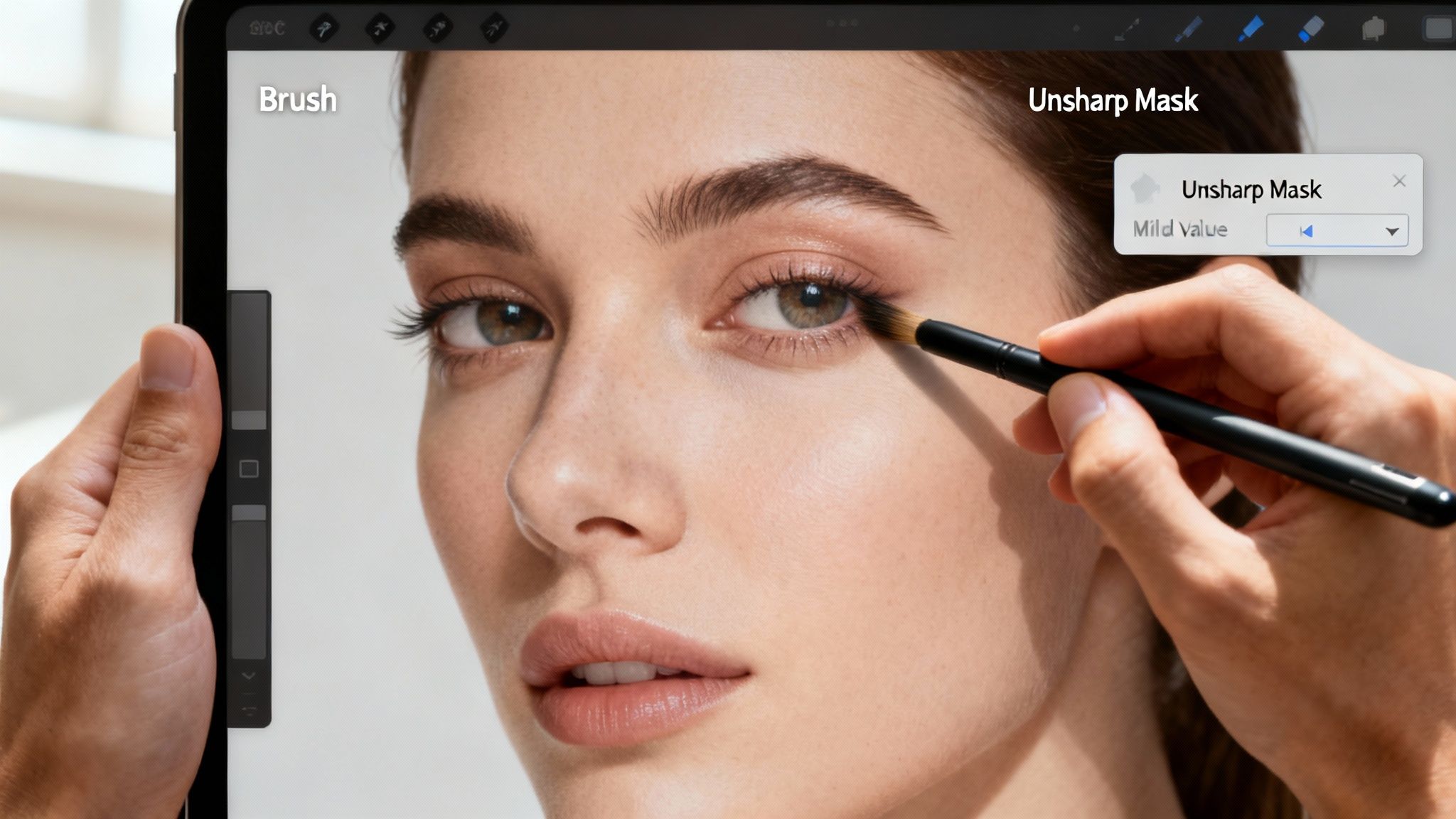
One of the most powerful tools in a professional editor's arsenal is the Unsharp Mask. The name is counterintuitive, but its function is far more sophisticated than a simple "sharpen" slider. Unsharp Mask provides surgical precision, allowing you to enhance critical details without over-processing the entire image.
This is precisely what is needed to restore blurry photos while maintaining a natural look. You can use it to accentuate the intricate lace on a wedding dress or the texture of a brick wall, all without making skin look harsh or artificial. It’s about guiding the viewer's eye to the most important parts of the image.
Localized Adjustments: The Brush Tool Is Your Best Friend
Beyond global sharpening, the art of manual finishing relies on localized adjustments. Using the brush tool in Photoshop, GIMP, or another editor, you can "paint" effects onto specific parts of the image.
- Eyes and Faces: A small application of increased brightness and contrast on the irises can make a subject's eyes sparkle. You can also gently soften skin to remove minor AI artifacts without sacrificing natural texture.
- Fabric and Textures: Brushing a small amount of clarity onto a woolen sweater or silk scarf can emphasize its texture, making the material feel more tangible.
- Foreground and Background: To make your subject stand out, subtly "burn" (darken) distracting background elements. This simple technique can dramatically improve composition.
These intentional tweaks add a layer of depth and dimensionality that a fully automated process might miss. For removing small imperfections, our guide on content-aware fill techniques demonstrates how modern tools can intelligently patch these gaps.
The Hybrid Approach: When Is It Worth It?
The critical question is when to rely solely on AI and when to invest extra time in this hybrid approach. The answer depends on the intended use of the photograph.
As professional retoucher Chris Orwig famously stated, "The goal of retouching is to make it look like nothing has been done." This philosophy is the heart of the hybrid approach—using powerful technology to fix flaws, then applying a human touch to make the edits invisible.
His point perfectly captures the value of manual finishing. It’s about making the technology disappear, leaving only a beautiful, authentic image.
To help you decide, here’s a comparison of the two workflows.
AI Restoration vs a Hybrid Approach
Choosing between a fully automated process and a more hands-on approach involves balancing speed against creative control.
| Attribute | Fully AI Restoration | Hybrid (AI + Manual) Approach |
|---|---|---|
| Best For | Social media posts, quick shares, large batches of photos. | High-quality prints, professional portfolios, cherished family portraits. |
| Speed | Seconds. It's incredibly fast and efficient. | An extra 5-15 minutes per image. |
| Result | Very good to excellent, but can sometimes lack nuance. | Exceptional. The final image feels polished, natural, and artistically guided. |
| Control | Limited to the settings provided by the AI tool. | Full creative control over every pixel and detail. |
Ultimately, for a quick social media post, a pure AI restoration is likely sufficient. But for that one-in-a-million family photo destined for a frame on the wall, taking the time for manual touches is what elevates a simple picture into a timeless masterpiece.
How to Save and Export Your Restored Masterpiece
You have successfully restored a blurry photo, breathing new life into it with a combination of AI and your own creative input. However, the final step—saving and exporting—is critical. Your export settings will determine whether the image looks brilliant online, stunning in print, or merely mediocre.
This last stage is non-negotiable for preserving the quality you worked so hard to restore. Choosing the correct file format and settings is the difference between a photo that impresses and one that disappoints. After all, the purpose of a project to restore blurry photos is to ensure they can be enjoyed in any medium.
The technology enabling this is experiencing explosive growth. According to a 2023 report by Grand View Research, the global AI image generator market size is projected to expand at a compound annual growth rate (CAGR) of 19.8% from 2023 to 2030. This demonstrates the massive mainstream adoption of these powerful visual tools.
Choosing The Right File Format
Not all file formats are created equal. The format you choose must align with the intended use of the photo. An incorrect choice can introduce compression artifacts or create an unmanageably large file.
Here is a guide to the three primary formats:
- JPEG (Joint Photographic Experts Group): The standard for all web-based applications. JPEGs use "lossy" compression, which intelligently discards some data to reduce file size. For social media, websites, or email, a high-quality JPEG (90% quality or higher) offers the optimal balance of clarity and file size.
- PNG (Portable Network Graphics): The ideal choice for images requiring a transparent background. PNG uses "lossless" compression, preserving perfect quality at the cost of larger file sizes compared to JPEGs.
- TIFF (Tagged Image File Format): The undisputed standard for professional printing and archival purposes. TIFF files are either uncompressed or use lossless compression, ensuring every pixel of data is retained. Professional printers will almost always require a 300 DPI TIFF for high-quality output like canvases or photo albums.
"For professional printing, there is no substitute for a high-resolution TIFF," states the Professional Photographers of America (PPA) in their technical guidelines. "It is the archival standard for a reason—it guarantees that what you see on a calibrated monitor is what you'll get on paper."
Resolution and DPI Demystified
Let's clarify resolution. For any digital screen—a website, social media feed, or presentation—the standard is 72 DPI (dots per inch). This is sufficient for images to appear sharp and crisp online.
Printing, however, requires a much higher data density. The industry standard for high-quality prints is 300 DPI. Exporting at a lower resolution will result in a print that looks soft, pixelated, or blurry, defeating the purpose of your restoration efforts.
Smart Organization and Backup Strategies
Your restored photos are valuable digital assets. A robust backup strategy is essential to protect them from data loss.
The 3-2-1 rule is a widely accepted best practice in data management:
- Keep at least three copies of your important data.
- Store the copies on two different types of media (e.g., an external hard drive and a cloud service).
- Keep one copy off-site (which a cloud backup service accomplishes).
By being disciplined about your export and backup procedures, you are not just saving a file; you are ensuring that your beautifully restored memories are secure and accessible for generations to come.
Got Questions About Fixing Blurry Photos?
Embarking on AI photo restoration can feel futuristic, but it's natural to have questions about the technology's capabilities and limitations. Understanding what AI can—and cannot—do is crucial for setting realistic expectations. Let's address some of the most common inquiries people have when they set out to restore blurry photos.
Can AI Really Fix Any Blurry Photo?
The honest answer is no. While modern AI is incredibly powerful, it has its limits. It operates by reconstructing details from existing pixel data. If that data is completely obliterated by severe blur, there is nothing for the AI to reconstruct.
Images that are extremely out-of-focus or suffer from severe motion blur pose the greatest challenge. When key features like eyes or a smile are reduced to an unrecognizable smear of pixels, the underlying structural information is lost. AI can attempt a restoration, but the result may not meet expectations.
As noted in a 2022 MIT Technology Review article on computational photography, "AI can intelligently fill in gaps, but it cannot create information from a total void. For extreme cases of blur, the fundamental data is simply gone."
However, for moderately blurry photos, the results can be astonishing. The AI can analyze the direction of a camera shake or the softness of a missed focus and intelligently reverse the degradation, recovering a remarkable amount of detail.
Will My Fixed Photo Look Fake or Unnatural?
This is a valid concern, particularly for those familiar with older "sharpen" filters that produced harsh, over-processed images. The best modern AI models are specifically trained to avoid this artificial look. Having learned from millions of real photographs, they possess a deep understanding of natural textures.
Instead of merely increasing edge contrast, these AI models reconstruct details like skin pores, fabric weaves, and individual hair strands. This results in a sharpness that feels authentic, not digitally imposed.
To ensure your restored photo looks as natural as possible:
- Start with the highest quality source file. The more data the AI has, the more organic the result will be.
- Use moderate settings. If the tool offers intensity sliders, begin with a lower setting and gradually increase it. It is always easier to add more sharpening than to reverse an overly aggressive edit.
- Apply a human touch. As discussed earlier, a final, selective sharpening pass can enhance key areas while preserving the natural softness of elements like skin.
What's the Best Way to Handle Old Scanned Photos?
Scanned photos present a unique combination of challenges beyond blur, including film grain, dust, scratches, and color fading. A multi-functional AI tool is best suited for this complex task.
When you restore blurry photos from a scan, the optimal approach is to address all issues simultaneously. Look for a tool that offers a comprehensive "photo restoration" feature, which typically includes:
- Scratch and Dust Removal: The AI identifies and intelligently fills in specks and lines.
- Color Correction: It analyzes faded tones and restores them to their original vibrancy.
- Grain Reduction: It can smooth distracting film grain without sacrificing important details.
Performing these fixes before or during the deblurring process is key. A cleaner input image allows the deblurring algorithm to work more effectively, leading to a much more polished final result.
Okay, My Photo Is Restored. Now What?
Once you have a crystal-clear, high-resolution version of your photo, a world of creative possibilities opens up. You have successfully rescued a forgotten memory and transformed it into a high-quality digital asset.
This restored image can serve as the foundation for numerous new projects. You could use it as a base to generate an entire themed photoshoot, create an animated AI video invitation, or simply have it printed on a beautiful canvas for your wall. A single salvaged photo can become the centerpiece of a wedding album, a new professional headshot, or a cherished gift. It’s a second chance for a memory you thought was lost forever.
Ready to bring your own cherished memories back to life? Stop letting blurry photos sit in your digital albums. With DreamShootAI, you can instantly restore, enhance, and repurpose your images into stunning new creations. From professional headshots to beautiful wedding photos, our AI-powered studio makes it easy.
Written by Jocelyn Grey for the DreamShootAI blog.
Spotted something out of date? Tell us at [email protected] and we'll fix it.