Mastering the Photo Edit for Wedding Perfection
Discover how to master the photo edit for wedding memories. Our guide shares pro secrets and AI tools for stunning, timeless results you can achieve yourself.
Editing wedding photos is no longer a mysterious artform confined to darkrooms and complex software. Gone are the days of waiting weeks, or even months, for a photographer to meticulously sort through and polish every single shot. Today, powerful and intuitive tools put you in the driver's seat, empowering you to transform a folder of raw images into a stunning, professional gallery. Think of this guide as your definitive roadmap to mastering the entire process, from initial selection to final delivery.
The New Way to Edit Wedding Photos
Let's be clear: the demand for flawless wedding photos is universal. That desire has fueled a massive industry, with the global wedding photography market projected to hit $6.848 billion by 2035, growing at a robust compound annual growth rate of 5.63%. According to market analysis, this growth is driven by the central role high-quality imagery plays in modern life. You can explore the comprehensive data over at marketresearchfuture.com.
This demand for perfection has catalyzed a revolution in editing tools. Traditionally, the photographer’s job was far from over when the cake was cut. As professional retoucher Zoe Larkin states, "Post-production was a marathon, not a sprint. It involved culling thousands of images, making painstaking adjustments to each one, and finally delivering the album." It was a proven method, but it meant a long, often agonizing, wait for the eagerly anticipating couple.
Today, that protracted timeline is a relic. High-level photo editing is no longer a secret art reserved for professionals with expensive software. With the rise of smarter, often AI-powered solutions, anyone can take control of their wedding photos and ensure every image powerfully captures the emotion and beauty of the day.
This guide will walk you through the modern workflow, from the essential first steps to the final creative touches. You’ll learn how to:
- Systematically and efficiently select the winning shots from hundreds (or thousands) of photos.
- Execute foundational corrections for a clean, cohesive gallery.
- Retouch portraits for a natural, polished look without sacrificing authenticity.
- Apply creative color grading to establish the perfect mood for your entire album.
By embracing these modern methodologies, you can achieve results indistinguishable from a high-end studio, but without the prohibitive price tag or the weeks-long wait. A beautifully edited wedding album is more attainable than ever.
Building a Strong Foundation with Culling and Corrections
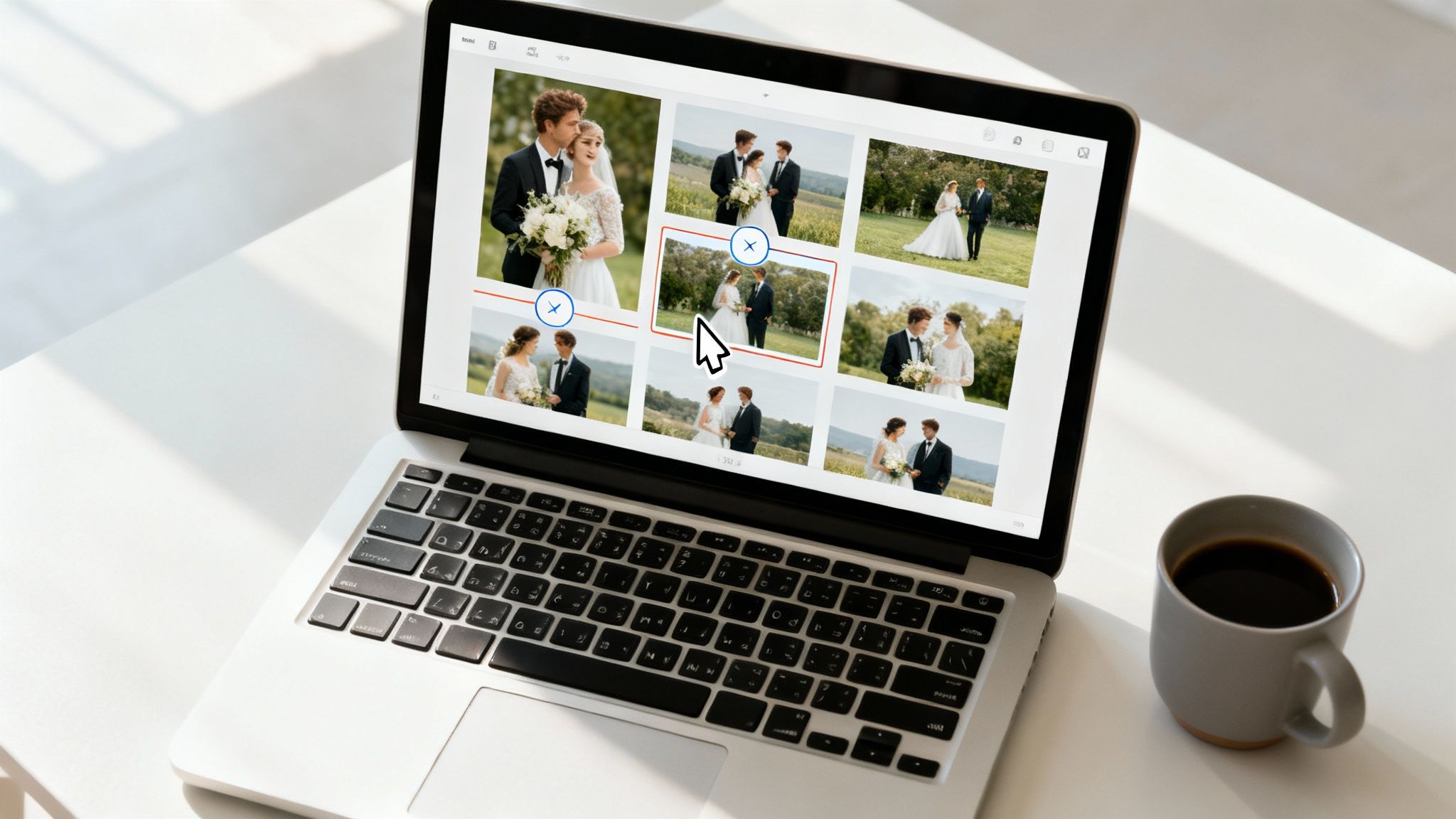
Every jaw-dropping wedding gallery starts with two non-negotiable steps: ruthless culling and precise corrections. Once the last dance is over, the real work begins. It’s not uncommon for photographers to spend 2 to 2.5 hours in post-production for every single hour of shooting—a statistic that underscores the importance of an efficient workflow.
This initial phase is about sifting through hundreds, sometimes thousands, of photos to find the keepers—the moments that truly matter. It's less about technical perfection and more about curating a narrative. A slightly soft-focus shot of a genuine, teary-eyed laugh is infinitely more valuable than a tack-sharp but sterile group photo. The objective is to select images that tell the day’s story with maximum emotional impact.
Mastering the Culling Process
Staring at a mountain of RAW files can feel paralyzing. The key is to break it down into manageable passes. Professionals universally rely on software like Photo Mechanic for this, primarily because its rendering speed allows for rapid-fire decision-making.
Here’s a workflow that mitigates overwhelm:
- First Pass (The Quick Cut): Fly through everything and immediately reject the obvious duds. This includes closed eyes, completely missed focus, or a flash that failed to fire. Do not linger or second-guess—just cut.
- Second Pass (The Keepers): Now, review the remaining images with a more critical eye. This is where you begin flagging the winners. Look for emotion, compelling composition, and images that move the story forward.
- Third Pass (The Final Polish): Time to compare similar shots. If you have five photos of the first kiss, select the one that perfectly captures the magic. This final round tightens the gallery, making it impactful and free of redundancy.
Applying Essential Basic Corrections
With your final selection locked in, it’s time to create a consistent visual base. These initial adjustments are the bedrock of any professional photo edit for wedding galleries. This isn't the creative stage; this is about building a clean, solid canvas to work from.
As renowned wedding photographer Susan Stripling often advises, "Get the basics right, and the artistic part becomes ten times easier." This foundational work is non-negotiable for achieving that high-end, cohesive look.
Focus on these core adjustments first:
- Exposure: This is about correcting images that are too dark (underexposed) or too bright (overexposed). Think about brightening a moody reception shot just enough to reveal the joyful expressions on guests' faces.
- White Balance: You must neutralize unnatural color casts from tricky lighting. Correcting the white balance ensures the wedding dress looks pure white, not yellowed from the tungsten lights in the venue.
- Contrast: This is the adjustment of the tonal range between the darkest shadows and brightest highlights. A small boost in contrast can take a photo from feeling flat to feeling dynamic and alive.
By methodically culling your images and nailing these basic corrections, you build a foundation of quality and consistency. If this part of the process feels daunting, you can always enlist a professional. To learn what to look for, consult our guide on how to hire a top-tier wedding photo editor. This preparatory work ensures that every subsequent creative choice is built on solid ground.
Getting Portraits Picture-Perfect
Once you’ve nailed the basic corrections and established a consistent look across the gallery, it’s time to focus on the people. This is where the magic of portrait retouching comes in, and it requires a delicate balance. The goal is not to make the couple look like airbrushed models, but rather like the absolute best version of themselves on their wedding day. Authenticity is paramount.
Tasteful retouching enhances, it does not erase. It means softening skin just enough to look radiant without losing natural texture. It means toning down distracting shine from dance floor lights and gently removing temporary blemishes. Strategic enhancements include adding a subtle pop to the eyes and a natural whitening to the teeth—minor tweaks that yield a major difference, resulting in a portrait that feels both genuine and timeless.
The Old Way vs. The New Way
Not long ago, achieving these flawless results meant being chained to a desk for hours with Adobe Photoshop. Retouchers would spend ages meticulously using tools like the Clone Stamp and Healing Brush. We're talking 15-30 minutes on a single image just for skin work. When you're facing a gallery of hundreds of photos, that time commitment becomes astronomical.
"The goal is to enhance their natural beauty, not erase their character," explains portrait photographer Lindsay Adler. "Every edit should serve the subject, making them look and feel their best." This principle holds true whether editing by hand or leveraging AI.
Thankfully, modern AI tools have completely rewritten the rules. They can handle these precise adjustments automatically, with incredible accuracy, and deliver natural-looking results in a fraction of the time.
Here's the real difference:
- Time on the Clock: Manual retouching is a slow, laborious process demanding immense skill. AI tools? They can analyze and perfect a portrait in seconds.
- Rock-Solid Consistency: Hours into an editing session, human error and fatigue can cause retouching styles to drift. AI applies the same level of correction every single time, ensuring uniformity across the entire gallery.
- Skill Level: High-end manual retouching is an art form that takes years to master. AI-powered platforms put professional-grade results within reach for everyone, regardless of technical expertise.
The Power of AI-Driven Portrait Enhancement
Platforms like DreamShootAI are taking this a giant leap further. Why just edit existing photos when you can generate entirely new, flawless portraits from a handful of selfies? This approach completely sidesteps the need for meticulous retouching, giving you studio-quality headshots and couple photos without the marathon post-production sessions.
This is a game-changer for creating supplemental images for wedding websites, thank-you cards, or social media announcements. It gives you the power to produce portraits that are not only stunning but also authentically you, making sure every image is a memory worth treasuring. By embracing these tools, you can achieve that perfect, polished look while reclaiming invaluable time and effort.
Defining Your Style with Color Grading
Once the technical corrections are complete and the portraits are retouched, the creative work begins. Color grading is where you transition from correcting photos to crafting an emotional narrative. This is the stage that defines the gallery's mood, transforming a collection of individual images into a single, cohesive story.
This is your opportunity to define the aesthetic: will the wedding album feel bright and airy, or will it embrace rich, dramatic tones? A study published by the Association for Computing Machinery (ACM) found that specific color manipulations can dramatically alter the emotional response to an image. Increased saturation, for instance, often evokes feelings of joy and energy, while a more muted, desaturated look can create a sense of timelessness or nostalgia.
The Language of Color in Wedding Edits
You don’t need an art degree to master color grading, but understanding the fundamentals of color theory is a game-changer for any impactful photo edit for wedding images. Think of these three concepts as your primary creative controls.
- Hue: This is the color itself—what distinguishes red from green or blue. Adjusting hues can completely shift the atmosphere. Consider deepening the greens for a more cinematic feel or giving yellows a soft, golden-hour warmth.
- Saturation: This refers to the intensity of a color. Increase it for vibrant, punchy images, or decrease it for a more subdued, fine-art aesthetic.
- Luminance: This controls the brightness or darkness of a specific color. It’s what allows you to make a blue sky pop without oversaturating it, or subtly darken surrounding foliage to draw focus to the couple.
Mastering these three elements gives you incredible control over the final product. If you want to go deeper, our full guide to photo colour grading breaks it all down with real-world examples.
Crafting a Signature Style
The color palette you choose sets the entire stage. A valuable professional tip is to research current wedding flower trends, as floral arrangements often dictate the day's entire color scheme. Above all, consistency is the primary differentiator between an amateur gallery and a professional one.
"A consistent color grade is the invisible thread that ties the entire wedding story together," notes wedding photography educator Katelyn James. "It ensures the first photo of the bride getting ready feels like it belongs with the last photo from the reception dance floor."
This is where presets and AI-powered filters demonstrate their true power. Instead of manually tweaking every photo, you can apply a defined style across hundreds of images with a single click. Tools like DreamShootAI offer curated themes that lock in a professional aesthetic instantly, ensuring every image shares the same artistic DNA.
This next diagram illustrates the foundational edits that must occur before you apply that final, stylistic color grade.
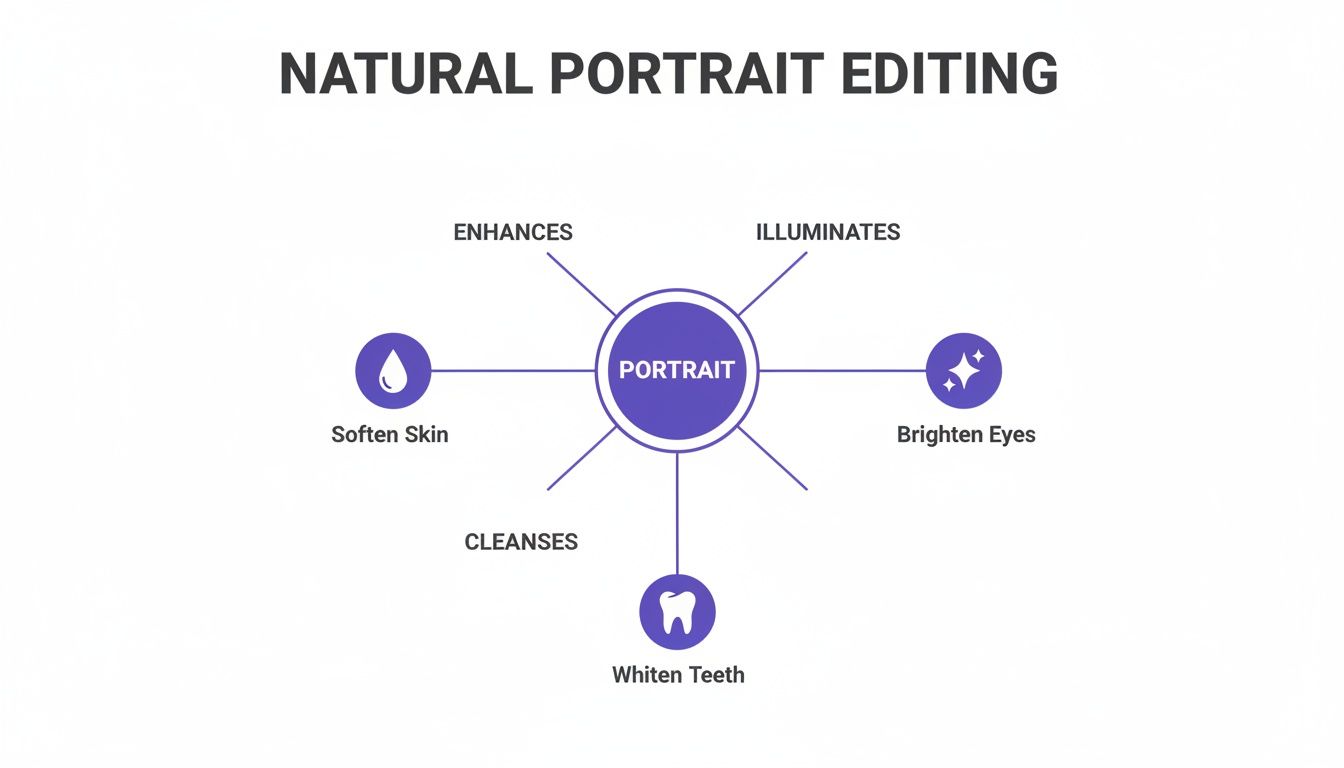
As you can see, perfecting the basics—like softening skin and brightening eyes—creates a clean canvas. This makes your subsequent color grading choices even more impactful. Ultimately, color is your most powerful storytelling tool, allowing you to infuse every photo with a specific feeling and create a beautiful, unified memory.
Before we move on, let's explore some of the most popular wedding photography styles. Each aesthetic has its own distinct mood, and the right editing techniques are crucial for bringing that vision to life.
Popular Wedding Photography Styles and How to Achieve Them
| Editing Style | Key Characteristics | Color Palette | Recommended Tools or Techniques |
|---|---|---|---|
| Light & Airy | Bright, soft, overexposed look. Low contrast, clean whites, and a dreamy, ethereal feel. | Pastels, soft whites, muted greens, and skin tones with a peachy or pink undertone. | Increase exposure and shadows. Lower contrast and highlights. Use presets with a soft, warm base. |
| Dark & Moody | Dramatic, cinematic, and emotional. Deep shadows, rich contrast, and desaturated colors. | Earth tones, deep greens, rich blacks, and warm, golden skin tones. | Lower exposure, crush the blacks, increase contrast. Use split-toning to add warmth to shadows. |
| Fine Art | Soft, painterly, and timeless. Often shot on film or edited to mimic it. Focus on details and light. | Muted and natural. Soft blues, delicate pinks, and creamy whites. Think impressionist paintings. | Add subtle film grain. Use masks to soften specific areas. Emphasize natural light with gentle dodging. |
| Classic/Timeless | Clean, true-to-life colors. Polished but not overly stylized. Focuses on natural beauty. | Vibrant but accurate colors. Bright whites, true blues, and natural-looking greens. | Focus on perfect white balance and exposure. Use HSL sliders for targeted color corrections. |
| Boho/Earthy | Warm, sun-drenched, and free-spirited. Often features lens flare and rich, earthy tones. | Terracotta, mustard yellow, deep oranges, and warm browns. | Add warmth with temperature slider and split-toning. Enhance golden hour light. Use presets with warm, matte finishes. |
Choosing a style that resonates with the couple's personality is the first step. Once you've landed on a look, these techniques will help you apply it consistently across the entire gallery, creating that signature style you're known for.
How AI Is Changing the Wedding Photo Game
The leap from tedious manual edits to intelligent, automated tools is fundamentally reshaping the wedding photography landscape. Artificial intelligence is no longer a futuristic concept; it is a practical tool that provides an unprecedented amount of creative freedom, making a professional photo edit for wedding images faster and more accessible than ever.
This technological shift addresses one of the most significant bottlenecks in the entire process. While software from giants like Adobe has long been the industry standard, the sheer time investment required for manual editing has always been a major constraint. Now, AI-powered platforms are democratizing high-end editing, transforming once-complex tasks into simple, near-instantaneous actions.
Editing Photos with Simple Text Commands
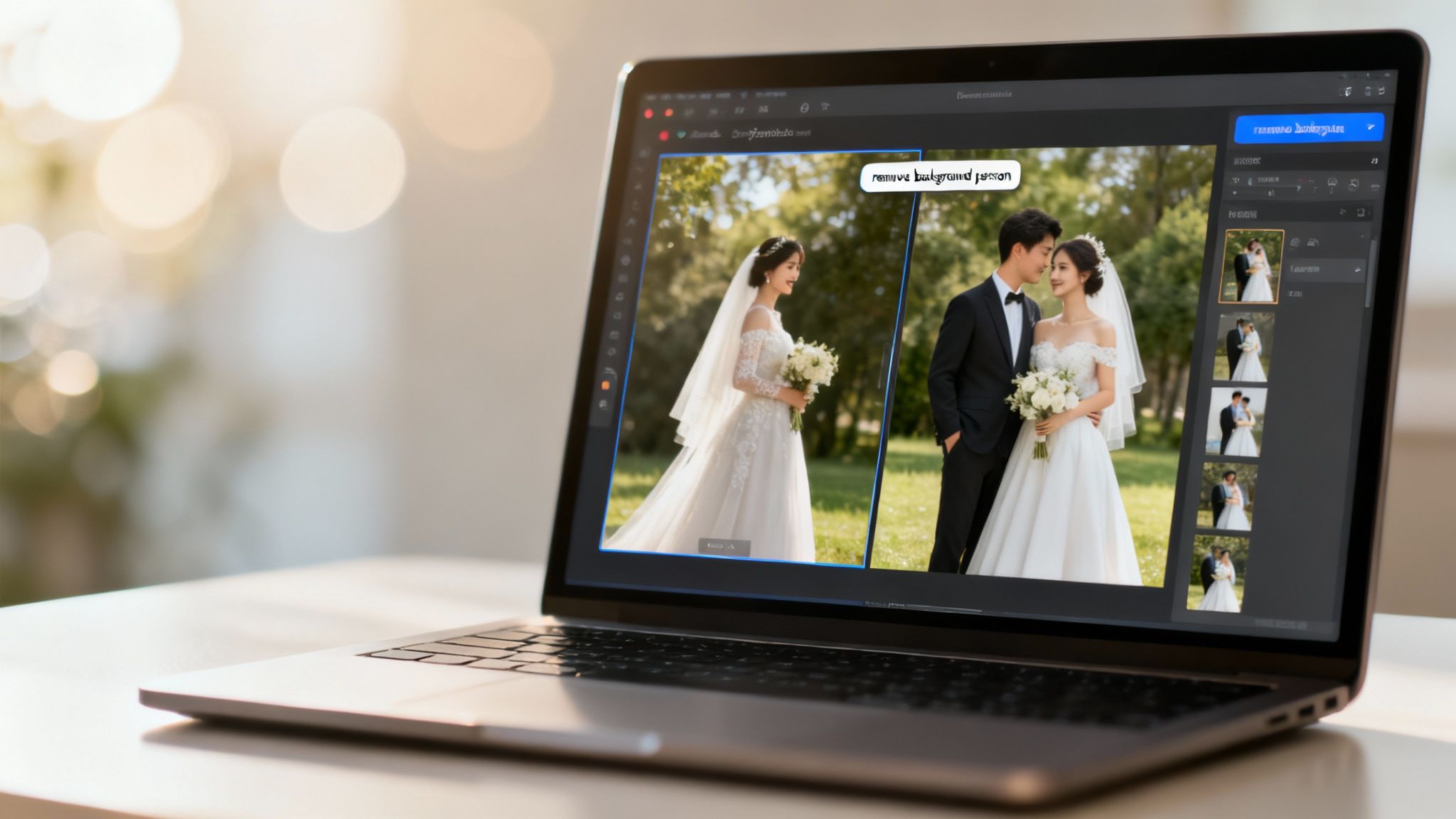
One of the most transformative innovations is the ability to edit photos using natural language. This technology, often called "Photo Edit by Prompt," is as straightforward as it sounds. Instead of navigating complex menus or mastering intricate tools, you can literally instruct the AI on what to do.
Imagine you have a perfect shot of the couple, but a distracting bystander is in the background. In the past, removing them would require painstaking cloning and patching that could take a skilled editor a significant amount of time.
Now, you can simply type:
"Remove the person in the background"
The AI interprets your command, identifies the person, and intelligently fills in the space, leaving you with a clean, professional photo in seconds. This capability extends beyond corrective edits. You can get creative and type "make the sky more dramatic" or "add a soft, golden-hour glow" to completely alter the mood of a photo with a single sentence.
Creating Entirely New Photoshoots
Beyond just tweaking existing pictures, AI now enables the creation of brand-new photoshoots from scratch, without anyone ever having to pose for a camera. By training a personal AI model with just a handful of your own selfies, you can generate an endless stream of professional-quality images.
This unlocks a world of creative possibilities that were previously prohibitive for most couples due to budget or time constraints.
- Themed Shoots: Ever wonder what you'd look like in traditional Indian wedding attire, a futuristic cyberpunk setting, or a classic black-tie gala? AI can generate these scenes with perfect realism.
- Location Freedom: You can create breathtaking images that appear to have been taken in exotic locations worldwide—from the streets of Paris to a tropical beach—all from the comfort of your home.
- Perfected Looks: The AI ensures every detail is perfect, from hair and makeup to lighting and posing. The result is a curated photo pack that looks like it came straight from a high-end studio.
The Virtual Try-On: A Wedding Planning Game-Changer
A highly practical application of this technology is the "Virtual Try-on." This feature allows couples to visualize how different wedding outfits, hairstyles, or makeup looks would actually appear on them before making a final decision. By generating images of yourself in various styles, you can plan your wedding day look with confidence, saving significant time, money, and stress.
This ability to generate and refine images with such ease represents a fundamental shift. To better understand the broader context of AI image generation, exploring some of the top AI image models provides insight into the current state of the art. As these tools continue to evolve, they’re offering more than just convenience—they’re creating new paradigms for storytelling and ensuring your wedding memories are as unique as you are.
Want to learn how to apply these ideas yourself? Check out our complete guide to edit wedding photos.
Preparing and Delivering Your Final Gallery
You're at the finish line. After all the hours spent culling, correcting, and color grading, the final step is to deliver a gallery that is as polished as the photos it contains. The presentation of your work is the final, crucial piece of the puzzle—it's the intersection of your technical skill and the client's experience.
A classic error is exporting one set of files for all purposes. This can lead to pixelated prints or painfully slow-loading web galleries. The professional standard is to create two distinct sets of images, each optimized for its specific function.
Perfecting Your Export Settings
For prints and albums, detail is paramount. These images must be high-resolution JPEGs, exported at 300 DPI (dots per inch) with minimal compression. This is non-negotiable for ensuring printed photos appear as crisp and vibrant as they do on screen.
For online galleries and social media, however, the priorities shift to performance and speed.
- Resolution: Adhere to 72 DPI. It is the universal standard for web display, and anything higher is superfluous data that slows down loading times.
- File Size: Aim for a file size under 500 KB. This ensures a snappy, frustration-free viewing experience for the couple and their loved ones.
- Color Profile: Always use the sRGB color space. It's the universal standard for the web, guaranteeing your colors will render accurately on any screen, from an iPhone to a desktop monitor.
Creating a User-Friendly Experience
Migrating from a simple Dropbox link to a professional online gallery service like Pixieset or Pic-Time is now an industry best practice, and for good reason. These platforms offer a beautiful, intuitive experience for viewing, downloading, and sharing. It is a critical touchpoint that conveys professionalism. In fact, data shows that galleries with easy navigation and sharing features see 30% higher engagement from family members.
"Preserving these digital assets is non-negotiable. Think of it as creating a digital time capsule," advises the Professional Photographers of America (PPA). "A robust backup strategy is the only way to guarantee these memories will last a lifetime."
Finally, the unsung hero of your workflow: an ironclad backup plan. As professional retoucher Zoe Larkin emphasizes, backing up isn't a one-time task; it’s a continuous process. Your final, edited JPEGs must reside in at least three locations. A reliable system is one copy on a local hard drive, a second on a separate offline drive (stored in a different physical location), and a third in a secure cloud service. This triple-redundancy system is your ultimate safeguard against hardware failure, theft, or any other catastrophe.
From the initial culling to the final, triple-backed-up delivery, mastering the full workflow grants you complete control over creating and protecting a couple's most precious memories.
Your Wedding Photo Editing Questions, Answered
Once the wedding day is over, the next milestone is the arrival of the photo gallery. But what actually happens between the last dance and the final delivery? Here are authoritative answers to the most common questions.
How Long Does Wedding Photo Editing Actually Take?
Traditionally, post-production for a single wedding requires a 20 to 40-hour commitment from a photographer. That represents an entire work week dedicated to editing, which explains why the 4-8 week turnaround has long been the industry standard. As one professional survey noted, "For every hour of shooting, photographers spend about 2 – 2.5 hours in post-processing."
However, the landscape is shifting dramatically. With modern presets and AI-assisted tools, photographers can now reduce their active editing time by over 75%. This is not about cutting corners; it is about leveraging technology to work more efficiently and deliver beautiful images to clients much faster.
Should Every Photo Have the Same Editing Style?
Yes, unequivocally. Consistency is the hallmark of a professional gallery. Applying a single, cohesive color grade and editing style across the entire collection is essential for telling a seamless story. It’s the invisible thread that unites disparate moments into a complete work of art.
"Consistency is such a big thing... it takes time to learn and have the eye for," says photographer and educator Jasmine Star. "A consistent color grade is the invisible thread that ties the entire wedding story together."
This is where presets and AI-driven styles are indispensable. They allow you to define a signature look—whether bright and ethereal or moody and dramatic—and apply it flawlessly across hundreds of images, ensuring the first getting-ready shot perfectly matches the final sparkler exit photo.
What's the Biggest Mistake to Avoid?
Over-editing. Without question, the most common pitfall in a photo edit for wedding pictures is going too far, especially with skin retouching. The objective is to make the couple look like the best version of themselves, not a plastic, airbrushed caricature that erases their unique character.
The best retouching is imperceptible. It is a light touch that enhances natural beauty while preserving authenticity. Your portraits should look radiant and timeless, not trendy and artificial. This approach ensures you create images that will be cherished for decades to come.
Ready to create your own incredible wedding memories? With DreamShootAI, you can design stunning, professional-quality photoshoots and edit them in an instant with simple text prompts. Explore romantic themes, try on virtual outfits, and build a gallery that’s 100% you. Discover the future of wedding photography at DreamShootAI.
Written by Jocelyn Grey for the DreamShootAI blog.
Spotted something out of date? Tell us at [email protected] and we'll fix it.