How to Animate Still Photos and Bring Your Images to Life
Learn how to animate still photos with AI and professional techniques. This guide offers actionable tips for creating stunning motion graphics from your images.
Ever wonder how to make a still photo move? It’s all about adding a touch of motion to a static image, turning it into a short, eye-catching video clip. You can do this in a snap with AI-powered tools that figure out the movement for you, or you can get hands-on with software that gives you total control over every little detail.
Why Animated Photos Are Social Media Gold
Let's face it, our feeds are jam-packed. A standard, still image can easily get lost in the scroll. But motion? Motion is different. It’s like a visual tap on the shoulder that makes people pause and pay attention. Animating a photo transforms it from just another picture into a tiny, captivating story. It pulls people in.
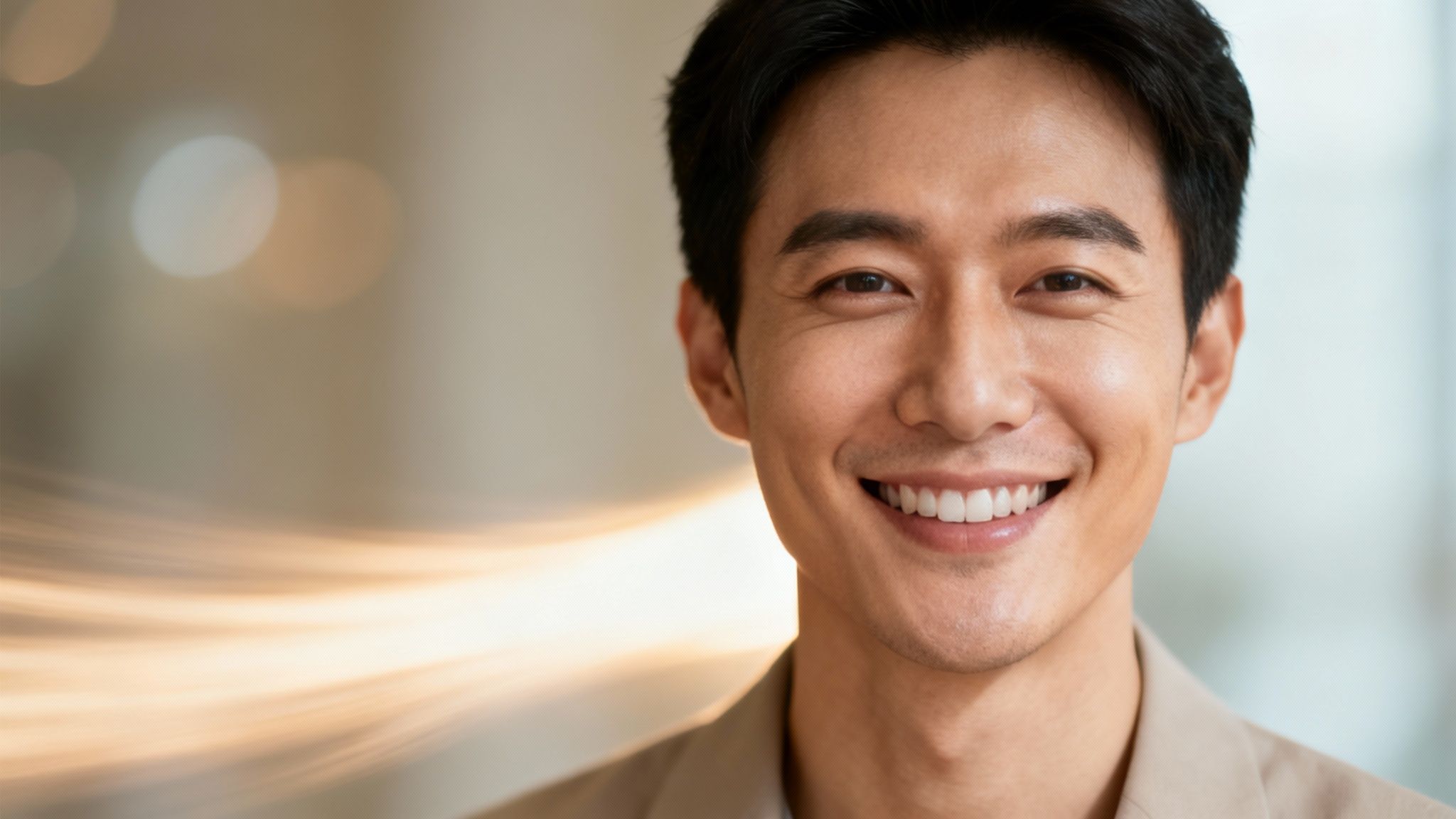
This simple trick can completely change how your image comes across. Think about a professional headshot on LinkedIn. Adding a subtle drift to the background can make your profile feel more dynamic and approachable. Or imagine a wedding photo where the veil gently flutters—it turns a beautiful memory into a living moment.
The Power of Motion in Storytelling
Motion does more than just grab eyeballs; it deepens the story you're trying to tell. When you learn how to animate your photos, you're essentially becoming a director, guiding the viewer's focus and dialing up the emotion. It's about translating the feeling of a moment into a new, more engaging format. According to a study by marketing firm Wyzowl, 91% of consumers want to see more online video content from brands, demonstrating a clear appetite for dynamic visuals.
This works for pretty much anything you can think of. Animated photos can:
- Boost Engagement: Moving content is stickier and gets shared more often. Simple as that.
- Convey Emotion: A slow zoom can build drama, while a gentle sway can feel nostalgic and calm.
- Enhance Professionalism: A tastefully animated product shot or portfolio piece just looks more polished and modern.
"Motion triggers a primitive response in our brains; it signals that something is happening. For content creators, that signal is the difference between being seen and being scrolled past."
— Chloe Vance, Digital Strategist
The Rise of AI in Animation
Not too long ago, this kind of animation was a complex, time-consuming task. Now, artificial intelligence has completely changed the game, making it accessible to everyone. The market for this tech is exploding—the generative AI in animation market was valued at USD 652.1 million and is expected to hit USD 13,386.5 million by 2033, according to Precedence Research.
This massive growth is a testament to how easy AI has made it to bring your photos to life. If you're curious about the nuts and bolts, you can dive deeper in our guide on how to make AI videos.
In this guide, we'll walk through both approaches. We'll show you how to get instant, impressive results with AI tools and also dig into the manual techniques for those who want to get their hands dirty and have complete creative freedom. Ready to make your photos move? Let's get started.
Preparing Your Photos for Flawless Animation
The real magic behind a jaw-dropping photo animation doesn't happen in the software—it starts with the image you choose. A truly stunning result is built on a strong foundation, and that means the quality and composition of your source photo are everything. Think of it like a translation; you're not just tacking on motion, but interpreting and expanding on the story the image already tells.
A filmmaker wouldn't just point and shoot; they frame a shot with intention. You need to do the same. Not every photo is a good candidate for animation. The ones that work best have a clear, well-defined focal point and obvious layers between the subject, the mid-ground, and the background. This separation is what sells the illusion of depth, especially for parallax effects where each layer needs to move on its own.
Selecting the Right Image
Before you even touch an animation tool, put on your art director hat. A high-quality image isn't just a suggestion; it's a requirement. High resolution ensures your animation stays crisp and clean, even when you zoom in or scale elements. A low-res photo will fall apart fast, leaving you with a blurry, amateur-looking video.
Think about the story you want to tell. A portrait with a clean, distant background is perfect for adding just a whisper of motion to make your subject pop. A sweeping landscape with clouds, trees, and mountains? That’s giving you multiple layers to play with for a rich, dynamic 2.5D scene.
"When you’re moving a book from book to film or television, it’s going to be an act of translation. You tell stories differently... but we really wanted to keep the soul of these books... and who these characters were, intact."
— Mac Barnett, Author & Show Creator
Barnett’s take on adaptation is spot-on for what we’re doing here. Your job is to keep the "soul" of your photo intact while translating it into motion. Pick an image where movement feels like a natural extension of the scene, not a cheap gimmick.
The Pre-Animation Cleanup Checklist
Got your hero image? Great. A little prep work now will save you a world of headaches later. This cleanup stage is all about preventing common animation glitches before they happen.
- Kill the distractions. Stray objects, photobombers, or just weird stuff in the background? Use a simple editing tool to clone or patch them out. A clean canvas lets the viewer focus on the motion you want them to see.
- Enhance and clarify. Sometimes a great photo is just a little soft. Running it through a quality upscaler can sharpen edges and bring out hidden details. Using an AI-powered photo enhancer, for example, can dramatically improve your source image, making textures in clothing or leaves on a tree far more pronounced.
- Isolate your subject. For more advanced tricks like the parallax effect, you’ll need to separate your main subject from the background. Most modern photo editors have a "select subject" tool that nails this in seconds. Saving that selection as its own layer is a non-negotiable prep step.
Understanding File Formats
The format of your source image matters, especially depending on what you're trying to achieve. Here's a quick cheat sheet:
| File Format | When to Use It | Key Benefit |
|---|---|---|
| JPEG/JPG | Your default for standard photos with full backgrounds. It's the most common format for a reason. | Universal compatibility and small file size. |
| PNG | Absolutely essential when you need a transparent background, like for an isolated subject. | Supports transparency (alpha channel). |
| TIFF/PSD | The choice for pro workflows where you need to preserve every bit of layer and image data. | Lossless quality and layer support. |
For most AI animation tools, a high-quality JPEG is all you’ll need. But if you plan on doing manual layering in a program like After Effects, saving your isolated subject as a PNG is a must. Taking a few extra minutes to select and prep your image isn't just busywork—it's the single best thing you can do to make sure your final animation truly comes to life.
Choosing Your Animation Path: AI Versus Manual
Deciding how to bring a still photo to life isn't about finding one "best" method. It’s about picking the right tool for the job. Your choice will come down to your creative goals, your timeline, and how comfortable you are with different kinds of software. The two main roads you can take are the fast and easy path of AI-powered tools or the precise, hands-on control of manual techniques.
AI-driven animation is a game-changer for anyone needing speed and simplicity. These tools are built for quick results, making them perfect for whipping up dynamic social media clips, eye-catching digital ads, or fun GIFs without a massive learning curve. If you want to dive right in, you can learn how to turn image into video with AI and animate photos like a pro.
It's no surprise that this market is booming. According to data from Global Market Insights, the generative AI market size surpassed USD 10.1 billion in 2022 and is anticipated to grow at a compound annual growth rate of over 34% through 2032. That kind of growth tells you just how much creators and their audiences want easy-to-use animation software.
The AI-First Approach for Speed and Surprise
Artificial intelligence is brilliant at looking at an image and figuring out how to create believable motion with almost no direction from you. You just upload a photo, pick a style like "zoom" or "pan," and the algorithm does all the heavy lifting. This is your best bet when getting a polished result in a hurry is the top priority.
One of the coolest things about this method is the element of surprise; AI can often produce unexpected and delightful results you wouldn't have thought of yourself. But that convenience comes with a trade-off: you give up fine-grained control over the final animation.
As motion graphics artist Leo Finch notes, "AI is my go-to for speed and unexpected creativity. But when I need to control the emotional arc of a scene, I turn to manual parallax techniques."
This quick checklist can help you see if your photo is ready for animation. The two most important things? A clear subject and high resolution.
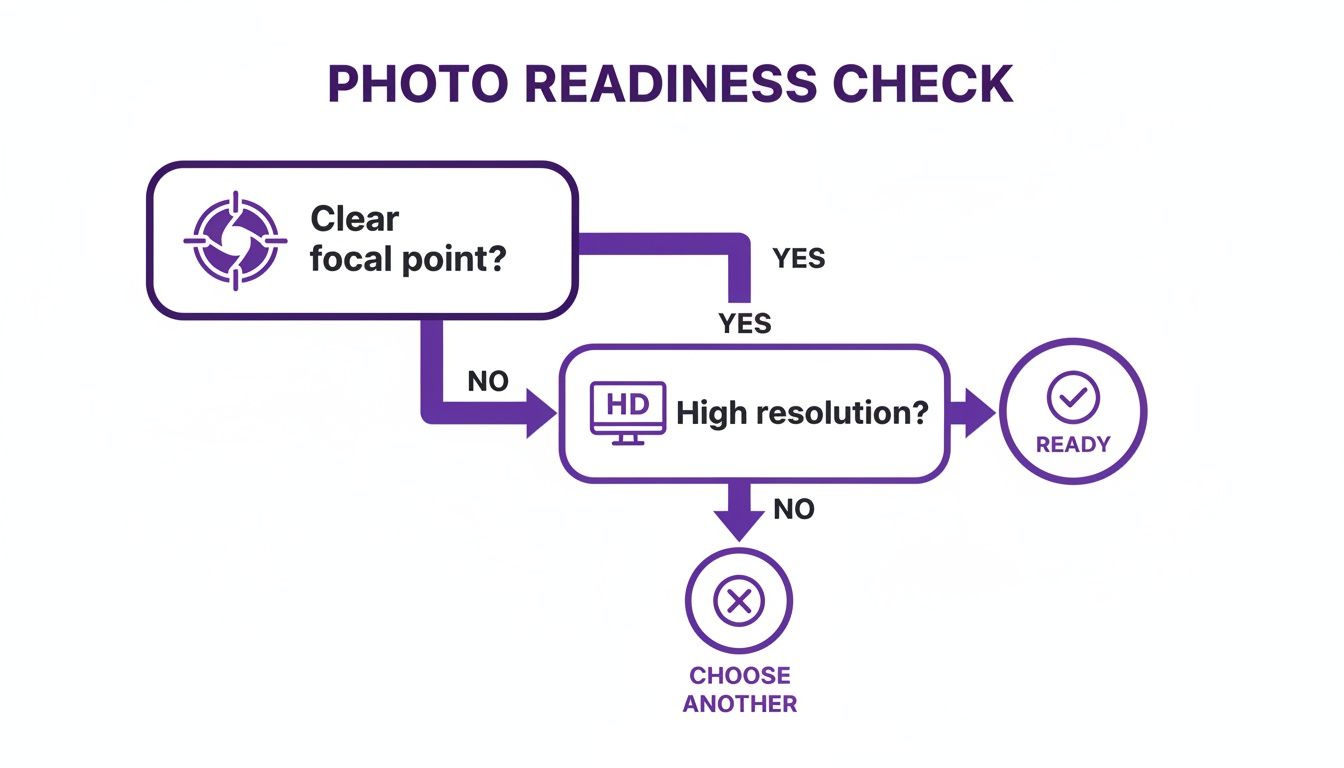
Starting with a high-quality photo that has a distinct focal point is the single most important step for getting a professional-looking animation, no matter which method you choose.
Manual Techniques for Creative Control
On the other side of the coin, we have manual methods. These techniques demand more of your time and skill, but they give you complete artistic freedom to craft an animation exactly as you see it in your mind.
- 2.5D Parallax Effect: This is probably the most popular manual technique out there. It involves digitally cutting an image into layers—foreground, subject, background—and then moving them at different speeds to create a really convincing illusion of depth. It's fantastic for adding a cinematic feel to landscapes, portraits, and product shots.
- Puppet Animation: Perfect for bringing characters to life, this method involves digitally "rigging" a person or animal in a photo. You can make a head turn, an arm wave, or eyes blink. It's definitely more complex, but it's incredibly powerful for storytelling.
- Cinemagraphs: This is where you isolate a small, specific motion within a photo that is otherwise completely still, creating a mesmerizing, endlessly looping video. Think steam rising from a coffee mug or a candle flame flickering while the rest of the room is frozen in time.
These hands-on approaches put you in the director's chair, giving you total control over the pacing, direction, and emotional weight of every single movement.
Making the Right Choice for Your Project
So, which path is for you? It really just depends on what your project needs. For a quick, attention-grabbing social media post, an AI tool is a no-brainer. But for a key scene in a promotional video or a portfolio piece where every little detail counts, the manual control of the parallax effect is going to win every time.
To make the decision even easier, here’s a breakdown of the different techniques.
Comparing Photo Animation Techniques
This table gives you a quick look at the most common animation methods, what they're best for, and what it takes to get the job done. It should help you pick the perfect approach for your next project.
| Technique | Best For | Skill Level | Time Investment | Example Tool(s) |
|---|---|---|---|---|
| AI Animation | Quick social media clips, ads, creative experiments | Beginner | Low (Minutes) | DreamShootAI, CapCut |
| 2.5D Parallax | Cinematic depth, landscapes, professional videos | Intermediate | Medium (Hours) | After Effects, CapCut |
| Puppet Animation | Bringing characters to life, storytelling | Advanced | High (Hours to Days) | After Effects, Character Animator |
| Cinemagraphs | Subtle, atmospheric loops, website banners | Intermediate | Medium (Hours) | Photoshop, Flixel |
Ultimately, knowing how to animate photos well means knowing which tool to pull out of your creative toolkit. Don't be shy about experimenting with both AI and manual methods. You might find a quick AI animation is perfect for one project, while a carefully crafted parallax scene is exactly what another needs to truly shine. The key is simply matching the technique to your creative vision.
Let's Animate Your First Photo: A Hands-On Guide
All that theory is great, but the real magic happens when you see one of your own photos start to move. This is where we get our hands dirty. We’re going to walk through creating two totally different animations from scratch, showing you both the instant gratification of AI and the fine-tuned control of a more manual approach.
First up, we'll dive into an AI-powered tool—perfect for cranking out eye-catching social media content in minutes. Then, we’ll switch gears and build an immersive 2.5D parallax effect, giving you a taste of the creative power that comes with getting a little more hands-on.
Your First Animation with an AI Tool
The absolute fastest way to bring a still photo to life is with an AI-driven platform. These tools are built for speed and simplicity. You just upload an image, pick a motion style or describe what you want, and let the algorithm do all the heavy lifting. Let's make a simple, shareable video clip this way.
The process is usually as simple as it sounds: upload a good-quality photo and you're off. From there, you'll either see a library of pre-set motion effects or a text box where you can tell the AI exactly what kind of movement you’re imagining.
This technology is blowing up. The AI image generator market, which fuels these animation tools, hit USD 9.10 billion and is on track to reach a staggering USD 63.29 billion by 2030, according to Brandesssence Market Research. That tells you everything you need to know—AI animation is quickly shifting from a cool novelty to an essential tool for everything from digital wedding invites to professional branding.
Let’s take a common scenario: you have a professional headshot for your portfolio site. It’s good, but it’s static. Adding a subtle, professional motion can make it so much more engaging and help you stand out.
The screenshot below shows what a typical AI video generator looks like. It’s clean, simple, and gets you straight to the creative part.
This kind of user-friendly design means you don't need a background in animation to start creating. You just need an idea.
Expert Tip: When you're writing prompts for an AI animator, be specific but also descriptive. Don't just say "make it move." Instead, try something like, "Subtle zoom in on the subject, with a slow, gentle drift in the background from left to right."
Here are a few more prompt ideas to get you started:
- For a landscape photo: "Slow pan from left to right across the horizon, with clouds drifting gently."
- For a portrait: "A gentle breeze makes the hair sway slightly, with a soft focus pull onto the eyes."
- For a product shot: "Create a slow 360-degree rotation of the product on a clean white background."
Once you’ve put in your prompt or chosen a style, the AI gets to work. In a minute or two, it will generate a short video clip, usually as an MP4 file, ready for you to download and share. If you're ready to give it a shot, you can get started with a powerful and intuitive AI image animator right now.
Creating a 2.5D Parallax Effect in CapCut
Sometimes, you want to be the one calling the shots. For those moments, the 2.5D parallax effect is a fantastic technique to have in your back pocket. It creates a seriously convincing illusion of depth by separating an image into layers and moving them at different speeds. It sounds complicated, but tools like CapCut make it surprisingly manageable, even if you’re a total beginner.
The core idea is simple: things closer to the "camera" move faster than things in the distance. This trick mimics how our eyes naturally perceive depth, and it's what makes the effect so believable.
Prepping Your Layers
This first part is the most important: you need to cleanly separate your main subject from the background.
- Duplicate Your Image: Open your photo in an editor that has a "remove background" or "select subject" feature. Make two copies of the image.
- Isolate the Subject: On the top layer, use the tool to zap the background, leaving just your subject on a transparent layer. Make sure to save this as a PNG file to keep that transparency.
- Create a Clean Plate: Now, for the bottom layer. You need to fill in the hole where your subject used to be. Use a content-aware fill tool or a clone stamp to paint over the subject, creating a complete, seamless background.
Assembling and Animating in CapCut
Alright, time to bring it all together in a video editor and add the motion.
- Import Your Assets: Fire up CapCut, start a new project, and import both your clean background image and your transparent subject PNG.
- Layer Up: Drag the background image onto the main video track. Next, use the "Overlay" feature to place your subject PNG on a track right above it.
- Animate with Keyframes: This is where the magic happens. Select your background layer and add a keyframe at the very beginning of the clip. Then, move the playhead to the end and scale up the background just a tiny bit. CapCut will automatically create a slow, smooth zoom.
- Animate the Subject: Now, do the same for the subject layer. Add a keyframe at the start. Go to the end of the clip and scale this layer up slightly more than you did the background.
That tiny difference in scaling speed is what sells the entire effect. The subject appears to move forward faster than the background, creating that awesome sense of 3D space from a flat, 2D picture.
Advanced Techniques and Creative Inspiration
Once you’ve nailed the basics of photo animation, the real fun begins. You're no longer just making a picture move; you're crafting an immersive experience. This is where you can start layering different techniques to build richer, more atmospheric scenes that truly capture an audience.
Think beyond a simple zoom on a professional headshot. Imagine that same headshot with a subtle motion in the background, combined with a soft light leak overlay that gently fades in and out. The result is instantly more polished, sophisticated, and memorable. It’s all about combining elements to tell a bigger story.
Layering Effects for Atmosphere
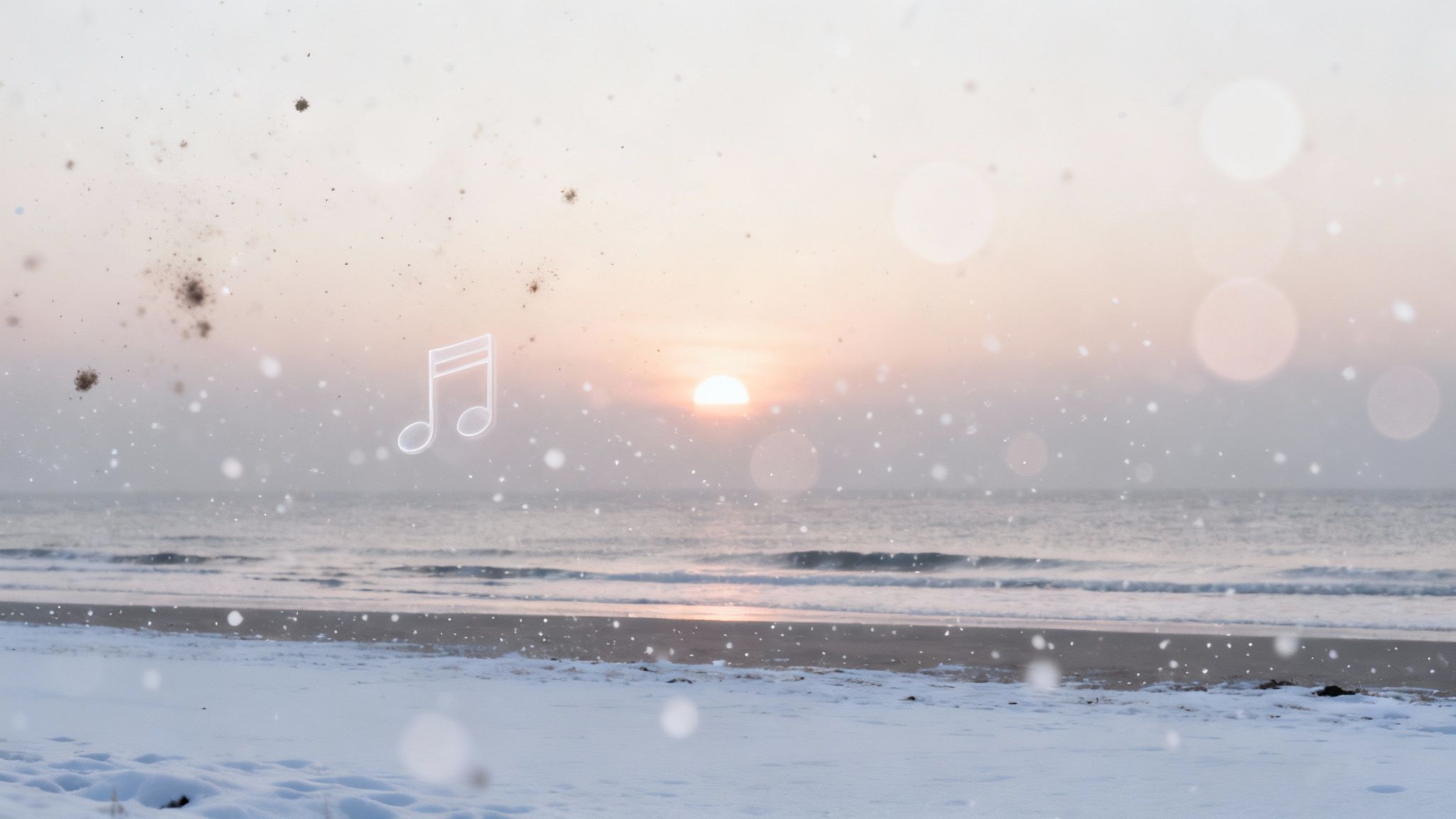
One of my favorite advanced tricks is adding particle overlays. These are essentially pre-made video clips of things like falling snow, floating dust motes, rain, or embers that you can place on top of your animated photo. A simple addition like this can completely transform the mood.
- Falling Snow: Turns a static winter landscape into a peaceful, living scene.
- Floating Dust: Adds a dreamy, nostalgic quality to an indoor portrait.
- Lens Flares: Gives an outdoor shot that cinematic, sun-drenched feeling.
- Rain Overlays: Creates a moody, dramatic vibe for a city street photo.
These overlays introduce a second layer of motion that makes the whole piece feel more dynamic and alive. If you’re really looking to add a dynamic touch, exploring the Photo 3D effect can take this even further by building on these same principles of layered depth.
The Art of the Cinemagraph
Another incredibly powerful technique is the cinemagraph. This is a beautiful hybrid where most of the image is a frozen photo, but one or two small elements are caught in a seamless, continuous loop of motion. The effect is mesmerizing—it’s a fantastic way to grab and hold a viewer’s attention.
Picture a photo of a morning coffee, but the steam is perpetually rising from the cup. Or a portrait where the subject is perfectly still, but their reflection in a puddle subtly ripples. Creating a good cinemagraph takes some precision because you have to carefully mask the moving parts, but the payoff is a true piece of living art.
"The magic of a cinemagraph is in its subtlety," states photographer and cinemagraph pioneer Kevin Burg. "It draws you into a moment and holds you there, making you notice details you would have otherwise missed."
Burg's insight is key. Advanced animation isn’t about just adding motion for the sake of it. It’s about translating the "soul" of the original photo into a new medium while keeping its character and intent.
Don't Forget Sound Design
The final, and most frequently overlooked, element is sound design. Seriously, don't skip this. The right audio can be responsible for 50% or more of the emotional punch your creation delivers. A silent animation is just moving pixels. Add sound, and it becomes a story.
Just look at how sound shapes the entire mood:
| Visual | Sound | Resulting Mood |
|---|---|---|
| Wedding Photo (slow zoom) | Soft, romantic piano music | Nostalgic, Heartfelt |
| Mountain Landscape (clouds moving) | A gentle wind and birds chirping | Peaceful, Majestic |
| Cyberpunk Cityscape (lights flickering) | Futuristic synth and distant sirens | Edgy, Dystopian |
| Professional Headshot (subtle motion) | Minimalist, ambient electronic track | Modern, Confident |
Adding a simple audio track elevates your animated photo from a neat visual trick into a full, multisensory experience. Pick music or ambient sounds that match the emotion you're going for, and you'll see just how much more powerful and engaging your work becomes.
Photo Animation: Your Questions, Answered
As you start bringing your photos to life, you'll probably run into a few questions. It's totally normal. Getting the right answers can be the difference between a project you're proud of and one that leaves you feeling frustrated. Let's tackle some of the most common hurdles you might face.
One of the biggest areas of confusion? All the technical stuff, especially when it's time to show off your creation.
What’s the Best File Format for My Animated Photo?
The perfect format really hinges on where your animated photo is going to be seen. There isn't a one-size-fits-all answer, but there are definitely clear winners for certain situations.
For social media platforms like Instagram, TikTok, or Facebook, MP4 is the undisputed king. It hits that sweet spot between fantastic quality and a manageable file size, and you'll never have to worry about compatibility issues.
But what about other places?
- GIFs: Still have their place for simple, short loops on a website where file size is everything. Just keep in mind they're limited to 256 colors, which can sometimes make your beautiful image look a little crunchy.
- MOV (ProRes 4444): This is your go-to when you absolutely, positively need a transparent background for a professional video project. It keeps that alpha channel pristine, but be warned—the file sizes are massive.
- WebM: A more modern, efficient format for web use that also supports transparency. It’s a fantastic alternative to GIFs for website animations, giving you much better quality without the bulk.
Can I Animate Any Photo, or Should I Be Picky?
Technically, you can attempt to animate any photo, but your results are going to be all over the place. Let’s be real: not all images are created equal for this task. The best photos for animation almost always share a few key traits.
You're looking for a high-resolution image with a clean, distinct subject. If your photo has natural layers of depth—a clear foreground, a middle ground, and a background—it’s practically begging for a gorgeous parallax effect. Trying to animate a blurry, low-res, or super cluttered photo? You’ll likely end up with something that looks muddy and just plain unprofessional.
In a keynote at the Adobe MAX conference, Chief Product Officer Scott Belsky emphasized that "the fidelity of the source material is paramount." He explained, "AI can do incredible things, but it can't create detail that was never there. A high-quality input is the foundation for a high-quality output." This trend makes animation more accessible, but the core principle hasn't changed: better ingredients make a better cake.
How Long Should My Animation Be?
On social media, shorter is almost always better. Keep it snappy. An engaging loop that runs somewhere between 3 and 8 seconds is the sweet spot. That's long enough for the motion to register but short enough to make people watch it again (and again), which is great for engagement.
If you're creating something for a website's hero banner or maybe a digital wedding invitation, you can let it breathe a little longer, maybe up to 10-15 seconds, to set more of a mood. The goal is always to make the motion feel intentional, not just motion for motion's sake.
Do I Really Need Expensive Software to Get Started?
Nope. Not at all. It’s a total myth that you need to shell out for a pricey subscription to something like Adobe After Effects to get good results. While those pro tools are incredibly powerful, the barrier to entry for photo animation has completely crumbled.
AI-powered platforms and shockingly capable mobile apps like CapCut give you incredible features for free or for a very low cost. You can create stunning parallax effects, add cool motion overlays, and generate animations with a few taps. It’s proof that you can get professional results without a professional budget.
Ready to turn your favorite photos into captivating videos? The AI Video feature from DreamShootAI makes it easy to add motion, style, and life to any image in just seconds. Start creating your first animated photo today.
Written by Jocelyn Grey for the DreamShootAI blog.
Spotted something out of date? Tell us at [email protected] and we'll fix it.