How to Make AI Videos Your Audience Will Love
Learn how to make AI videos that captivate your audience. Our guide offers practical tips for turning your ideas into stunning clips with AI video generators.
Creating an AI video is far more accessible than it sounds. At its core, the process involves training a personal AI model with your photos, selecting a video theme or writing a unique prompt, and then allowing the AI to generate and share your creation. Tools like DreamShootAI have streamlined this into a process that takes minutes, not days, transforming static images into compelling, dynamic content.
The New Era of Video Creation
Welcome to the future of video. Gone are the days when producing high-quality content required expensive equipment, complex software, and weeks of meticulous editing. Artificial intelligence is fundamentally reshaping video production, democratizing the medium for everyone—from couples creating one-of-a-kind digital wedding invites to social media influencers who require a constant stream of fresh, eye-catching clips.
This is not a minor shift; it's a paradigm change in content creation. Traditionally, a single professional video could take days to shoot and edit, often costing thousands. Now, we're witnessing the global AI video generator market grow exponentially. According to a report by Precedence Research, the market is projected to reach approximately $4.4 billion by 2032, a staggering increase fueled by our insatiable appetite for content on platforms like TikTok and Instagram. For creators, speed and accessibility have become paramount.
A Quick Comparison: Traditional vs. AI Video Creation
To fully grasp the magnitude of this transformation, let's contrast the conventional method with the new AI-driven approach.
| Factor | Traditional Video Production | AI Video Generation (with DreamShootAI) |
|---|---|---|
| Time | Days or weeks | Minutes to hours |
| Cost | High (equipment, crew, software) | Low (affordable subscription) |
| Skills Needed | Specialized (directing, editing, effects) | Minimal (basic computer skills) |
| Accessibility | Limited to professionals or those with big budgets | Open to everyone |
| Flexibility | Rigid; reshoots are expensive and time-consuming | High; easily generate new versions and styles |
The table speaks for itself. The barriers that once restricted high-quality video creation to a select few are rapidly dissolving, thanks to AI.
Putting Creative Power in Your Hands
What does this technological leap mean for you? It means the power to tell compelling visual stories is no longer an exclusive privilege. AI tools effectively become your personal director, editor, and special effects wizard, all integrated into one sophisticated package.
As noted AI researcher and Stanford professor Andrew Ng states, "AI is the new electricity." This sentiment perfectly captures its transformative potential in creative fields.
The quality of the output, however, hinges on the quality of the input. When you provide the AI with clear, high-quality images, you are laying the best possible foundation for a realistic digital representation of yourself. From there, the creative possibilities are limitless. To delve deeper into the technologies enabling this, it's worth exploring the top AI video editing tools that can elevate your creations even further.
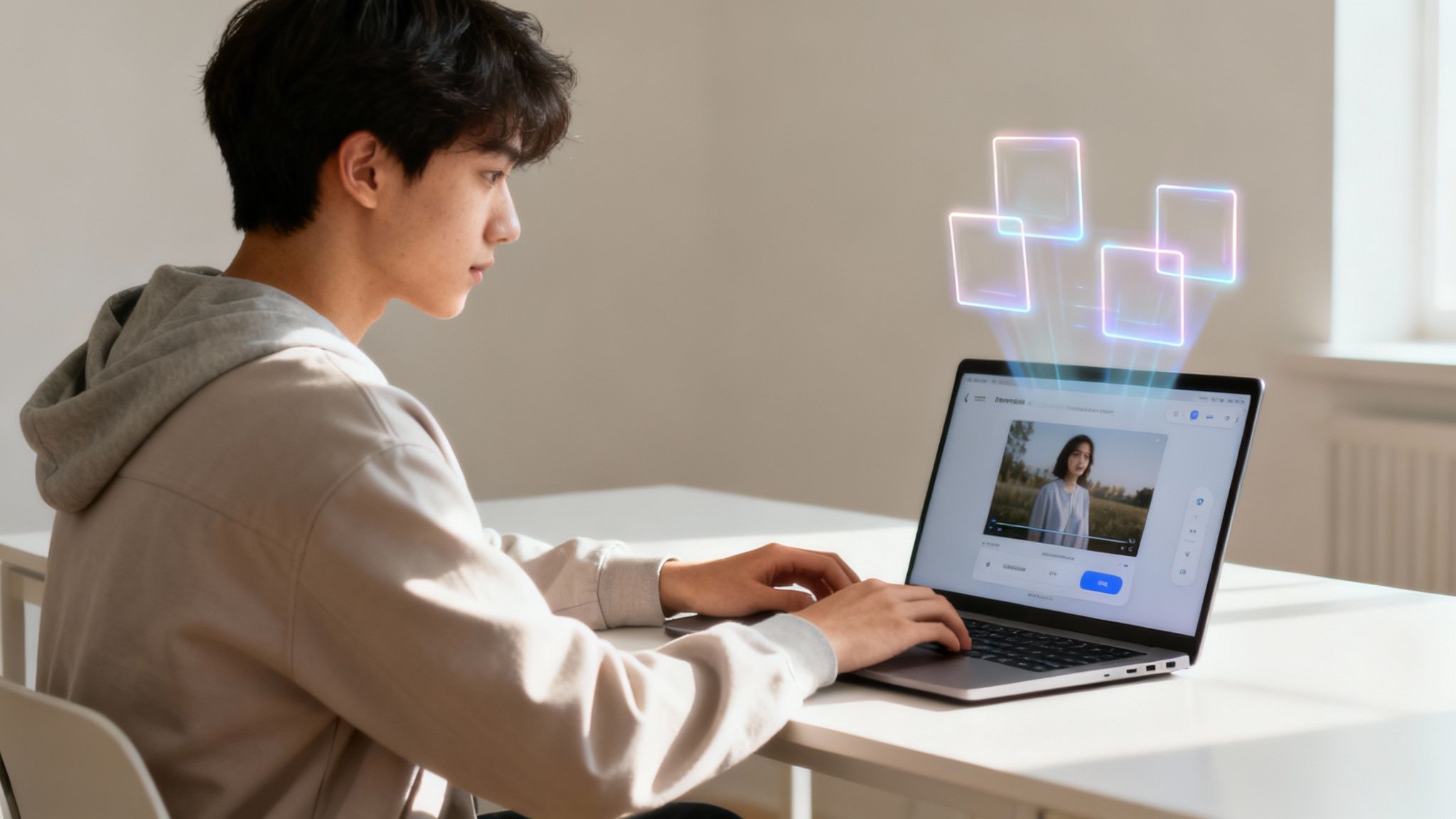
This guide is designed to be your launchpad. We will walk through the practical steps of making stunning AI videos, from training your first model to preparing your final masterpiece for a global audience. Prepare to tell your story in a completely new way.
Laying the Groundwork: Planning Your AI Video Project
Before you select a single photograph, a strategic approach is essential. The secret to creating an AI video that resonates with an audience is a well-conceived plan. A clear strategy is what distinguishes a video that gets lost in the digital noise from one that achieves viral status.
First, identify your target audience and define your purpose. This crucial first step sets the tone for the entire project. For instance, a quirky, inside-joke-filled wedding save-the-date for friends and family will have a vastly different aesthetic and tone than a polished video headshot for LinkedIn. A fast-paced, trend-driven clip for TikTok is a world away from an elegant invitation for a formal event.
Defining Your Project Scope
Establishing the scope of your project from the outset saves significant time and prevents future complications. This is a critical step that is too often overlooked. In fact, research from CoSchedule indicates that marketers who set goals are 376% more likely to report success. What is your objective? Are you aiming to inform, entertain, persuade, or announce a milestone?
Consider these real-world scenarios:
- The Personal Touch: A couple wants to create a unique, AI-generated video invitation for their wedding. The goal is simple: charm their guests and establish a fun, whimsical tone for their event.
- The Professional Brand: A freelance consultant requires a dynamic video headshot for their website and professional profiles. Their goal is to appear modern, approachable, and tech-savvy to attract their next major client.
- The Social Buzz: An influencer aims to produce a series of short, eye-catching AI videos for their Instagram Reels. The primary objective is maximizing reach and engagement by tapping into current trends.
For more complex narratives, visualizing your shots is a game-changer. Utilize an AI storyboard generator to quickly map out scenes, which helps build a coherent narrative before generating any clips.
Selecting the Best Source Photos
Once your plan is solidified, the next step is selecting the photos to train your personal AI model in DreamShootAI. This is arguably the single most critical technical step in the entire process.
"Your AI model's realism is directly tied to the quality of your training photos. A few extra minutes spent on selection pays off exponentially in the final video, preventing distorted features or an uncanny resemblance," explains an AI imaging specialist.
To create a digital twin that is a true likeness, you must provide the AI with a comprehensive visual guide. Gather a set of 10-15 high-quality selfies that clearly showcase your features.
Follow this checklist for optimal results:
- Varied Angles: Ensure you have photos from the front, three-quarter views, and even a few side profiles.
- Clear Lighting: Good lighting is non-negotiable. Your face should not be obscured by shadows, overexposed by harsh light, or covered by heavy filters.
- Natural Expressions: Provide the AI with a mix of smiles, neutral looks, and other expressions. More data yields a more nuanced result.
- Unobstructed Views: Avoid sunglasses, hats, or anything else that covers your face. The AI requires a clear view to learn accurately.
A strong foundation at this stage is the key to creating AI videos that are genuinely and recognizably you.
Training Your AI Model: Creating Your Digital Twin
With your project meticulously planned, it's time to proceed to the most innovative part of the process: creating your personal AI model—your "digital twin"—within DreamShootAI. This is not a task that requires complex coding. Rather, it is an intuitive process of teaching the AI to recognize you, which is the foundational secret to producing AI videos that authentically reflect your likeness.
The process begins when you upload the high-quality selfies you previously selected. The platform's algorithm then analyzes everything from your facial structure to your unique expressions, building a digital likeness that can be animated realistically. It’s a secure and surprisingly swift process, engineered to move you from concept to creation efficiently.
Why High-Quality Photos are Non-Negotiable
The realism of your final video is directly dependent on the quality of the photos you provide to the AI. This is not a mere suggestion; it is the golden rule for creating a believable digital representation. You are supplying the raw materials from which your digital persona will be constructed.
As Dr. Eva Rostova, an AI Ethicist, astutely observes, "The quality of your training data is the single most important factor in creating a believable AI model. Garbage in, garbage out."
This insight underscores the importance of this step. Investing a few extra minutes to ensure your photos are clear, well-lit, and show varied angles is the most effective action you can take to achieve an outstanding result on your first attempt.
This simple flow illustrates how critical the initial steps are for successfully training your AI model.

As demonstrated, a superior outcome is determined long before you click "generate." It begins with a clear plan and meticulously chosen photographs.
From Hours of Editing to Minutes of Creation
The velocity of this process highlights the remarkable advancements in AI video technology. Not long ago, manual video editing could consume upwards of 40 hours for a single minute of polished footage. Today, AI handles the laborious tasks, empowering you to produce multiple videos in a single day.
This dramatic leap in efficiency is a primary driver of the AI market's explosive growth, with venture capital investment in generative AI companies reaching $25.2 billion in 2022, according to PitchBook. For creators, this translates to access to studio-level video creation without the prohibitive costs.
Once your digital twin is ready, you have established the foundation for any AI video project you can envision. Whether you're creating a heartfelt wedding invitation or a professional AI spokesperson video for your business, this personal model is your key. Consider it your own digital actor, prepared for any scene you can imagine.
Bringing Your Vision to Life with AI Video Generation
Your AI model is trained and ready for action. Now comes the truly creative stage: transforming that digital twin into the star of its own production. This is where your preparation pays dividends, and the focus shifts from technical setup to creative expression.
An excellent starting point is DreamShootAI’s library of over 20 pre-built themes. These are fantastic for achieving quick, impressive results. You can generate anything from a sophisticated 'AI Wedding Video Invitation' to a high-energy 'AI Twerk' clip designed for viral potential. The themes handle the complex animation and styling, delivering polished content in minutes.
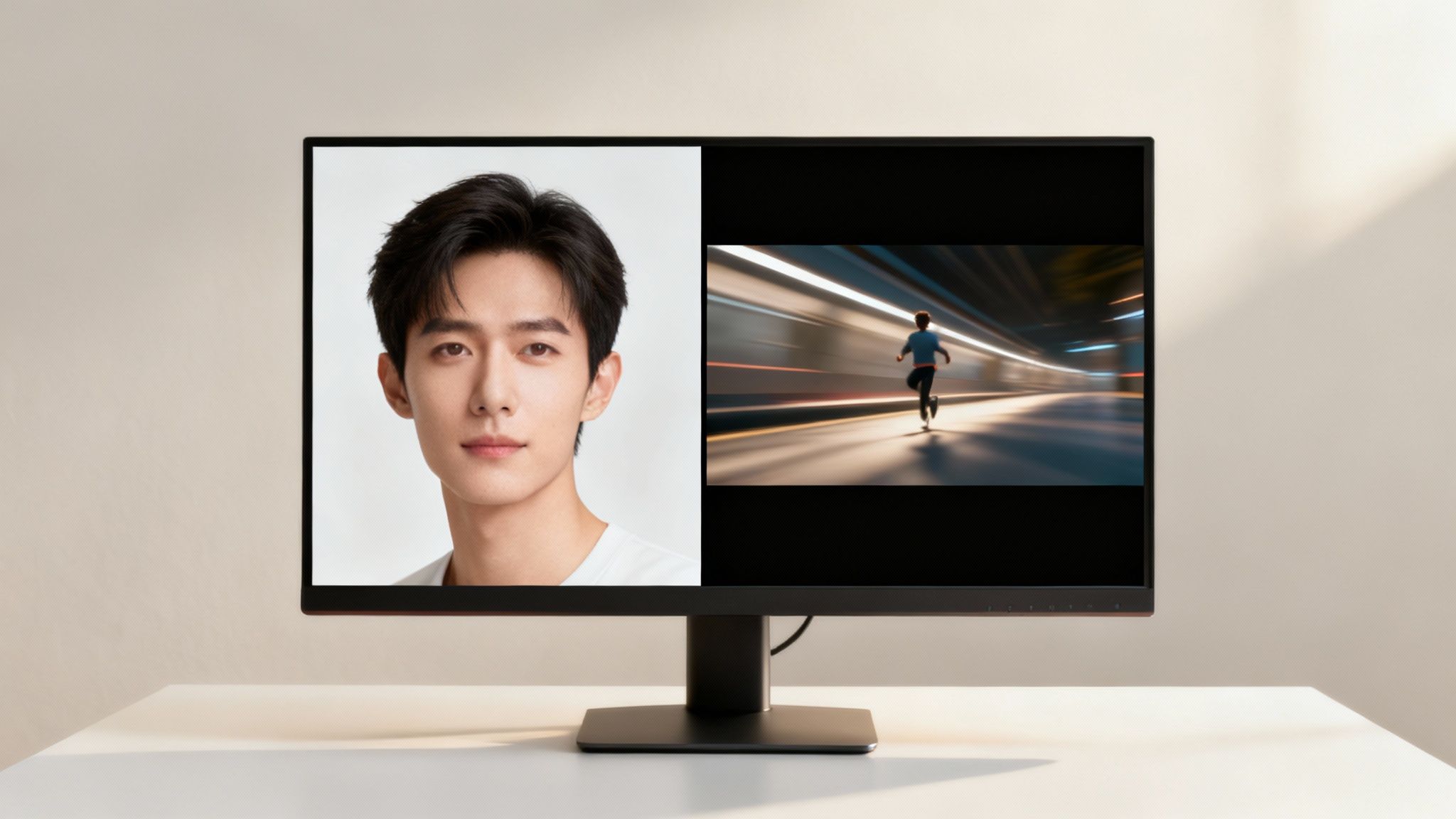
This ability to generate content on demand is precisely why the AI video market is expanding so rapidly. A significant portion of this growth is driven by social media, where platforms like TikTok and Instagram have an insatiable demand for short-form video content.
Crafting Unique Scenes with Custom Prompts
While themes are powerful, the true magic lies in writing your own custom prompts. This is your opportunity to assume the director's role and create something entirely original, moving beyond the confines of templates. Crafting an effective prompt is an art form, but a few simple principles can make a significant difference.
Move beyond basic descriptions like "man in a suit." Instead, add layers of detail. Consider the mood, setting, action, and even the lighting.
For example, a far more effective prompt would be: "1920s mafia gala, man in a tailored pinstripe suit, cinematic lighting, slow-motion walking through a crowded art deco ballroom." The difference in specificity is clear.
One advanced user noted, "Learning to write specific prompts was a game-changer. It unlocked a level of creative control I never thought possible."
This feedback is telling. The more descriptive you are, the better the AI can interpret and execute your vision. Do not hesitate to experiment with ambitious ideas, from a "neon-drenched cyberpunk adventure" to a "serene walk on a Martian landscape."
Essential Features for a Polished Look
Generating the clip is merely the first step. To ensure your video appears professional and not obviously AI-generated, you must focus on quality.
Your most valuable tool here is the Magic Upscaler. This feature sharpens your videos, enhancing them to a crystal-clear HD resolution. It's the critical element that distinguishes an amateur-looking clip from a professionally produced piece.
Beyond standard creation tools, DreamShootAI also offers specialized features. A prime example is the Virtual Try-On feature, which allows you to visualize your AI model in different wedding outfits. It’s an excellent demonstration of how these tools are evolving to provide practical solutions for planning major life events.
Once you have your clips, you will likely want to combine them, add a soundtrack, or incorporate text overlays. For these tasks, explore the best AI video editing tools to apply those crucial finishing touches.
DreamShootAI offers a variety of themes to get you started. Each one is designed to create a specific mood or style, making it easy to find the perfect fit for your project.
Popular DreamShootAI Video Themes and Use Cases
| Theme Name | Description | Best For |
|---|---|---|
| Wedding Invitation | Creates an elegant, romantic video announcement with your AI clones. | Save-the-dates, digital wedding invites, anniversary announcements. |
| AI Twerk | A high-energy, fun clip perfect for viral social media trends. | TikTok challenges, Instagram Reels, lighthearted personal posts. |
| Cinematic Walk | Generates a dramatic, slow-motion walking scene with moody lighting. | Movie-style intros, social media profile videos, brand teasers. |
| Fashion Runway | Simulates a professional runway walk, showcasing a virtual outfit. | Virtual try-ons, fashion-focused content, personal style lookbooks. |
These are just a few options to ignite your imagination. The most effective way to learn is to dive in and begin experimenting with different themes and custom prompts to discover what you can create.
Sharing Your AI Video for Maximum Impact
You have accomplished the most challenging part—creating a compelling AI video. However, the work is not complete until it reaches its intended audience. Strategically distributing your masterpiece is what transforms a creative project into a memorable experience.
At this stage, your role shifts from creator to strategist. The focus moves from AI technology to understanding the human psychology that drives engagement and makes people stop scrolling. And the audience is waiting—a Wyzowl report found that 91% of consumers want to see more online video content from brands.
Getting Your Video Ready for the Spotlight
Before publishing, a few minor adjustments can significantly impact your video's performance. Each social media platform operates as a distinct ecosystem with its own set of rules and best practices. Adhering to them is key to success.
Begin with audio. On platforms like TikTok and Instagram, leveraging a trending audio track is one of the most effective strategies for discovery. The algorithm favors it, potentially exposing your video to thousands of new viewers.
Next, consider timing and format.
- Make It Loop Seamlessly: Most social feeds auto-play videos on a loop. Take a few extra seconds to trim your clip so the end flows right back into the beginning. This subtle trick can accumulate views effortlessly.
- Go Vertical: For Reels, Shorts, and TikTok, a 9:16 aspect ratio is not a suggestion; it is a requirement. Vertical video occupies the entire mobile screen, creating an immersive, thumb-stopping experience.
- Keep It Short and Sweet: Attention spans are shorter than ever. For optimal engagement and completion rates, aim to keep your video under 15 seconds.
Smart Ways to Share Your Creation
With your video polished and optimized, it's time for distribution. Your distribution strategy should be as creative as the video itself.
For personal creations, such as an AI-powered wedding invitation, embed it directly on your wedding website. This provides guests with a sophisticated and highly personal experience.
For projects targeting a broader audience, adopt a marketer's mindset. When posting to social media, write captions that pose a question or tell a concise story to stimulate comments. If uploading to YouTube, invest time in writing a detailed, SEO-friendly description that explains your creation process. This will help your video appear in search results long after its initial release.
As digital creator David Kadavy remarked after experimenting with AI video, "We’re still in the ‘cool because it’s AI’ phase." He is correct. There is a genuine public curiosity about this technology. Pulling back the curtain and sharing behind-the-scenes details can significantly boost engagement.
A Quick Word on Ethics and Transparency
Sharing AI-generated content carries a degree of responsibility. The cardinal rule is consent. If your video features an AI clone of another person, you must have their explicit permission to both create it and share it publicly. This is a matter of respecting their digital likeness and maintaining ethical standards.
It is also wise to be transparent about your use of AI. A simple #AIVideo hashtag or a brief mention in your description is sufficient. Transparency demonstrates honesty to your audience, which is fundamental to building a community. By sharing responsibly, you contribute to a better and more ethical creative ecosystem.
Your Questions About AI Video, Answered
Embarking on your first AI video project often raises several questions. This is entirely normal. Here are direct answers to some of the most common inquiries to help you move from curiosity to creation.
How Many Selfies Should I Actually Upload?
For the most accurate and realistic results, you should upload 10-15 high-quality selfies. This range provides the AI with sufficient data to learn your features from various angles, in different lighting conditions, and with a range of expressions.
Investing extra time in selecting clear, varied photos yields substantial dividends. You will achieve strikingly realistic AI videos that are a genuine likeness, avoiding the "uncanny valley" effect.
User data consistently shows that the perceived quality of an AI avatar increases significantly when the training set includes more than 10 diverse photos, confirming the direct correlation between input quality and output realism.
Is It Actually Safe to Upload My Photos?
Yes, absolutely. We prioritize your privacy and data security. Reputable platforms like DreamShootAI are built with industry-standard security protocols, including HTTPS and robust AES-256 encryption. This protects your data from the moment of upload through storage.
Your photos serve a single purpose: to train your personal AI model. They are never shared, sold, or used for any other function. It is your likeness and your data, and its use is restricted to your control.
Can I Use These AI Videos for My Business?
Yes, and it is rapidly becoming a powerful tool for professionals and businesses. We see professionals creating polished video headshots for their LinkedIn profiles and social media managers producing a consistent stream of on-brand content for marketing campaigns.
The quality is more than sufficient for digital advertising, personal branding videos, or enhancing client presentations. It offers an exceptionally fast and cost-effective method for obtaining professional-grade video without the logistical and financial burdens of a traditional photoshoot. A 2023 HubSpot report notes that businesses utilizing AI in content creation are seeing significant efficiencies, reinforcing its value as a strategic asset.
How Long Does It Take to Generate an AI Video?
This is one of the most compelling advantages. Once your personal AI model is trained, generating a new video is remarkably fast—typically taking only a few minutes from start to finish. This speed is a primary benefit of leveraging AI.
You can progress from a nascent idea to a polished, shareable video in less time than it takes to brew a cup of coffee. This enables rapid experimentation, iteration, and content creation at a scale previously unimaginable.
Ready to experience it firsthand? DreamShootAI has everything you need to turn your selfies into amazing, professional-quality photos and videos in minutes. Give it a try and start your first project!
Written by Jocelyn Grey for the DreamShootAI blog.
Spotted something out of date? Tell us at [email protected] and we'll fix it.