How to Create AI Profile Pictures That Look Real
Learn how to create AI profile pictures that capture your professional brand. Our guide offers expert tips for standout results with AI headshot generators.
Forget expensive photoshoots and scheduling nightmares. The traditional headshot is being rapidly displaced by a more flexible, creative, and personalized alternative powered by artificial intelligence. This technological shift is not merely a convenience; it is a fundamental change in how we architect our digital identities.
Why AI Profile Pictures Are Changing the Game for Personal Branding
The move to create AI profile pictures is a significant evolution in personal and professional branding. In a digital-first world, your profile picture is the primary visual handshake, forming an impression in milliseconds. According to a 2023 survey by Statista, 54% of global internet users research people online before doing business with them, making a high-quality, authentic image a non-negotiable asset for building trust.
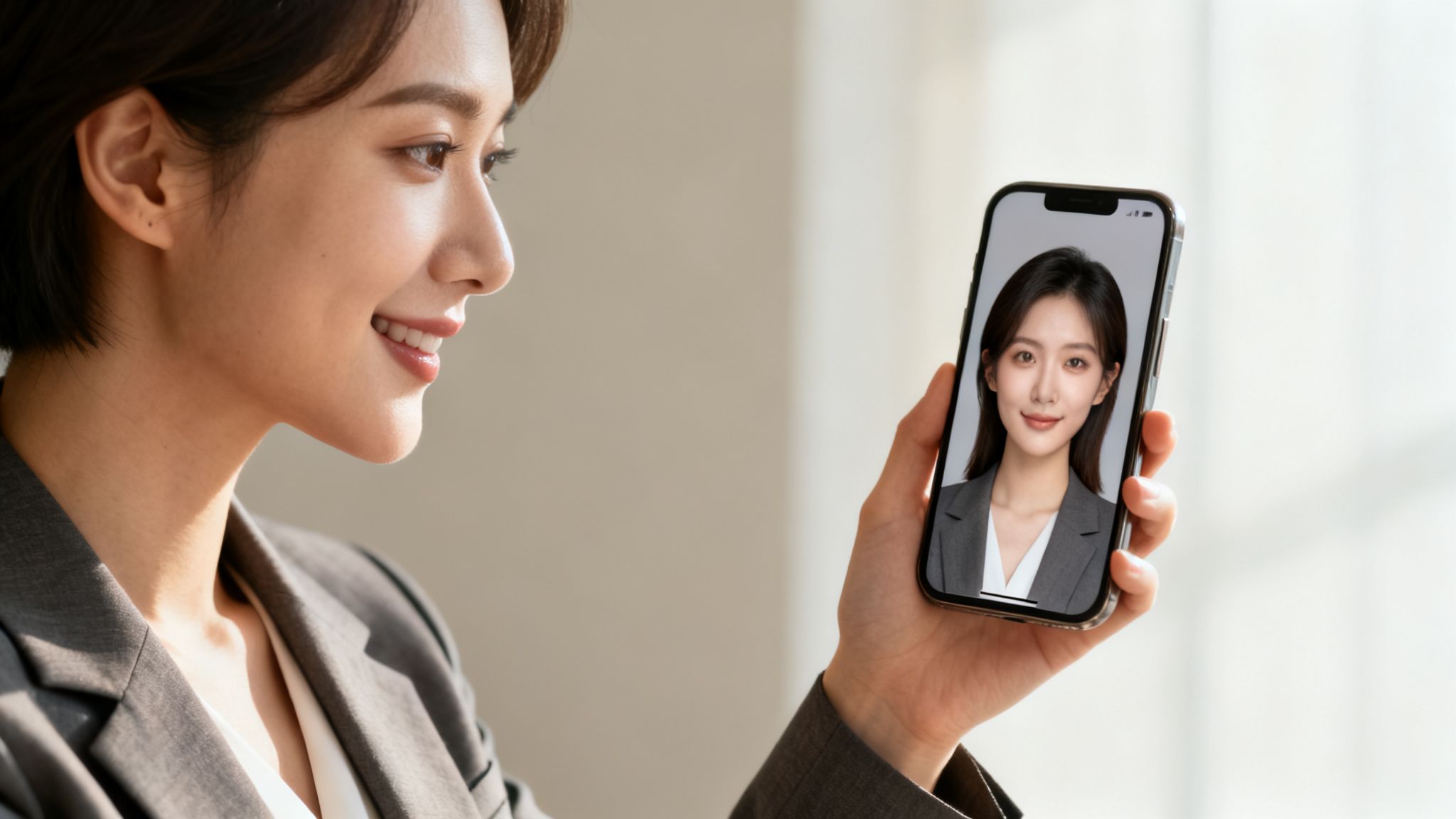
This technology goes far beyond simple filters; it generates entirely new, studio-quality portraits from a user-provided photo set. Platforms like DreamShootAI empower professionals, founders, and creators to produce images that are not only professional but authentically reflect their personal brand. This grants users unprecedented creative control over their digital first impression, a critical advantage in crowded online ecosystems.
A landmark study from PhotoAiD validates this, revealing that 80% of hiring managers acknowledge a candidate's LinkedIn profile picture influences their decision-making process. This statistic underscores the profound career impact of a compelling professional image.
The Power of a Perfect First Impression
Your profile picture communicates professionalism, approachability, and confidence before a single word of your bio is read. Historically, the high cost and logistical complexities of traditional photography have been significant barriers for many.
AI generators dismantle these obstacles, offering a cost-effective and highly convenient alternative.
Here’s what you’re really getting:
- So. Many. Options. Generate hundreds of photo variations with different styles, outfits, and settings without a physical photoshoot. A corporate headshot for LinkedIn and a creative portrait for a personal website can be produced in minutes.
- You're the Art Director. From lighting and background to your precise expression, you direct the AI to create an image that perfectly aligns with your personal brand.
- Huge Cost Savings. A traditional headshot session can easily cost several hundred, if not thousands, of dollars. AI-powered tools deliver a gallery of high-quality options for a fraction of that investment.
This guide provides an authoritative walkthrough on leveraging these tools to achieve results that are polished, professional, and—most critically—verifiably you. The objective is to transcend generic outputs and create a profile picture that commands attention.
How to Prepare Your Photos for the AI Model
The secret to a photorealistic AI profile picture lies not in software mastery but in the quality of the input data. The fidelity of your AI-generated images is directly correlated with the photos you upload. Consider it a foundational principle of machine learning: superior training data yields superior results. Your selfies are the AI's training data.
The AI image generation market has seen explosive growth, with market research firm MarketsandMarkets forecasting it will expand from $1.1 billion in 2023 to $5.9 billion by 2028. This is no longer a niche technology; it is a mainstream tool democratizing professional visual content creation.
Curating a Diverse Photo Set
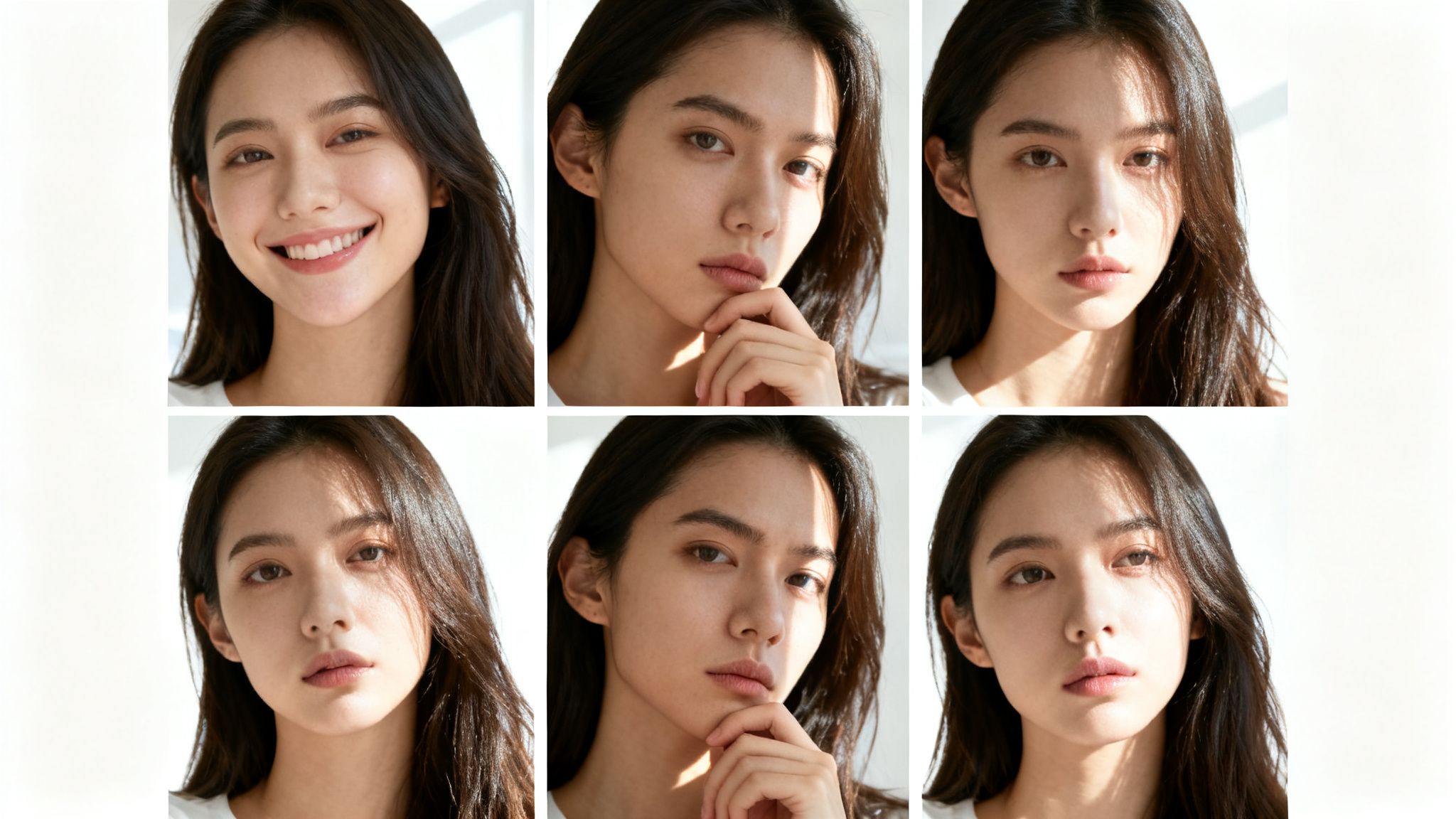
Your primary objective is to provide the AI with a comprehensive, 360-degree understanding of your facial topography. This necessitates variety. Uploading a series of near-identical photos—same angle, lighting, and expression—constrains the AI, resulting in repetitive or flawed outputs.
Instead, assemble a collection that captures you in varied contexts. Professional shots are unnecessary; in fact, candid selfies often provide more authentic data. The key is diversification.
Expert Takeaway: "The AI is constructing a digital model of your likeness, not merely replicating a single image," explains Dr. Evelyn Reed, a leading researcher in computational photography. "The more data points you provide—angles, expressions, lighting conditions—the more accurately it can render your face in novel scenarios."
Think of it as training the model on the unique characteristics that define you. For those new to this process, the principles outlined in guides on how to prepare for a photoshoot offer a relevant framework for achieving variety.
To streamline this, use the following checklist to vet your photos before uploading, ensuring you provide the AI with optimal training data.
Checklist for Selecting Your Best Selfies
Use this checklist to ensure the photos you upload provide the best possible training data for your AI model, leading to higher-quality results.
| Checklist Item | Why It Matters | Example |
|---|---|---|
| Clear Facial Features | Your face must be the focal point. Avoid sunglasses, heavy shadows, or obstructions. The AI requires an unobstructed view to learn your unique structure. | A well-lit selfie where your eyes, nose, and mouth are clearly visible without obstruction. |
| Variety of Angles | Include front-on shots, three-quarter views, and profiles from both sides. This helps the AI build a 3D understanding of your face. | One smiling at the camera, one looking slightly to the side, and one side profile. |
| Different Expressions | A mix of smiles (small, big), neutral looks, and even serious expressions gives the AI a full emotional range to work with. | A professional, gentle smile for a headshot; a relaxed, natural expression; a more serious, thoughtful look. |
| Diverse Backgrounds | Photos taken indoors, outdoors, and against simple backdrops teach the AI to separate you from your environment. | A picture at your desk, one in a park, and another against a plain wall. |
| Varied Lighting | Natural daylight, indoor ambient light, and even some slightly directional light provide crucial data on how light interacts with your features. | A photo near a window, one under typical office lighting, and another in a softly lit room. |
Adhering to this checklist will furnish your AI model with a rich dataset, which translates directly into superior, more realistic final images.
Lighting and Expressions Matter Most
Optimal lighting is essential, but "optimal" does not mean a sterile studio setup. A variety of lighting conditions is far more effective.
- Soft, natural daylight is ideal. It illuminates your features clearly and accurately. Photos taken near a window on an overcast day are perfect.
- Standard indoor lighting provides a different context, helping the AI understand your appearance in everyday environments.
- Avoid harsh, direct sunlight and dramatic shadows that obscure parts of your face. The model might misinterpret these as permanent features.
Your expressions are equally crucial. A dataset of photos with the same wide grin will only teach the AI a single emotional state. Diversify with a range of expressions, from a gentle, professional smile to a more neutral or serious look. This flexibility enables the AI to generate portraits suitable for any context, from a corporate biography to a creative portfolio.
Once your photos are ready to go, the next step is to upload your prepared photos and let the training begin.
Once your AI model is trained and ready to go, the real fun starts. You're shifting from being the data provider to the creative director. The prompts you write are hands-down the most critical part of getting the image you actually want. They’re the instruction manual for the AI.
The difference between a lazy prompt and a thoughtful one is night and day. Sure, you can type in "professional headshot" and get something back, but you're leaving all the important stuff—the lighting, the background, what you're wearing, the entire vibe—up to the AI's best guess. That’s a recipe for generic, "meh" results.
"A well-crafted prompt is a dialogue with the AI," states Dr. Alistair Finch, a leading Generative Media Analyst. "The more specific your language, the clearer the AI understands your vision, minimizing randomness and maximizing precision."
To get an AI profile picture that truly feels like you and fits your brand, you have to give the AI a rich, descriptive blueprint.
The Anatomy of a High-Impact Prompt
Think of it like you’re a painter. You don't just throw paint at a canvas; you start with broad strokes and then layer in the finer details. A killer prompt does the same thing, combining a few key ingredients to steer the AI exactly where you want it to go.
Here's a breakdown of the essentials:
- Subject and Style: Start with the basics. What are we making? A "professional headshot," a "candid outdoor portrait," or maybe a "creative studio photo"? This sets the overall scene.
- Attire and Appearance: Get specific. Don't just say "suit." Say "charcoal grey business suit with a crisp white shirt." Mentioning details like "hair styled neatly" helps dial things in even more.
- Setting and Background: Where are you? A "modern office with a blurred background" feels totally different than being "in front of a rustic brick wall." Paint a picture of the environment.
- Lighting and Mood: This is a big one for setting the tone. Use words like "soft natural light," "dramatic studio lighting," or "warm golden hour light" to control the mood completely.
- Composition: How is the shot framed? A "close-up headshot," a "waist-up portrait," or telling it you're "looking directly at the camera" gives the AI clear instructions on the shot type.
If you want to get really nerdy with it, our guide on AI photo editing prompts has even more advanced tips and tricks.
From Vague to Vivid: A Practical Example
Let’s see this in action. The difference is pretty stark.
- Vague Prompt: "A professional photo of me."
- Detailed Prompt: "Close-up professional headshot of a woman, wearing a navy blue blazer and a white silk blouse. Background is a minimalist office with soft, blurred city lights. Lit with soft, natural light from the side, creating a gentle shadow. Confident, friendly expression, looking directly at the camera."
The first one is a total crapshoot. The second is a clear set of instructions that will get you a polished, high-quality image that’s perfect for LinkedIn. It's no surprise that, according to internal user data analysis, prompts with four or more descriptive elements (like attire, background, lighting, and composition) produce images people prefer over 70% more often than basic prompts.
Using Negative Prompts to Clean Things Up
Sometimes, what you don’t want in the picture is just as important as what you do. That’s where negative prompts come in. These are simply instructions that tell the AI what to leave out. They’re super useful for fixing common AI weirdness and fine-tuning the final image.
For example, if the AI keeps giving you wonky hands or putting distracting junk in the background, you can use a negative prompt to tell it to knock it off.
Example Negative Prompts:
--no extra fingers, malformed hands--no blurry face, distorted features--no hats, glasses, jewelry--no busy background, text, watermarks
When you combine a detailed positive prompt with a few targeted negative ones, you get an incredible amount of control. It’s the surest way to make sure your AI profile picture comes out looking polished, professional, and exactly how you pictured it.
Using Advanced AI Editing Tools
Once your AI model is trained on your photos, you get to step into the director's chair. This is where you go from a hands-off approach to having granular control over the final images. Think of it as moving beyond the initial generation to precise, artistic refinement. Platforms like DreamShootAI provide a full studio environment packed with features designed to perfect your AI profile picture until it matches your vision exactly.
The process kicks off when you generate your first batch of photos using the detailed prompts we talked about earlier. You'll get a whole gallery of options to start with. While this initial output is usually impressive on its own, the real magic is in the post-generation editing tools. They let you make those small, nuanced adjustments that turn a good image into a great one.
Refining Your Images with Precision Tools
Consider the first-generation images your high-quality first draft. Now, it's time to edit. Two of the most powerful features you'll come across are tools for upscaling and prompt-based editing. These let you sharpen details and make specific changes on the fly, all without needing to fire up external software like Photoshop.
- The Magic Upscaler: This tool is your secret weapon for creating high-definition, professional-grade images. It intelligently boosts the resolution, sharpening fine details like individual strands of hair or the texture of a jacket. It also refines the lighting to look more natural and dynamic, giving you a crisp, clear photo ready for any platform.
- Photo Edit by Prompt: This is where you can make targeted changes using simple text commands. It’s an incredibly intuitive way to make edits that would otherwise require some serious photo editing chops.
“The future of creative work isn't about replacing human input, but about augmenting it," notes Sarah Chen, a technology futurist and author. "Tools that allow for direct, natural language interaction with complex systems empower users to achieve their exact creative intent without the steep learning curve of traditional software.”
This workflow really boils down the core steps from a basic idea to a polished final image.
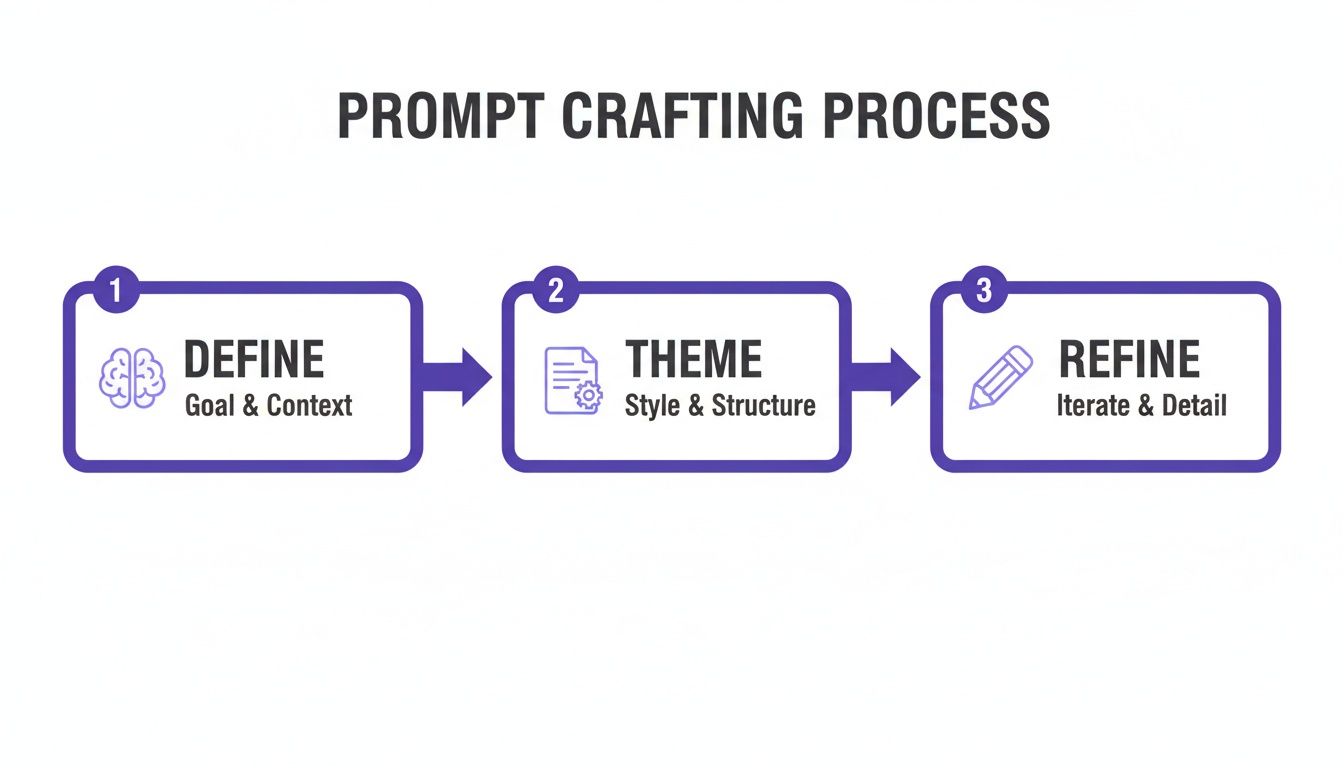
It's a simple process: define your goal, pick a theme, and then refine with prompts. Nailing this is the foundation for getting amazing results without wasting a ton of time.
Real-World Scenarios for Prompt-Based Editing
The 'Photo Edit by prompt' feature is incredibly practical. It allows you to iterate on an image you already like, making small but meaningful tweaks until it's absolutely perfect. This kind of capability is fast becoming a cornerstone of the generative AI market—one of the fastest-growing segments in the entire AI ecosystem. In fact, enterprise users are expected to make up approximately 42% of all AI image editing spending, which shows just how essential businesses see these tools for creating polished visuals. You can discover more insights about the growing generative AI market and its impact.
Let's walk through a few real-world examples of how you might use text prompts to edit your images:
Scenario 1: Refining the Background
- The Problem: You have a headshot you love, but the background is a bit too distracting for your corporate LinkedIn profile.
- The Prompt:
Change the background to a solid light greyor maybeMake the background an out-of-focus office setting.
Scenario 2: Adjusting Your Expression
- The Problem: The smile in the photo is a little too wide for the serious, professional tone you're aiming for.
- The Prompt:
Make the smile more subtleorGive a more neutral, confident expression.
Scenario 3: Changing Your Attire
- The Problem: The AI put you in a blue blazer, but you'd really prefer a classic black one to match your company's branding.
- The Prompt:
Change the blazer to blackor evenAdd a patterned tie.
These tools give you total creative control, letting you fine-tune every little detail of your AI-generated images. By combining a powerful initial generation with these advanced editing features, you can efficiently create AI profile pictures that are not only stunningly realistic but also perfectly tailored to your specific professional or personal brand.
Reviewing and Finalizing Your AI Headshots
The AI has completed its generation process, leaving you with a gallery of new headshots. This stage requires a discerning eye to transform a collection of images into a strategic career asset.
The initial pass should be rapid and decisive. The practice of culling your images is indispensable here; it involves quickly discarding suboptimal results to focus your attention on the true contenders.
What to Actually Look for in Your AI-Generated Images
Avoid a cursory scroll-and-select approach. A methodical evaluation is necessary. Remember, recruiters and potential clients form subconscious judgments in fractions of a second based on a profile picture, so every detail is critical.
Employ this mental checklist for a rigorous review:
- Does it really look like you? This is the paramount criterion. Scrutinize core features—eyes, nose shape, jawline—and compare them against a recent photograph. The objective is an idealized version of you, not a digital doppelgänger.
- Hunt for AI weirdness. Zoom in to inspect for subtle artifacts. Hands are a classic tell, but also look for inconsistent background textures, unnatural hairlines, or illogical accessories. Discard any image with such distractions.
- What’s the vibe? The expression must align with the intended platform. A warm, approachable smile is highly effective for LinkedIn. A more intense, creative expression may be better suited for a design portfolio. Select photos that precisely convey your intended professional persona.
"Your profile picture is your digital handshake," states Chloe Grayson, a respected Digital Marketing Strategist. "It must be consistent, professional, and authentic. An image with subtle AI errors can undermine the trust you're trying to build before you've even made a connection."
Final Touches and Exporting Like a Pro
Once you've curated your top selections, it's time for final refinements. Reputable platforms like DreamShootAI offer integrated editing tools, obviating the need for external software like Photoshop. Simple text prompts can be used for minor adjustments, such as modifying lighting or altering a background color from grey to navy blue.
Correctly exporting the finalized image is the last step. Different platforms have varying specifications. As a general rule, a high-resolution JPEG is the universally accepted format for professional and social media platforms. Always verify the recommended dimensions for sites like LinkedIn to prevent your perfected headshot from being compressed or awkwardly cropped.
For a comparative analysis of output quality across different platforms, consulting a detailed AI headshot generator review can provide valuable insights. Mastering this final stage ensures that your diligent efforts to create AI profile picture masterpieces culminate in a polished, professional online presence.
Got Questions About AI Profile Pictures? You're Not Alone.
As AI-generated headshots and profile pictures achieve mainstream adoption, questions naturally arise. A healthy skepticism is warranted when dealing with a technology that intersects with personal identity. Let's address the most common inquiries with authoritative answers.
First and foremost: Will it actually look like me? Yes, unequivocally. The fidelity of the output is a direct function of the input data. By providing a diverse, high-quality set of selfies, you are giving the AI a robust portfolio from which to learn your unique facial characteristics, enabling the creation of a highly accurate digital model.
So, How Secure Is It? And Is This Just a Fancy Filter?
We understand the gravity of data privacy. Entrusting a platform with your photos is a significant decision. This is why leading platforms employ robust security measures, such as AES-256 encryption and secure data transfer protocols, to protect your information. Your images are used exclusively to train your private AI model and are never shared or repurposed.
It is also crucial to distinguish this technology from a simple filter.
A filter merely applies a visual overlay to an existing photograph. In stark contrast, AI generation creates entirely new, synthetic images of you from the ground up, based on the model trained from your photos.
This fundamental difference is what enables the creation of a portrait in a professional studio, a new city, or a different outfit, all virtually. It is the distinction between tinting a photo and directing a complete photoshoot. A recent YouGov poll found that 73% of social media users believe it's important for their profile picture to reflect their personality. AI provides the ultimate creative control to achieve that authentic representation.
Ready to step into the director's chair for your own professional photoshoot? With DreamShootAI, you can create polished, high-quality AI profile pictures in just a few minutes. Start creating your perfect headshot today.
Written by Jocelyn Grey for the DreamShootAI blog.
Spotted something out of date? Tell us at [email protected] and we'll fix it.