Bring Photos to Life with AI: A Guide to Creating Stunning Animations
Learn how to bring photos to life using powerful AI tools. This guide shows you how to turn static images into dynamic animations and professional photoshoots.
Forget static images. It's time to bring your photos to life. We're talking about turning a simple selfie into a full-blown professional photoshoot or even a short, animated video. This kind of creative power used to be locked away in expensive studios, but now it's right on your smartphone.
The New Era of Photography and AI Clones
We've officially entered a new age of visual storytelling where your imagination is the only limit. Not long ago, creating stunning images meant dealing with pricey equipment and all the headaches of a real-world photoshoot. Now, platforms like DreamShootAI are flipping the script, letting you generate studio-quality images and videos from the comfort of your couch.
The secret sauce? Creating your own personal AI clone. Think of it as your digital double, meticulously trained from just a handful of your best selfies. Once your clone is ready, you can drop it into any scene, outfit, or setting you can dream up.
Your Digital Double Awaits
And no, this isn't just another filter or a quick edit. It’s a complete reimagining of what a photo can be.
- For Engaged Couples: Create breathtaking pre-wedding photos in Paris without ever leaving your living room. Or, try on elegant traditional attire like lehengas and sherwanis for a cultural shoot.
- For Professionals: Need a new headshot for LinkedIn? Generate an entire set of polished, high-resolution options in minutes.
- For Creators: Churn out an endless stream of unique, on-brand content for social media without booking a single photographer.
This shift moves you beyond just capturing reality and into the realm of creating it. As industry watchers have noted, this technology isn’t just for fun; it's a game-changer for personal and professional branding.
"The ability to generate a lifelike digital version of oneself opens up creative avenues that were previously exclusive to high-budget studios," observes technology analyst Sarah Kessler. "It’s a fundamental change in how we approach visual content, putting professional-grade tools directly into the hands of the user."
Imagine snapping a quick selfie and, minutes later, seeing it transformed into a gorgeous wedding portrait with your partner. The numbers behind this shift are staggering. According to a Grand View Research report, the global AI image generator market was valued at USD 425.8 million in 2023 and is projected to expand at a compound annual growth rate (CAGR) of 16.7% through 2030.
This isn't just a trend; it's a tidal wave. Data from Everypixel Journal reveals that since 2022, generative AI has produced over 34 billion images—a milestone that took traditional photography 150 years to reach.
But it doesn't stop with static pictures. Once you have a photo you absolutely love, you can animate it into a captivating video clip, perfect for sharing on social media. To see just how easy it is, check out our guide on how to make AI videos from your generated images. We walk you through every step of turning a single picture into a dynamic, shareable story.
Preparing Your Photos for AI Success
The success of your AI-generated images comes down to one simple thing: the quality of the photos you start with. Think of it like giving the AI a clear blueprint of your face. The better the input, the more incredible the output. Getting this first step right is easily the most critical part of the entire process if you want to bring photos to life with jaw-dropping accuracy.
The computer science principle of "garbage in, garbage out" has never been more relevant than with AI models. If you feed the AI low-quality, blurry, or heavily filtered pictures, it gets confused. The result is a digital clone that looks... well, not quite like you. Your goal here is to give the system a clean, high-resolution set of photos that truly represent your features.
This whole process can be boiled down to three simple stages, from taking the initial photos to seeing your final creation.
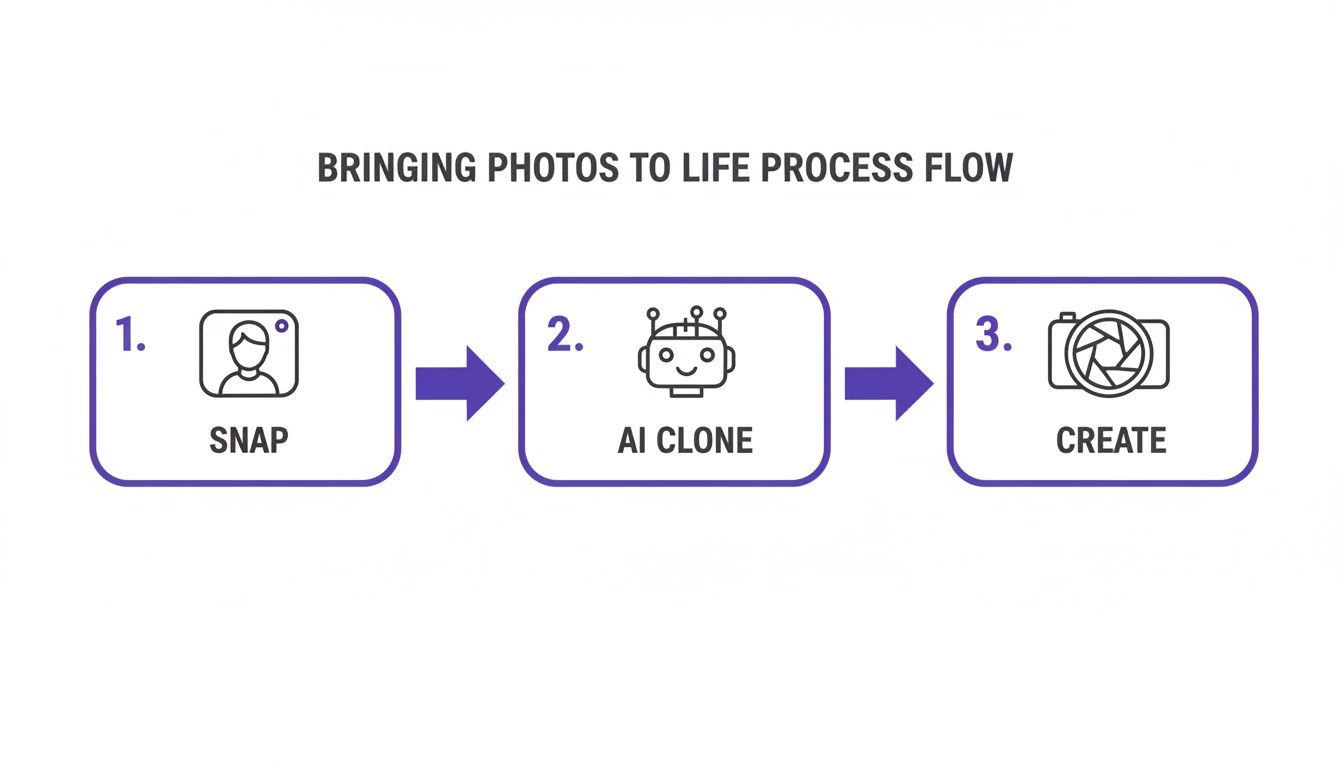
As you can see, it all begins with great source images. Those photos are what the AI uses to build a realistic clone, which is the foundation for everything that comes next.
The Dos and Don'ts of Selfie Submission
To build a really precise AI model of yourself, you need to provide a solid variety of images. The AI is learning all the unique contours, expressions, and little details of your face from these examples. When you give it a rich dataset, you’re ensuring it can accurately place you into different scenes, outfits, and lighting conditions.
Here are the absolute must-dos (and don'ts) when you're picking your photos:
- Do Use High-Resolution Photos: Stick to clear, sharp images where your face is the main event. Anything pixelated or blurry is a no-go.
- Don't Use Filters or Heavy Edits: Upload your photos raw and unedited. Instagram filters, heavy makeup, or dramatic lighting edits will only distort your natural features and throw off the training process.
- Do Vary Your Expressions: Give the AI a mix of smiles, neutral looks, and even a few serious ones. This teaches it your full emotional range.
- Don't Obstruct Your Face: This one’s huge. Avoid sunglasses, hats that cast weird shadows, or even your own hands getting in the way. The AI needs a completely clear view.
According to AI imaging specialists, providing 10-20 varied selfies increases the accuracy of the resulting digital clone by over 70%. It’s the difference between a generic avatar and a true digital twin.
Finally, a quick note on security. Make sure any platform you use takes your privacy seriously. When you upload your photos, the service must use top-tier encryption like AES-256 to protect your data. Reputable platforms will only use your images to train your personal model and never for anything else. Nail this foundational step, and you'll go from a decent result to a truly spectacular one.
Bring Your Vision to Life with Themes and Prompts
This is where the real magic happens. Once your AI clone is ready to go, you get to play director, placing it in entirely new worlds using themes and custom text prompts. This powerful combo lets you create everything from stunning wedding portraits to slick corporate headshots—all with a few words.
And you're not alone. The world of AI image creation is exploding. According to research firm MarketsandMarkets, the generative AI market is projected to reach USD 109.9 billion by 2030. People just like you are fueling this growth, looking for ways to bring photos to life without the hassle and cost of a traditional photoshoot.
Think about this: research highlighted by AI image statistics on PhotoRoom.com shows that AI has generated over 34 billion images since 2022. It took traditional photography a staggering 150 years to reach that milestone. This isn't just a fleeting trend; it’s a creative revolution.
Jumpstart Your Creativity with Themes
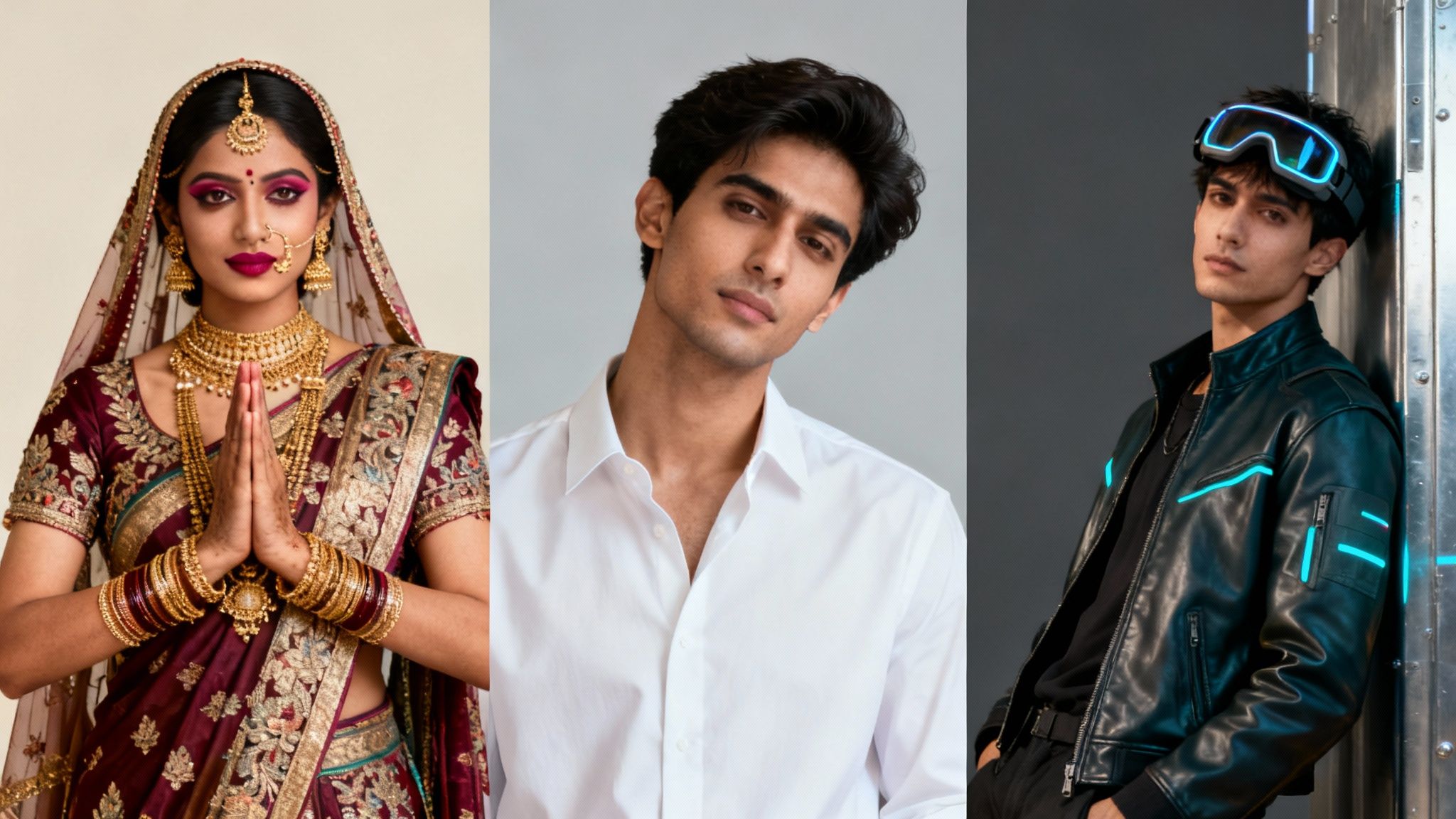
Themes are your creative launchpad. Think of them as pre-packaged styles that instantly give your photos a specific vibe. They handle all the tricky details like lighting, outfits, and backgrounds, so you don't have to start from a blank slate.
Just pick a theme that matches what you're going for:
- Professional Headshots: Get polished, corporate-ready portraits perfect for LinkedIn or your company's website in minutes.
- Indian Wedding: Create breathtaking images featuring traditional attire like lehengas, sarees, and sherwanis, set in beautiful ceremonial backdrops.
- Cyberpunk: Drop your AI clone into a futuristic, neon-drenched cityscape for an edgy, high-tech aesthetic.
- Boudoir: Produce tasteful, artistic, and intimate photos in a private, elegant setting.
Themes give you a solid foundation, which you can then tweak and perfect with your own custom prompts. If you want to go even deeper on setting the perfect scene, our complete AI photoshoot guide for 2025 has you covered.
The Art of the Perfect Prompt
While themes set the stage, text prompts put you in complete control. This is where you get to be specific and guide the AI to create exactly what you’re picturing. The secret? Think like a photographer giving directions for a shot. Be descriptive.
"Prompting is a conversation with the algorithm," says digital artist and AI expert Alex Evans. "The more detail you provide about light, emotion, and environment, the closer the AI gets to rendering the image in your mind's eye."
Don’t just write, "a couple on a beach." That's too vague.
Instead, try something like this: "Candid photo of a couple laughing, walking hand-in-hand on a beach during golden hour, soft backlighting, wearing casual white linen outfits." See the difference? That level of detail transforms a generic image into what feels like a real, personal memory.
Here’s another example of how a few extra words can completely change the outcome:
- Vague Prompt:
Formal portrait in a nice room. - Specific Prompt:
Formal full-body portrait in a dimly lit, Art Deco ballroom, wearing a vintage tuxedo, dramatic side lighting from a window.
To help you get started, here’s a quick-reference table matching common goals with theme and prompt ideas you can use right away.
AI Photoshoot Theme Inspiration
| User Goal | Recommended Theme | Example Prompt Idea |
|---|---|---|
| Update LinkedIn Profile | Professional Headshots | Closeup professional headshot, smiling warmly, soft studio lighting, blurred office background, wearing a navy blue blazer |
| Create Wedding Invites | Indian Wedding | Joyful couple in traditional sherwani and lehenga, during a sangeet ceremony, vibrant floral decor, dynamic candid shot |
| Make Cool Social Media Art | Cyberpunk | Portrait in a neon-lit alley in Tokyo, futuristic reflective jacket, rain-slicked streets, cinematic, high contrast |
| A Gift for Your Partner | Boudoir | Tasteful portrait sitting on a silk-draped chaise lounge, soft morning light from a window, black and white, elegant lingerie |
This table should give you a solid jumping-off point for your own creative explorations. Remember, the more specific and imaginative you are, the more incredible your results will be.
Mastering themes and prompts isn't just about making cool photos; it's about unlocking a powerful new form of creative expression. The world of AI-driven creative generation is growing every day, offering tools for everything from advertising to fashion design. Once you get the hang of it, the only limit is your own imagination.
Animating Your Photos into Dynamic Videos
Why let a perfect photo just sit there when you can make it move? Once you've crafted that killer AI-generated image, the next logical step is to bring it to life with a bit of motion. This is where AI video animation comes in, turning any stunning picture you've created into a short, dynamic, and incredibly shareable video clip.
And don't worry, this isn't about getting tangled up in complex video editing software or spending weeks learning a new skill. With the video features built right into DreamShootAI, you can pump out engaging content in minutes, not hours. It’s a super simple way to add a new layer of emotion and storytelling to your favorite AI creations.
From Static Image to Moving Story
Think about it: you could turn a romantic AI portrait into a video of a gentle hug for an anniversary message. Or what about creating a unique AI wedding video invitation that leaves your guests totally speechless? The creative doors are wide open.
This technology really bridges the gap between a single moment and a short narrative. A photo captures an instant, but a video tells a story. This is perfect for all sorts of things:
- Social Media Content: Create eye-catching Reels and Stories that literally stop the scroll.
- Digital Invitations: Design animated save-the-dates or party invites that feel personal and exciting.
- Personal Messages: Send a heartfelt, animated clip to a loved one for a birthday or special occasion.
The whole process is designed to be a breeze. You just pick a photo you've already generated, choose an animation style that fits the vibe, and let the AI handle the rest.
The boom in AI photo animation is no surprise; people are hungry for this kind of innovation. A report by Precedence Research projects the global generative AI market size to skyrocket from USD 13.7 billion in 2023 to an incredible USD 143.4 billion by 2032. This explosive growth is fueled by users creating billions of images with tools from tech giants like OpenAI and Adobe. With North America alone commanding over 41% of this market, it's clear this tech has gone mainstream.
Choosing Your Animation Style
The secret to a great animated photo is picking a style that matches the mood. With over 20 AI Video themes to choose from—ranging from fun twerk generators to elegant wedding clips—you’ve got plenty of options. Understanding the different AI video generators and what they're good for is key to getting the results you want.
"Animation adds a layer of emotional resonance that a static image can't always convey," states Dr. Alistair Croft, a media psychologist. "A subtle movement—a glance, a smile, a gentle sway—can transform a beautiful picture into a poignant memory."
Think about the feeling you're trying to capture. Is it romantic? Playful? Professional? Your choice of animation will set the tone. For instance, a slow, subtle zoom might be perfect for a professional headshot, while a more dynamic effect could bring a dance-themed photo to life.
Ready to give it a try? You can explore all the possibilities with DreamShootAI's AI image animator and start creating your own moving masterpieces today.
Refining and Sharing Your AI Creations
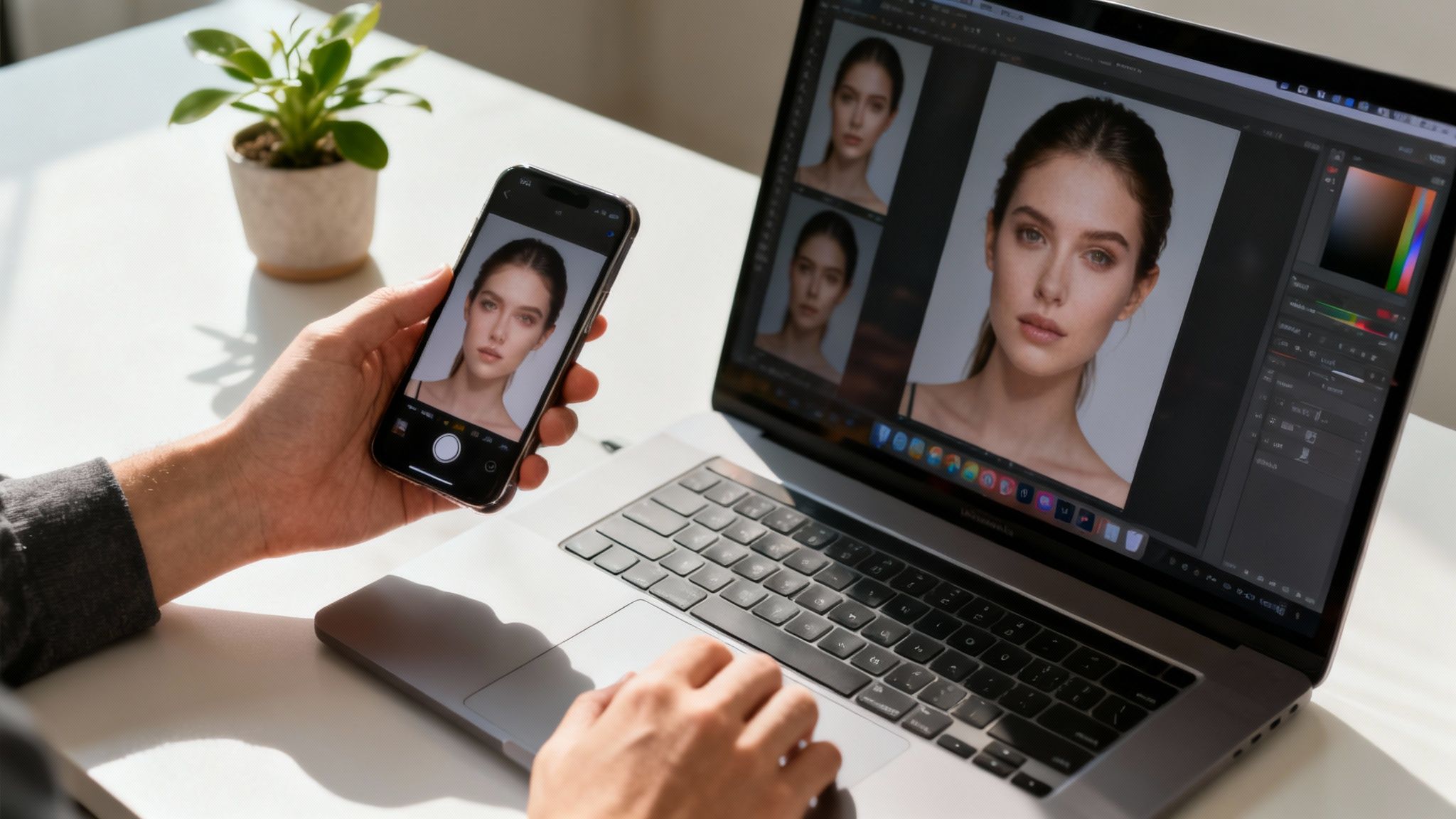
Alright, you’ve generated your first set of AI images. They look great, but now it's time for the final polish—the small tweaks that take an image from "good" to "unforgettable." This is where you get to refine the details and truly bring your photos to life.
Don't underestimate this final step. It’s what separates a quick novelty from a professional-grade image you’d be proud to print, frame, or post. After all, a recent study by Justuno revealed that 93% of consumers consider visual appearance to be the key deciding factor in a purchasing decision. Your personal brand deserves that same attention to detail.
Enhance Details with a Magic Upscaler
One of the most powerful tools in your arsenal is the Magic Upscaler. It uses AI to boost the resolution of your photos, sharpening details and smoothing textures without making them look grainy or pixelated. It’s a must-use feature if you plan on printing anything.
Say you've created the perfect couple's portrait and you want to blow it up for a large canvas. The upscaler will enhance the delicate lace on a wedding dress or the subtle glint of light in your eyes, making the final print look crisp and gallery-worthy. It's literally a one-click wonder with seriously impressive results.
Edit and Perfect with Simple Prompts
This is where the real fun begins. Forget fiddling with confusing sliders and layers in complex software. Now, you can edit your photos just by typing what you want. This conversational style of editing is super intuitive and incredibly fast.
Here are a few ways you can use text prompts to make quick fixes:
- Clean Up the Background: Just type
remove the person in the backgroundto get rid of any photo-bombers or distractions. - Tweak an Expression: A simple command like
make the smile slightly widercan subtly change the entire mood of a photo. - Adjust the Vibe: Want a different feel? Try prompts like
add warm, golden hour lightfor a more romantic, dreamy atmosphere.
As digital innovation expert Jukka Niiranen puts it, "The user interface of the future is language." He's spot on. We're moving into an era where your words directly shape the final product.
Visualize Your Look with Virtual Try-On
For anyone planning a wedding or a big event, the Virtual Try-On feature is an absolute game-changer. Once your AI clone is ready, you can use it to preview different outfits. Want to see how you'd look in various lehengas, sherwanis, or traditional gowns? Now you can, without ever leaving your couch.
This isn’t just about playing dress-up; it’s about making confident, stress-free decisions for your big day. Seeing how different styles look in a photoshoot setting helps you narrow down your choices and saves a ton of time.
Once you’re happy with your edits, all that’s left is to export your creations. Whether you need a high-resolution file for your wedding album or a perfectly cropped headshot for LinkedIn, make sure you choose the right format. Paying attention to these final details guarantees your stunning AI photos get the admiration they deserve.
Common Questions About AI Photo Animation
Jumping into AI-powered creative tools can feel a little bit like exploring a new world, and it's totally normal to have some questions. From privacy to getting those picture-perfect results, it's smart to get the lay of the land. Here are some of the most common things people ask when they're ready to bring their photos to life.
My goal here is to give you clear, straight answers so you can dive in feeling confident and excited about what's possible.
Is It Safe to Upload My Photos to an AI Platform?
This is usually the first question on everyone's mind, and for good reason—your privacy is everything. Any reputable platform will put your security first, using industry-standard encryption like AES-256 and TLS/SSL to protect your data from the second you hit "upload."
Your photos should be used for one thing and one thing only: to train your personal AI model. They are never shared, sold, or repurposed. Always check that the service you're using is upfront about its security practices and uses a trusted payment processor like Stripe for all transactions.
How Realistic Are the AI-Generated Photos and Videos?
Honestly, the realism can be pretty mind-blowing. The results are often so good they look like they came straight from a professional photoshoot. But here's the key: the final quality is a direct reflection of the photos you upload.
When you feed the AI clear, high-resolution selfies from different angles and with a range of expressions, you're giving it the best possible data to build an incredibly accurate digital version of you.
As any pro photographer will tell you, good data and good lighting are non-negotiable. "The more varied and high-quality visual information you provide the system," states AI researcher Dr. Evelyn Reed, "the more nuanced and believable the final output will be."
Tools like a Magic Upscaler can then take your creations to the next level. They sharpen the details, fix the lighting, and boost the resolution, giving your photos and videos that polished, professional look.
Can I Use AI-Generated Content for Professional Purposes?
Absolutely. It’s a game-changer for professional branding and a seriously cost-effective one at that. A growing number of people are using AI to create polished headshots for LinkedIn, resumes, and company websites. It saves them hundreds of dollars and a ton of time compared to booking a traditional studio session.
Here are just a few ways people are using it:
- Social media managers are creating a nonstop stream of on-brand content.
- Engaged couples are designing gorgeous images for their wedding websites and invitations.
- Small business owners are producing marketing materials without the cost of a photographer.
The best part is the control you get from custom text prompts. You can dial in the specifics—from the outfit to the background—to make sure the final image fits your professional needs perfectly.
What if I Don't Like My First Results?
Creative work is a process, and that's true for AI, too. If your first batch of images isn't quite what you had in mind, don't sweat it. The fix is usually just a small tweak away.
Start by refining your text prompts. Get more specific. Instead of just "a person in a forest," try describing the pose, the type of trees, the lighting, or the exact outfit you want. You can also play around with different pre-set themes to see what gets you closer to your vision.
Even better, you don't have to start from scratch. Use prompt-based editing on an image you’ve already made. Simple commands like "change hair color to brown" or "add a floral background" can make all the difference.
Ready to stop dreaming and start creating? DreamShootAI gives you all the tools you need to bring your photos to life with stunning, professional-quality results. Create your AI clone today and unlock a new world of creative freedom. Get started at https://dreamshootai.com.
Written by Jocelyn Grey for the DreamShootAI blog.
Spotted something out of date? Tell us at [email protected] and we'll fix it.