Animate Old Photos and Bring Your Memories to Life
Discover how to animate old photos with AI. Our guide walks you through scanning, restoring, and creating moving memories you can share with family and friends.
That old shoebox of photos collecting dust in your closet? It’s not just faded paper—it’s a time capsule filled with the faces and stories of the people you love. With AI tools like DreamShootAI, you can breathe life back into these moments, turning a static portrait into a living memory in just a few minutes. As Genevieve Bell, a renowned anthropologist and Director of the Autonomy, Agency and Assurance Institute, notes, “New technology is not good or evil. It's all about how people use it.” In this guide, we'll show you how to use this technology to see a grandparent you never met actually smile, or watch a loved one blink again, creating a connection to your past that feels incredibly real.
Why Animate Old Photos and Rediscover Your History
Animating old photos is more than just a novel application of technology; it's a powerful way to reconnect with your family's story. For decades, these images have been silent observers. Now, technology lets us add a layer of life that bridges the gap between generations in a way that feels immediate and deeply personal. It's the difference between looking at a historical document and having an emotional experience.
When you see a flicker of movement in a photo of an ancestor, it makes them feel present, tangible. It’s a way to engage with your family history that goes far beyond names and dates on a family tree.
The Rise of AI-Powered Nostalgia
This desire to bring old memories to life is part of a significant cultural shift. A 2023 study by the Photo Managers revealed that the average American household has between 1,000 and 5,000 non-digital photos, with many looking for ways to preserve and interact with them. As these digital archives grow, people are seeking new ways to interact with them, not just store them away. This curiosity has fueled the explosive growth of AI animation tools.
According to a market analysis by Grand View Research, the global generative AI in animation market is on a steep upward trajectory, projected to expand at a compound annual growth rate (CAGR) of 37.1% from 2024 to 2030. This demand is driven by accessible tools that let anyone, regardless of technical skill, create powerful visual stories from their own family history.
Your Photo Animation Journey at a Glance
So, how do you get from a faded, forgotten print to a vibrant, moving memory? The path is actually pretty straightforward.
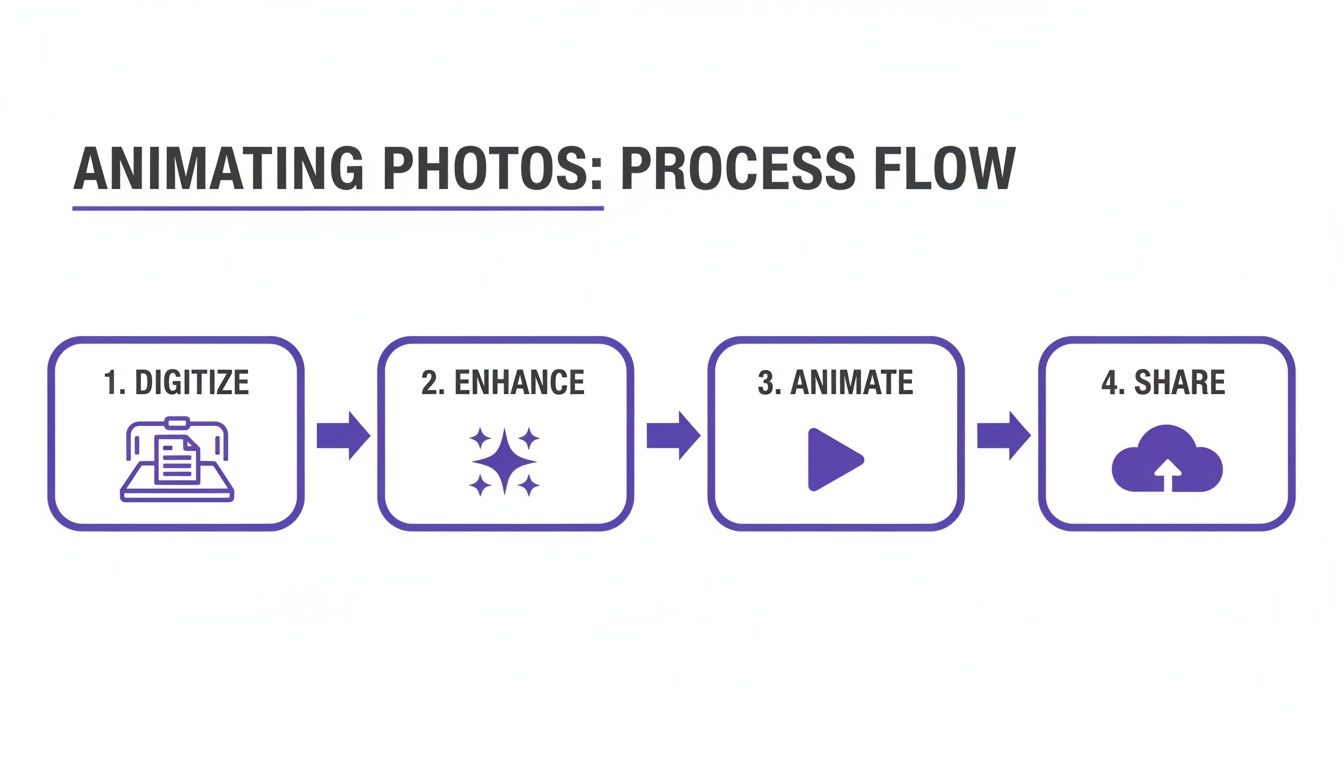
Here is a quick overview of the key phases we will cover for turning your static photos into vibrant, moving memories.
| Phase | Your Goal | Essential Technique |
|---|---|---|
| Digitize | Create a high-quality digital copy of your physical photo. | Scanning or re-photographing |
| Enhance | Clean up scratches, improve clarity, and add color. | AI photo restoration & colorization |
| Animate | Bring your enhanced photo to life with realistic motion. | AI-powered facial animation |
| Share | Save and share your newly animated memory with family. | Exporting as video or GIF |
This quick look shows that the real magic starts long before you hit the "animate" button—it all begins with a great digital copy and a little bit of thoughtful restoration.
"Technology is best when it brings people together."
– Matt Mullenweg, Social Media Entrepreneur
This simple truth gets to the heart of it. We're entering a new era of family memories, where interacting with our past and feeling an emotional connection is just as important as preserving it.
And bringing photos to life with animation is just one way to get creative. If you're curious about other ways to reimagine your favorite pictures, you can learn how to turn photos into art with this fantastic guide.
Preparing Your Photos for Flawless Animation
Before you can bring an old photo to life, you must provide the AI with a solid digital foundation. Think of it like a painter prepping a canvas—the final masterpiece is only as good as the surface it’s painted on. This is where you’ll turn that dusty physical print into a clean digital file, ready for the magic to happen.
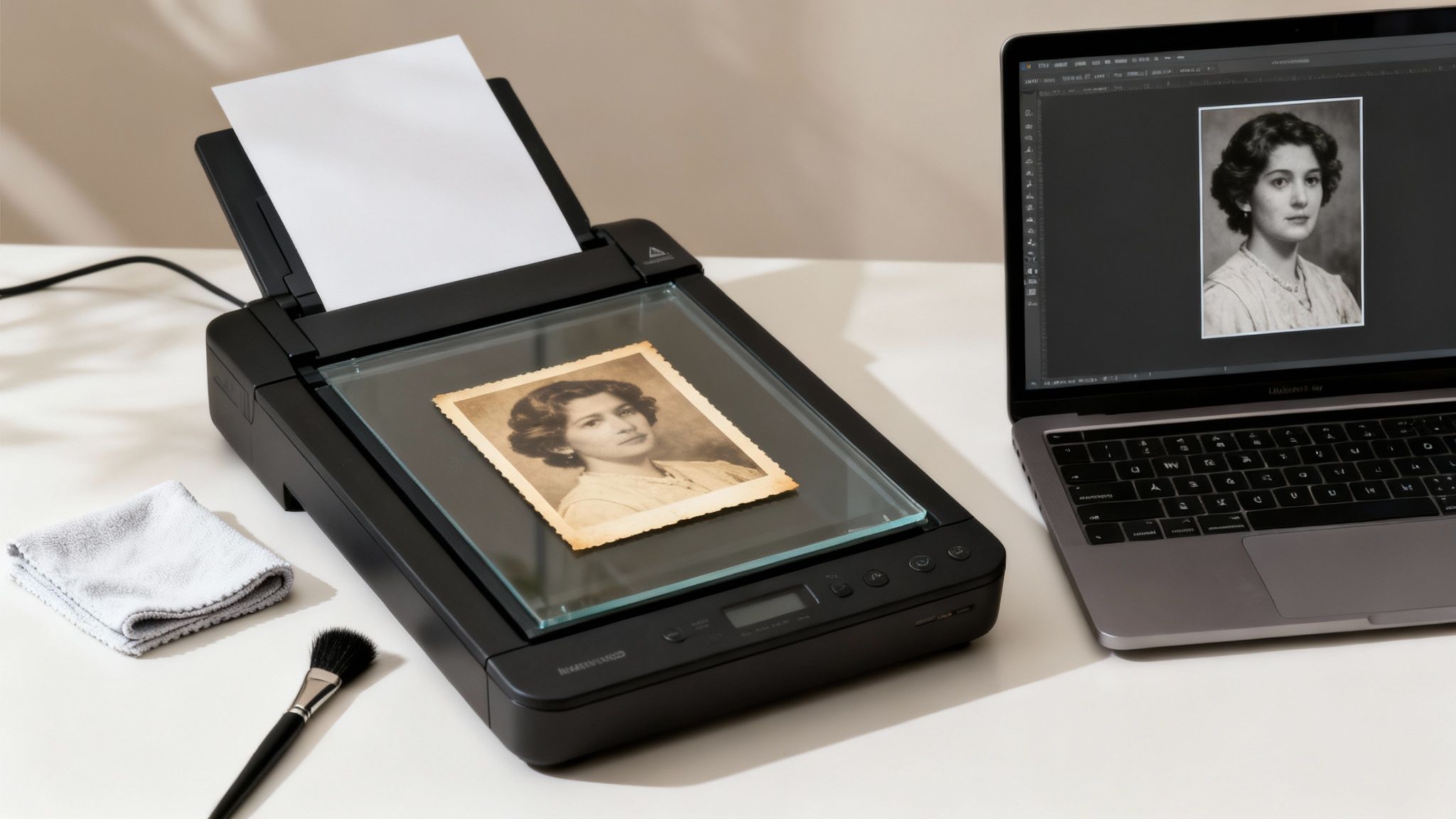
The first, and most important, step is digitizing the photo. While snapping a picture with your phone is tempting, a flatbed scanner is your best bet for capturing crisp details and avoiding glare. For a standard 4x6 inch print, aim for a resolution of 600 DPI (dots per inch). This sweet spot, recommended by archival experts at the National Archives, grabs enough data for editing and upscaling without creating an unmanageably large file.
Of course, these physical heirlooms are precious. Before you even start scanning, it’s a good idea to know how to preserve your old photographs to prevent any further damage.
Cleaning Up Digital Imperfections
Once your photo is scanned, it’s time to tackle the damage that time has inflicted. Nearly every old photo has issues that can throw off the final animation. Giving the AI a clean slate to analyze is the secret to getting truly lifelike results.
You’ll probably run into some familiar culprits:
- Dust and Scratches: Those tiny white specks or fine lines from decades spent in a shoebox.
- Faded Colors: The chemical dyes in old prints break down over time, leaving things looking washed-out.
- Creases and Tears: Physical damage that stands out like a sore thumb in a digital scan.
- Poor Lighting or Contrast: Photos that were a bit underexposed to begin with or have just lost their punch.
You could spend hours with a "spot healing" brush or "clone stamp" tool in a standard photo editor, but manually erasing every little flaw is a tedious job. This is where modern AI tools begin to flex their muscles, even before we get to the animation part.
Streamlining Restoration with AI
Manually restoring a photo takes time, a steady hand, and a good eye. But dedicated AI restoration tools can do the whole job for you in seconds. This is precisely where a platform like DreamShootAI shines. If you want to dive deeper, we have a whole guide on AI-powered old photo restoration.
"The magic of AI is that it can see things we can't. It can find patterns in data that are too complex for the human brain to comprehend."
– Demis Hassabis, CEO of Google DeepMind
This insight is key. The point of restoration isn't just to fix an old picture; it's to prepare it for a new life. DreamShootAI’s built-in Magic Upscaler was designed for this exact purpose. It doesn’t just sharpen blurry details—it intelligently fixes the lighting and brings the color balance back to what it should be.
By using an AI tool for this cleanup phase, you're handing the animation engine the best possible version of your photo. A clean, sharp, and well-lit face allows the AI to map facial features with incredible accuracy, which is what leads to smooth, believable motion. A little effort here pays off big time in the quality of your final animated memory.
How to Animate a Photo with DreamShootAI
Alright, you've done the hard work of preparing your image. Now for the best part—where the real magic happens. This is the moment you take that beautifully restored, static photo and watch it come to life, transforming into a living memory right before your eyes. And with DreamShootAI’s AI Video feature, it’s not just simple; it’s incredibly fast.
Forget about wrestling with complicated video editing software or getting lost in keyframes. This is all about guiding a powerful AI to add subtle, lifelike motion to your most treasured pictures. The whole point is to make this technology easy and intuitive for everyone.
Navigating the Animation Interface
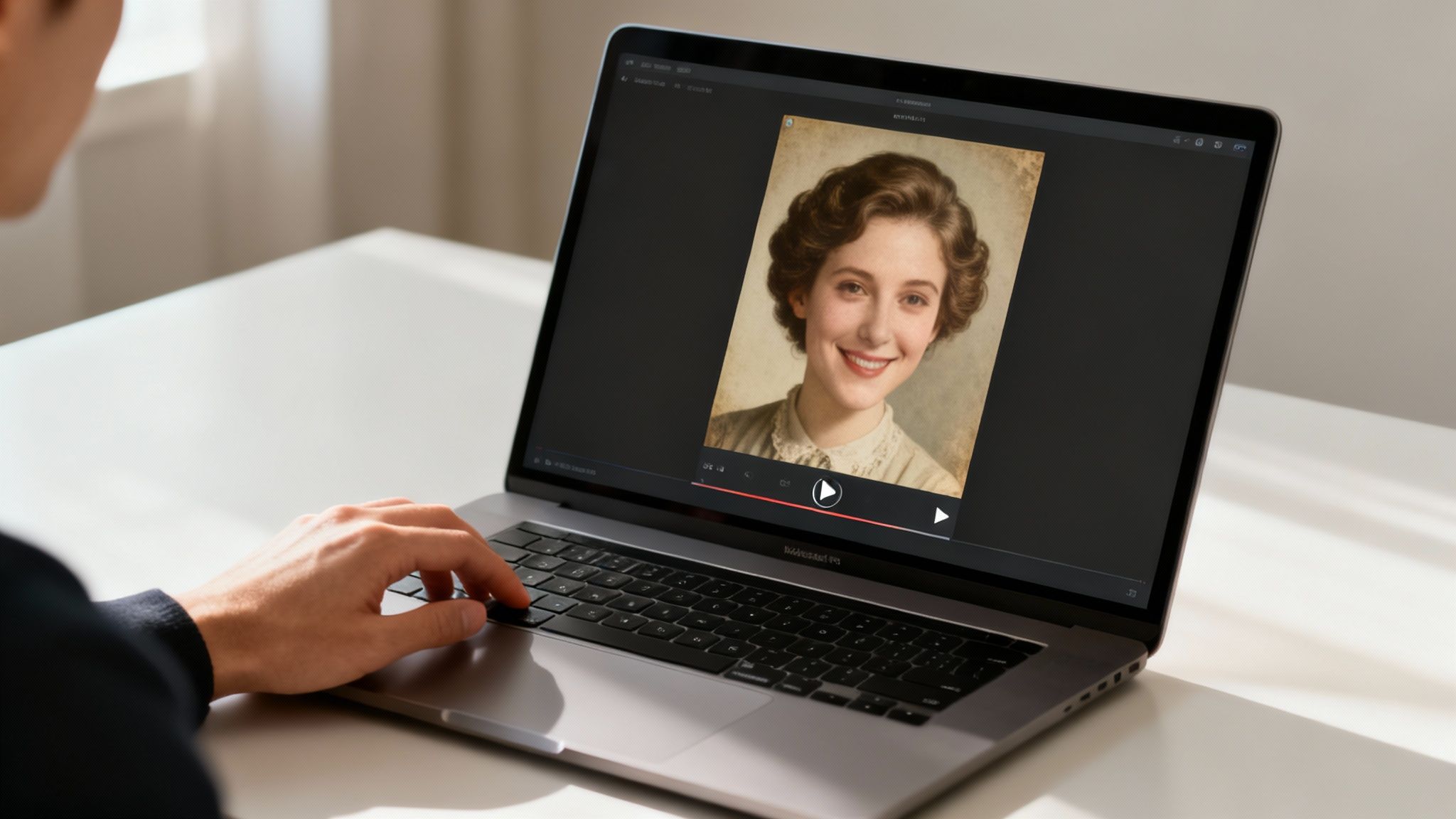
First things first: upload your clean, high-resolution photo into the AI Video tool. Once it's loaded, you'll see a gallery of different animation styles. Each one is designed to bring out a different mood or feeling, giving you total creative control.
This is where you get to match the motion to the memory. The real power is in picking an animation that feels true to the spirit of the original photo.
- Subtle Realism: Effects like a 'gentle smile' or a soft 'blink' are perfect for old portraits. They add a layer of realism that feels genuine, not artificial, making it seem like you caught a real, fleeting moment.
- Dynamic Motion: Other styles, like a slow head turn or a gentle zoom, can create a more cinematic effect. These are great for something like a digital wedding invitation or an eye-catching social media post.
- Expressive Gestures: Some animations can add small emotional details. Picture a wedding photo of your great-grandparents; a subtle animation could make them glance at each other, adding a whole new layer to the story in the frame.
Choosing the Perfect Animation Style
Picking the right effect is a creative call. A common rookie mistake is to go for the most dramatic animation you can find. But when you want to animate old photos, less is almost always more. The most powerful results come from movements that are natural and understated.
Think about a real-world project: you're making a slideshow for a family reunion and you have a very formal, stoic portrait of your great-grandfather. Applying a 'gentle smile' animation can totally shift the tone, revealing a warmth the original photo only hinted at. Suddenly, he's not just a figure from the past; he’s a person your relatives can actually connect with.
"The power of technology is not in its features, but in how it enables people to do things they couldn't do before."
– Sundar Pichai, CEO of Google
You're not just slapping an effect on a picture; you're re-engaging with a memory in a completely new way. The goal is to elevate the story, not bury it under flashy visuals. Feel free to explore the DreamShootAI AI image animator to get a feel for the different options.
From Still Image to Shareable Story
The tech behind this is part of a huge shift. The global generative AI in animation market was valued at USD 652.1 million in 2024 and is projected to skyrocket to USD 13,386.5 million by 2033. This massive growth is a testament to how AI is helping everyday people create professional-level work without needing a technical background.
Once you’ve settled on an animation style, DreamShootAI’s engine starts working. In just a few minutes, it analyzes the facial features, figures out the most natural motion paths, and generates a short video clip. You can then preview it and, if it’s not quite right, just try another style. When you're happy with it, the last step is to export your creation, ready to be shared and treasured.
Pro Tips for Creating Stunning Photo Animations
Moving beyond a simple animation effect is where the real magic happens. This is your chance to go from just applying a filter to becoming a true storyteller, creating something that feels alive and packed with emotion. The results are absolutely worth the extra thought.
The secret is to sync the animation style with the mood of the photo. Got a serious, formal portrait of a great-great-grandparent? A slow, thoughtful zoom combined with a gentle blink can add a profound sense of presence. But for a loud, joyful shot from a family wedding, a lively pan across all those smiling faces is what will really capture the energy of that day.
Fine-Tuning Before You Animate
Here’s a powerful technique I use all the time: make small but significant tweaks with prompts before you even touch the animation settings. Let's say you have a photo of your grandmother, but her expression is a bit neutral. A quick prompt like "make her smile slightly" can create the perfect emotional starting point for the animation to build on.
This pre-editing step is your secret weapon for making the final motion feel authentic. You can even use prompts to soften a busy background, ensuring the focus lands exactly where you want it—on the person you're bringing to life. For a deeper dive, check out our guide on how to animate still photos.
Mastering Your Export Settings
How you plan to share your animated photo should dictate your export settings. A one-size-fits-all approach just doesn't cut it here; you need to optimize the file for its final destination to make sure it looks flawless.
- For Social Media: If you're creating an Instagram Reel or a TikTok, you'll want to export in a vertical 9:16 aspect ratio as a high-quality MP4.
- For Digital Photo Frames: These often use a 16:9 or 4:3 aspect ratio. A slightly lower resolution is usually fine here, which helps keep file sizes small enough for the device's storage.
- For Family Archives: When you're saving something for the long haul, always export at the highest possible resolution and quality. This gives you a master file you can repurpose for years to come.
"The story is in the soil, delivered by the wind."
– Thelma Golden, Museum Director and Chief Curator
This insight really nails it. The tools that help you animate old photos are becoming incredibly powerful. In fact, a report by Future Market Insights notes that AI tools can slash production time for creators by up to 70% by automating tricky tasks like facial movements and poses. This frees you up to focus on the creative side of things. You can read more about the productivity benefits of AI in animation.
Protecting Your Precious Memories
Finally, when you’re uploading cherished family photos, privacy and security should be top of mind. It’s crucial to use a platform that takes this responsibility seriously.
At DreamShootAI, we protect your memories using secure protocols like HTTPS for all data transfers and military-grade AES-256 encryption for storage. This ensures that your private family moments stay exactly that—private.
What Can You Do With Your Animated Photos?
Once you bring an old photo to life, you've done more than just preserve a memory—you've created a whole new way to tell a story. This isn't just about saving old pictures; it's about unlocking their potential for personal projects, branding, and social media content that actually makes people feel something.
Imagine putting together a family tree for the next big reunion. Instead of flat, static portraits, each ancestor’s photo gently smiles or glances over as you click their name. That tiny bit of motion transforms a historical chart into a living, breathing experience. It’s how you get the younger generation to feel a real connection to the people who came before them. You're not just looking at history; you're interacting with it.
Personal and Professional Storytelling
But this goes way beyond the family archives. Think about creating a wedding "Save the Date" from a favorite engagement photo. A simple, sweet animation adds a touch of romance and personality that a still image just can't match. It’s the kind of thing that makes your announcement truly unforgettable.
And for professionals? An animated headshot on your LinkedIn profile or personal website can be a total game-changer. In a sea of static profile pictures, a subtle, professional animation makes you instantly memorable. It signals that you're creative and forward-thinking, helping you cut through the noise for recruiters and potential clients. In a world where first impressions are made in seconds, that’s a massive advantage.
"Every great design begins with an even better story."
– Lorinda Mamo, Designer and Creative Director
That quote really gets to the heart of it. You're not just re-sharing a photo; you're giving it a new voice for a new audience. A single animated clip can become the emotional core of a powerful visual story.
Creating Social Media Content That Connects
Let's be honest, everyone on social media is hunting for fresh ways to grab attention. Animating old photos is a fantastic tool for creating content that feels both nostalgic and authentic—a perfect recipe for going viral.
Here are a few ideas to get you started:
- Tribute Videos: Stitch together a series of animated photos from different stages of a loved one's life. It makes for an incredibly moving tribute for a birthday or anniversary.
- "Then and Now" Reels: Pair an animated childhood photo with a current video clip. It’s a powerful way to tell a story about growth, time, and where you came from.
- Historical Storytelling: Use animated historical photos to bring a story to life or share fascinating facts. It turns a history lesson into something dynamic and engaging.
With DreamShootAI’s AI Video feature, whipping up these short, shareable clips is quick and painless. It’s your all-in-one tool for personal expression, marketing, or just bringing a little piece of history back to life.
Common Questions About Animating Photos
Jumping into photo animation for the first time usually sparks a few questions. It’s a new technology, after all. People often wonder about the nitty-gritty details, from quality and privacy to how much creative say they actually have. Let's clear up some of the most common questions we get from people looking to animate old photos.
Will Animating My Photo Damage the Original?
Not a chance. The entire process is non-destructive, which is a technical way of saying your original photo is completely safe. When you use an AI animation tool like DreamShootAI, you’re working with a digital copy of your picture. The AI generates a brand-new video file, leaving your precious original scan completely untouched.
Think of it like a museum curator. They wouldn't dream of painting over an original masterpiece. Instead, they’d create a replica to work with. That's exactly what's happening here—you get all the freedom to experiment without any of the risk.
"The goal of technology is to create a better world, not just a more convenient one."
– Tom Kelley, author and general manager of IDEO
This captures the spirit of what we're doing. We’re not trying to change the past; we're just finding new ways to experience it. Your original photo is the foundation, and the animation is a beautiful new layer built right on top.
What Is the Best Photo Resolution for Animation?
Simple rule of thumb: always start with the best quality you can get your hands on. A high-resolution photo gives the AI more data to play with, which translates into smoother, more believable motion.
For scans, we recommend a minimum of 300 DPI, but as the Library of Congress suggests for archival scanning, 600 DPI is the sweet spot. That extra detail, especially in faces and backgrounds, makes a huge difference.
Got a low-resolution digital photo? Don't sweat it. Before you jump into animation, run it through an AI upscaler like DreamShootAI's Magic Upscaler. It’ll sharpen the details and give the animation engine a much cleaner starting point to work its magic.
How Long Does It Take to Animate a Photo?
This is where the AI really shines: speed. Traditional animation for a short clip could take hours, sometimes even days. With a platform like DreamShootAI, you can get a beautiful animation in just a few minutes.
The process is almost entirely automated. All you have to do is upload your photo and pick an animation style that fits the vibe you're going for. The AI handles all the heavy lifting—mapping facial features, generating natural movements, and rendering the final video—so you get your animated memory back in no time.
Ready to see your own family history come alive? With DreamShootAI, you can turn those treasured old photos into living, breathing moments in just a few clicks. Give our AI Video feature a try and watch your ancestors smile again. Start animating your photos today at DreamShootAI.
Written by Jocelyn Grey for the DreamShootAI blog.
Spotted something out of date? Tell us at [email protected] and we'll fix it.