Your Guide to AI Video Generator Free Online Tools
Discover the best AI video generator free online tools to create stunning videos from photos. Learn how they work and start creating share-worthy content today.
Welcome to the new era of content creation, where a free online AI video generator is often all you need to cook up engaging videos in minutes. According to a recent survey, 91% of businesses already use video as a key marketing tool, making accessible technologies like AI generators more crucial than ever. This shift is completely changing how we think about video, swinging the doors wide open for everyone—not just the pros with pricey software and a film degree.
The New Wave of Effortless Video Creation
Not long ago, making a video meant hefty budgets, specialized gear, and endless hours spent hunched over editing software. Now, artificial intelligence acts more like a creative sidekick, turning a simple line of text or a favorite photo into a dynamic, shareable clip. As Dr. Kai-Fu Lee, a leading AI expert and venture capitalist, stated, "AI is going to change the world more than anything in the history of mankind. More than electricity." This is a total game-changer, making video production something anyone can do.
This whole movement is being fueled by a massive appetite for digital content. From social media influencers and small business owners to couples planning their wedding, the demand for quick, affordable, and polished video has never been higher. Traditional video production just can't keep up with that kind of pace and price point.
The Market Boom
The industry's explosive growth tells the whole story. The global AI video generator market is on a rocket ship, projected to climb from USD 716.8 million in 2025 to a staggering USD 3,350 million by 2034. That's a compound annual growth rate (CAGR) of 18.80%, driven by creators who need professional-looking videos without the professional price tag. If you're a numbers person, you can dive deeper into these trends in Fortune Business Insights' detailed market report.
Platforms like DreamShootAI are riding the crest of this wave, giving people the power to bring their personal photos to life for all sorts of cool uses.
"The future of content isn't just about creating more; it's about creating more personally and with greater speed. AI video tools are the key that unlocks this potential for everyone." - Sarah Jennings, Technology Analyst at Forrester Research
What Can You Create?
With a free online AI video generator, the sky's the limit. These tools are built to handle specific, high-impact tasks with incredible ease, turning static memories into moments that feel alive.
Here are a few popular things people are doing:
- Unique Wedding Invitations: Animate a photo of the happy couple to create a charming digital "Save the Date" where they actually wink or smile at your guests.
- Engaging Social Media Clips: Turn a professional headshot into a short talking video for LinkedIn. It's an instant scroll-stopper in a crowded feed.
- Personalized Greetings: Make animated birthday cards or holiday messages where a family photo suddenly comes to life.
- Cost-Effective Marketing: Whip up a quick promotional video for a product or service using just a text description and a stock image.
These tools take all the friction out of making videos, letting you focus on the story you want to tell. Instead of wrestling with complicated editing timelines, you just hand over the raw materials—a photo, an idea—and let the AI do all the heavy lifting.
What to Expect from Free AI Video Generators
Dipping your toes into the world of free AI video generators is exciting, but it helps to know what you're getting into. These tools are fantastic for quick, creative projects, but they do come with some trade-offs. This table breaks down what you can realistically expect from a free tool right out of the box.
| Aspect | What to Expect from Free Tools | Primary Benefit |
|---|---|---|
| Output Quality | Usually SD (480p) or HD (720p). Full HD (1080p) or 4K is rare. | Good enough for social media and casual sharing. |
| Watermarks | Almost always includes a watermark from the platform. | A no-cost way to try the tool's core features. |
| Video Length | Typically limited to 5–30 seconds per video. | Perfect for creating short, punchy clips and GIFs. |
| Feature Access | Basic features are free; advanced tools are behind a paywall. | Lets you learn the basics without any financial commitment. |
| Customization | Limited options for fonts, colors, and branding. | Simplifies the creation process for quick results. |
| Privacy & Security | Policies vary. Read the terms before uploading personal photos. | Generally safe for non-sensitive content. |
Ultimately, free AI video generators are an amazing starting point. They let you experiment and create without pulling out your wallet, giving you a real feel for what's possible before you decide to upgrade for more power and polish.
How AI Turns a Still Photo Into a Moving Story
Ever wondered how an AI video generator free online can take a static, lifeless photo and make it move? It feels like a bit of digital magic, doesn't it? But behind the curtain, it's not sorcery—it's a seriously cool process built on deep learning and a massive amount of data.
Think of the AI as a digital artist who has spent a lifetime studying human movement, expressions, and emotions by watching millions of videos. It’s learned what makes a smile look genuine or how a head tilts just so when someone is curious.
The moment you upload your picture, the AI gets to work. It doesn't just "see" a photo; it meticulously deconstructs it. It identifies key facial landmarks—the corners of your eyes, the shape of your mouth, the arch of your eyebrows—and maps them onto a three-dimensional model. This essentially creates a digital puppet of the person in the photo, ready to be brought to life.
The AI Animation Engine
Once this 3D model is ready, the AI applies what it's learned from all that video footage. It draws from pre-trained motion models that understand the subtle muscle movements that create an authentic laugh or the way eyes crinkle with joy.
Here’s a quick breakdown of how it pulls this off:
- Facial Recognition: First, the system finds and isolates the face in your photo, separating it from the background.
- 3D Mesh Creation: It then lays a complex 3D mesh over the face, creating hundreds of anchor points that correspond to facial muscles.
- Motion Application: Finally, it applies a motion sequence to those anchor points, pulling the "strings" on your digital puppet to create fluid, believable animation.
This whole sequence is a smooth workflow that takes a highly technical process and makes it as simple as clicking a button.
This diagram shows just how straightforward the journey is from your still photo to a finished, animated clip.
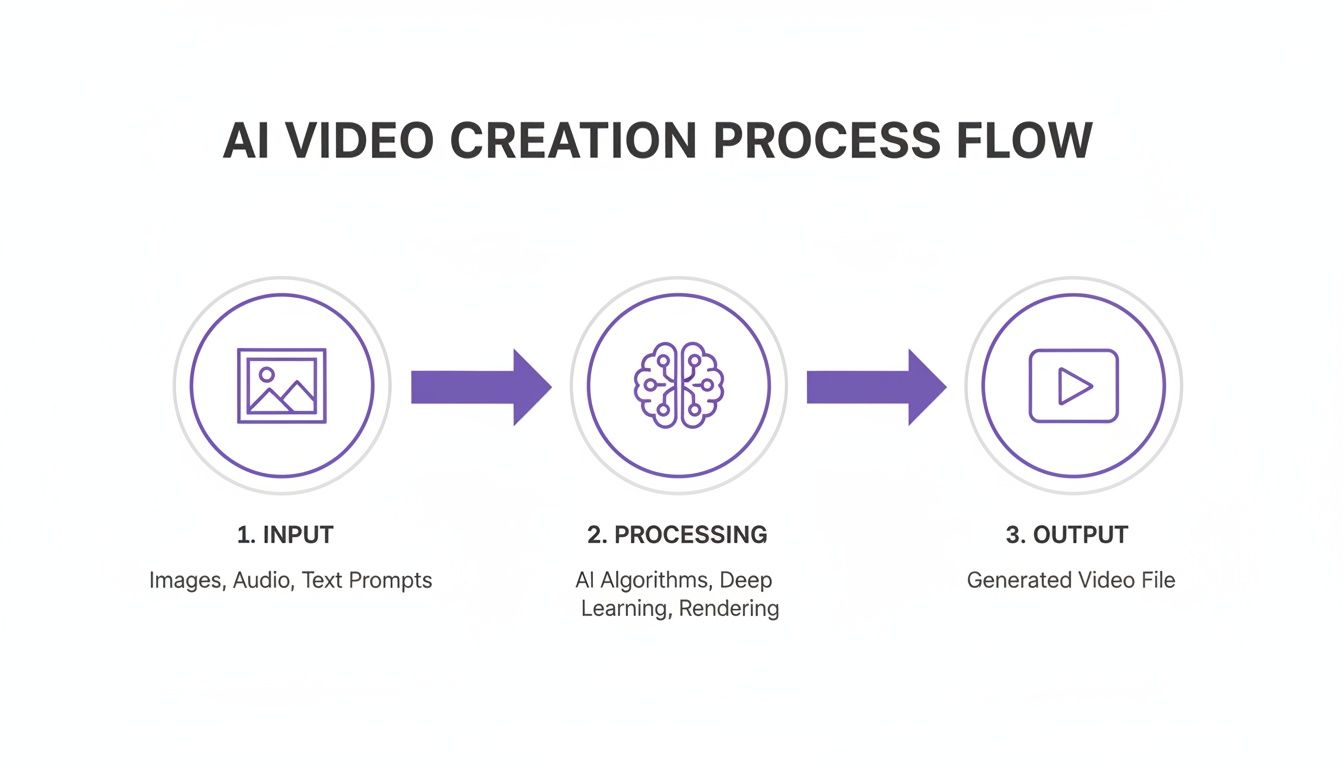
It’s all about taking your input, letting the AI do the heavy lifting, and delivering a dynamic video—making advanced animation something anyone can do.
From Digital Puppet to AI Clone
Platforms like DreamShootAI push this concept even further by letting you create your own personal "AI clone." Instead of a simple one-off animation, the system learns your unique facial features from a handful of selfies. This trained model becomes your digital twin, ready to star in any video scenario you can think of.
If you’re curious about the nuts and bolts, you can learn more about how to create photo animation in our deep-dive guide.
This means you can take one professional headshot and generate a video of yourself giving a warm, welcoming smile. Or you could use a fun, candid photo and animate it into a celebratory dance for a digital wedding invitation. The AI isn't just wiggling a picture around; it's applying a deep understanding of human motion to your specific face.
As one leading AI researcher put it, "We've moved from simply animating pixels to animating personality. The goal is to generate motion that is not only technically accurate but emotionally resonant."
That quest for emotional resonance is what separates a basic gadget from a powerful creative tool. It's why the market for AI-generated content is exploding, with a Gartner study predicting that by 2025, 50% of enterprise-generated content will be synthetically produced. A free online AI video generator isn't just a novelty anymore; it's becoming a go-to for creators who want to tell stories in ways that were once impossible for most.
Choosing the Right Free AI Video Generator
Diving into the world of free AI video generators can feel a bit overwhelming. A quick search brings up a dizzying number of tools, all promising Hollywood-level results with a single click. It's easy to get sidetracked by flashy marketing, but to find a tool that actually delivers, you have to look past the hype.
The key is to focus on what really matters for creating great content. This means evaluating these platforms on four critical pillars: the quality of the final video, how much you can customize it, how easy it is to use, and—most importantly—how they handle your data.
Evaluating Output Quality and Realism
Let's be honest, not all AI video is created equal. The difference between a great tool and a mediocre one is immediately obvious in the final product. You want natural, fluid animation, not something that looks glitchy or robotic.
Pay close attention to the little things. Does a smile look genuine? Does a head turn smoothly? The cheaper tools often stumble on these subtle movements, leaving you with a video that feels artificial or falls into the "uncanny valley."
Look for platforms that include features designed to polish the final output. For instance, a "Magic Upscaler" can boost a video's resolution, turning a standard clip into a crisp animation that looks great on any screen. For a deeper dive, check out our full guide on how to create AI videos that look like they were made by a pro.
Customization and User Experience
The best AI video generators feel like a creative partner, not a rigid machine. You should be able to guide the AI with specific prompts and instructions, giving you real control over the final product. A tool that offers a wide variety of themes, actions, and styles gives you the freedom to create a video that truly matches your vision.
The user experience is just as crucial. A clunky, confusing interface is a dealbreaker. The process should feel effortless: upload a photo, pick a theme, and generate your video. If you’re stuck clicking through endless menus just to get started, it's probably not the right tool for you. You might also want to explore a broader range of AI content tools that can help with all sorts of creative projects.
Data Privacy: A Non-Negotiable Factor
Think about it: when you upload personal photos to an online platform, you’re trusting that service with your data. That's why privacy should be at the top of your list. The AI market has exploded recently, with cloud-based platforms dominating the scene, capturing 78% of the market revenue in 2024. While this online access is incredibly convenient, it also makes strong security an absolute must.
As digital strategist Marie Forleo says, "Trust is the currency of the modern web."
This couldn't be more true when choosing an AI tool. You need to be sure that the platform you select is using serious security measures to protect your personal images and the videos you create.
What to Look for in a Secure Platform
A trustworthy AI video generator will be completely transparent about its security practices. Here are the key things to look for:
- AES-256 Encryption: This is the gold standard—military-grade encryption used to protect your data both when it's stored on servers and when it's being uploaded or downloaded. Platforms like DreamShootAI use it to make sure your photos are unreadable to anyone who shouldn't see them.
- Secure Protocols (HTTPS & TLS/SSL): Always check for "https" in the website's URL. That little "s" means your connection is encrypted, shielding your data from prying eyes.
- Clear Privacy Policy: The service should spell out exactly what happens to your photos after you upload them. Are they deleted after a certain period? Are they used to train their AI models? If a service is vague about how it handles your data, walk away.
By keeping these four areas in mind—quality, customization, ease of use, and security—you can confidently pick a free AI video generator that’s not just powerful and fun, but also respects your privacy.
Your First AI Video in Five Simple Steps
Alright, now you know what makes a good free online AI video generator tick. Let's get our hands dirty and actually make something. You'll be surprised at how easy it is to bring a static photo to life. We’ll walk through the whole process using DreamShootAI as our example, breaking it down into five simple steps.
By the end of this, you’ll be able to turn any picture into a moving story. Let's get started.
Step 1: Train Your AI Model
This first step is the most crucial one. It’s where the real magic begins. Instead of animating some generic stock face, you’re teaching the AI to understand your unique facial features. This creates a personal "AI clone," which is the secret to making sure every animation looks like you, not just a weird deepfake.
The process is straightforward: just upload between four and ten clear, well-lit selfies. The AI gets to work, analyzing everything from the shape of your eyes to the way you smile. Research from MIT has demonstrated that training on a mere handful of images is sufficient for modern neural networks to create highly personalized and accurate models.
- Pro Tip: Use a variety of photos for the best results. Give it shots from different angles with a few different expressions. Just be sure to avoid heavy shadows, sunglasses, or hats that hide your face.
Step 2: Select Your Canvas
Once your AI model is trained and ready to go, you get to pick your "canvas"—the specific photo you want to animate. This could be anything: a polished professional headshot for LinkedIn, a favorite picture with your partner for a wedding invite, or a fun candid you want to share on Instagram.
This image is your starting point. The AI will apply whatever motion you choose in the next step to this exact picture. Just remember, the quality of your original photo makes a huge difference in the final video, so pick a high-resolution image where your face is sharp and in focus.
The clean layout makes it easy to browse your gallery and pick the perfect picture for your project.
Step 3: Pick a Theme or Prompt
Now for the fun part. This is where you decide what kind of motion you want to add to your photo. Do you want your headshot to give a warm, professional nod? Or maybe you want a goofy picture to break out into a celebratory dance for a friend's birthday?
Most leading platforms give you a whole library of pre-set themes and actions to pick from. DreamShootAI has a ton of options, from a subtle wink to more expressive actions like blowing a kiss or giving a hug. For anyone who wants to see just how creative you can get, check out the DreamShootAI image-to-video tool to explore all the possibilities.
Step 4: Generate and Enhance Your Video
You've picked your photo and the animation you want. Time to let the AI take over. With a single click, the system processes your request, applying the motion to your image. It usually only takes a few moments.
"The true power of modern AI is its ability to democratize creativity. What once required a team of animators can now be accomplished in minutes by anyone with a photo and an idea." - Jensen Huang, CEO of NVIDIA
After the first version of the video is ready, you get a chance to polish it up. Many of the best tools include features like a Magic Upscaler, which sharpens the video and boosts the resolution. This makes sure your final product is a crisp, high-definition clip that looks fantastic on any screen.
Step 5: Export and Share
This is it—the final step. Save your creation and show it off. Once you’re happy with how the enhanced video looks, you can export it as a standard MP4 file, making it super easy to upload anywhere.
Whether you're sending an unforgettable animated wedding invitation, posting an eye-catching clip on your Instagram Story, or adding a little life to your professional profiles, your AI-generated video is ready to go. You just turned a simple photo into something engaging in just a few clicks.
Creative Ideas to Inspire Your Next AI Video
The real magic of any ai video generator free online isn't the tech itself—it's the stories you can suddenly tell. Once you get past that initial "whoa, that's cool" moment, a whole world of creative ideas opens up. This is where you can actually connect with people, whether it’s your family, your professional network, or your followers on social media.
Let's look at some real-world examples that go way beyond just making a picture move. Think of these as mini-stories, designed to get your own creative gears turning and show you what happens when you pair a personal photo with a powerful tool.
For Personal Milestones
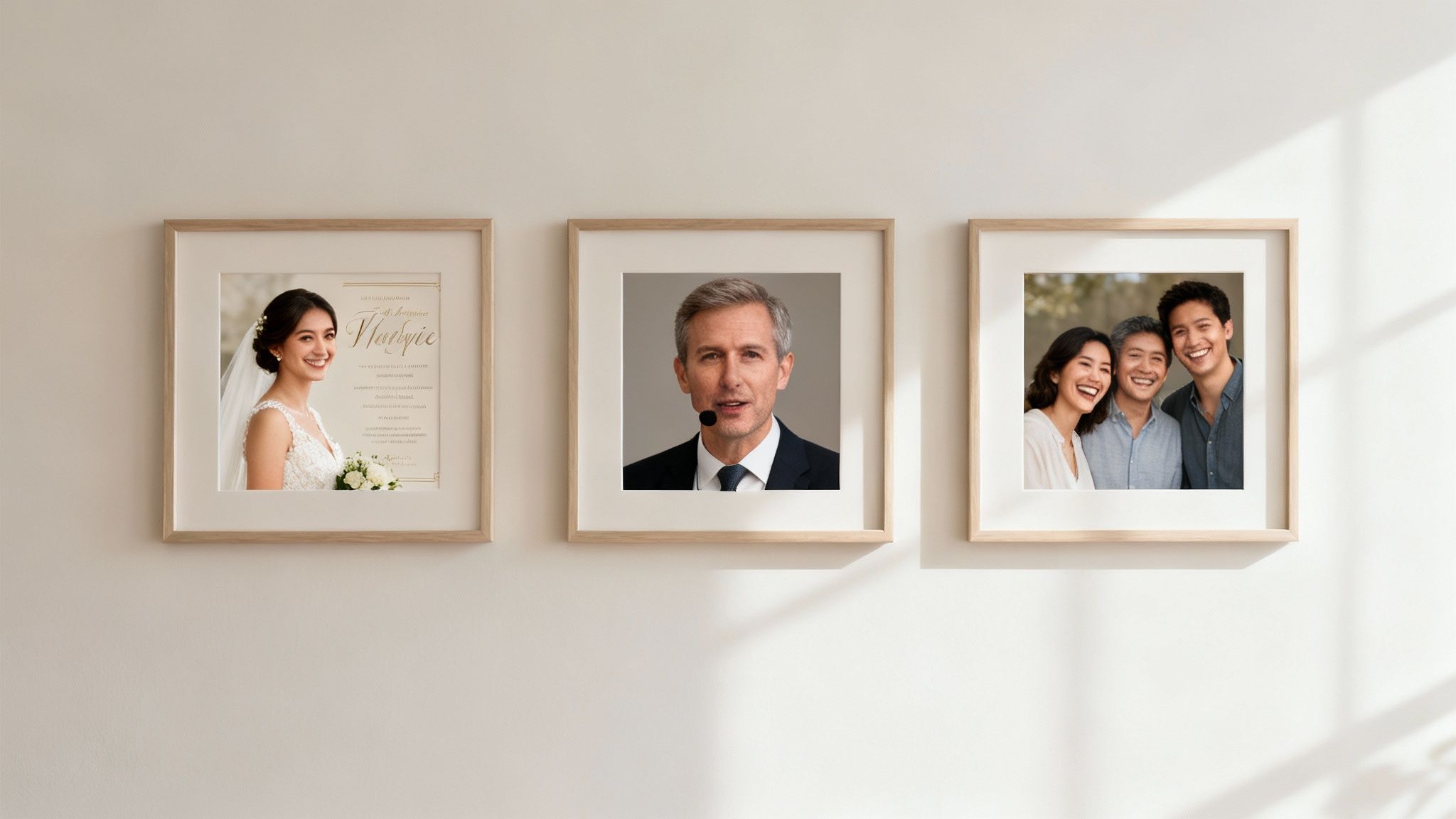
Picture this: you're planning your wedding. Instead of sending out a typical paper "Save the Date," you upload your favorite engagement photo to an AI tool. In just a few clicks, you have a short video where you and your partner smile, wink, or even blow a kiss to your guests. It’s personal, completely memorable, and immediately sets a joyful tone for your big day.
That same spark works wonders for all kinds of family events.
- Anniversary Albums: Animate a series of photos from your relationship over the years, creating a living photo album that tells your unique story.
- Birthday Greetings: Turn a favorite baby picture into a short clip where they giggle or clap. It’s the most heartwarming digital birthday card ever.
- Holiday Messages: Animate your family portrait so everyone waves. It's the perfect way to share some holiday cheer with loved ones who are far away.
These little personal touches turn simple announcements into keepsakes, and you don’t need a single video editing skill to do it. As marketing guru Seth Godin famously put it:
"Marketing is no longer about the stuff that you make, but about the stories you tell."
For Professional Branding
In the professional world, making an impression is everything. An AI-animated video can be your secret weapon for standing out, especially on a platform like LinkedIn where everyone is fighting for attention. Imagine your standard headshot, but instead of just sitting there, it offers a warm, confident smile and a slight nod to anyone visiting your profile.
That small bit of motion instantly makes your profile feel more alive and approachable. It's a dead-simple way to stop scrollers in their tracks and get them interested in who you are. A professional-looking animation can project personality and confidence before they even read a single word of your bio.
For Social Media and Content Creation
If you're an influencer or a small business owner, you know the pressure to create fresh, eye-catching content is constant. An AI video generator is a game-changer here, letting you churn out tons of engaging clips without the time or money required for a traditional video shoot.
This trend is absolutely massive in the North American market, which holds the AI video generator crown with a 40.61% global market share in 2024, valued at a cool USD 249.7 million. Here in the U.S., the market is expected to hit USD 155.3 million by 2025, largely thanks to professionals and creators using platforms like DreamShootAI. Globally, content creation makes up over 55% of all use cases, as businesses swap expensive productions for AI that can slash costs by up to 90%. You can dig into more stats about the rise of AI in content creation on companieshistory.com.
Here are a few quick-win ideas for social content:
- Animate Product Shots: Make a static image of your product come to life with subtle movements to show off its best features.
- Create Teaser Clips: Animate a portrait of yourself to "speak" a compelling hook, driving followers to your new blog post or full-length video.
- Generate Reaction GIFs: Turn your own photos into custom reaction GIFs that perfectly match your brand’s voice and sense of humor.
Each of these examples serves a specific purpose—celebrating a personal moment, building a professional brand, or grabbing a social audience's attention. And in every case, an AI tool offers a fast, elegant, and often free way to tell a much more compelling story.
Thinking About the Limits and Ethics of AI Video
The magic of a free AI video generator is undeniable, but with great power comes a few things to keep in mind. Let's be real: while these tools are opening up a whole new world of creativity, it’s smart to go in with your eyes open. Understanding the guardrails helps you set the right expectations and, just as importantly, use this tech in a way that feels good.
Most free versions have some built-in trade-offs. You’ll probably see a watermark on your finished video, and there might be limits on how long your clip can be—often just a few seconds. While the quality is getting seriously good, you might still spot tiny glitches, especially with tricky movements. Think of these as the "free sample" version, designed to give you a taste of what’s possible before you decide to dive in deeper with a paid plan.
The Ethical Side of AI Video
Beyond the technical stuff, there's a bigger conversation to be had about ethics. The same tool that can bring a sweet wedding photo to life could, in the wrong hands, be used to create misleading content, which you've probably heard called "deepfakes." The concern around misinformation is real, which is why having a strong ethical framework isn't just nice to have—it's everything.
Trustworthy platforms are built on a foundation of consent and being upfront about what's real and what's not. As technology ethics expert Dr. Abeba Birhane puts it:
"Technology is not neutral. It is shaped by the values of its creators, and it is our collective responsibility to ensure it is used to empower and connect, not to deceive."
This is exactly why a secure platform like DreamShootAI is built specifically for your own creative projects, all within a private, safe space. The whole point is to animate your own photos for positive things—like making a unique greeting, a cool professional profile clip, or a piece of personal art—not to create fake videos of other people.
Creative Freedom Within Safe Boundaries
When you use them the right way, these tools give you an incredible amount of creative freedom. They let you tell stories in ways that just weren't possible before, turning a static memory into something that moves and connects with people on a whole new level.
To keep it creative and responsible, just follow a few simple ground rules:
- Stick to Your Own Images: Only work your magic on photos you own or have clear permission to use. When in doubt, use your own pictures.
- Be Transparent: If you're sharing an animated video online, don't pass it off as real footage. A simple "Made with AI" lets everyone in on the fun.
- Put Security First: Go with platforms that are clear about their privacy policies and use serious security like AES-256 encryption to keep your personal data safe.
By keeping these ideas in mind, you can jump into the amazing world of AI video with confidence. You get to unlock new ways of expressing yourself while staying on the right side of the ethical lines. It's all about innovating responsibly and using this cool new tech to make communication and creativity even better.
Got Questions? We’ve Got Answers.
Jumping into the world of AI video generators can feel a bit like stepping into the future. It’s exciting, but you’ve probably got a few questions. Let’s clear things up so you can start creating with total confidence.
Are "Free" AI Video Generators Actually Free?
Yes, for the most part. Many platforms, including ours, offer a genuinely free plan. It’s the perfect way to get your feet wet, test out the tech, and make a few fun, simple videos without opening your wallet.
Of course, there are usually a few strings attached. Think of it like a trial run. Free plans often mean you’ll have a watermark on your video, the resolution might be a bit lower, and you'll have a cap on how many videos you can create each month. They’re fantastic for experimenting. But when you’re ready for the big leagues—watermark-free, HD videos, and unlimited creative freedom—most services like DreamShootAI offer really affordable paid plans that unlock everything.
How Real Do These AI Videos Actually Look?
Honestly, the quality has gotten shockingly good. We're at a point where subtle animations—a gentle smile, a playful wink, a slight turn of the head—can look incredibly lifelike. The secret sauce? It all starts with your photo. A sharp, high-resolution picture is your ticket to a believable result.
"We've moved from simply animating pixels to animating personality. The goal is to generate motion that is not only technically accurate but emotionally resonant." - Dr. Hao Li, CEO of Pinscreen & Associate Professor at USC
While you might spot tiny imperfections in really complex or fast movements, the best tools have you covered. Many platforms include features like a ‘Magic Upscaler’ that sharpens the video, boosts the definition, and gives it a polished, professional finish.
Is It Safe to Upload My Photos?
This is a big one, and it should be your top priority. You wouldn't hand your photos over to just anyone, and the same goes for online services. Reputable platforms are upfront about their privacy policies and use strong encryption to keep your files safe from prying eyes.
Before you upload anything, always look for a service that clearly explains how your images are stored, used, and protected. For example, secure platforms like DreamShootAI use AES-256 encryption, which is the gold standard for data security. It’s always a good habit to quickly scan the privacy policy of any ai video generator free online before you get started.
Ready to see your favorite photos come to life? With DreamShootAI, you’re just a few clicks away from creating incredible animated videos. Perfect for a one-of-a-kind wedding invite, a standout professional profile, or just a fun clip for social media. Our platform is secure, simple, and ready for your ideas. Start creating your free AI video today at DreamShootAI.
Written by Jocelyn Grey for the DreamShootAI blog.
Spotted something out of date? Tell us at [email protected] and we'll fix it.