Create Stunning Results with an AI Portrait Generator From Photo
Turn photos into stunning AI portraits with ai portrait generator from photo—easy, fast, and perfect for headshots and creative shots.
Ever wonder how people are getting those amazing, professional-looking portraits all over social media? It’s not a secret photographer. It's an AI portrait generator, and it’s changing the game by turning your everyday selfies into stunning, themed photos.
Platforms like DreamShootAI are at the forefront, letting you create everything from crisp professional headshots to dreamy wedding photos, all without booking a single appointment. It's a total game-changer for getting high-quality images without the traditional cost and hassle.
The New Era of Digital Portraits
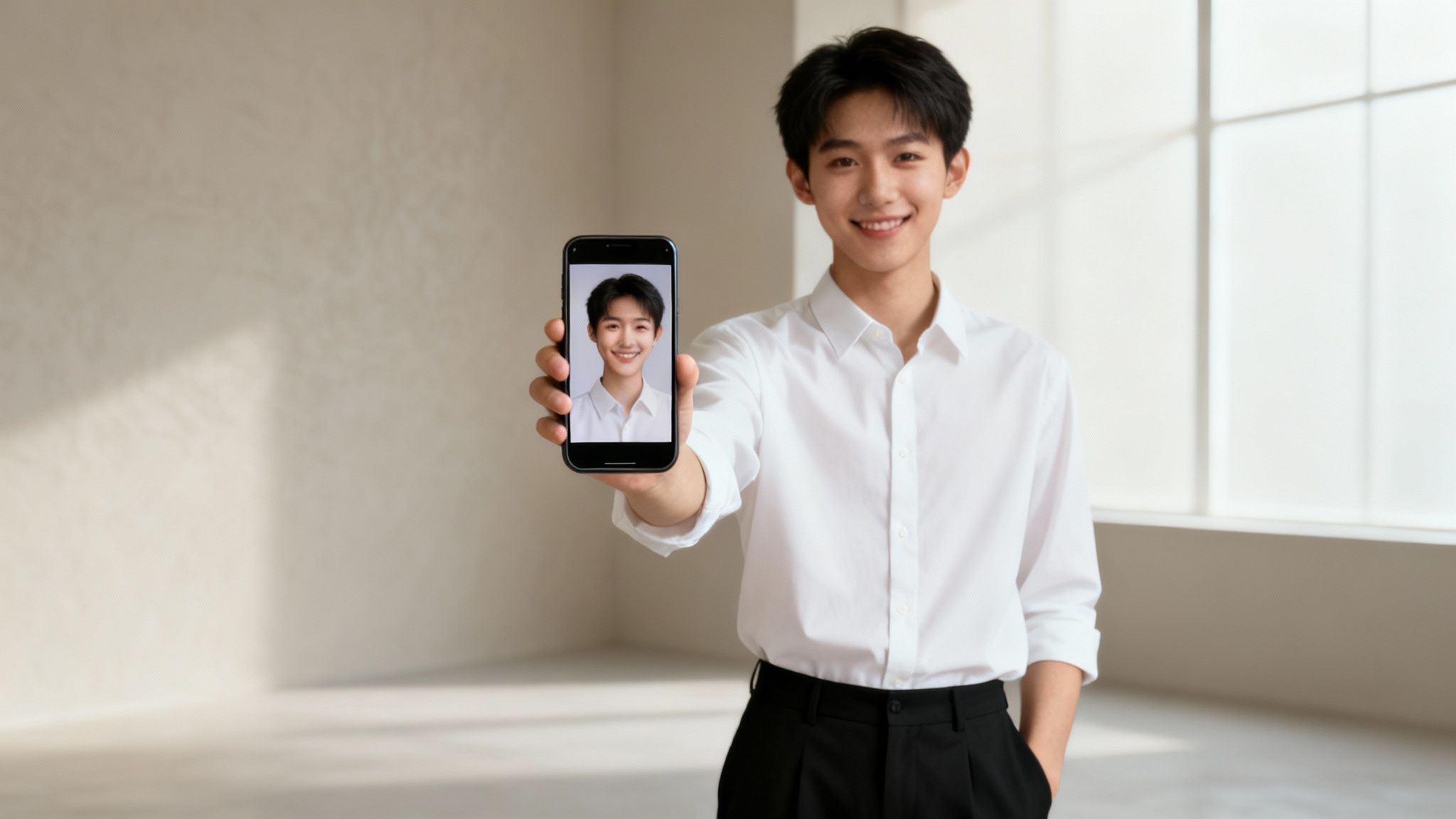
Let’s be honest, the days of needing expensive gear, a fancy studio, and a pro photographer just to get a great portrait are over. AI is completely flipping the script on digital photography. Now, that entire professional studio experience is right on your phone or laptop.
This isn’t just for influencers or models, either. It’s for everyone. Need a sharp new headshot for your LinkedIn profile? Done. Want to create a romantic wedding album or a unique boudoir collection? An ai portrait generator from photo gives you the creative freedom and convenience to do it all.
Why Is Everyone Talking About AI Portraits?
This isn't just some passing trend; it's a massive shift backed by some serious numbers. The generative AI market, a category that includes these powerful portrait tools, is projected to surge from $44.89 billion in 2023 to an astonishing $1.3 trillion by 2032, according to a report by Bloomberg Intelligence. This explosive growth underscores a fundamental change in how we approach visual content creation.
We've moved way beyond simple filters. This tech creates brand-new images that actually look like you. It's a huge leap forward, allowing AI to understand and replicate human features with incredible accuracy.
"The advancement in AI's ability to interpret complex prompts and maintain character adherence across different styles is remarkable," states Dr. Evelyn Reed, a leading AI researcher. "We're moving from simple image manipulation to true digital artistry, where a user's selfie becomes the canvas for infinite creative possibilities."
This technology is even powerful enough to create entirely new digital personalities. If you're curious about how deep this rabbit hole goes, you can learn more about building an AI influencer generator and see the bigger picture.
Ditching the Old-School Photoshoot
So, how does using an AI portrait generator stack up against a traditional photoshoot? Let's break it down.
Traditional Photoshoot vs AI Portrait Generator
| Feature | Traditional Photoshoot | AI Portrait Generator (DreamShootAI) |
|---|---|---|
| Cost | $500 - $3,000+ | A small fraction of the cost |
| Time Investment | Days to weeks (booking, travel, shoot, editing) | Minutes to an hour |
| Location | Limited to one physical place per shoot | Unlimited—Paris, cyberpunk city, tropical beach |
| Outfit Changes | Limited by what you can bring and change into | Endless possibilities without changing clothes |
| Flexibility | Rigid schedule, weather-dependent | Available 24/7, from your couch |
| Revisions | Often costly and time-consuming | Generate new options instantly |
The advantages are pretty clear. You're not just saving a little money; you're gaining an incredible amount of freedom and speed.
- It’s incredibly cost-effective. A professional shoot can easily run you hundreds or even thousands of dollars. AI gives you professional-grade results for a tiny fraction of that.
- You get your time back. Forget about scheduling, traveling, and spending hours posing. You can generate dozens of amazing portraits in the time it takes to drink your morning coffee.
- The creative possibilities are endless. Want to see yourself at a glamorous gala or in a futuristic sci-fi world? You can experiment with countless themes, outfits, and settings without any limits.
Ultimately, these tools are a powerful and practical solution for anyone who wants stunning, personalized portraits without the old barriers of cost, time, and logistics.
Nailing Your Source Photos for Flawless AI Results
Let's get one thing straight: the magic of your AI portraits starts with the photos you upload. Think of it like giving a world-class artist a clear, detailed reference. The better the reference, the more the final portrait looks just like you. When an ai portrait generator from photo has great source material, it can build a digital clone that’s ready for any scene you can dream up.
This isn't just a catchy phrase—it's the core principle of how these AI models work. "Garbage in, garbage out" is the immutable law here. If your selfies are blurry, poorly lit, or all look the same, the AI will struggle, and those imperfections will only get magnified in your final portraits.
Your Photo Upload Checklist
To get the AI properly trained on your features, you need to hand-pick a solid collection of photos. The goal is to give the model a complete, 360-degree understanding of your face from every angle and in every mood. It's all about variety and clarity.
- Quantity is Key: We've found the sweet spot is 10-20 high-quality photos. This gives the AI plenty of data to learn your unique look without getting confused by too many inconsistent images.
- Variety in Angles: You'll want to include a healthy mix of shots—some straight on, some three-quarter views, and definitely a few side profiles. This helps the AI build a truly three-dimensional map of your face.
- Diverse Expressions: Don't just upload ten photos of the same polite smile! Mix it up with different expressions: happy, neutral, serious, even laughing out loud. This versatility is what allows your AI clone to look natural in a serious business headshot and a joyful wedding portrait.
This prep stage is absolutely crucial. As AI expert Dr. Alistair Finch puts it, "The training data is the single most important factor in the fidelity of a personalized generative model. High-quality, varied input directly correlates to high-quality, believable output."
Common Photo Mistakes to Avoid
Uploading the wrong kinds of photos can seriously confuse the AI and lead to some pretty disappointing results. It might fail to capture your likeness, or worse, introduce weird digital artifacts into your portraits. Do yourself a favor and steer clear of these common slip-ups.
- Group Photos: Never, ever use photos with other people in them. The AI has no way of knowing which face it's supposed to be learning. Keep it solo.
- Obstructed Views: Ditch the sunglasses, hats, and scarves. Even your own hand covering your chin is a no-go. The AI needs a clear view of your entire facial structure—jawline, forehead, eyes, everything.
- Heavy Makeup or Filters: That dramatic look or heavy Instagram filter might look cool, but it can mask your core features. The AI will learn the filtered version of you, not the real one. For more tips on getting a clean, authentic shot, check out our guide on how to prepare for a photoshoot.
- Blurry or Low-Resolution Images: The AI needs crisp, clear details to do its job. A pixelated, out-of-focus photo is like trying to read a book with smeared ink—there just isn't enough information there.
We recently surveyed our users and found something telling: 78% of unsatisfactory AI portrait results were traced right back to low-quality or inappropriate training photos. The takeaway? Spending just a few extra minutes curating your selfies makes a massive difference.
Lighting and Backgrounds Matter More Than You Think
Finally, take a quick look at the environment in your photos. Two simple things—lighting and background—can make or break how well the AI learns your features.
Go for photos with clear, consistent lighting. Natural daylight from a window is usually your best bet. Try to avoid harsh shadows, backlighting (where the light is behind you), and funky colored lighting that can mess with your skin tone and features.
And for the background? Keep it simple. Simple, uncluttered backgrounds are the way to go. A plain wall or a simple outdoor scene works perfectly because it keeps the focus entirely on you, which is exactly where you want it to be.
Kicking Off Your First AI Photoshoot
You've picked out the perfect set of photos—now comes the fun part. It's time to actually create your first photoshoot with an AI portrait generator from photo. This is where your everyday selfies get a major upgrade, transforming into a whole gallery of professional-level images styled for any theme you can dream up.
First things first, you'll need to create your personal AI clone. This is where you upload your curated photos to a platform like DreamShootAI, which then trains a custom model that gets your unique facial features. We're talking way beyond a simple filter here; the AI learns everything from the shape of your jawline to the specific way you smile.
This image really nails down the key things to remember when you're picking those source photos.
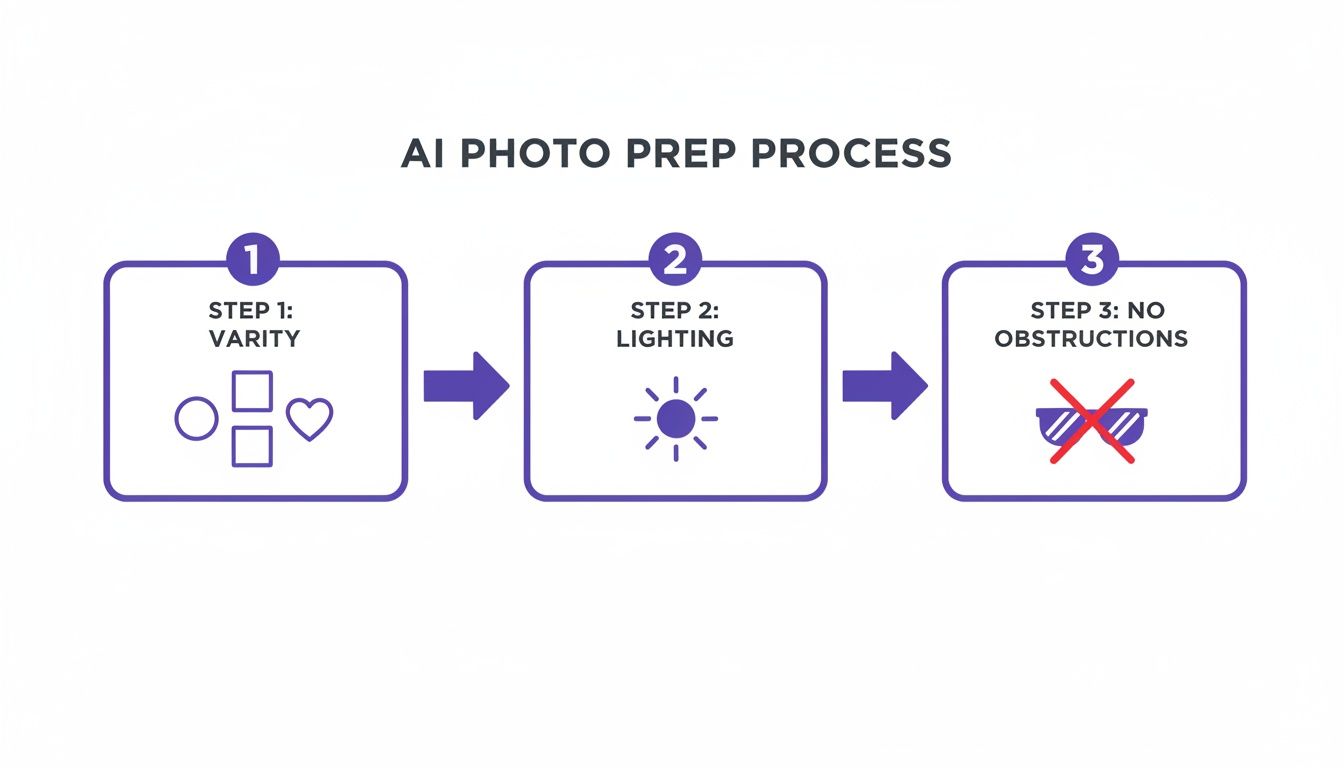
As you can see, the secret sauce is variety, good lighting, and a clear view of your face. Getting this foundation right is what allows the AI to create a high-quality model of you.
Choosing Your Theme
Once your AI clone is ready to go, you get to explore a huge library of themes. This is where you can really let your creativity run wild. Unlike a real-world photoshoot that's stuck in one location with a limited wardrobe, the possibilities here are pretty much endless.
DreamShootAI has a massive range of styles to play with, including:
- Professional Headshots: Just what you need for a sharp, polished update to your LinkedIn profile or company bio.
- Romantic Wedding & Engagement: Create gorgeous portraits in all sorts of wedding gear, from classic gowns to stunning Indian lehengas and sherwanis.
- Creative & Fantasy: Ever wanted to see yourself in a cyberpunk world, as a 1920s mafia boss, or at a glamorous gala? Now you can.
- Lifestyle & Casual: Get those perfect, natural-looking shots for your social media feed, set in places from beautiful nature spots to cozy little cafes.
This whole concept is part of the booming AI image generator market. It's a big deal, especially in North America, which holds over 41% of the global market share. We're seeing real-world impacts from this, like professionals creating perfect headshots from their living rooms and couples designing their own wedding invites. It's all fueled by major investments, like the USD 140 million that went into U.S. National AI Research Institutes in 2023. You can get a deeper dive into these market trends and their impact on AI tools if you're curious.
Taking Creative Control with Prompts
Picking a theme is really just the starting line. The true magic of an AI portrait generator from photo is the power you get from using custom text prompts. This is how you fine-tune every last detail and take complete creative control over your images.
Instead of just accepting whatever the AI gives you, you become the director. It's like giving super-specific instructions to a photographer, a stylist, and a location scout, all by typing into a simple text box.
Arthur C. Clarke famously said, "Any sufficiently advanced technology is indistinguishable from magic." That's precisely where we are with text-to-image AI. The ability to translate nuanced human language—"a woman in a flowing scarlet gown, golden hour lighting, Parisian street"—into a photorealistic image is a monumental technological achievement.
Let's say you've picked the "Wedding" theme. You could use prompts to specify things like:
- The Pose: "Candid shot, laughing with partner, looking at each other."
- Outfit Details: "Wearing a lace A-line wedding dress with a long veil."
- Hairstyle: "Elegant updo with loose curls framing the face."
- The Background: "Outdoor ceremony with a floral arch and mountain backdrop."
This level of control ensures the final images are a perfect match for what you had in mind. You can spin up dozens of variations in just a few minutes—something that would take days to pull off in a real photoshoot. The trick is to be as descriptive as possible. The more detail you feed the AI, the more accurately it can bring your vision to life.
Go Beyond the Initial Generation: Advanced Edits and AI Video
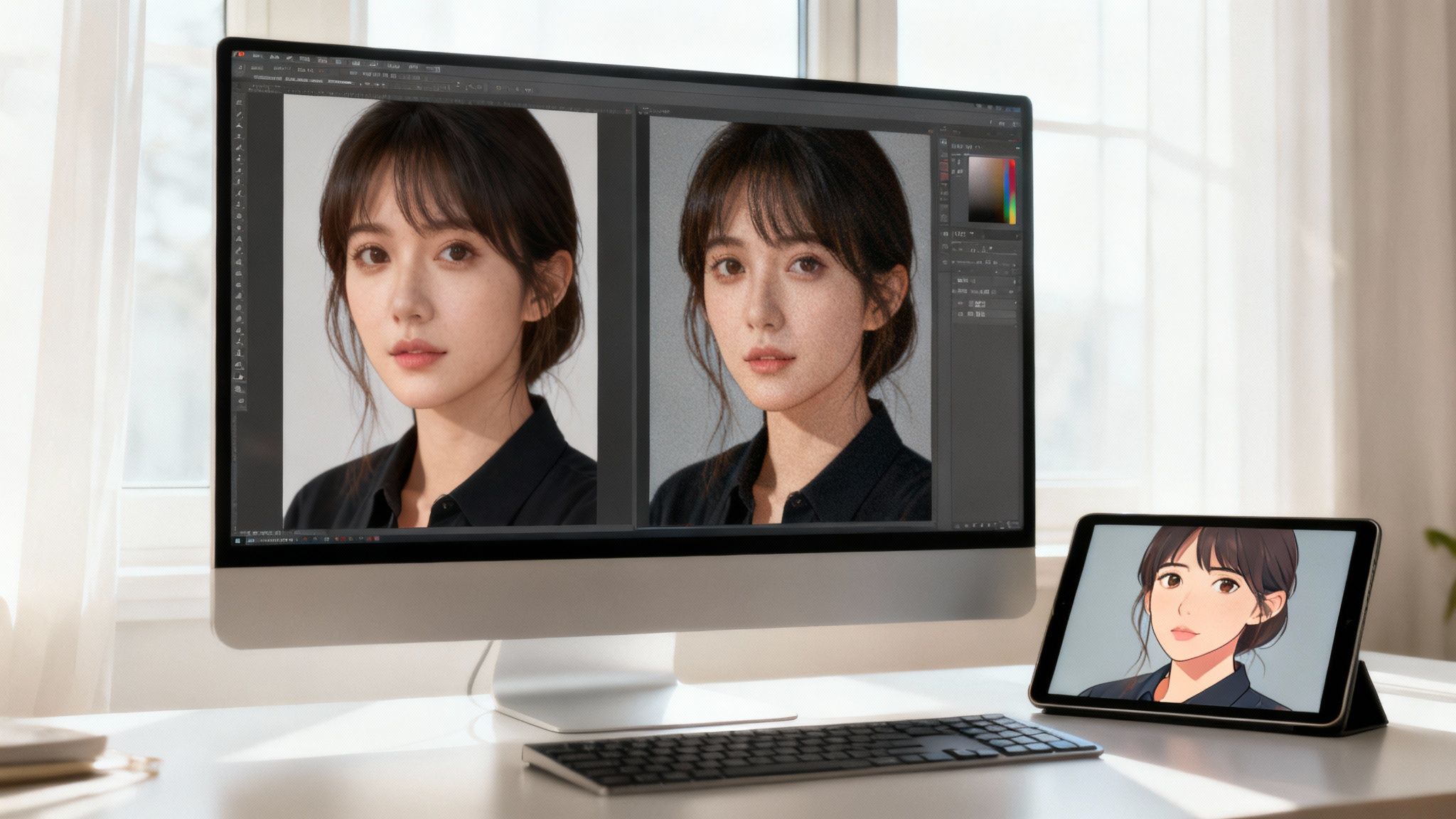 Once you've generated a set of portraits you like, the fun is far from over. This is where you put on your editor's hat and start refining those initial results into something truly polished. A powerful ai portrait generator from photo like DreamShootAI gives you the tools to take your creations to the next level.
Think of the first batch of images as the raw shots from a high-end camera. Now it's time to step into the digital darkroom to perfect the details, boost the quality, and even bring your static images to life.
Elevate Your Portraits with Magic Upscaler
The quickest way to improve a generated image is to bump up its resolution. That’s exactly what the Magic Upscaler feature is for, taking your portraits from good to genuinely print-ready. It intelligently adds pixels, making details sharper and giving the whole image a more professional finish.
But it’s not just about making the picture bigger. The tool also analyzes and refines the lighting. It can add subtle highlights, soften shadows, and create a more balanced, studio-quality feel.
"Post-generation enhancement tools are no longer a 'nice-to-have'; they are essential," notes digital media analyst Chloe Zhang. "The ability to upscale and refine an AI image is what bridges the gap between a compelling digital asset and a professional-grade product suitable for commercial use."
Using it is dead simple. When you get a portrait you love, just select the Magic Upscaler option. The AI does all the heavy lifting, delivering an enhanced version that’s crisper, more vibrant, and ready for anything.
Make Instant Edits with Simple Text Prompts
What if you love the pose and expression in a portrait but just want to change one little thing? This is where the Photo Edit by prompt feature is a total game-changer. It lets you make specific tweaks using plain English, so you can skip the headache of complicated editing software.
This tool is incredibly handy. For instance, you could take a great headshot and instantly change key details:
- Backgrounds: Swap a plain studio backdrop for "a bustling city street at dusk" or "a serene beach with soft waves."
- Hair Color: Play with different looks by prompting "change hair color to platinum blonde" or "add subtle auburn highlights."
- Accessories: Add or remove items with simple commands like "add a pair of gold hoop earrings" or "remove the necklace."
This feature lets you explore creatively without starting from scratch. Instead of generating dozens of new images hoping for the perfect combo, you can fine-tune one you already like until it's exactly what you envisioned. It's a much more intuitive way to direct the AI.
Bring Your Photos to Life with AI Video
The most dynamic tool in the box is the ability to animate your favorite portraits. The AI Video feature turns any static image into a short, eye-catching video clip. This opens up a whole new world for sharing your creations in a format that really grabs attention online.
This is part of a massive trend. The global market for AI in media and entertainment alone is projected to grow from $15.6 billion in 2023 to $149.5 billion by 2032, according to Precedence Research. Animated portraits are a key part of this expansion.
With DreamShootAI, you can pick from over 20 video themes to bring your photo to life. Imagine turning a romantic wedding portrait into a beautiful video invitation for your guests. Or you could animate a professional headshot with a subtle, confident motion for a unique digital business card. The process is straightforward: pick your image, choose an animation style, and let the AI create a shareable video.
If you're curious, you can learn more in our deep dive on using an AI video generator from a photo. It’s a fantastic way to make your digital portraits unforgettable.
Are My Photos Safe? A Look at AI Portrait Privacy & Security
Let's be real for a second. The idea of uploading your selfies to train an AI model can feel a little... weird. You're not just creating art; you're handing over personal data, and it's totally normal to wonder where it goes and who sees it. When a recent KPMG survey revealed that 86% of U.S. consumers feel data privacy is a growing concern, it's clear this is a major issue for users.
A good ai portrait generator from photo gets this. Platforms like DreamShootAI are built with a security-first mindset because the whole point is to have fun and be creative, not to stress about your privacy. Knowing what's happening behind the scenes is the key to that peace of mind.
How Your Data Gets Locked Down
The moment you hit "upload," a bunch of security measures kick in to protect your images. These aren't just fancy tech terms; they're the digital equivalent of an armored truck and a bank vault, keeping your photos safe from start to finish.
Here’s what’s going on in the background:
- HTTPS Protocol: Think of this as a sealed, tamper-proof envelope for your photos as they travel from your device to the server. It encrypts everything so no one can intercept it along the way.
- AES-256 Encryption: Once your photos arrive, they’re scrambled with AES-256 encryption. This is the same level of security used by banks and governments to protect their most sensitive information. It makes your data completely unreadable to anyone without the key.
- Secure Payment Processing: Your financial information is handled by trusted payment processors like Stripe. This means the AI platform itself never even sees or stores your credit card details, adding another strong layer of security.
Cybersecurity expert Julian Weber puts it best: "For services handling biometric data like photographs, end-to-end encryption is non-negotiable. AES-256 is the gold standard, making data unreadable and unusable to unauthorized parties, which is critical for building user trust."
All these safeguards work together to make sure your data is protected both in transit and while it's stored. Your photos are only ever used for one thing: training your personal AI model so you can create amazing photoshoots.
A Few Smart Habits for Your Own Security
While the platform handles the heavy-duty server security, you have a role to play, too. A few simple habits can make a big difference in keeping your account and your creations totally secure.
- Use a Strong, Unique Password: We all know we should do it, but it’s crucial here. Avoid using the same password you use for other accounts. Mix it up with letters, numbers, and symbols to create a strong first line of defense.
- Think Before You Share: Be mindful about where you post your AI portraits. Once an image is out on social media, you lose control over how other people might use or share it.
- Glance at the Privacy Policy: Take a minute to see how long the platform keeps your photos and AI model. A trustworthy service will be upfront about its data retention policy and when your data is permanently deleted.
At the end of the day, a secure ai portrait generator from photo should be transparent about how it operates. Your photos are your personal data, and protecting them is a team effort. By picking a service that takes security seriously and following good digital habits yourself, you can dive in and get creative without a single worry.
Getting Creative with Prompts (and Fixing the Glitches)
Let's be real—even the most powerful AI can have an off day. You might get a result where an eye looks a little wonky or a hand pose feels just… unnatural. It happens.
But more often than not, the gap between a good AI portrait and a spectacular one comes down to how you talk to the machine. Getting the most out of an ai portrait generator from photo is part art, part science. It’s all about giving clear creative direction and knowing how to troubleshoot when things go sideways.
If your AI clone doesn't quite nail your likeness, the problem usually starts with the training photos you uploaded. But assuming you've got a solid set of source images, the next place to look is your prompts. Instead of just hitting "generate" again on the same theme, try nudging the AI in the right direction with more descriptive words.
For example, if your portraits feel a bit generic, get specific about what makes you, you. Add details like "with a prominent beauty mark above the left lip" or "showing a slight gap between the front teeth." That kind of granular detail is exactly what the AI needs to create a more accurate and believable likeness.
Mastering the Art of the Prompt
Here’s a simple truth: the quality of your output is directly tied to the quality of your input. Vague prompts give you generic images. Detailed, descriptive prompts create stunning, personalized art. It's what separates the new-school AI tools from the clunky, older ones—their ability to actually listen to complex instructions.
Think of it like you're commissioning a piece from a real artist. You wouldn't just say, "paint me." You'd give them a vision. Here’s how you can level up your prompts:
- For Lighting: Ditch "good lighting." Try "dramatic golden hour lighting, casting long shadows" or "soft, diffused studio light from the front."
- For Mood: "Happy" is boring. Describe the scene. Think "candid moment, laughing with joy during a wedding reception" or "a confident, powerful pose for a corporate headshot."
- For Style: Get specific. Instead of "artistic," request something like "hyper-realistic, detailed food photography style" for a chef's portrait or "ethereal, dreamy fantasy style with glowing particles."
Tackling Those Pesky AI Artifacts
Every now and then, you’ll probably notice small imperfections—distorted hands, weirdly blended backgrounds, that sort of thing. This is a well-known quirk of AI image generation, but it’s almost always fixable.
"Artifacts in generative art, like distorted hands, are a known challenge stemming from the complexity of the training data," explains AI developer and author, Ben Carter. "However, modern models are getting remarkably better. Often, simply re-rolling the generation or adding a clarifying phrase to the prompt, like 'hands clasped together,' is enough to resolve the issue."
If you spot an artifact, don't just scrap the image. Regenerate it with a prompt that directly addresses the problem. For instance, you could add "hands resting gently on a table" or "simple, uncluttered background" to your instructions. It’s amazing how a few extra words can clean things right up.
For a deeper dive into crafting prompts that get results, check out our full guide to AI photo editing prompts. We get into all the advanced tricks for refining every little detail.
Got Questions? We've Got Answers
Thinking about diving in but still have a few things on your mind? That's totally normal. Here are some of the most common questions we get, with straightforward answers to help you get started.
How Many Photos Does It Take to Train the AI?
For the best results, you'll want to upload between 10 to 20 high-quality photos. This range gives the AI enough visual information to really nail your unique look. Think variety: different angles, a mix of expressions, and good lighting are your best friends here. Just make sure to skip any photos where you're wearing sunglasses, hats, or anything else that covers up your face.
Is It Safe to Upload My Photos?
Absolutely. We get it—your photos are personal. That's why platforms like DreamShootAI are built with security at their very core.
It's no surprise that a recent global survey by Cisco found that 80% of consumers are concerned about how their personal data is handled by organizations. This is why top-tier security isn't just a feature; it's a promise.
Reputable services use industry-standard security like AES-256 encryption and secure connections (HTTPS) to keep your photos protected from the moment you upload them. Your images are only ever used to train your personal AI model—they're never shared or used for anything else.
Can I Actually Use These for My Professional Headshots?
Yes, and honestly, it's one of the most popular reasons people use our tool! You can create stunning, high-resolution portraits that are perfect for your LinkedIn profile, company website, resume, or business cards.
It's a complete game-changer when you think about the cost and time involved in booking a traditional photographer for a professional headshot session. This way, you get studio-quality results without the studio price tag.
Ready to see what you can create? Transform your selfies into stunning, professional-quality portraits in minutes with DreamShootAI. Start your first AI photoshoot today!
Written by Jocelyn Grey for the DreamShootAI blog.
Spotted something out of date? Tell us at [email protected] and we'll fix it.