Enhance Your Images with AI Photo Filters: A Practical Guide
Explore ai photo filters that elevate portraits, weddings, and social posts; learn quick techniques to craft polished, eye-catching images today.
AI photo filters have fundamentally redefined the landscape of digital imagery. Forget simple overlays that merely wash your photo in a sepia tone. We are now in the era of sophisticated artificial intelligence that acts as a virtual team of professional photographers and retouchers, available on demand. This technology is not about tweaking colors; it's about transforming everyday photos into studio-quality portraits, creating elaborate themed photoshoots, or turning a simple selfie into a flawless professional headshot.
The New Age of Digital Photography
Welcome to a new era where creating stunning images is more accessible than ever. This technology should be viewed not as a gimmick, but as a powerful toolkit that puts a virtual photo studio at your fingertips.
Powered by complex neural networks trained on vast datasets of images, these tools understand the nuances of what constitutes a visually compelling photograph. Consequently, anyone can achieve professional-looking results without the steep learning curve, significant time investment, or high cost of traditional methods. Platforms like DreamShootAI are at the forefront of this movement, offering creative styling and prompt-based editing capabilities previously exclusive to seasoned professionals.
The Massive Growth of AI Editing
Let's be clear: this is not a fleeting trend. The insatiable demand for high-quality, instant visual content has catalyzed an explosion in the market for AI editing tools. It represents a fundamental shift in how we approach photography for everything from weddings and headshots to daily social media posts.
The statistics are staggering. According to a report by Towards AI, the market for AI photo editors is projected to hit $8.9 billion by 2034, growing at a compound annual growth rate (CAGR) of 15.7%. This boom is fueled by the creation of over 15 billion AI-generated images since 2022—with an incredible 34 million new ones emerging daily. The data paints a clear picture: professional-grade editing has been democratized.
As renowned digital artist and MIT researcher, Dr. Elena Petrova, states, "The best AI photo tools don't replace the artist; they enhance the artist's vision. The key is to leverage them for refinement and creative exploration, not as a crutch."
This expert perspective gets to the heart of the matter. AI isn't here to supplant human creativity; it's here to augment it, helping us push our creative boundaries and realize our ideas in previously unimaginable ways.
Why This Technology Matters
The rise of AI photo filters is fundamentally about the democratization of high-end photography. It dismantles the traditional barriers of cost, time, and technical skill, placing professional-quality visuals within reach of a much broader audience. For a deeper dive into getting the best raw images for editing, check out our guide on https://dreamshootai.com/blog/how-to-improve-photo-quality.
The key benefits driving this paradigm shift are clear:
- Cost Efficiency: Circumvent the expense of professional photoshoots, high-end gear, and location rentals.
- Time Savings: Generate an entire album of high-quality images in minutes, not days or weeks.
- Creative Freedom: Experiment with limitless styles, outfits, and backgrounds without physical constraints.
- Accessibility: Achieve professional-grade results without needing expertise in complex software like Photoshop.
Traditional Photoshoot vs AI Photo Filters A Modern Comparison
To fully appreciate the impact, let's conduct a head-to-head comparison of traditional photoshoots with AI-powered alternatives like DreamShootAI. This contrast makes the value proposition of AI irrefutably clear.
| Attribute | Traditional Photoshoot | AI Photo Filters (e.g., DreamShootAI) |
|---|---|---|
| Cost | High (hundreds to thousands of dollars) | Low (affordable subscription or credits) |
| Time Investment | Days or weeks (planning, shooting, editing) | Minutes to a few hours |
| Location | Limited to one physical location per shoot | Unlimited virtual locations (Paris, Tokyo, Mars!) |
| Outfit Changes | Limited, requires physical wardrobe changes | Unlimited, change outfits with a single click |
| Flexibility | Inflexible once the shoot is over | Highly flexible, can regenerate endlessly |
| Skill Required | Professional skills in photography & editing | Minimal, user-friendly for beginners |
| Convenience | Requires scheduling, travel, and coordination | Accessible 24/7 from your computer or phone |
It’s evident that for speed, cost-effectiveness, and creative flexibility, AI filters offer a compelling, and often superior, alternative.
This technology is rapidly becoming an indispensable tool for professionals, creators, and anyone seeking to produce exceptional visuals without the traditional friction. To understand the broader context of how artificial intelligence is transforming visual media, this guide to AI Powered Content Creation offers valuable insights.
How AI Magically Reimagines Your Photos
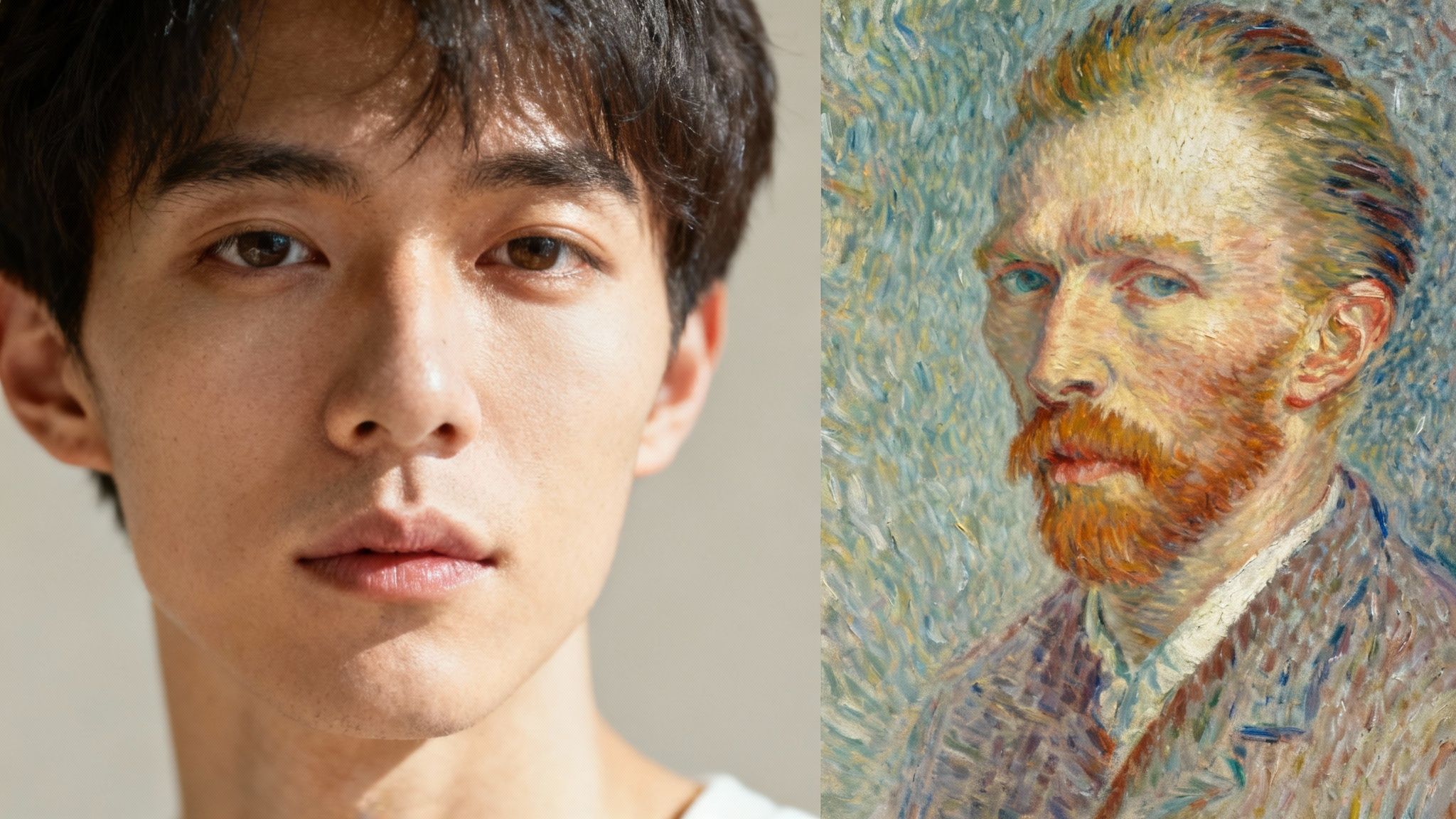
The transformative results from AI photo filters can feel like magic. A simple selfie becomes a work of art in an instant. But this isn't sorcery—it's a sophisticated interplay of art and data science. Unlike a basic Instagram filter that applies a uniform color overlay, advanced AI tools use intelligent algorithms to deconstruct, understand, and completely rebuild your photos.
Let's demystify the core techniques behind this process, avoiding overly technical jargon.
The Art Student: Neural Style Transfer
At the heart of most artistic filters lies a process called Neural Style Transfer (NST). Conceptualize the AI as a diligent art student. First, it analyzes your photograph to understand its "content"—the people, objects, and fundamental composition.
Next, it studies the "style" of a separate reference image, which could be anything from the impasto brushstrokes of a Van Gogh painting to the neon-drenched aesthetic of a cyberpunk film poster. The AI then meticulously "repaints" your original photo, infusing it with the stylistic DNA of the reference image. This is not a simple copy-paste operation; it is a deep analysis and fusion of textures, colors, and patterns to create something artistically coherent and entirely new.
The Photo Retoucher: AI-Driven Enhancements
Beyond artistic styling, another powerful application involves improving the intrinsic quality of your photograph. This is where tools like DreamShootAI’s Magic Upscaler become invaluable. These algorithms are trained on massive datasets comprising millions of image pairs—each containing a low-quality and a corresponding high-quality version.
Through this rigorous training, the AI learns to identify and correct common photographic flaws autonomously. It can intelligently eliminate digital noise, sharpen blurry details, correct suboptimal lighting, and smooth skin tones with a precision that would require hours of manual work by a professional editor.
According to a paper from Google Research, "An AI model doesn’t just guess what a sharper image should look like; it reconstructs it based on a learned understanding of countless high-resolution examples. This predictive power allows it to add detail that wasn’t clearly visible in the original."
This capability allows you to rescue a slightly blurry or poorly lit photo, imbuing it with a professional polish. The AI is essentially filling in informational gaps based on its extensive "experience," making intelligent decisions to enhance clarity and balance just as a seasoned professional would.
The Creator: Generative AI and Text Prompts
Now for the most revolutionary component: Generative AI. This technology transcends applying existing styles or making corrections. It creates entirely new visual elements from scratch, guided solely by your text instructions. This is the engine that powers prompt-based editing.
When you input a command like, "change my background to a futuristic cityscape," or "add a vintage film grain," a generative model is activated. It parses your text, comprehends the semantic concepts of "futuristic," "cityscape," and "vintage," and then generates the necessary pixels to realize that vision within your photo. The creative possibilities are truly limitless. To see this in practice, observe what a modern AI photo editor online can accomplish.
This generative power is fueling a massive industry boom. The global AI image generator market, valued at $349.6 million in 2023, is projected to soar to $1.08 billion by 2030, according to Grand View Research. This growth is driven by staggering daily usage—creators on platforms like DALL-E and ChatGPT were generating over 4 million images per day as of August 2023.
Working in concert, these three core technologies provide an unprecedented level of creative control, transforming simple ideas into stunning, high-quality images with just a few clicks.
Putting AI Photo Filters to Work in the Real World
This is where theory meets application—seeing how AI photo filters solve tangible problems for real people. We are moving far beyond simple selfie enhancement. This technology unlocks creative possibilities that were previously gated by expensive photoshoots and laborious editing.
Whether you're celebrating a life milestone or building a personal brand, the applications are immediate and impactful. Let's examine several use cases where these tools are turning ambitious ideas into reality.
Creating Dream Wedding and Engagement Photos
Weddings are a prime example. A traditional pre-wedding photoshoot can easily cost thousands of dollars when you factor in the photographer, location fees, wardrobe rentals, and travel. Consider a couple wanting to capture their engagement in traditional Indian attire, like a vibrant lehenga and an ornate sherwani, against an epic backdrop. The logistics and costs can be prohibitive.
With AI, that same couple can execute a breathtaking photoshoot from their living room. Using a platform like DreamShootAI, they can train a personal AI model and generate an entire album. Suddenly, they are in a palace in Rajasthan or on a serene beach at sunset—all without booking a single flight. The results are not only gorgeous but also deeply personal and achieved at a fraction of the cost.
Professional Headshots for Career Growth
In the professional sphere, a first impression is paramount. A polished, professional headshot is no longer optional. In fact, a LinkedIn study revealed that profiles with a professional photo receive 21 times more views. Yet, professional photographers can charge between $200 to $500 for a single session, a significant expense for job seekers or early-stage entrepreneurs.
This is where AI photo filters are a game-changer. You can take a decent, well-lit selfie, upload it, and let the AI generate a studio-quality headshot. It can correct lighting, replace a t-shirt with a business suit, and insert a clean, professional background. This accessibility ensures everyone can make a powerful first impression.
As digital artist and technologist, Sarah Johnson, notes, "AI democratizes professional imaging. It's no longer about who can afford the best photographer, but about who has the creative vision. These tools level the playing field, empowering individuals to craft their personal brand with unprecedented control and efficiency."
This empowers you to quickly adapt your look for different industries or platforms, keeping your personal brand sharp and current.
Powering Social Media and Content Creation
For social media influencers and content creators, the content treadmill is relentless. The demand for a constant stream of high-quality, on-brand visuals is immense. Planning, shooting, and editing a single themed photoshoot can consume an entire day, severely limiting content output.
AI completely upends this dynamic. A creator can generate a month's worth of diverse content in a single afternoon. One moment, they're producing images for a futuristic cyberpunk theme; the next, they're showcasing a glamorous red-carpet look. This efficiency is a critical advantage, especially when a HubSpot report indicates that 73% of marketers find content marketing a key source of leads. With AI, creators can reallocate time from production to strategy and audience engagement.
Crafting Private and Tasteful Boudoir Albums
Boudoir photography is a powerful medium for celebrating intimacy and self-love, but it presents unique challenges. The inherent vulnerability of such shoots requires immense trust in a photographer, and the private nature of the photos raises legitimate security concerns.
AI-driven platforms offer a secure and private alternative. Individuals or couples can create beautiful, artistic, and tasteful boudoir albums from the comfort and privacy of their own homes. You maintain complete control over the style, poses, and final images. This empowers people to explore this art form with confidence, ensuring their intimate moments remain truly their own.
Your Practical Guide to Using DreamShootAI Filters
Let's transition from theory to practice. Getting started with AI photo filters is remarkably straightforward. This guide will walk you through the process in DreamShootAI—from creating your personal model to crafting the perfect shot with text prompts.
The entire process hinges on providing the AI with a clear visual representation of you. This is the most critical step for achieving photorealistic results that are authentically yours, not a generic avatar.
Create Your Personal AI Model
The foundation of every great AI-generated image is a well-trained model. To set up yours, you will need to upload between 10 to 15 high-quality selfies. While this may seem like a lot, providing the AI with a variety of photos is crucial for it to learn your unique facial features from different angles and in various lighting conditions.
Think of it as commissioning a portrait from an artist. A single reference photo offers a limited perspective, but a diverse collection enables them to capture your likeness with remarkable accuracy. Investing a few minutes in this step will yield significant returns in the quality of your final images.
Explore Preset Themes and Styles
Once your model is ready, the creative exploration begins. Dive into the library of over 50 preset themes. DreamShootAI organizes these styles to suit a wide range of occasions, simplifying the process of finding the perfect aesthetic without needing to devise complex prompts from scratch.
- For Professional Needs: Select the 'Corporate' or 'LinkedIn' themes for instant, polished headshots.
- For Festive Occasions: Embrace the spirit with 'Holiday' or 'New Year's' themes for seasonal content that stands out.
- For Creative Exploration: Experiment with imaginative styles like 'Cyberpunk' or 'Gala' to create something truly unique for your social media feed.
These presets are expertly designed to manage the lighting, outfits, and backgrounds for you, delivering a complete, curated photoshoot in a few clicks.
Master Photo Editing with Text Prompts
This is where you assume full creative control. The 'Photo Edit by Prompt' feature allows you to make specific, targeted modifications to your images using simple text commands. It is an intuitive method for fine-tuning details and realizing your precise vision.
For example, instead of accepting the default outfit, you can instruct the AI with precision:
- Prompt: “Change my cotton t-shirt to a black silk blouse.”
- Prompt: “Add a dramatic, low-key lighting effect from the side.”
- Prompt: “Place me in a cozy, book-lined library with a fireplace.”
The key is to be descriptive. The more detail you provide the AI, the more accurately it can execute your command. It is that straightforward.
Here’s a visual representation of this streamlined process, from selfie to professional headshot.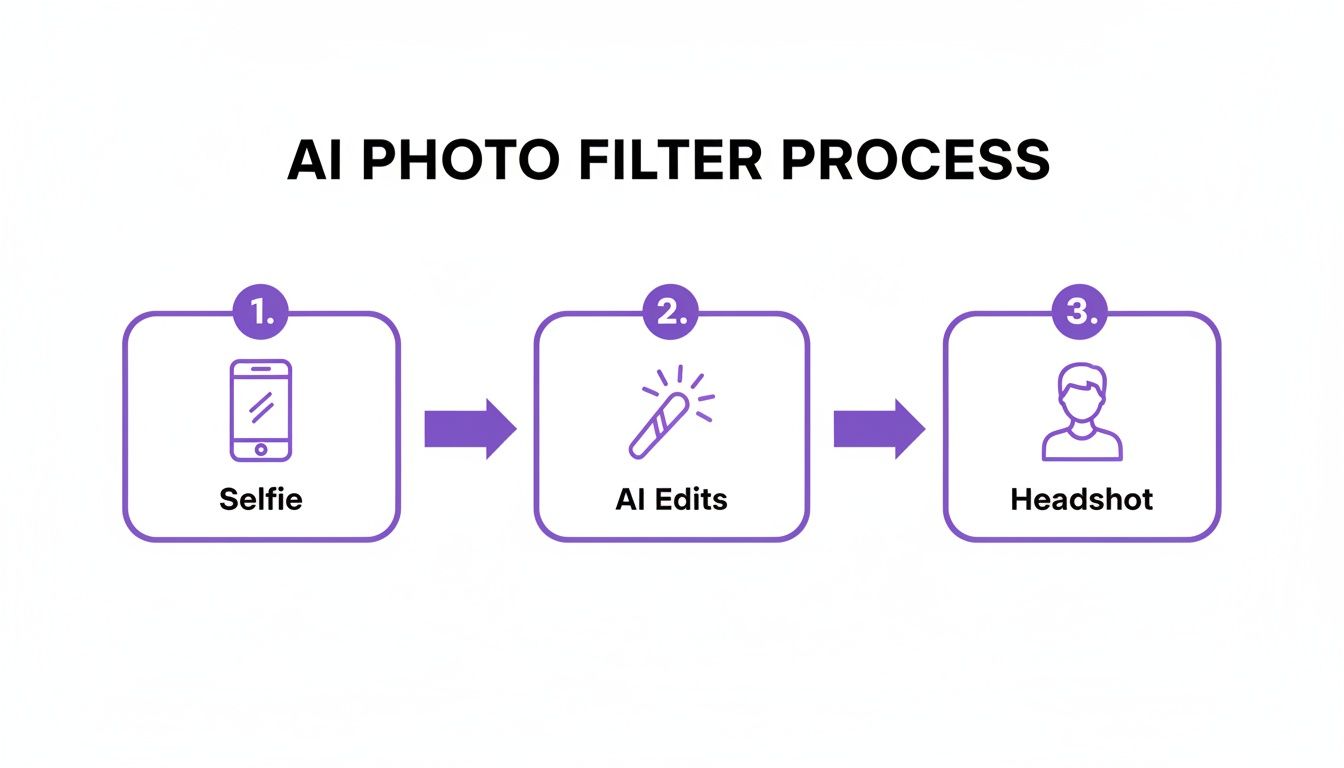
This workflow illustrates how the AI condenses a traditionally multi-step process into three simple digital stages.
Finalize and Perfect Your Images
After generating your images, DreamShootAI provides the tools for final refinement. The Magic Upscaler is an essential last step; it enhances resolution and sharpens details, ensuring your photos are crisp, clear, and ready for high-quality printing or display. You can also experiment with the Virtual Try-On feature to test different clothing styles on your generated images—perfect for planning event outfits.
With these tools at your disposal, you can confidently create stunning, professional-quality photos from your very first attempt. For those interested in the technology behind these enhancements, our guide on the DreamShootAI photo enhancer provides further detail.
Getting Pro-Level Quality from Your AI Edits
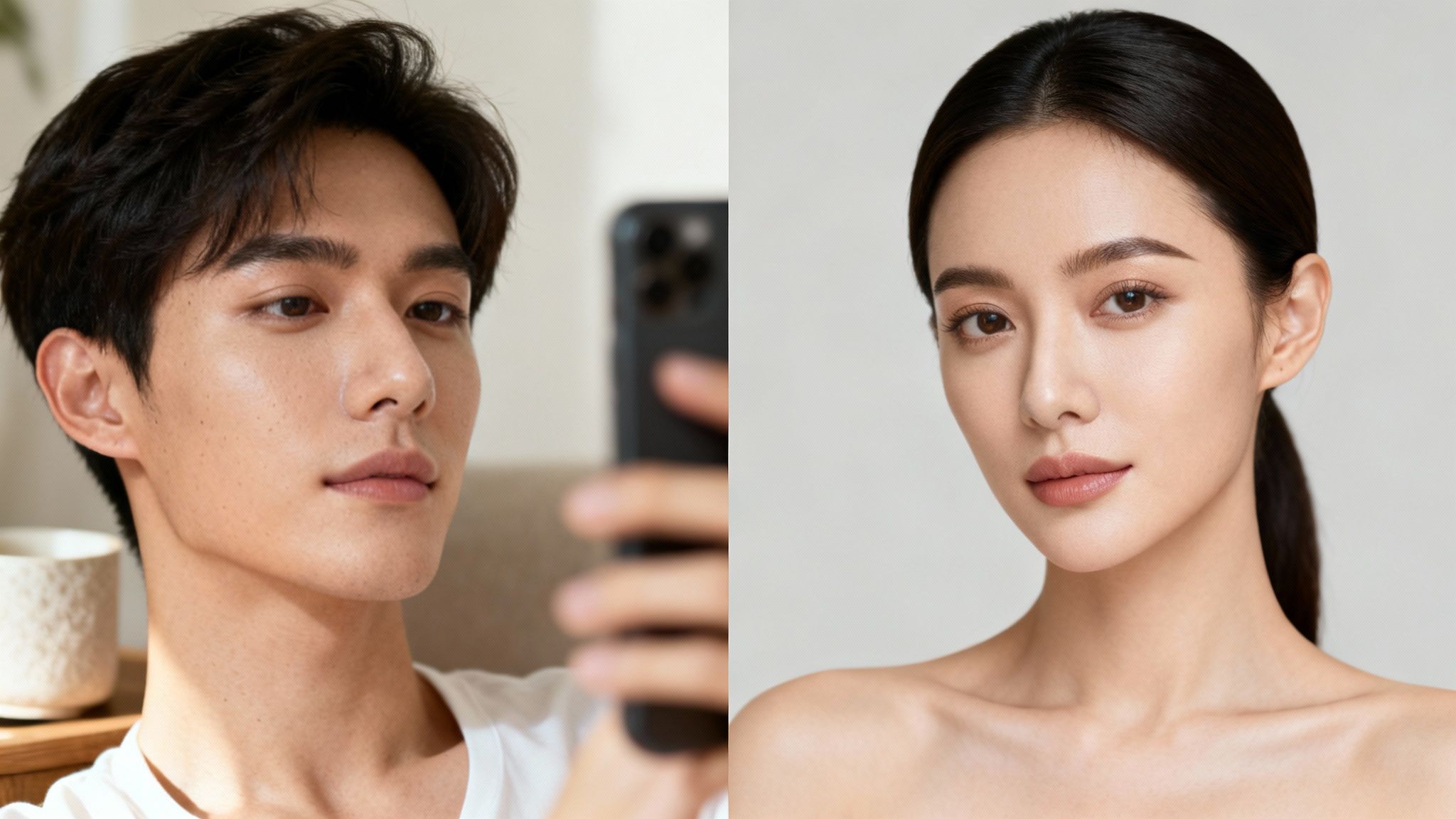
The secret to a jaw-dropping AI-generated image lies not just in the AI itself, but in the quality of the input photos. The principle of "garbage in, garbage out" is acutely applicable to AI photo filters.
Your initial photo selection is unequivocally the most critical step in achieving results that look genuinely professional. A high-quality source photo provides the AI with a clear, detailed blueprint. The result is a final image that is sharp, realistic, and authentically you. Neglecting this step is the primary reason users end up with the muddy, uncanny-valley images that characterized early AI generators.
Your Source Photo Quality Checklist
To equip your AI model for success, you must provide a solid foundation. A strong set of source images is the key to unlocking the full potential of these tools. Before uploading, evaluate your photos against this checklist:
- High Resolution is a Must: Use photos that are sharp and clear, not fuzzy or pixelated. Higher resolution means more data for the AI to process, which translates to finer, more believable details.
- Good Lighting is Everything: Avoid photos with harsh shadows, strong backlighting, or dark, uneven illumination. Soft, natural light that evenly illuminates your face is ideal.
- Show Your Face Clearly: Ensure your facial features are completely unobstructed. This means no sunglasses, heavy shadows from a hat, or other elements covering key parts of your face.
- Mix Up the Angles: Do not solely provide straight-on headshots. Include photos from various angles—slight profiles, looking slightly up or down—to help the AI build a comprehensive 3D understanding of your face.
Balancing Power with Artistry
With high-quality source photos secured, the creative process begins. The objective should be to refine and enhance, not to completely fabricate a new look. It's tempting to stack multiple dramatic filters, but this often leads to an artificial-looking image.
A more effective approach is to build edits in layers. Start with a foundational style, then use specific text prompts to guide the image toward your desired outcome. This layered technique is crucial for maintaining realism and authenticity.
As quoted in a Forbes article on digital art, "The best AI photo tools don't replace the artist; they enhance the artist's vision. The key is to use them for refinement and creative exploration, not as a crutch. Subtlety is often the hallmark of a great edit."
This is precisely correct. AI is a powerful instrument, but your artistic judgment directs it toward a superior result. To maximize its potential, start with strong photographic fundamentals. For instance, understanding different lighting techniques for photography can dramatically improve the raw material the AI works with.
Ultimately, the most impressive AI edits are often those where the AI's involvement is imperceptible.
Your Privacy & Ethics in AI Photography: What You Need to Know
Uploading personal photos to any online service requires trust. When you use AI photo filters, you are entrusting platforms with personal data. This places an immense responsibility on service providers to prioritize your privacy and operate ethically, ensuring you can create with complete peace of mind.
That trust must be earned through robust security measures. For any reputable platform like DreamShootAI, data protection is a core tenet, not an afterthought. From the moment you upload, your photos are protected by end-to-end HTTPS/TLS encryption. This creates a secure, private tunnel that shields your images from interception as they travel from your device to the server.
Protecting Your Stored Data
Once your photos arrive, the security protocols continue. They are stored using AES-256 encryption, the same cryptographic standard used by governments and financial institutions to secure highly sensitive information. In the unlikely event of a data breach, this renders your photos unreadable without the specific decryption keys.
Your financial data requires an even higher level of security. Reputable platforms partner with trusted payment processors like Stripe. This is a critical detail. It means your credit card information never touches the photo editing platform's servers. Instead, it's managed by a certified PCI Service Provider Level 1—the highest security certification in the payments industry.
A 2023 IBM report underscores this necessity, finding that 84% of consumers are more loyal to companies with strong security controls. For users of AI photo tools, top-tier security isn't just a feature; it's the foundation of a lasting brand relationship.
You're in Control: Ethical Use and Your Creativity
Beyond technical security, the ethical handling of your data is paramount. Your images are your property. A transparent privacy policy must explicitly state that your photos are used solely for training your personal AI model. They should never be sold, shared, or used to train public models. You must retain sole ownership of your data and all derivative creations.
This control extends to the use of the tools themselves. While AI unlocks vast creative freedom, it must be wielded responsibly. This means respecting consent and avoiding the creation of harmful, misleading, or deceptive content. The ultimate goal is to explore your artistic potential within a framework that is safe, secure, and respectful. Understanding these privacy and ethical pillars allows you to use AI photo filters with confidence.
Frequently Asked Questions About AI Photo Filters
Diving into the world of AI photo filters naturally raises a few questions. From achieving a realistic look to understanding the underlying mechanics, clear answers help you create with confidence. Here are the most common inquiries from new users.
Will AI Photo Filters Make My Pictures Look Fake?
Not if used judiciously. The realism of the final image depends on the sophistication of the AI and your editing approach. Modern tools like DreamShootAI are engineered to produce highly photorealistic results. The key lies in starting with a high-quality source photo and applying edits thoughtfully.
Rather than stacking multiple dramatic filters, which can result in an "over-edited" appearance, adopt a more subtle methodology. For instance, use an upscaler to enhance resolution and then apply a specific prompt like, "add a soft, golden hour glow." This combination yields a far more natural and believable image. The guiding principle should be enhancement, not a complete overhaul—unless a stylized transformation is your explicit goal.
This aligns with market trends. A recent consumer survey by Canva found that a staggering 68% of users are more likely to share an AI-edited photo if it looks authentic. This preference for subtle, realistic adjustments underscores the principle that less is often more.
Can I Edit Photos With My Partner?
Absolutely. Many advanced AI photo filters, including those integrated into DreamShootAI, are fully capable of processing images with multiple subjects. This is ideal for creating stunning couples photoshoots for weddings, anniversaries, or other shared milestones.
The AI is sophisticated enough to identify each individual in the frame and apply styles consistently. For optimal results, begin with a photo where all subjects' faces are clear and well-illuminated. With prompt-based editing, you can achieve remarkable specificity, instructing the AI with commands like, "make the person on the left wear a navy blue suit and the person on the right wear an emerald green dress."
What Prompts Work Best for Photo Editing?
The most effective prompts are direct, detailed, and descriptive. A vague command like "improve the photo" will likely yield a generic result. To steer the AI effectively, you must articulate your vision with words.
Consider your desired outcome and be specific. Here are a few examples to guide you:
- For Backgrounds: "Change the background to a charming Parisian cafe with cobblestone streets."
- For Clothing: "Change my jacket to a brown leather bomber jacket with a shearling collar."
- For Lighting: "Add dramatic, high-contrast black and white lighting similar to film noir."
The best way to develop proficiency is through experimentation. Test prompts with varying levels of detail, and you will quickly learn how to achieve precisely the look you envision.
Ready to see what AI can do for your own photos? DreamShootAI puts all the tools you need right at your fingertips, from ready-made themed photoshoots to pinpoint-accurate edits with prompts. Start creating your own professional-quality images today at https://dreamshootai.com.
Written by Jocelyn Grey for the DreamShootAI blog.
Spotted something out of date? Tell us at [email protected] and we'll fix it.