The Ultimate Guide to Using a Free AI Photo Editor for Pro-Level Results
Explore ai photo editor free tools and features, privacy safety, and tips to achieve pro-quality results without spending a dime.
Gone are the days of wrestling with clunky software like Photoshop, sinking hours into tutorials just to get a single image right. A powerful ai photo editor free of charge can now deliver professional-looking results in seconds. This isn't just a small step forward; it's a revolutionary leap that places sophisticated editing tools into everyone's hands, democratizing a skill once reserved for experts.
The New Age of Effortless Photo Editing
We've transitioned from the old world of manual, layer-by-layer editing to a new era of intelligent, automated enhancements. The shift is monumental. Not long ago, tasks like removing a stray object from a background or retouching a portrait demanded significant technical skill and immense patience. Now, AI-powered tools perform the heavy lifting, often with a single click.
This magic is powered by complex algorithms trained on millions of images, teaching them to understand context, lighting, and composition. As digital media analyst Dr. Alistair Finch states, "AI is no longer just a tool; it's a creative partner that understands artistic intent. It's making high-end editing accessible to millions." This means you can finally bring your creative vision to life without paying for expensive software or investing years in training.
A Growing Demand for Smarter Tools
This is not a niche trend; it's a market explosion. The global AI in photography market, valued at approximately $5.12 billion in 2024, is projected to surge to nearly $48.74 billion by 2035, according to market analyses by Precedence Research. This exponential growth isn't driven solely by big tech; it's fueled by small business owners, social media managers, and aspiring photographers who are adopting these tools to streamline their workflows.
Of course, this is just one component of a much larger transformation. To understand its place in the broader ecosystem, explore this guide on AI powered content creation, which examines how artificial intelligence is reshaping all forms of creative work.
The core appeal of a free AI photo editor lies in its ability to solve everyday problems almost instantly. These are no longer basic filter apps; they are genuinely powerful creative assistants.
Consider the impact: an e-commerce entrepreneur can now batch-process background removal for dozens of product photos in the time it takes to drink a coffee. A social media manager can apply a consistent, professional aesthetic across an entire event album with a single command.
Who Benefits from This Creative Shift?
The remarkable accessibility of these tools has unlocked a world of possibilities for a diverse user base. Instead of outsourcing every minor tweak, individuals and small businesses can now assume direct control over their visual content, a shift that is both empowering and cost-effective.
This newfound freedom encourages experimentation and creation without the barrier of cost. To dive deeper, you can learn more about how an ai photo editor online works and its capabilities in our detailed guide. It's all part of fostering a more creative, visually engaging digital world for everyone.
How an AI Photo Editor Actually Works
So, what is the fundamental difference between these new AI photo editors and the legacy software like Photoshop that we've used for decades?
Imagine a traditional editor as a massive, complex toolbox. To achieve a desired result, you must know precisely which tool to select—be it the clone stamp, healing brush, or a dozen other functions—and possess the skill to apply it with precision. It's powerful, but entirely manual.
An AI editor completely inverts this paradigm. It’s not a toolbox; it's an intelligent assistant. You simply articulate your goal, such as "remove the tourists from the background" or "make this portrait look more professional." The AI then executes all the complex, technical steps for you. You focus on the what, and it determines the how.
This isn't a mere filter. It represents a new operational methodology, powered by sophisticated technology that translates simple directives into stunning final images.
The Brains Behind the Magic: Machine Learning
At the heart of any AI photo editor, free or paid, lies machine learning. This is a subset of AI where the software is "trained" on a colossal dataset of images—millions upon millions of photos depicting people, landscapes, animals, and objects.
By analyzing this vast visual library, the AI begins to recognize patterns. It learns the visual characteristics of a tree from every conceivable angle, how light reflects off a metallic surface, or the subtle distinctions that separate a human face from the background. This deep learning process is what enables it to perform edits with such remarkable accuracy.
“AI has moved beyond simple automation. It now possesses a form of creative intuition, trained on vast visual data to understand not just the pixels in an image, but the artistic intent behind them.” - Dr. Evelyn Reed, Computational Imaging Specialist
This training endows an AI editor with contextual awareness. When you command it to remove an object, it doesn't just crudely delete pixels. It identifies the object, traces its contours, and intelligently reconstructs the background to appear completely natural. To see this in practice, review our guide on how to edit my photo with AI for practical demonstrations.
Generative Networks: Creating Something from Nothing
Beyond recognizing existing elements, the most advanced AI editors employ generative adversarial networks (GANs). This is where the technology becomes truly transformative.
Imagine two AIs working in tandem: one "artist" generates new image data from scratch, while a "critic" evaluates whether the artist's output appears authentic. They engage in a continuous feedback loop, with the artist constantly refining its technique to deceive the critic. After thousands of iterations, the artist becomes exceptionally proficient at generating photorealistic pixels that blend seamlessly into an existing image.
This is the technology that powers jaw-dropping features like:
- Generative Fill: You remove an ex from a group photo, and the AI flawlessly reconstructs the park bench and foliage that were previously obscured.
- Outpainting: You expand your photo's canvas, and the AI generates the rest of the scene, transforming a tight composition into a sweeping panorama.
- Object Generation: You type "add some fluffy clouds to the sky," and your mundane, overcast day is instantly replaced with a picturesque one.
This explosion in capability is why the AI photo editor market is experiencing such dramatic growth. Valued at $5.12 billion in 2024, it's projected to reach $48.74 billion by 2035, reflecting a compound annual growth rate of approximately 22.7%. These figures signify a fundamental shift in creative workflows, making professional-grade photo editing accessible to everyone.
So, Should You Go Free or Paid? Here's the Real Deal
Entering the world of AI photo editors can feel overwhelming. The word "free" is ubiquitous and highly tempting. However, it's crucial to understand that most ai photo editor free services operate on a "freemium" model. This means you receive access to basic functionalities for free, but the most powerful features are reserved for paying customers.
Consider it a test drive. You can experience the tool's core handling and user interface, but the high-performance engine and premium features remain locked. It’s an excellent way to evaluate a platform without financial commitment, but it's essential to recognize the limitations of the free tier.
Ultimately, your decision hinges on a single question: do you require absolute creative control, or is your primary goal speed and convenience? This flowchart can help visualize that choice.

As illustrated, your end goal is the primary determinant. Your objective will guide you toward the most appropriate tool for the task.
The Freemium Model Explained
The freemium strategy is effective and widely adopted. A 2023 survey by Hubspot revealed that over 65% of consumers are more inclined to upgrade to a paid subscription after a positive experience with a free version. Companies are confident that once you witness the tool's power, you'll be motivated to unlock its full potential.
But what are the typical limitations of a free plan? You'll likely encounter several common restrictions:
- Watermarks: A brand logo or text is superimposed on your final image, making it unsuitable for professional portfolios or client projects.
- Low-Res Exports: You can edit a high-resolution photo, but the downloaded file may be downscaled to a web-quality resolution that is inadequate for print.
- Usage Limits: Many free plans impose daily or monthly caps on the number of photos you can edit or download.
- Locked Features: The most compelling tools—such as advanced background replacement, batch processing, or premium AI filters—are often sequestered behind a paywall.
These are not punitive measures; they are integral to a business model that allows developers to offer a useful free tool while ensuring financial sustainability.
When to Stick with Free vs. When to Upgrade
So, when is "free" sufficient? For many users, it's perfectly adequate. If you're enhancing photos for personal social media, exploring AI editing for the first time, or working on a small personal project, a free plan is an ideal, risk-free option.
The moment your work requires a professional standard, however, the calculation changes. For client deliverables, brand building, or high-quality prints, a paid plan becomes a necessity, not a luxury. Consulting detailed photo editing software comparisons can be invaluable here, as they provide a clear breakdown of the value proposition for various paid tiers.
As seasoned creative director Julian Carter explains, "A free tool is fantastic for learning and personal projects, but professionals invest in paid plans for the reliability, high resolution, and commercial rights essential for client work. You can't send a client a watermarked image."
Free vs Paid AI Photo Editor Features
To further clarify, let's compare the typical feature sets of free and paid AI editors.
| Feature/Aspect | Typical Free Plan | Typical Paid Plan |
|---|---|---|
| Watermarks | Often mandatory on exported images. | No watermarks, yielding clean, professional-grade photos. |
| Image Resolution | Capped at a standard or low resolution (e.g., 1024x1024 pixels). | Full, high-resolution exports suitable for print and professional use. |
| Feature Access | Basic AI tools, such as one-click fixes and simple object removal. | The complete toolkit: generative AI, batch processing, and premium assets. |
| Usage Limits | Daily or monthly caps on edits, downloads, or specific tool uses. | Unlimited or very high usage limits designed for a heavy professional workload. |
| Commercial Use | Almost always restricted to personal, non-commercial use only. | Includes a commercial license, permitting image use for business purposes. |
| Customer Support | Usually limited to community forums or a basic FAQ page. | Priority customer support for rapid problem resolution. |
Ultimately, choosing between a free and paid ai photo editor is a strategic decision. My recommendation is to start free. Familiarize yourself with the workflow, evaluate the results, and test its limitations. The moment you encounter a barrier—be it a watermark, a resolution cap, or a missing feature—it's a clear signal that upgrading is no longer just a cost, but an investment in the quality of your work.
Must-Have Features in a Great Free AI Editor
When searching for a free AI photo editor, it's easy to get lost in a sea of apps all making grand promises. Instead of focusing on brand names, let's concentrate on what truly matters: the core features that distinguish a genuinely powerful tool from a simple filter application.
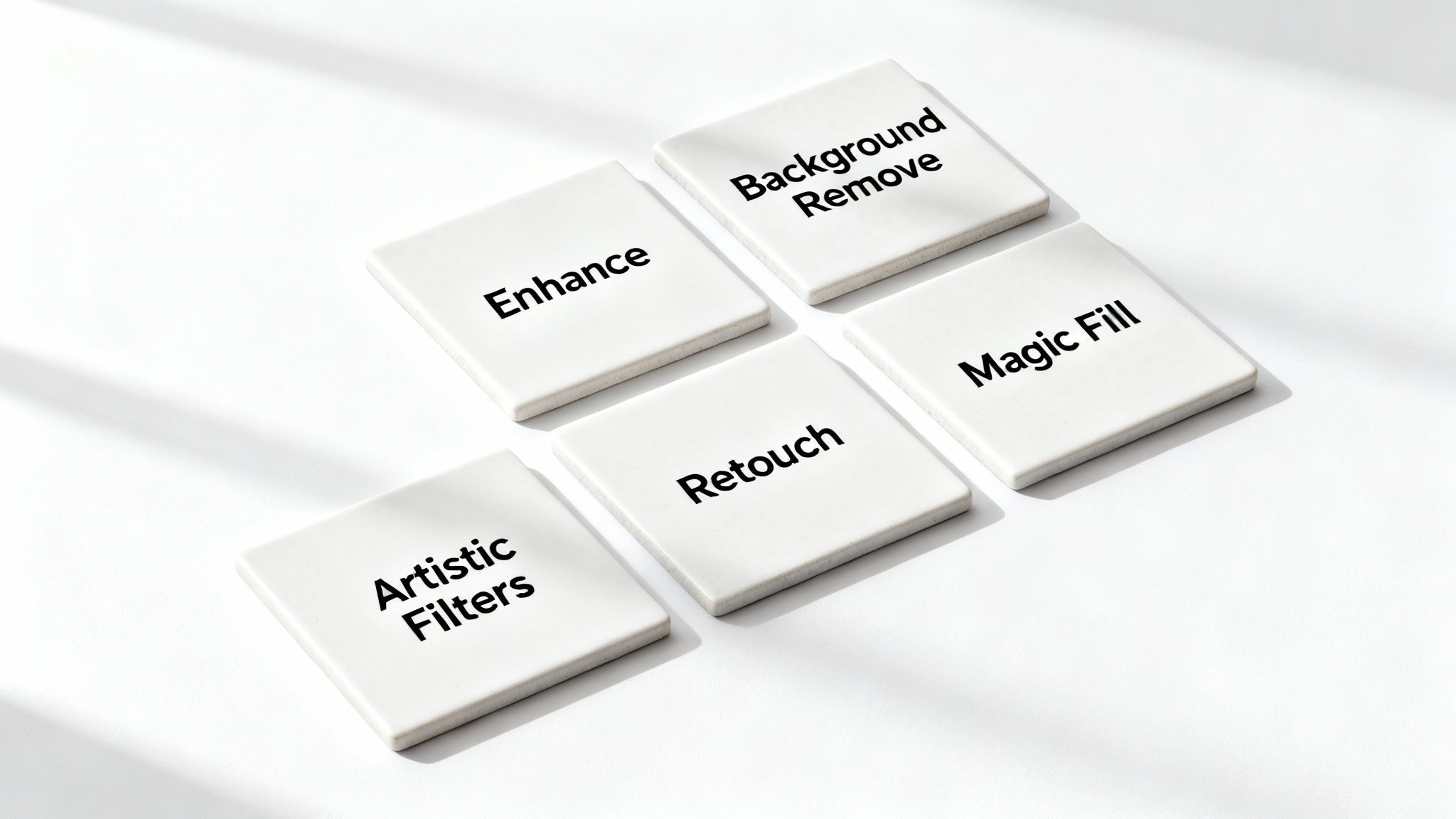
This isn't about finding the longest feature list. It's about identifying the specific, AI-driven functions that solve real-world problems for marketers, content creators, or anyone who wants their photos to look their best. Here are the five capabilities that separate the basic from the exceptional.
One-Click Enhancements for Instant Impact
The absolute baseline for any modern AI editor is the ability to perform intelligent, instant enhancements. This goes far beyond basic brightness and contrast adjustments. A proper AI tool analyzes the entire image—identifying the subject, understanding the lighting, and detecting color imbalances—to apply a suite of complex corrections with a single click.
For a social media manager, this function can rescue a batch of event photos taken in poor lighting. For everyone else, it’s the key to making a casual smartphone picture of a sunset look epic without needing a degree in color theory. The goal is speed and quality, delivering a professional-level aesthetic in seconds. A top-tier AI photo enhancer is the perfect entry point for this type of immediate improvement.
Object and Background Removal with Clean Edges
This feature is a game-changer across countless use cases. I'm referring to the power to cleanly remove unwanted objects or entire backgrounds. A great AI editor avoids leaving a clumsy, jagged outline; it uses sophisticated edge detection to produce a cutout so smooth and natural that it appears to have been crafted by a professional graphic designer.
This is how you achieve clean, crisp product shots for e-commerce, isolate a person for a professional headshot, or finally remove that distracting tourist from a cherished family photo. Precision is paramount. You need a tool that can handle complex subjects, like wisps of hair, without leaving a blurry, amateurish artifact.
"AI editing is no longer a gimmick. It’s a core productivity tool. The ability to batch-process background removals or generate image variations saves creative professionals hundreds of hours a year, allowing them to focus on strategy instead of tedious manual edits." - Ava Chen, Digital Content Strategist
Generative AI Tools for Limitless Creativity
Now we enter the realm of true creative collaboration. This is where AI transitions from merely fixing photos to actively creating with you. Generative AI tools, often labeled "Magic Fill" or "Generative Expand," allow you to add, replace, or extend parts of your image simply by describing your desired outcome in text.
Accidentally cropped your friend's shoes out of a photo? The AI can recreate them. Want to add a dramatic, cloudy sky to a dull landscape? Just ask. These tools are incredibly empowering. A marketer can take a single product shot and instantly generate dozens of variations with different backgrounds and props. This technology is so integral to modern workflows that some industry reports estimate that over 68% of marketing images are now touched by AI.
Smart Retouching for Natural Results
Portrait editing is a delicate art, and AI has become an exceptional partner in this process. Smart retouching tools can automatically identify and correct blemishes, smooth skin, and even brighten eyes and whiten teeth. The operative word here is smart. A sophisticated tool knows not to overdo it, preserving natural skin texture to avoid the artificial, plastic-like appearance common with older filters.
This is an essential feature for anyone posting photos of people, from professional headshots to everyday selfies. It transforms a once time-consuming task into a quick, effective fix, delivering flattering yet realistic results that look polished without appearing heavily edited.
AI-Powered Stylistic Filters
Finally, look for artistic filters that are more than just simple color overlays. The best free AI photo editors use AI to understand the content of your photo before applying a style. So, when you select an "oil painting" filter, the AI applies brushstrokes that intelligently follow the contours of a face or the lines of a building.
This creates a far more sophisticated and believable artistic transformation. It’s perfect for generating unique social media content that stops the scroll or simply for having fun reimagining your favorite photos in an entirely new medium.
Protecting Your Privacy with Free AI Tools
Let's be direct: obtaining a powerful AI photo editor free of charge feels like a victory. But the "free" price often comes with a hidden cost: your personal data. In the excitement of exploring a new tool, it’s dangerously easy to click "accept" on the terms of service without scrutiny. This is a critical error.
When you upload an image, you're not just editing a photo; you are entering into a legally binding agreement. The fine print in that agreement dictates who controls your creations, and the details are profoundly important.
Before uploading a single image, the most critical questions are not about features or filters. They concern ownership, usage rights, and your privacy. Securing clear answers is the only way to create with genuine peace of mind.
Key Questions to Ask Before You Upload
While every company's privacy policy is unique, they should all provide answers to a few non-negotiable questions. Seeking out this information will prevent major complications and protect your intellectual property.
- Who actually owns the final image? Some free services grant themselves a broad license to use, share, or even sell the images you create on their platform. You must verify that you are not inadvertently relinquishing your rights.
- Are my photos being used to train their AI? This is a crucial point. Many free tools improve their algorithms by learning from user-uploaded images. Determine if your photos are being used for model training and, most importantly, if you have the ability to opt out.
- What other personal data are they collecting? The data collection often extends beyond your photos. What else is being tracked? This can include your location, device type, and usage patterns within the application.
A recent Pew Research Center survey found that 81% of users feel they have very little control over the data companies collect about them. This sentiment underscores the need to be proactive and choose platforms that operate with transparency.
Cybersecurity expert Anya Sharma puts it perfectly: "Free services aren't truly free; you often pay with your data. Always choose platforms that are transparent about how your images are used and offer clear opt-out policies for AI training."
How to Spot Privacy Policy Red Flags
You don't need a law degree to identify a problematic privacy policy. The most significant red flag is a lack of clarity. Reputable companies make their policies accessible and easy to understand. Untrustworthy ones obscure their intentions behind confusing jargon and ambiguous statements.
Here’s a quick checklist to help you spot the red flags:
- Vague Language: Be wary of broad, catch-all phrases like, "we may use your content for business purposes." This is a red flag because it lacks specificity. What business purposes? Marketing? Selling data?
- Broad Content Claims: If the terms grant the service a "perpetual, irrevocable, worldwide" license to your images, proceed with extreme caution. Such language could mean you lose control over your own work indefinitely.
- No Opt-Out for AI Training: A trustworthy service will be explicit about its use of images for AI training and provide a simple method for opting out. If you cannot find an opt-out option, you must assume your data is being used.
- Hard-to-Find Policies: If you must navigate through multiple menus to locate their privacy policy or terms of service, it's a strong indication that transparency is not a priority.
Taking a few minutes to ask these questions and scan for red flags can make all the difference. It empowers you to select a tool that not only delivers excellent results but also respects your privacy, allowing you to enjoy the creative benefits of AI without compromising your data.
Getting Started with DreamShootAI
Let's transition from theory to practical application. When you're ready to begin, DreamShootAI offers an excellent starting point. It's designed to feel less like complex software and more like an intuitive creative studio, making it a great choice for anyone seeking to experience the true capabilities of a modern AI photo editor.

The setup process is remarkably simple. Signing up provides immediate access to a free trial, allowing you to experiment with the core features without any financial commitment. This initial experience is critical—studies confirm that over 65% of users are significantly more likely to upgrade after a positive free trial.
Your First Edit in Three Simple Steps
The platform's primary goal is to get you from zero to "wow" as quickly as possible. Its guided workflow ensures you can achieve impressive results on your very first attempt. DreamShootAI’s clean layout avoids the cluttered, confusing interfaces that make other editors feel intimidating.
As product designer Nitin Sharma noted in a review of top editing tools, a simple interface is non-negotiable. He asserts that the best editors "should be clean, fast, and beginner-friendly" to be genuinely useful.
This design philosophy is evident in DreamShootAI's user experience. You don't need to master a dozen different tools to make a significant impact.
Mastering Three Essential Tools
Once you upload a photo, the creative process begins. To fully explore the platform's potential during your trial, focus on these three powerhouse features first:
- AI Background Remover: Select your photo, click a button, and watch as the AI instantly isolates your subject from its background. This is invaluable for creating clean product photos for e-commerce or achieving a perfect, distraction-free headshot. The edge detection is incredibly precise, preventing the fuzzy, amateurish outlines common in lesser tools.
- Magic Object Eraser: Notice a photobomber or an unsightly object in your shot? Simply brush over the item you want to remove, and the AI erases it, intelligently reconstructing the background with what should have been there. It’s like having a magic wand for your photos and a perfect example of generative AI's practical utility.
- One-Click Image Enhancer: If your photo feels flat, dark, or slightly blurry, this is your solution. With a single click, the AI analyzes color, light, and sharpness, applying a perfectly balanced set of adjustments. It instantly makes your image appear more vibrant and professional without requiring you to manipulate a single slider.
By experimenting with these three tools, you’re not just learning a program; you’re adopting a faster, more intelligent editing workflow. DreamShootAI empowers you to produce amazing-looking images from the very start.
Got Questions About AI Photo Editors? We Have Answers.
As you delve into AI editing, questions are bound to arise. This is perfectly normal. To provide clarity, we've compiled concise answers to the most common inquiries.
Can I Use Photos from a Free AI Editor for My Business?
This is a critical question with significant legal implications. The short answer is almost certainly no. Most free plans and trials include a crucial stipulation: images can only be used for personal, non-commercial purposes, such as social media posts or personal prints.
To use an image for any activity intended to generate revenue—including marketing materials, product photos, or website banners—you must upgrade to a paid plan that includes a commercial license. This grants you the legal right to use the images for business. Always review the terms of service meticulously before making any assumptions.
Do Free AI Editors Lower My Image Quality?
Unfortunately, this is often a hidden cost of "free" services. To manage server load and costs, many free platforms reduce the resolution of your images upon export. You might upload a beautiful, high-resolution photograph, but the downloaded file will be smaller, suitable for on-screen viewing but resulting in a blurry, pixelated mess if printed.
Some services also apply heavier compression, which can soften sharp details. Paid plans are the solution, as they almost universally provide full-resolution downloads, ensuring the quality you input is the quality you receive.
Are My Photos Kept Private and Secure?
This is a major concern, and the answer varies dramatically between platforms. Reputable companies will be transparent about their use of encryption and data handling protocols. However, some free tools may use your uploaded photos to train their AI models, often without explicit consent.
As a rule, prioritize platforms that are explicit about their data policies. A recent Pew Research Center survey found that 81% of people feel they have little to no control over the data companies collect from them, highlighting the importance of selecting a service that respects your privacy.
Before uploading anything personal or sensitive, invest a few moments in reviewing the privacy policy. Look for a clear statement confirming they will not use your images for training or, at a minimum, provide a straightforward way to opt out.
Ready to create stunning, professional-quality photos without the fine print? Try DreamShootAI today and see how our powerful AI tools can transform your images.
Written by Jocelyn Grey for the DreamShootAI blog.
Spotted something out of date? Tell us at [email protected] and we'll fix it.