How to Create Your First AI Family Portrait
Create a stunning AI family portrait from your photos. This guide walks you through choosing photos, writing prompts, and printing your final masterpiece.
An AI family portrait leverages sophisticated artificial intelligence to synthesize individual photographs of family members into a single, cohesive image. This modern interpretation of the classic family photo allows for the creation of professional, studio-quality portraits without the logistical constraints of a traditional photoshoot. The technology offers unparalleled flexibility, enabling you to place your family in any conceivable setting or to finally unite geographically distant members in a single, digitally rendered frame.
This innovative approach presents a versatile and highly cost-effective alternative to conventional photography sessions.
The Future of Family Memories Is Here
The classic family portrait is undergoing a profound technological evolution. Instead of coordinating complex schedules and locations, you can now generate stunning, one-of-a-kind family portraits using existing photos from your digital library. This powerful synthesis of personal memories and advanced AI unlocks a new dimension of creative possibilities previously reserved for professional artists and photographers.
The appeal is undeniable: it systematically eliminates the logistical hurdles of a traditional photoshoot. The significant expenses, scheduling conflicts, and weather-dependent outcomes are replaced by a streamlined process that puts you in complete artistic control from your own home.
A New Era of Visual Storytelling
This is not a niche trend but a significant component of a broader paradigm shift in digital content creation. The proliferation of generative AI has led to an exponential increase in the volume of visual media. A 2023 analysis by Everypixel Journal revealed that an estimated 34 million AI images are generated every single day globally.
Since 2022, over 15 billion AI-generated images have been created—a production milestone that traditional photography took nearly 150 years to achieve. These figures underscore the technology's rapid adoption and transformative impact. You can explore more data on these AI trends to grasp the full scale of this digital revolution.
This simple graphic breaks down just how straightforward the process is.
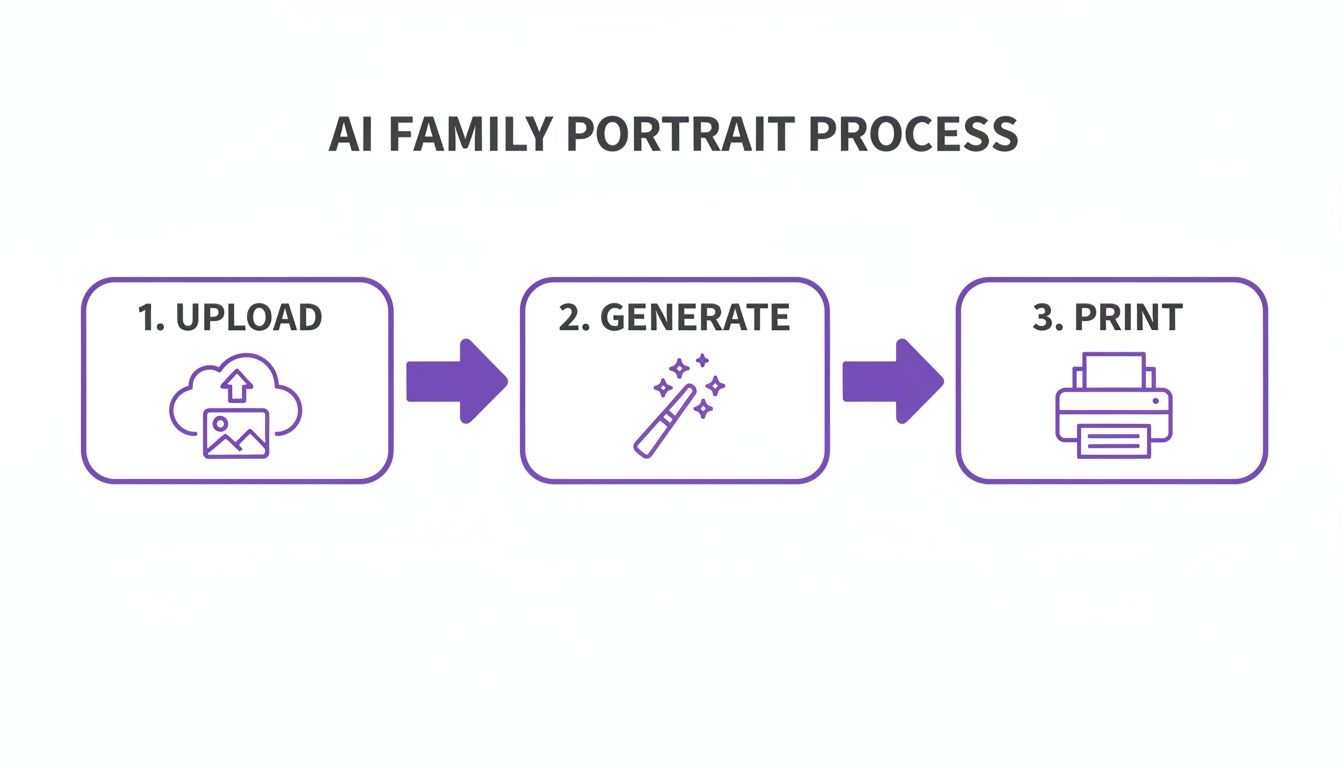
As you can see, the path from your own photos to a beautiful printed keepsake is surprisingly simple and accessible to anyone.
Why AI Portraits Are Gaining Momentum
So, what is driving the widespread interest in AI family portraits? The technology's momentum stems from its unique capacity to solve practical problems while simultaneously unlocking creative potential. For families dispersed across different cities or countries, it provides a powerful solution for creating a group photograph that would otherwise be impossible.
It also offers a profound way to include deceased loved ones, creating deeply meaningful, multi-generational heirlooms. Dr. Elaine Kasket, a counseling psychologist and author specializing in digital legacy, notes, "AI can serve as a bridge to the past, allowing us to visually connect generations in a way that resonates emotionally. These images become more than pictures; they are artifacts of continuing bonds."
This transformative potential is also being recognized by creative professionals. Becca Jean, a family photographer who incorporates AI into her workflow, highlights its efficiency:
"It’s taken the pressure off... so I can focus on the creative work I actually enjoy."
This sentiment encapsulates the core value proposition of AI portraiture: it abstracts away logistical complexities, allowing users to concentrate entirely on their artistic vision. Whether you envision a hyper-realistic family photo on a beach at sunset or a whimsical, fantasy-style painting, AI provides the tools to execute that vision with precision. This guide will provide a comprehensive walkthrough of the process.
Deciding between an AI portrait and a traditional photoshoot can be tough. Here’s a quick breakdown to help you see the key differences at a glance.
AI Family Portrait vs Traditional Photoshoot
| Feature | AI Family Portrait | Traditional Photoshoot |
|---|---|---|
| Cost | Low (often a one-time fee or subscription) | High (photographer fees, location, prints) |
| Convenience | High (done from home, anytime) | Low (requires scheduling, travel, coordination) |
| Time | Fast (minutes to a few hours) | Slow (hours for the shoot, weeks for editing) |
| Location | Unlimited (any imagined or real place) | Limited to one physical location |
| Flexibility | Extremely high (endless styles, outfits, themes) | Limited (what you wear and where you are) |
| Inclusivity | Can easily include absent or deceased members | Only includes who can be physically present |
| Experience | Fun, creative digital process | A tangible, in-person memory-making event |
| Output | Digital files, ready for print | Professional prints, digital files, albums |
While nothing can fully replace the experience of a live photoshoot, AI offers a powerful and creative alternative that solves a lot of common problems. It all comes down to what you're looking for: the convenience and endless possibility of AI, or the traditional experience and personal touch of a professional photographer.
Gathering the Right Photos for Your Portrait
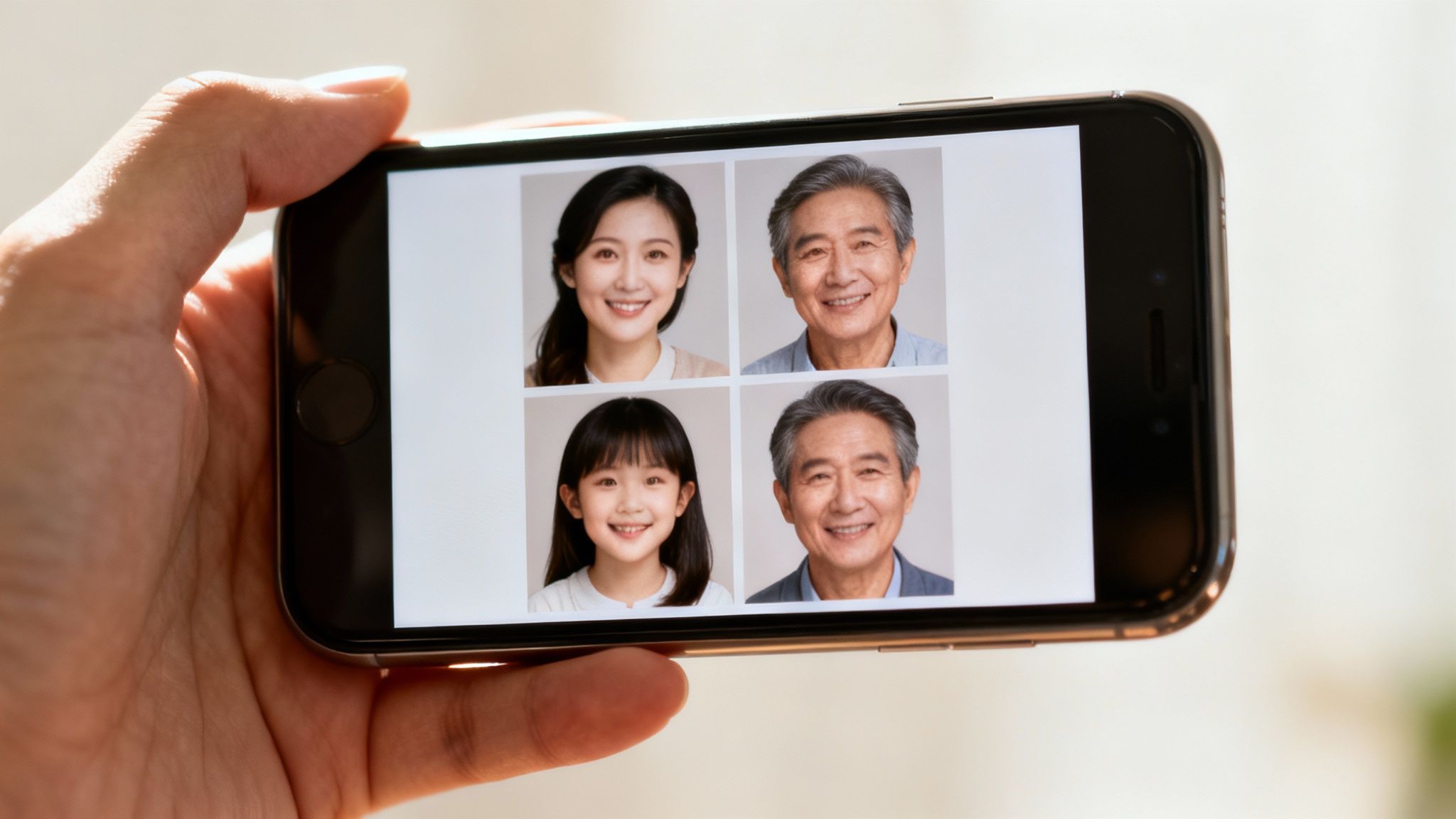
A foundational principle of machine learning is "garbage in, garbage out." The quality of your final AI portrait is directly contingent upon the quality of the input data. Most suboptimal AI results, such as distorted facial features or digital artifacts, can be traced back to poor-quality source images.
This initial step is the most critical phase of the entire process. The objective is to provide the AI with a clear, varied, and detailed set of photographs for each individual. This enables the algorithm to construct a robust digital likeness that can be accurately rendered in new contexts.
Selecting the Ideal Source Photos
To achieve a high-fidelity facial reconstruction, the AI requires more than one or two images. The model must learn the subject's unique facial topology from multiple perspectives. Research in computer vision confirms that facial recognition accuracy significantly decreases with non-frontal poses, which is why a diverse set of angles is essential for training the AI.
Based on best practices, the following criteria are recommended for curating your photo collection:
- Quantity and Variety: Aim for 10-20 high-quality photos per person. This collection should include a mix of close-ups, half-body shots, and varied expressions, such as smiles, neutral faces, and laughter.
- Clarity is Key: Each photograph must be sharp and in focus. Blurry or pixelated images introduce noise into the training data, leading to distorted or "melted" features in the final output.
- Good, Even Lighting: Avoid photographs with harsh shadows, strong backlighting, or dark, grainy conditions. Natural, diffused light provides the most favorable illumination, clearly defining facial features without creating data-complicating shadows.
Before uploading any images, a critical ethical checkpoint must be addressed. It is imperative to obtain explicit consent from every adult participant. Using an individual's likeness to generate a new, synthetic image without their permission constitutes a significant ethical breach. For minors, only a parent or legal guardian is authorized to provide consent. This ensures your keepsake is built on a foundation of trust and respect.
“The ethical foundation of any AI family portrait project rests on informed consent. It’s not just a legal formality; it’s a matter of respect for personal autonomy and privacy.”
— Dr. Anya Sharma, AI Ethicist
If you're struggling to get good source shots, don't worry. Our guide on how to take professional photos at home has some excellent, practical advice to get you started.
Common Pitfalls to Avoid
Be rigorous in filtering out photos that obscure key facial features. This includes images with sunglasses, hats casting deep shadows, or any object covering parts of the face.
Furthermore, prioritize photos where the subject is alone. Extraneous faces in the training data can confuse the AI, leading to blended or inaccurate likenesses. It is interesting to note how this selective process mirrors other creative endeavors; for instance, many crafters now create custom patterns from family photos or pet portraits, transforming treasured images into entirely different forms of tangible art.
Guiding the AI with Effective Prompts
Once the AI model has been trained on your family's photographs, you transition into the role of creative director. Using text-based prompts, you instruct the AI on the precise nature of the ai family portrait you wish to create. A well-architected prompt is the crucial element that transforms a generic, algorithmically generated image into a personalized masterpiece worthy of display.
Conceive of your prompt as a detailed blueprint, not a simple request. The more specific the parameters, the more accurate the result. A vague prompt like "family photo" will yield unpredictable and often unsatisfactory outcomes. The objective is to provide the AI with an unambiguous set of instructions.
The Anatomy of a Powerful Prompt
Optimal prompts are constructed from several key components that work in synergy. By deconstructing your vision into these core elements, you create a command that minimizes ambiguity for the AI. User experience studies in generative AI consistently show that structured, multi-part prompts dramatically increase the fidelity and quality of the final image.
A robust prompt framework typically includes:
- Subject: Define who is in the picture with precision. "A family of four, with a father, mother, a young son, and a teenage daughter."
- Action: Specify what they are doing. Are they "laughing together on a sofa," "walking hand-in-hand on a beach," or "posing formally for a classic portrait"?
- Setting: Describe the environment in detail. Instead of "outside," use "in a sun-drenched meadow filled with wildflowers" or "in a cozy, vintage library with warm lighting."
- Artistic Style: Determine the aesthetic. Do you require a "photorealistic, candid shot," a "classic oil painting in the style of Rembrandt," or a "whimsical watercolor illustration"?
When these elements are woven together, you transform an abstract idea into a command the AI can execute with high precision.
Real-World Prompt Examples
Let’s examine this methodology in practice. Note how the level of detail fundamentally alters the potential outcome.
Scenario 1: A Classic, Timeless Portrait
- Prompt: A photorealistic family portrait of a mother, father, and two young children posing in a brightly lit, elegant studio. They are smiling warmly at the camera. Cinematic lighting, sharp focus, 8K resolution.
Scenario 2: A Whimsical, Artistic Creation
- Prompt: An impressionist oil painting of a family of three having a picnic in a lush, green park. The style should be similar to Monet, with soft brushstrokes and vibrant colors. Golden hour lighting.
Here’s a pro tip: employ "negative prompts" to preemptively refine your results. These instruct the AI on what to avoid. Appending
--no blurry faces, extra limbs, distorted handsto your prompt can prevent many common generation artifacts.
If you’ve already generated an image and just want to tweak it, many new tools let you photo edit by prompt. This is a game-changer. It allows you to make specific changes like "change the background to a forest" or "make the lighting warmer" on an existing picture, giving you another layer of creative control. Gaining proficiency in both generation and editing with prompts is the key to creating the perfect AI family portrait.
Refining and Enhancing Your Generated Image
The initial generation of your AI family portrait is an exciting milestone, but the process is not yet complete. This first output should be considered raw material; the true artistry lies in the refining and enhancement stage. It is here that you polish the image to a professional standard, suitable for display. This post-processing step is what elevates a competent AI generation into a truly exceptional one.
Most AI-generated images are rendered at a resolution suitable for digital screens but inadequate for high-quality printing. To bridge this gap, upscaling is essential. Upscaling algorithms use AI to intelligently increase the pixel density of an image, which sharpens details, smooths artifacts, and prepares it for print. Neglecting this step will result in a blurry, pixelated final product.
The Power of Targeted Adjustments
Beyond increasing resolution, you can perform highly specific edits using simple text commands, bypassing the complex interfaces of traditional photo editing software. You are, in effect, directing the AI as you would a human artist.
Consider these real-world examples of targeted adjustments:
- "Brighten the background without altering the subjects."
- "Enhance the warm, golden hour tones in the lighting."
- "Subtly soften the shadows on the faces."
This level of granular control allows you to fine-tune the mood and focus of your portrait with precision. To streamline this workflow, a dedicated AI photo enhancer can automate many of these improvements, providing an efficient path to a flawless finish.
A Workflow for Perfection
When you generate a portrait, you will typically receive several variations. A methodical selection process is key. Begin by identifying the images where the facial likenesses are most accurate—this is the primary criterion for success.
From this subset, evaluate the compositions for naturalness and balance. Once you have selected one or two top candidates, begin the refinement process. First, upscale the image. Then, execute your final adjustments to lighting, color, and focus using text prompts. This iterative process of selection and enhancement ensures your final portrait meets the highest standards.
"The final 10% of the work is what makes all the difference. An AI can generate a face, but it's the human touch in post-processing—the subtle tweaks to light and shadow—that breathes life and emotion into the portrait."
— Sofia Reyes, Digital Artist and AI Art Consultant
This workflow is analogous to post-production standards in the professional photography industry. In fact, a report from IBISWorld projects that the U.S. photography market will generate $11.1 billion in revenue in 2024, with a significant portion of that industry's value derived from post-production editing. AI tools are the modern equivalent of the darkroom, democratizing the ability to achieve a professional finish. This final polish is what transforms a novel AI generation into a timeless piece of family art.
Printing and Sharing Your AI Masterpiece
You have completed the creative process—selecting photos, crafting prompts, and refining the details. However, the result is currently a digital file. The final, transformative step is converting that file into a tangible heirloom that can be displayed, shared, or gifted. Bridging the gap from screen to print is what imbues your ai family portrait with permanence and emotional weight.
Despite the proliferation of digital media, the demand for physical family portraits remains robust. According to a 2024 market analysis by The Business Research Company, the global photography services market is projected to grow from $115.1 billion in 2023 to $122.28 billion in 2024. This demonstrates that no matter how advanced our technology becomes, the value of a beautifully printed portrait is enduring.
Getting Your File Ready to Print
Before submitting your file to a printing service, several technical checks are necessary to avoid a disappointing, low-quality result. This preparation is crucial for ensuring that the fidelity you see on your monitor translates accurately to the printed medium.
The most critical parameter is resolution. For high-quality printing, the industry standard is 300 Dots Per Inch (DPI). This metric instructs the printer to deposit ink dots in high density, creating a sharp, clear image. In contrast, web images are typically rendered at 72 DPI, which appears fine on a screen but will look fuzzy and unprofessional on paper.
Next, you must select the appropriate file format:
- JPEG (JPG): This is the optimal choice for most photorealistic images. It utilizes compression to maintain manageable file sizes without significant quality loss, making it ideal for standard photo prints.
- PNG: Use this format if your portrait contains transparent elements or sharp text. As a lossless format, it preserves all original image data, resulting in larger file sizes but maximum fidelity.
"Translating a digital creation into a physical object requires a different kind of precision. File format, resolution, and color space aren't just technical details; they are the language the printer understands. Getting it right is the difference between a cherished piece of art and a blurry disappointment."
–– Dr. Abhay Sharma, Professor and Author of Understanding Color Management
Picking Your Print Service and Materials
With a print-ready file, you can now decide on the physical medium for your portrait. The options are vast. To achieve a high-quality result, it is beneficial to understand the fundamentals of preparing digital photos for printing.
Consider the final aesthetic you wish to achieve. A classic canvas print adds a warm, painterly texture that complements artistic or oil-painting styles. For a sleek, contemporary look, a metal or acrylic print will enhance color saturation with a high-gloss finish.
Beyond wall art, consider leveraging your AI portrait for other creative applications. Custom holiday cards, calendars, or coffee mugs are excellent ways to create personalized gifts with high sentimental value.
Your AI Family Portrait Questions, Answered
Embarking on AI portrait creation is an exciting prospect, but it is natural to have questions. This is an emerging technology, and considerations extend beyond creative execution to include practical matters of safety, ethics, and achieving a satisfactory final product. Let's address some of the most common inquiries.
Is It Safe to Upload My Family Photos to an AI Platform?
This is a critical consideration. Caution regarding personal data is not only wise but necessary. Reputable platforms operate within a robust legal framework; a United Nations report indicates that 137 out of 194 countries have now enacted data protection and privacy legislation.
A trustworthy AI service will implement strong security measures, such as end-to-end encryption, to protect your photos during upload and storage. Critically, your images should be used exclusively for training your personal AI model and for no other purpose.
“Any AI service worth its salt will be upfront and clear about its security measures. Before you upload anything, take a few minutes to read their privacy policy. You want to know exactly how your data is handled, stored, and—most importantly—when and how it gets deleted.”
–– Ann Cavoukian, Ph.D., former Information & Privacy Commissioner of Ontario
How Can I Make Sure the AI Portrait Actually Looks Like My Family?
Achieving a high degree of likeness is the primary goal. The solution lies in the quality and variety of your input data. Provide the AI with 10-20 clear, well-lit photos for each person, capturing their face from multiple angles.
Certain image types can degrade the AI's performance. Avoid the following:
- Photos with sunglasses or hats that cast obscuring shadows.
- Images that are blurry, out-of-focus, or low-resolution.
- Shots with harsh lighting that overexposes or hides facial features.
The more clean, unambiguous visual information the AI has to learn from, the more accurately it can capture each individual's unique likeness. Do not be discouraged by initial imperfections; achieving the desired result may require some experimentation with different photo combinations or prompt refinements.
What Are the Ethical Rules I Need to Follow?
Ethical use of this technology is paramount and is governed by a single, inviolable principle: consent. You must obtain explicit permission from every adult whose likeness you intend to use. For minors, only a parent or legal guardian can provide this consent.
Generating an AI image of someone without their knowledge is a severe ethical violation and may carry legal consequences. For personal use, such as a portrait for your own home, you are generally in the clear. However, if you plan any commercial application of the image, you must consult the AI platform's terms of service to ensure compliance.
Can I Include a Family Member Who Has Passed Away?
Yes, and this represents one of the most profound and heartfelt applications of AI portraiture. By using clear, high-quality photographs of a deceased loved one, you can create multi-generational portraits that would otherwise be impossible.
This can be an incredibly meaningful way to honor their memory and create a cherished family heirloom. It is essential to approach this with sensitivity and ensure other family members are comfortable with the idea. The technical process remains the same: gather the best available photos to provide the AI with a strong visual reference.
Ready to turn your cherished memories into a stunning work of art? With DreamShootAI, you can create beautiful, professional-quality AI portraits from the comfort of your home. Explore endless creative themes and bring your vision to life today at https://dreamshootai.com.
Written by Jocelyn Grey for the DreamShootAI blog.
Spotted something out of date? Tell us at [email protected] and we'll fix it.