A Practical Guide to Upscaling 1080p to 4K
Learn how to master upscaling 1080p to 4K with AI. This practical guide covers proven techniques, tool settings, and real-world workflows for creators.
Upscaling 1080p footage to 4K is the process of using sophisticated software to increase a video's resolution from 1920x1080 to 3840x2160 pixels. It's the definitive method for breathing new life into older footage. We're not just stretching the image anymore; modern AI-powered tools can actually synthesize realistic detail, making classic content look sharp on today's high-resolution screens.
Why Upscaling from 1080p to 4K Matters Now
Let's be clear—4K isn't a "trend" anymore. It is the prevailing standard for content consumption. This puts creators in a challenging position: what do you do with that treasure trove of 1080p footage you’ve spent years building? A few years ago, you had to accept it would look soft on a 4K display. Thankfully, those days are over.
The jump to higher resolutions happened rapidly. The 4K Ultra HD standard (3840×2160 pixels) took hold in the 2010s, a massive leap from the absurdly expensive $7,000 HDTVs of 1998. Major platforms like YouTube were significant drivers of this change, adding 4K support in 2010 and making it a default option by 2013. According to a 2023 report from Statista, over 44% of households in the United States now own a 4K TV, creating a substantial audience that expects high-resolution content. If you're interested, you can dig into more on the evolution of television technology and see how it's shaped content creation.
The Viewer Perception Shift
It’s simple: delivering your content in 4K makes it look more professional. One study from Brightcove found that 65% of consumers view brands negatively if they publish poor-quality videos. In a crowded creative space, crisp, detailed visuals aren't a bonus—they're a baseline for credibility.
AI upscaling has evolved from a quick fix to a core part of the post-production workflow. It’s a strategic move that lets you:
- Future-proof your content library, keeping older videos relevant and monetizable for years to come.
- Mix archival clips into new 4K projects without that jarring drop in quality.
- Hit the quality bar on platforms like YouTube and Vimeo, where 4K content often gets a nudge from the algorithm and is preferred by viewers.
The chart below puts the pixel difference into perspective.
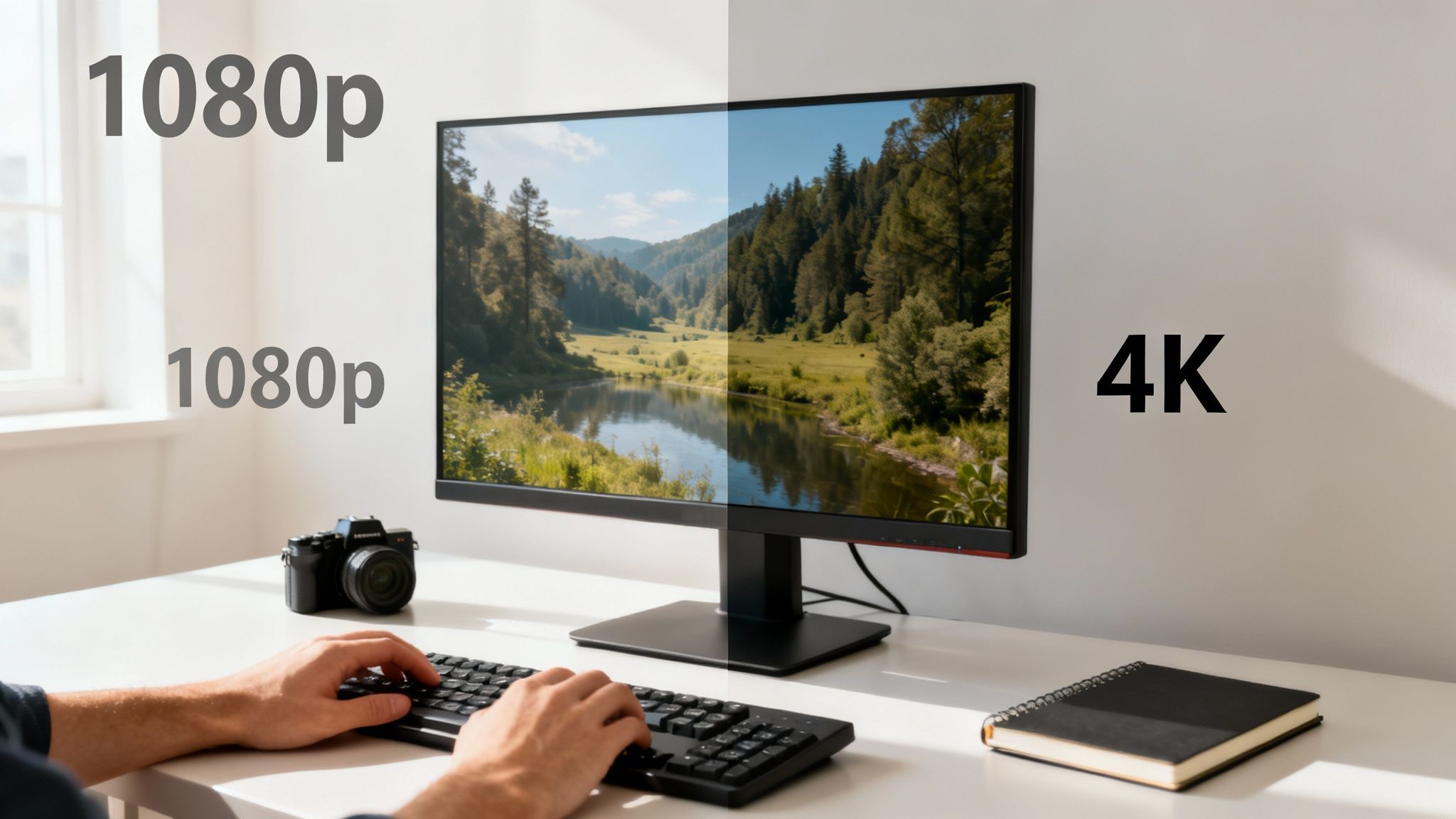
It’s a stark visual. 4K UHD (3840x2160) has exactly four times the pixels of Full HD (1920x1080). That’s the massive gap that modern upscaling technology must intelligently fill.
The Power of Pixel Density
At the heart of it all is pixel density, the very thing that makes an image look sharp. Dr. Alvy Ray Smith, a co-founder of Pixar and a true pioneer in digital imaging, has spent his career exploring the link between pixels and perception.
"A pixel is not a little square. A pixel is a point sample. It exists only at a point."
This concept is foundational to understanding modern AI upscaling. The AI isn't just making "little squares" bigger. It’s analyzing those individual point samples of color and light to intelligently predict what the missing pixels should look like.
By generating brand-new, context-aware pixel data, upscaling 1080p to 4K creates an image that is miles ahead in sharpness and detail than what old-school algorithms could ever achieve. This technical leap makes it an essential skill for any creator who’s serious about their craft.
AI Upscaling vs. Traditional Methods
Think of the difference between upscaling methods like this: you can either use a photocopier to enlarge a small drawing, or you can hire a master artist to recreate it on a larger canvas. One just stretches what's there, while the other intelligently adds the detail needed to make it look right.
That's the core difference separating modern AI from the old-school techniques we've used for decades.
Traditional methods, like bicubic or bilinear interpolation, are purely mathematical. When asked to turn a 1080p image into a 4K one, they look at the pixels, perform a mathematical average of their colors, and fill in the gaps. The result? A bigger, but often softer and blurrier image. No genuinely new information is ever created; it's just the original pixels, stretched out and smoothed over.
AI upscaling, on the other hand, is a different paradigm. It works using machine learning models—powerful neural networks that have been trained on millions of before-and-after image pairs. This process essentially teaches the AI what things should look like in high definition, from the texture of a brick wall to the subtle strands of hair.
As NVIDIA's research team puts it, generative AI models "can hallucinate new pixels to add texture and detail to an image, creating a more realistic result." When you upscale 1080p footage, the AI model is reconstructing the image based on this vast visual knowledge, intelligently adding new, contextually accurate details to bridge the resolution gap.
This is exactly why a tool like DreamShootAI's Magic Upscaler can deliver results that look and feel genuinely sharper. It's not guessing—it's predicting. It generates the fine details like skin pores, fabric weaves, or distant leaves that were completely lost in the original 1080p source.
The Problem of the Display-Content Mismatch
So, why do we even need this? The demand for advanced upscaling comes from a long-running gap between our screens and our content. The first 4K displays actually showed up way back in 2001, but it wasn't until around 2012 that 4K TVs started hitting consumer living rooms.
That decade-long lag meant that streaming giants like Netflix and YouTube built colossal libraries of content shot and mastered in 1080p. As of 2022, a significant portion of streaming back-catalogs remains in HD, not Ultra HD. This created a huge mismatch, making powerful upscaling a must-have for TV manufacturers who wanted their shiny new 4K screens to look good.
It's a historical quirk that explains why, even today with 4K and 8K screens everywhere, so much of what we watch still relies on upscaling to look its best.
A Head-to-Head Comparison
Let's put the theory aside and look at what really matters: how these two approaches stack up in the real world when you're upscaling 1080p to 4k. Each method has its place, but the differences in output are stark.
AI Upscaling vs Traditional Resampling
| Feature | AI Upscaling (e.g., GAN-based) | Traditional Resampling (e.g., Bicubic) |
|---|---|---|
| Process | Reconstructs the image with context-aware pixel generation. | Stretches the image using mathematical pixel averaging. |
| Detail | Creates new, believable textures and sharpens edges. | Softens existing details; no new information is added. |
| Artifacts | Can sometimes introduce minor, unusual artifacts if pushed too far. | Often causes general blurriness and halos around sharp edges. |
| Best Use | High-quality archival, professional video, and restoring old footage. | Quick, low-resource enlargements where quality isn't critical. |
Ultimately, traditional methods were a solid solution when processing power was the main bottleneck. But today, AI is a massive leap forward, producing results that were unthinkable just a few years ago.
For creative studios and filmmakers, exploring the broader world of AI integration in post-production is becoming essential. It’s not just about resolution anymore; it's about fundamentally new ways to enhance and restore video. Your choice here will directly impact whether your final video looks acceptably bigger or genuinely better.
Your AI Upscaling Project Workflow
Alright, let's move from theory to the real-world application where the magic actually happens. A successful upscaling 1080p to 4K project is so much more than just clicking a button; it’s a deliberate process that starts way before you even think about hitting "render." If you follow a structured workflow, you’re guaranteed to squeeze the best possible results out of these powerful AI tools.
This diagram gives you a bird's-eye view of the core stages, from getting your original video ready to that final, high-resolution output.
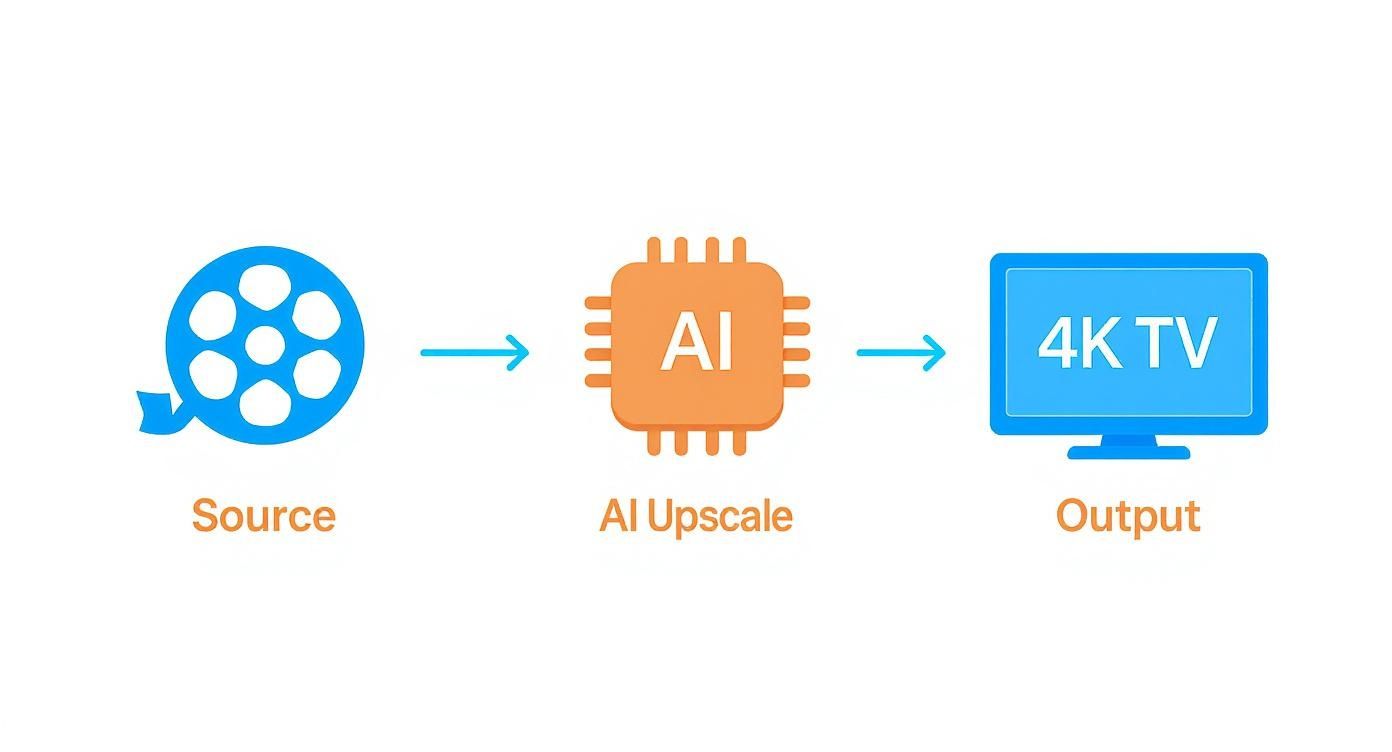
As you can see, the AI model is the intelligent engine driving the transformation from a lower-res source to a crisp 4K result. This is exactly why a little prep work up front pays off big time.
Prepping Your Source Footage
You've heard it a million times: "garbage in, garbage out." It has never been more true than with AI upscaling. The AI will enhance everything it sees—and that includes all the ugly flaws. So, before you even launch your upscaling software, give that 1080p source footage a good, hard look.
Be on the lookout for a few common culprits:
- Compression Artifacts: These are the blocky distortions you often see in heavily compressed files, like something you downloaded off the web or footage from an older digital camera.
- Noise and Grain: Digital noise from a low-light shoot or heavy film grain can get seriously exaggerated during upscaling, leaving you with a distracting, "crawling" texture.
- Blurriness: While AI is great at sharpening, it's not a miracle worker. Extreme motion blur or shots that were just plain out of focus are much tougher to fix. Sometimes, you're better off running the footage through specialized software first. If you’re wrestling with shaky or blurry source material, you might want to learn about how AI video unblurring works to see if it’s a good pre-processing step for you.
"AI-driven upscaling is a force multiplier for quality," states post-production supervisor David Chen. "A clean, high-bitrate 1080p ProRes file will upscale to 4K with staggering clarity, while a heavily compressed MP4 will often just yield a sharper version of its own flaws. The source is 90% of the battle."
Choosing Your AI Model and Settings
Once your source footage is clean, it's time to choose your weapon. Most serious AI upscalers, like Topaz Video AI, give you several models that have been trained for different kinds of content. Picking the right one here is absolutely critical for getting a natural-looking result.
When you open the software, you'll usually be presented with a few core models, each fine-tuned for a specific purpose. This is where you need to make a judgment call based on what you're working with—animation, live-action, or maybe some old interlaced footage that needs cleanup.
A constant tug-of-war is the balance between sharpness and naturalism. Over-sharpening is one of the most common mistakes; it creates a harsh, artificial "digital" look. Our advice? Start with a lower sharpening value. You can always add a final touch of sharpening in your video editor later if it really needs it.
Reviewing the Upscaled Output
After the render is finally done, the last step is a critical review. Don't just give it a quick glance. If you can, scrutinize the output on a proper 4K monitor to see what's really going on. I always pay close attention to a few key areas to make sure the quality holds up.
Here’s my mental checklist:
- Detail Consistency: Is the level of detail consistent across the entire frame? Does it hold up throughout the entire clip, or does it waver?
- Motion Artifacts: Watch for any fast-moving objects or quick camera pans. Keep an eye out for weird warping or ghosting effects, which can pop up when the AI struggles to predict motion between frames.
- Texture Realism: How do the textures look? Does skin, fabric, or foliage look natural, or does it have that waxy, overly smooth "plastic" appearance?
By following a meticulous workflow like this, you elevate your work from simple button-pushing to true digital craftsmanship. It's the secret to ensuring your upscaling 1080p to 4K projects deliver professional, high-quality results every single time.
Optimizing Your Video Quality Before and After Upscaling
Getting a genuinely cinematic 4K result from your 1080p footage is more of an art than a science. It's not just about hitting an "upscale" button and calling it a day. The real magic happens when you treat it like a craft, carefully prepping your footage beforehand and adding those crucial finishing touches afterward.
Think of it like restoring a classic painting. You wouldn't just slap on a new layer of varnish. First, you’d gently clean the canvas. Then, after the main restoration, you’d apply the final touches to make it perfect. Both steps are what separate an amateur job from a professional one.

It all starts with your source file. This is the single most important factor in the entire process. A high-bitrate file, like a master rendered in Apple ProRes, is packed with visual data. Compare that to a heavily compressed H.264 file from your phone, and the difference is night and day. A 1080p ProRes 422 file has a bitrate of about 147 Mbps, while a typical high-quality YouTube 1080p stream is only 8 Mbps. That is a massive difference in source information.
When you give the AI more information to work with, it can deliver a much cleaner, more detailed upscale. If you start with a weak source full of compression artifacts, the AI will often just make a sharper version of those same ugly artifacts. Garbage in, garbage out.
Pre-Processing for a Cleaner Canvas
Before you even think about upscaling 1080p to 4k, you need to fix any problems hiding in the original footage. This is the step most people skip, and it makes all the difference.
Got shaky footage? Run it through a video stabilization tool before you upscale. Trying to stabilize a massive 4K file is a nightmare for your processor and can create weird, warping artifacts.
The same goes for digital noise. If you shot in low light and your video is grainy, apply a gentle noise reduction pass first. This stops the AI from getting confused and sharpening the noise, thinking it's fine detail. You don't want your final video to look like a polished, grainy mess.
According to post-production expert Julian Mitchell, "The pre-processing stage is non-negotiable for professional results. An AI can't magically fix a fundamentally flawed source. Clean up your audio, fix your stabilization, and manage your noise before you even think about upscaling. It’s the difference between a passable result and an exceptional one."
Post-Processing to Refine the Final Image
So, your video is upscaled. The job’s not done yet. The file you get back from an AI upscaler will be crisp and clean, but sometimes it can feel a little too perfect—almost sterile or digital. Now's your chance to bring the character back.
Start with some subtle color grading. With 4x the pixel information to play with, your new 4K video can handle much finer color adjustments without falling apart. You can push the colors, deepen the shadows, and bring out details in a way the original 1080p file just couldn't handle. Many professional tools can help with this, and exploring a dedicated AI video enhancer can open up a world of advanced controls for getting the look just right.
Lastly, and this might sound counterintuitive, consider adding a little film grain. I know, you just worked hard to get a clean image. But a light, high-quality grain overlay is a classic Hollywood trick for a reason.
- It adds an organic texture, making the footage feel less like it came from a computer.
- It can mask tiny imperfections or any subtle artifacts the AI might have left behind.
- It helps blend your upscaled footage seamlessly with any native 4K clips in the same project.
This final step bridges the gap between something that's just technically sharp and something that's artistically beautiful. It elevates your work from good to truly exceptional.
Navigating the Hardware Demands of AI Upscaling
Let's get one thing straight: the incredible results you get from AI upscaling come at a cost, and that cost is raw computing power. It is imperative to set realistic expectations here. These sophisticated algorithms are a world away from your standard video editing tasks. When you upscale 1080p to 4K, you're not just stretching pixels—the AI is running complex neural network calculations for every single frame.
The heart of this entire operation is your Graphics Processing Unit (GPU). Your CPU and RAM are in the game, but the GPU is doing the heavy lifting. Modern AI upscalers are built specifically to tap into the parallel processing capabilities of GPUs, which is why a recent NVIDIA RTX or AMD RX series card is an absolute game-changer. These cards have specialized cores built for AI tasks, and they can slash your render times dramatically.
Real-World Performance Benchmarks
So, what does this look like in practice? To give you a concrete idea, here are some ballpark estimates for processing a one-minute, 30fps video clip.
| Hardware Tier | Estimated Time for 1-Min Clip | Key Component |
|---|---|---|
| High-End Desktop | 5-15 Minutes | NVIDIA RTX 4080/4090 |
| Mid-Range Desktop | 20-40 Minutes | NVIDIA RTX 3060/4060 |
| Modern Laptop | 45-90+ Minutes | Mobile RTX 3050/4050 |
These numbers drive home why a powerful GPU matters so much. A task that’s a quick coffee break on a high-end rig could easily tie up a less powerful machine for hours. This isn't unique to upscaling, either. Other visually intensive fields, like those using demanding 3D rendering software, also rely heavily on high-performance hardware.
This need for processing muscle didn't happen in a vacuum. It grew as 4K technology itself became more common. As standards evolved to include things like high frame rates up to 120 Hz, even the mobile industry had to prepare. Back in 2013, Qualcomm announced its Snapdragon 800 chips would handle 4K video, which helped build an entire ecosystem where powerful processing was no longer a luxury, but a necessity.
Workarounds for Less Powerful Machines
Don't have a top-tier editing rig? Don't worry. You can still get fantastic results—you just need to be more strategic.
"The biggest bottleneck in AI video processing isn't always raw power," notes a report from Puget Systems, a leading builder of high-performance workstations. "It's often sustained thermal performance. Even a beefy laptop can start to throttle its speed during long renders, stretching out processing times far beyond what a well-cooled desktop would experience."
Here are a few practical ways to manage the workload on a more modest machine:
- Process in Batches: Forget trying to render an entire feature-length film in one go. Break your project into smaller, more manageable 5-10 minute chunks. Set them to process overnight or during times you know you won't need your computer.
- Tweak Your Settings: Sometimes, you can cut render times significantly without a massive hit to visual quality. Try using a less complex AI model or dialing back the noise reduction settings.
- Look to the Cloud: A growing number of cloud-based platforms now offer AI upscaling as a service. You just upload your footage, their powerful servers do all the hard work, and you download the finished 4K file. This is a brilliant and cost-effective option if you only need to upscale videos every now and then.
Common Questions About Upscaling to 4K
Diving into the world of upscaling 1080p to 4K usually kicks up a few questions. Let's get them out of the way now so you can set the right expectations and sidestep the common traps that can trip people up.
Can Upscaled 1080p Truly Match Native 4K?
Honestly, while modern AI can pull off some incredible magic, it's not actually recovering lost information—it's intelligently creating brand new data to fill in the gaps. The results can look stunningly close to native 4K, especially if your original 1080p footage is clean and crisp. For most people watching on their TV or monitor, the difference is practically invisible.
That said, a trained eye might notice subtle softness in really fine details, like the texture of fabric or distant foliage. As video pro JG McQuarrie points out, while upscaling makes a huge improvement, "a video with a higher native resolution will always look better and contain more detail." The goal isn't perfection; it's creating a seamless and convincing 4K experience, which today's AI tools absolutely deliver.
What Is the Biggest Mistake to Avoid?
The single biggest mistake? Over-processing. It's so tempting to crank up the sharpening and noise reduction sliders to the max, thinking it'll make things better. It won't. This almost always results in an unnatural, "plastic" look, where textures appear waxy and fake.
Pro Tip: Go easy on the settings inside the upscaler itself. It's much better to do a conservative upscale and then handle your final sharpening or film grain as a separate, controlled step inside your video editor.
This gives you so much more finesse and control over the final product.
Does Upscaling Work on Poor Quality Video?
This is where the classic saying "garbage in, garbage out" really rings true. If you feed the AI a low-quality, heavily compressed video, it's just going to enhance everything—including the ugly compression artifacts, blockiness, and noise. In many cases, it makes those flaws even more obvious.
For the best possible result, you need to start with the highest bitrate, least compressed version of your 1080p source file you can get your hands on. Seriously, starting with clean footage is 90% of the battle for getting a 4K upscale that looks amazing.
Ready to push your visuals to the next level? With DreamShootAI, you can do more than just upscale. Create stunning, professional-quality photoshoots, animate images into captivating videos, and edit with simple prompts. Discover the full suite of creative tools at https://dreamshootai.com.
Written by Jocelyn Grey for the DreamShootAI blog.
Spotted something out of date? Tell us at [email protected] and we'll fix it.