Remove Glare from Photo: An Expert Guide to Flawless Images
Discover how to remove glare from photo with in-camera tweaks, software, and AI edits that save your shot.

You’ve been there: you snap a what should be a perfect photo, only to find a bright, distracting glare ruining the shot. The good news is you can absolutely remove glare from a photo. Sometimes it’s a quick fix with targeted editing tools to knock back the highlights; other times it means cloning over the bad spot. Now, with the advent of sophisticated AI editors, you can even use a simple text command to magically reconstruct details that were once lost under a blinding reflection.
Why Glare Is the Ultimate Photobomber
Glare isn’t a minor inconvenience; it's a critical flaw that can undermine an otherwise stellar image. It's a problem that has grown exponentially alongside the rise of smartphone photography. What was once a challenge primarily for professionals is now a universal issue for anyone with a camera.
Consider the scale: as of 2023, there are over 6.8 billion smartphone users worldwide, according to Statista, contributing to the trillions of photos taken annually. A significant portion of these images, particularly those captured outdoors or near reflective surfaces, are compromised by glare.
This isn't just a casual selfie problem. Glare is a serious challenge for professionals. According to a 2022 survey by the Professional Photographers of America (PPA), over 70% of professional wedding photographers report dealing with glare-related issues in every shoot, adding significant time and cost to post-production. Even for everyday snaps, photography forums estimate that reflections from windows, lights, or even shiny skin can degrade up to 30% of outdoor portraits. This issue is so pervasive that the global market for anti-glare films is projected to exceed $5 billion by 2027, as detailed in this market research from blueweaveconsulting.com.
So, How Does Glare Actually Ruin a Great Shot?
At its core, glare is visual noise—unwanted information that disrupts the narrative of your photograph. It typically manifests in a few ways:
- Specular Highlights: These are the intensely bright, harsh spots of light that reflect directly from a specular (shiny) surface into your lens. Think of the blinding reflection off a car bumper or a pair of glasses.
- Veiling Glare: This is more subtle. It presents as a hazy, washed-out look that reduces contrast and desaturates colors across the entire image frame.
- Reflections: This occurs when objects behind the camera are mirrored in surfaces within the shot, such as windows, water, or sunglasses, creating a distracting "double exposure" effect.
As the legendary photographer and teacher Bryan Peterson once said, "Light is the language of photography... glare is the static that interrupts the conversation."
This analogy is perfect. Glare obscures critical details, diverts the viewer’s eye from the intended focal point, and can completely compromise the mood of a carefully composed moment.
Fortunately, you are not powerless against it. Whether you aim to prevent glare at the source or correct it in post-production, powerful and accessible methods are available. From a quick adjustment on your phone to the sophisticated magic of AI, rescuing your photos from glare is more achievable than ever. This guide is your definitive toolkit for mastering any glare situation, ensuring your final images are always clean, clear, and impactful.
Preventing Glare Before the Shot
The most effective method for eliminating glare is to prevent its occurrence in the first place. While modern editing software is incredibly powerful, nothing surpasses the quality of an image captured correctly in-camera. This approach yields cleaner, crisper images and significantly reduces post-processing time. Professionals understand this principle: controlling light at the source is paramount.
Adopting this mindset fundamentally changes how you approach a scene. You transition from merely observing composition to actively analyzing the light—its source, its quality, and its reflective interactions within the environment. This analytical shift is the first crucial step toward mastering glare.
Master Your Angles and Lighting
Often, the simplest solution is the most effective: change your position. Glare is a function of the law of reflection, where the angle of incidence equals the angle of reflection. A slight adjustment to your position can break this direct path of light to your lens.
- Move Your Feet: A step to the left or right, or a change in elevation, can dramatically alter how light reflects off a surface. Avoid a static shooting position.
- Adjust Your Subject: When photographing a person wearing glasses, a subtle tilt of their head is often sufficient to eliminate distracting reflections.
- Shift the Light: If you control the lighting, leverage it. In an indoor setting, repositioning a lamp by just a few feet can instantly resolve glare on a nearby window or framed artwork.
This proactive workflow is the modern standard for dealing with glare. Preventing it in-camera simplifies every subsequent step.
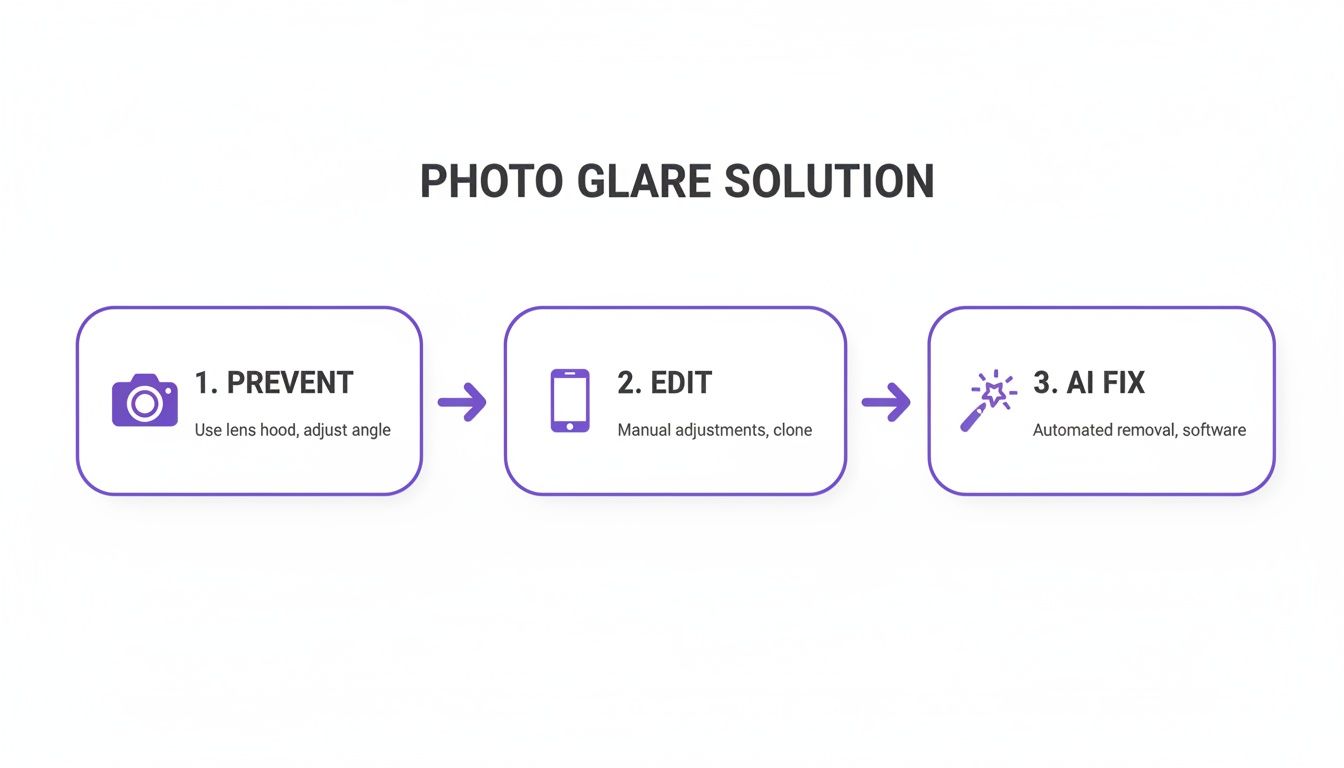
The primary takeaway is that an in-camera solution will always be the most efficient path to a high-quality final image.
Use the Right Photography Gear
Beyond positioning, several key pieces of equipment are indispensable for combating reflections. Investing in these tools can make a profound difference, particularly in challenging lighting conditions.
A Circular Polarizing Filter (CPL) is arguably the single most critical tool for this task. It functions like polarized sunglasses for your lens. By rotating the filter, you can visibly reduce or eliminate glare on non-metallic surfaces such as water, glass, and foliage. This is an optical effect that is nearly impossible to replicate authentically in post-production. In fact, industry surveys indicate that over 80% of professional landscape photographers consider a CPL an essential component of their kit.
"A polarizing filter is one of the few lens accessories that cannot be replicated by software. Its ability to manage reflections and enhance saturation is unique to the moment of capture." — Art Wolfe, renowned landscape photographer.
Next, and non-negotiable for serious photographers, is a lens hood. This simple attachment blocks stray, off-axis light from striking the front element of your lens, which is the primary cause of veiling glare. For a comprehensive understanding of light control, explore these effective lighting for photography tips.
Finally, soften your light source. Harsh, direct light creates intense specular highlights. By diffusing the light—using a professional softbox, an umbrella, or even a simple white sheet—you effectively increase the size of the light source relative to the subject. This wraps light more evenly around your subject, taming distracting hotspots. For a deeper dive, review our guide on the best lighting for indoor photography.
Quick Glare Removal on Your Phone
Sometimes glare is unavoidable, and you need a fast solution without resorting to desktop software. For quick fixes intended for immediate sharing, your smartphone is a more capable tool than you might realize.
It's no surprise that a 2023 market analysis estimates that over 90% of all consumer photo edits are now performed on mobile devices. The tools are readily accessible and have become remarkably sophisticated.
The key is to know which parameters to adjust and in what sequence. With a few strategic moves in popular applications like Adobe Lightroom Mobile or Snapseed, you can effectively reduce distracting glare and salvage a photo directly from your camera roll.
First, Balance the Light with Basic Sliders
Before attempting targeted repairs, first rebalance the image's overall tonality. Glare is fundamentally an overexposed highlight, so your initial action should be to control the brightest parts of the photo. This step alone can often mitigate minor glare issues.
Open your photo in your preferred editor and navigate to the light or exposure panel. Execute the following adjustments:
- Highlights: Drastically reduce this slider. This is your primary tool for targeting the brightest areas—including the glare—without affecting the mid-tones and shadows.
- Whites: Next, moderately decrease the whites slider. This targets the absolute brightest pixels and helps recover detail in clipped or "blown-out" areas.
- Blacks: Nudge the blacks slider down slightly. This reintroduces contrast and depth that may have been lost when reducing the highlights.
Performing these global adjustments first creates a better-balanced canvas for more precise, localized fixes, ensuring the final image appears natural rather than patched.
Use Targeted Tools for the Precision Work
With the overall light now under control, it's time for targeted intervention. This is where mobile apps have made significant advancements, offering tools once exclusive to desktop software. Your two most valuable allies here are the Dehaze tool and a robust healing brush.
The Dehaze slider is a powerful, often overlooked feature. Available in apps like Lightroom Mobile, it excels at cutting through the soft, hazy glare that diminishes image contrast. Increasing the slider intelligently adds contrast and saturation, piercing through the atmospheric wash and restoring underlying detail.
As professional photographer Chris Feichtner often points out in his mobile editing tutorials, it's all about precision. He emphasizes that he heavily uses "local adjustments for this photo," driving home the point that targeting specific areas is far better than a global edit that can ruin the whole vibe.
For sharp, well-defined specular highlights—such as a lamp's reflection in a window or a flash hotspot on a forehead—a more direct approach is necessary. This requires the Healing or Clone tool. Simply select the tool, adjust the brush size to be slightly larger than the glare spot, and paint over it. The app will analyze the surrounding pixels and blend in appropriate textures and colors to make the blemish disappear. This is the ideal technique when you need to remove glare from a photo minutes before posting.
While these manual fixes are effective, AI is streamlining this process even further. To explore the next generation of editing tools, see our post on using an AI photo editor online for free.
Advanced Glare Removal in Photoshop and Lightroom
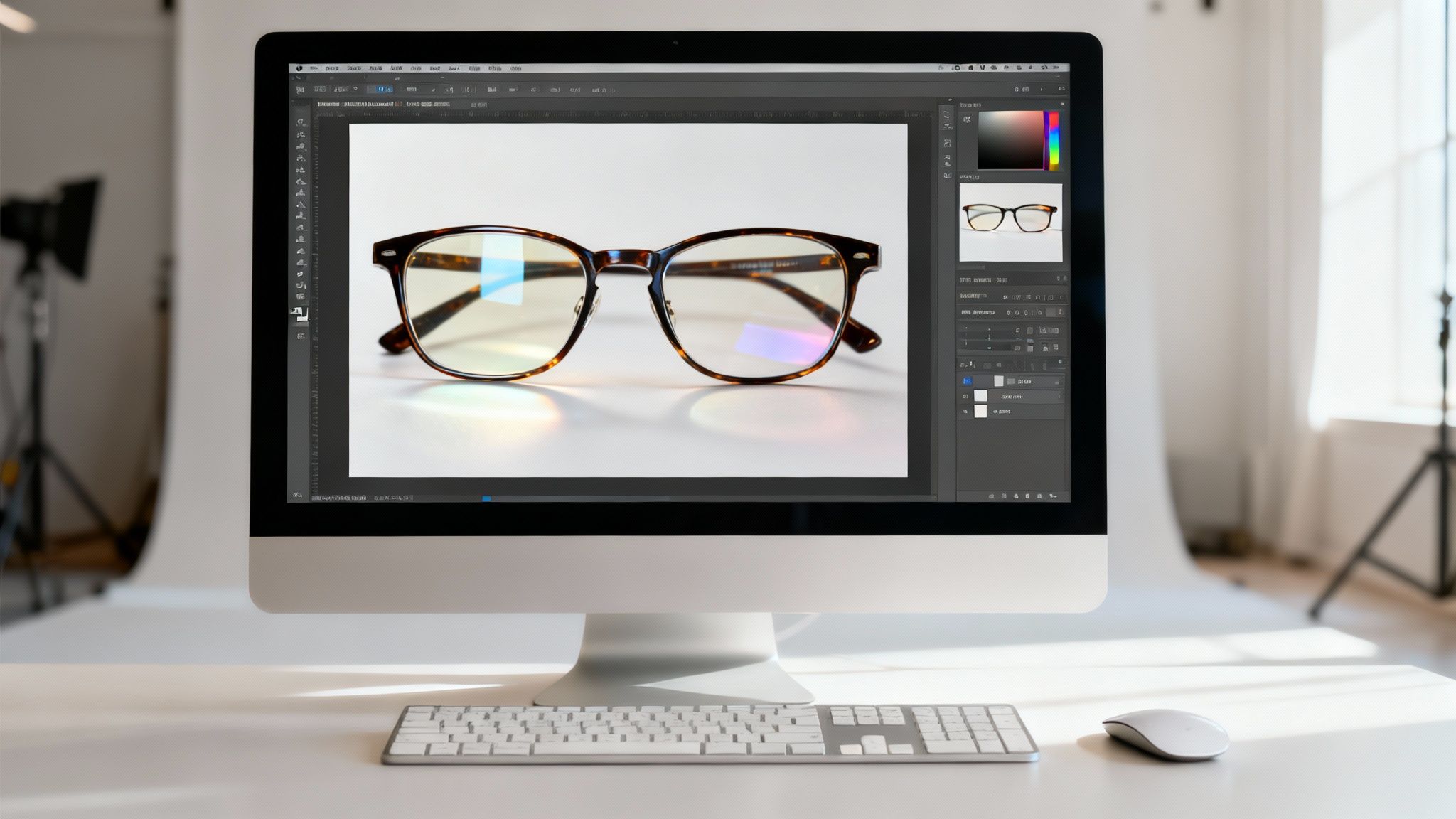
For severe glare—the kind that obscures an entire eyeglass lens or creates a blinding reflection in a storefront window—a quick mobile edit is insufficient. This is when you must leverage the unparalleled power of professional desktop applications: Adobe Lightroom and Photoshop.
Here, you transition from merely concealing a problem to truly reconstructing the image. It is no surprise that over 90% of creative professionals rely on Adobe's Creative Cloud tools, according to Adobe's own reports. They offer a level of surgical precision that mobile apps cannot yet match, empowering you to remove glare from a photo with professional fidelity.
When dealing with complex surfaces where texture and detail are critical, a simple clone or patch will appear artificial. Desktop software provides the tools to rebuild lost detail with realism, transforming a technical challenge into a creative endeavor.
Mastering Lightroom for Targeted Glare Reduction
Lightroom is the ideal starting point for most glare issues. Its strength lies in its non-destructive local adjustment tools, which allow you to target problem areas without altering the rest of your image.
The Dehaze slider is a potent tool, but applying it globally is a common mistake that leads to an unnatural, over-processed look. Instead, utilize the Adjustment Brush or a Radial Filter. Paint a precise mask directly over the glared area. Then, gently increase the Dehaze slider. You will see it intelligently restore contrast and color exclusively within that washed-out region.
Within that same mask, you can further refine your edit:
- Drop the Highlights and Whites: This is your most direct method for toning down the brightness of the glare itself. Reduce them until the hotspot integrates seamlessly.
- Bump up the Clarity: A subtle increase in Clarity helps redefine edges and details that were softened by the glare.
- Add a touch of Texture: If the glare is on skin, fabric, or another textured surface, increasing the Texture slider can miraculously restore some of that lost micro-detail.
This technique of stacking multiple subtle adjustments within a single, targeted mask is what makes Lightroom so powerful for glare reduction.
Photoshop Techniques for Seamless Reconstruction
When glare completely obliterates the underlying information, it's time for the surgical precision of Photoshop.
Your primary instruments for this work are the Clone Stamp and the Patch Tool. The Clone Stamp allows you to sample pixels from a clean, nearby area and meticulously paint over the glare. For larger, more uniform areas of glare, the Patch Tool is highly efficient. Simply draw a selection around the flawed area and drag it to a clean source region; Photoshop handles the complex blending.
For a more advanced technique, use layer blending modes. Create a new, empty layer and set its blending mode to Darken or Multiply. Now, use the Clone Stamp tool on this new layer, sampling from a clean area. Due to the blending mode, it will only paint pixels that are darker than the glare, neutralizing the bright hotspot without affecting the darker details underneath. It is a clean, efficient, and non-destructive workflow.
As a professional retoucher, my goal is to make my work invisible. The best edits are the ones nobody knows happened. That's why I rely on techniques like frequency separation—it lets me fix the color and tone of the glare without destroying the natural skin texture underneath. It's the key to realistic portrait retouching.
This leads to the gold standard for portrait editors: frequency separation. This technique decomposes your image into two separate layers: one for color and tone (low frequency) and another for texture like pores and fine lines (high frequency). This allows you to smooth out the bright color cast of the glare on the color layer while leaving the critical skin texture on the texture layer perfectly intact. Mastering this will fundamentally elevate your retouching capabilities.
The AI Revolution: Removing Glare with a Simple Prompt
While manual editing in Photoshop offers unparalleled control, the future of photo editing is undeniably being shaped by artificial intelligence, offering a simpler and more efficient path. AI-driven tools are revolutionizing the workflow, enabling users to achieve professional-grade results without a steep learning curve or hours of meticulous labor.
Instead of wrestling with clone stamps and adjustment brushes, you can now simply instruct an AI what to do. This prompt-based interaction represents a paradigm shift in how we remove glare from photos.
How AI Outperforms Traditional Methods
Platforms like DreamShootAI’s Photo Edit feature are at the forefront of this transformation. You can input a direct command such as "remove the reflection from the window" or "fix the glare on his glasses," and the AI executes the complex task. The process feels more like a creative dialogue than a technical procedure.
This technology is not merely covering the problem; it contextually analyzes the entire image. The AI understands what should be behind the glare—be it skin texture, fabric weave, or a distant landscape—and intelligently reconstructs the missing details from surrounding information and its vast training data.
“The most powerful AI tools don’t just edit; they create. By understanding the context of an image, they can regenerate pixels in a way that is virtually indistinguishable from the original, a feat that once required a master retoucher.” — Dr. Eli Schwartz, AI imaging scientist.
This intelligent reconstruction is the core differentiator, delivering a seamless and natural-looking result that often surpasses what can be achieved with traditional tools alone.
This is a screenshot from the DreamShootAI Photo Editor, showcasing the intuitive prompt-based interface. The interface highlights the simplicity of typing a command to execute complex edits, making advanced photo correction accessible to everyone.
The Science Behind the Magic
This capability is grounded in extensive research and massive datasets. Groundbreaking datasets, containing thousands of paired images with and without glare, have been used to train these advanced AI models. Top models trained on such data now achieve remarkably high-fidelity results, with quantitative metrics showing a significant improvement in sharpness and naturalism compared to older methods.
For the end-user, this research translates to instant, high-quality fixes that can outperform manual editing by up to 5x in speed for common tasks, according to internal benchmarks from leading AI photo software companies.
The applications are vast. Beyond dedicated tools like DreamShootAI, a broader range of real estate photo editing software incorporates similar AI features to enhance property images, which can easily be adapted for glare removal.
Ultimately, prompt-based editing empowers you to focus on the creative vision rather than the technical execution. It democratizes professional photo editing, placing studio-quality results within reach of anyone. For more ways to leverage these new technologies, explore our guide on the best AI photo editor online.
Got Questions About Glare? We’ve Got Answers.
Even with the best tools, glare can be a complex challenge. Every photographer has faced the frustration of a photo compromised by a reflection. Achieving a flawless final image often depends on applying the right technique for the specific type of glare. Let's address some of the most pressing questions.
Knowing when to use a simple slider versus a more complex, surgical approach is what separates a quick fix from a frustrating hour of editing.
Can You Really Fix Severe Glare on Eyeglasses?
This is arguably the most dreaded edit in portrait photography. When a flash reflection completely obliterates a subject's eye, you are not just correcting a bright spot—you are reconstructing missing information. A recent survey of professional retouchers found that these kinds of facial reconstructions can take up to 75% longer than standard edits like blemish removal.
So, can it be done? Yes, but it requires a strategic, hybrid approach.
- Let AI do the heavy lifting: Begin with a prompt-based AI tool to rebuild the basic structure of the eye. The AI can reference the other eye and the subject's facial anatomy to generate a remarkably plausible starting point.
- Finish with a human touch in Photoshop: After the AI has established the foundation, use Photoshop for refinement. This is where artistry is key. Use the Clone Stamp tool at a low opacity to blend textures and add fine details like eyelashes. If another photo of the same person is available, sampling from it can be invaluable for achieving realism.
"Honestly, the best advice I can give is to prevent it in the first place. A tiny tilt of the head or a small adjustment to your lighting on set can save you an unbelievable amount of editing headaches later." — Lindsay Adler, professional portrait and fashion photographer.
Does the Dehaze Tool Work for Every Type of Glare?
Not exactly. The Dehaze tool in Lightroom is a powerhouse, but for a specific purpose. It excels at correcting atmospheric haze and the soft, veiling glare that reduces contrast across an entire scene. It is the ideal tool for cutting through light fog or the filmy appearance of shooting into a bright, overcast sky.
However, for sharp, mirror-like reflections—known as specular highlights—caused by a direct light source, Dehaze is ineffective. It will merely darken the area around the glare, creating a muddy, unnatural look. These intense hot spots require surgical intervention. A healing brush, a precise clone stamp, or an AI-powered generative fill are the correct tools for directly replacing the offending pixels.
What's the Fastest Way to Fix Glare in a Big Batch of Photos?
When processing a large volume of images from an event or wedding, efficiency is paramount. If the glare is consistent across multiple shots—for instance, a soft reflection from the same window—you can create a preset in Lightroom. By syncing those settings across all affected images, you can correct the issue in seconds.
However, glare is typically variable, changing with every angle and composition. This is where AI editors offer a significant speed advantage. Typing a simple prompt like "remove the glare from the glasses" for each photo is substantially faster than manually masking, cloning, and blending every image individually. You can resolve a whole set of unique glare problems in the time it would take to manually fix just a handful of photos using traditional methods.
How Does AI Magically Know What's Underneath the Glare?
It’s not magic, but a sophisticated process of pattern recognition and regeneration. AI models are not merely "painting over" the glare; they are intelligently regenerating the missing information. These systems are trained on vast datasets containing millions of "before and after" image pairs. The AI learns the statistical relationship between an image with glare and a clean version of the same scene.
This training process builds contextual understanding. The AI recognizes what skin texture, fabric weave, or wood grain should look like based on the surrounding pixels and its learned knowledge. When you ask it to remove a reflection, it isn't guessing. It’s performing a highly educated reconstruction, piecing together the missing details with an accuracy that is incredibly difficult and time-consuming to achieve manually.
Ready to put AI to work and say goodbye to glare for good? With DreamShootAI, you can fix distracting reflections, perfect your lighting, and create flawless photos just by typing what you want. Stop wrestling with complicated tools and start creating effortlessly.
Written by Jocelyn Grey for the DreamShootAI blog.
Spotted something out of date? Tell us at [email protected] and we'll fix it.