Make Pictures Dance With This AI Animation Guide
Want to make pictures dance? Learn how to animate any photo into a viral video with our expert guide to AI tools like DreamShootAI. Get started today!
Ever wanted to make a picture dance? It's not magic; it's the sophisticated application of artificial intelligence. With advanced platforms like DreamShootAI, you can transform a static photograph into a dynamic video by selecting a dance style and letting the AI generate the animation. The entire process is engineered for simplicity, enabling users to bring a still image to life in a matter of minutes.
How AI Makes Your Pictures Dance
So, how does a static, two-dimensional photo suddenly learn to perform complex choreography? The core mechanism is generative AI. This technology analyzes the visual data of your picture, identifies the human form, and intelligently overlays a vast library of realistic motion data. What once required a team of professional animators and extensive render times is now an accessible, click-driven process.

This is far from a mere novelty. The market reflects a significant technological shift, with the Generative AI in Animation Market projected to grow from USD 2.1 billion in 2024 to USD 15.9 billion by 2030, according to a report by MarketsandMarkets™. This exponential growth underscores its power as a game-changing tool for enhancing social media engagement, creating viral content, and crafting unique digital memories.
The Core Technology Explained
Upon uploading your photograph, the AI model executes a critical first step: pose estimation. It identifies key anatomical points on the subject's body—such as elbows, knees, shoulders, and hips—to construct a digital "skeleton" or rig.
From this framework, it maps a pre-recorded motion capture sequence onto the skeleton. The process is analogous to digital puppetry but is executed autonomously by the AI in seconds. This function relies on advanced AI's image-to-video capabilities that are continuously becoming more sophisticated.
Platforms like DreamShootAI leverage enormous libraries of human motion data, which is the critical component that ensures the final animation appears fluid and natural rather than stiff and robotic.
"The rapid advancement in generative models, particularly in diffusion models and generative adversarial networks (GANs), has democratized the creation of high-quality animation."
– Dr. Alistair Grenfell, AI Research Scientist
Dr. Grenfell's observation highlights the core of this revolution. The AI's algorithm—its "system"—processes millions of data points to master the nuances of human movement, enabling it to make your pictures dance flawlessly.
To better understand the tools involved, here’s a breakdown of the key features that facilitate this process in DreamShootAI.
Key DreamShootAI Features for Animation
| Feature | Primary Function | Ideal Use Case |
|---|---|---|
| Photo Upload & Analysis | Scans the image to identify the human subject and key body points for rigging. | Uploading a clear, high-resolution, full-body shot for optimal animation. |
| Motion Library | A vast collection of pre-recorded, professionally captured dance and movement sequences. | Selecting a dance style that aligns with the photo's context, from hip-hop to salsa. |
| AI Rendering Engine | Applies the chosen motion to the photo's digital skeleton and generates the final video. | Creating a shareable, high-definition video clip in just a few minutes. |
| Customization Options | Allows minor adjustments to parameters like speed, background, or video length. | Fine-tuning the animation to perfectly match a specific creative vision. |
These features operate in a seamlessly integrated workflow, eliminating the need for technical expertise. The user simply provides the input, selects the motion, and allows the platform to manage the complex computational processes.
Choosing the Right Photo for Animation
The key to a superior animation begins with the source image. Not all photographs are equally suited for AI-driven motion generation. Consider the selection process as casting the lead role in a production—a high-quality photo will invariably yield a high-quality performance. This principle holds true whether you intend to make a picture dance for a TikTok trend or for a personal digital keepsake.
The AI requires unambiguous visual information to operate effectively. Based on extensive testing, high-resolution, full-body shots with clear separation between the subject and the background consistently produce the most impressive results. A clean, unobstructed view of the individual enables the technology to accurately map the anatomical structure.
What to Look For in a Photo
To achieve an animation that is both fluid and believable, a meticulous image selection process is recommended. A few moments of preparation can dramatically impact the final output.
- Full Body Visibility: The AI must be able to see the entire person, from head to toe. Photos where limbs are cropped or obscured will likely result in animation artifacts and glitches.
- Unobscured Limbs: Avoid photos where arms are crossed tightly or legs are hidden behind objects. The algorithm requires a clear view of each limb to apply the dance kinematics correctly.
- Good, Clear Lighting: Harsh shadows can confuse the AI's edge detection algorithms, making it difficult to accurately distinguish the subject's silhouette. Opt for photos with even, bright lighting.
This image is a perfect example of an ideal input: a crisp, full-body shot with excellent subject-background separation.
Note the clear visibility of her arms, legs, and overall form. This provides the ideal foundation for a smooth, realistic dance animation.
Common Pitfalls to Avoid
Understanding what not to use is as critical as knowing what works. Certain types of photos are almost guaranteed to produce suboptimal results. Group photos should be avoided, as the AI is designed to animate a single subject. Furthermore, blurry or low-resolution images lack the necessary pixel data for the AI to perform precise motion tracking.
"In the digital realm, the quality of your input directly dictates the quality of your output. Garbage in, garbage out isn't just a programming cliché; it's a fundamental law of generative AI."
– Dr. Eva Rostova, Professor of Computational Media
Dr. Rostova's statement is particularly salient here. The "identity" of your photo—its clarity and composition—directly shapes the final animation. A poor choice disrupts the entire process.
This is especially true when working with historical family photographs. For users looking to bring vintage memories to life, learning how to animate old photos with AI requires careful attention to image quality. Always begin with the highest-resolution scan available to provide the AI with the maximum amount of data.
Bring Your Photos to Life with DreamShootAI
This section details the practical application of turning a static image into a dynamic, animated video suitable for social media. The DreamShootAI platform is designed with an intuitive user interface, prioritizing a seamless creative experience over complex technical hurdles.
The process begins at the animation tool, where you are prompted to upload your selected photograph. As established, the quality of the final animation is inextricably linked to the quality of the initial image.
This infographic outlines the optimal criteria for image selection.
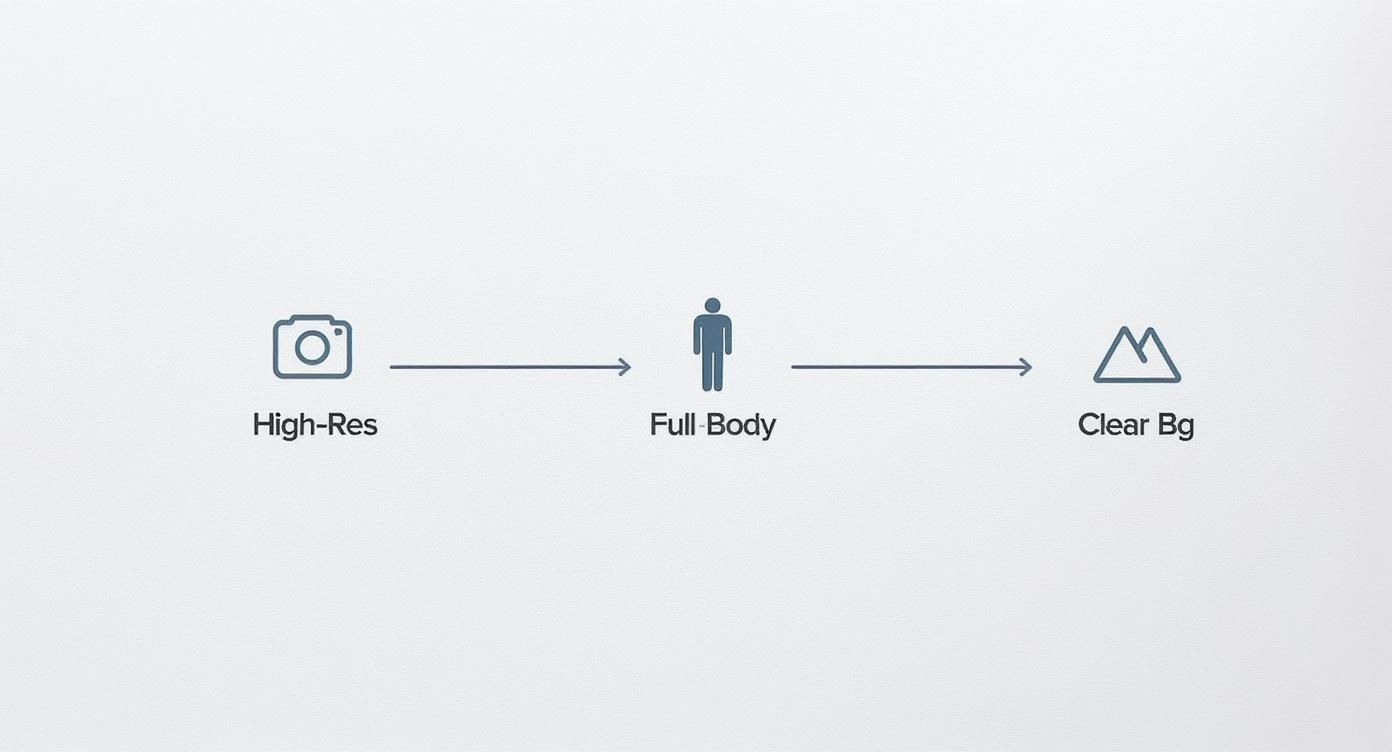
Adhering to these three principles—high resolution, full-body composition, and a clean background—provides the AI with the best possible data, resulting in a significantly smoother and more believable animation.
Choosing Your Moves
Once the photo is uploaded and analyzed, you gain access to a comprehensive library of dance templates. This is the core creative stage. You can select from high-energy hip-hop routines, elegant ballet movements, and a wide array of other styles.
As you preview different templates, DreamShootAI renders a real-time preview of your subject in motion. This feature allows for rapid iteration, enabling you to experiment with various styles before committing to a final choice.
Getting It Ready for the World
After selecting the ideal dance, the final step is to export your creation for distribution. DreamShootAI provides optimized settings for all major social media platforms.
For best results, observe these guidelines:
- TikTok & Instagram Reels: Utilize a 9:16 aspect ratio. This vertical format is essential for maximizing screen real estate on mobile devices and capturing user attention.
- General Sharing: A standard MP4 format ensures universal compatibility. Export in high resolution (1080p) to maintain visual fidelity and a professional appearance.
The real secret is systematic experimentation. Methodically pair different photos with various dance templates to discover the combinations that best resonate with your subject's context and your creative intent.
Upon export, your animated photo is ready to be shared. The entire workflow, from upload to download, is managed by DreamShootAI's powerful AI image animator. It handles all the complex rendering and processing, allowing you to bring a cherished memory to life in just a few minutes.
Pro Tips to Make Your Animations Stand Out
You've mastered the fundamentals. Now, it's time to elevate your creations from intriguing AI demonstrations to compelling pieces of content. This requires moving beyond default settings and adopting a more curatorial mindset.
The objective is to make your pictures dance in a way that feels authentic to the subject and its original context.
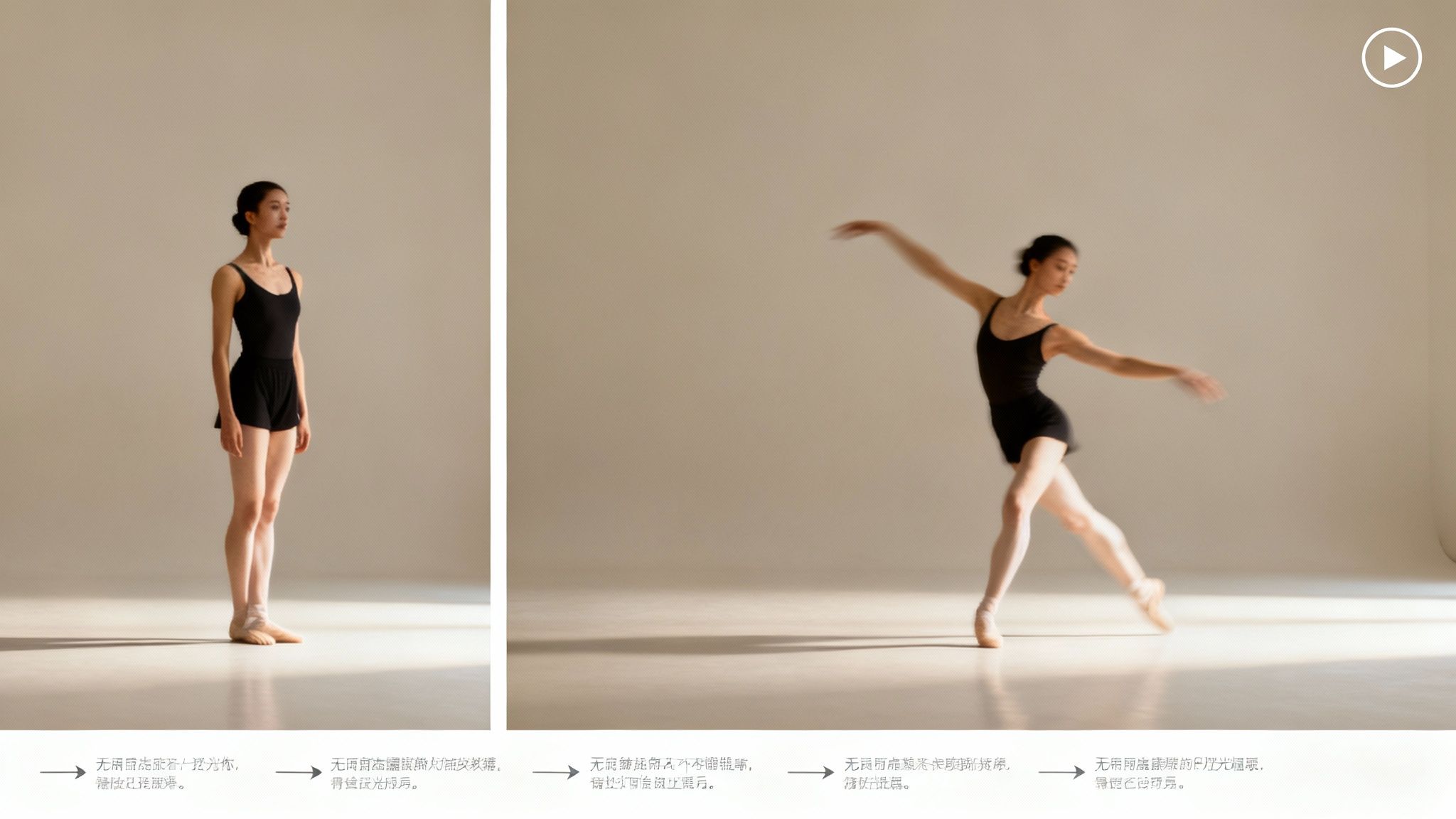
This involves a critical assessment of your source image. A high-energy dance might be perfect for a candid vacation photo, whereas a more graceful motion would better suit a formal portrait. The alignment of motion and mood is paramount.
"The best AI creations happen when you push the tool beyond its defaults."
– Kaya Fields, Digital Artist
Kaya's insight is crucial. Experimentation is your most valuable asset. Don't hesitate to apply unconventional dance styles to various images. Some of the most memorable animations arise from unexpected pairings that challenge conventional aesthetics.
Fine-Tuning Your Creation
To truly distinguish your animations, delve into more advanced creative techniques. While DreamShootAI provides excellent templates, understanding the principles of motion generation offers a significant creative advantage. Resources on mastering Sora 2 prompting can provide valuable insights into how AI interprets creative direction—a transferable skill across any generative platform.
Furthermore, animation isn't limited to dancing. You can introduce another dimension of personality by making the subject sing. For a different style of engagement, explore our guide on how to make your photos sing with AI.
Here are additional expert tips:
- Create Seamless Loops: This is a powerful technique for social media. Edit the final clip so its end flows perfectly into its beginning. This simple trick increases watch time as users scroll.
- Avoid Unnatural Movements: If a dance appears jerky or awkward, discard it and select another. The goal is fluid, believable motion, not robotic action that breaks the illusion.
- Enhance with Post-Editing: Use a video editor to add a synchronized music track, apply color grading, or insert text overlays. This final layer of polish can dramatically elevate the impact of your animation.
The demand for accessible creative tools is surging. Google Trends data reveals a 79% year-over-year increase in search queries for 'Video Editing Software', indicating a broader consumer shift towards producing dynamic, eye-catching content. Animating static photos directly addresses this demand.
Sharing Your Animated Photos with the World
Creating a dancing photo is only the beginning; the true value is realized upon sharing it. Once your animated video is exported, a strategic distribution plan is essential for maximizing its reach and impact. This requires understanding the digital environments where your target audience congregates.
Success on social media is data-driven, and video is a dominant variable. A 2023 study by HubSpot found that video content generates 1200% more shares than text and image content combined. Your animated photo is already optimized for this landscape, but platform-specific strategies will amplify its performance.
Format for Maximum Impact
Content formatting must be tailored to the platform. A one-size-fits-all approach is inefficient and diminishes visual impact.
- TikTok & Instagram Reels: Vertical video is non-negotiable. Export in a 9:16 aspect ratio to fully occupy the mobile screen, creating an immersive experience that mitigates scroll-through.
- Facebook & X (formerly Twitter): A 1:1 aspect ratio (square) generally performs best in these feeds. It provides a substantial visual presence without requiring users to rotate their devices.
“Authenticity, storytelling, and listening are the new marketing mantras.”
– Martin Lindstrom, Brand Expert
Lindstrom's principle is directly applicable. Your animation is a micro-story. Enhance its narrative with a compelling caption, leverage trending audio within the publishing platform, and utilize relevant hashtags like #AIart or #danceanimation to improve discoverability among interested users.
Don't just upload a video. Engineer a shareable moment.
Got Questions About Photo Animation? We've Got Answers.
Embarking on photo animation is an exciting prospect, but initial questions are common. Addressing these upfront ensures a more productive and enjoyable creative process. Here are the most frequent inquiries we receive.
What Kind of Photos Work Best for AI Dance Animation?
Optimal results are achieved using a high-resolution photograph where the subject's entire body is visible. Full-length portraits are ideal.
A simple, uncluttered background is also highly advantageous. The AI requires a clear distinction between the subject and their environment to accurately map the dance movements. Busy backgrounds or blurry images can introduce artifacts into the final animation.
Can I Make My Dog or My Coffee Table Dance?
While creatively ambitious, current animation tools, including ours, are trained specifically on human biomechanics. The underlying algorithms are built upon vast datasets of human movement.
Attempting to animate a non-human subject may produce unpredictable, abstract, and often glitchy results, as the AI will struggle to identify a recognizable anatomical structure. For smooth, realistic motion, it is best to use photos of people.
Can I Choreograph My Own Dance Moves?
Currently, creating custom choreography from scratch is not a feature. Instead, DreamShootAI offers a curated library of dance animations developed by motion capture experts.
You can browse dozens of distinct styles, from high-energy hip-hop to more subtle, flowing movements. The creative challenge lies in selecting the pre-set motion that best complements the mood and subject of your photograph.
Do I Need to Be a Tech Whiz for This?
Absolutely not. If you can upload a photo to a website, you possess all the necessary technical skills.
Modern AI tools have radically democratized video creation. According to the Content Marketing Institute, 71% of B2B marketers and 66% of B2C marketers now use video, a surge driven by the accessibility of platforms like this. The AI handles the complex computational tasks, transforming a once-technical process into a simple, click-based workflow.
Ready to see your own photos in motion? With DreamShootAI, you can make your pictures dance in just a few minutes. Check out our animation tools and start creating your first video today at https://dreamshootai.com.
Written by Jocelyn Grey for the DreamShootAI blog.
Spotted something out of date? Tell us at [email protected] and we'll fix it.